Fake Federal German Police (BKA) Notice
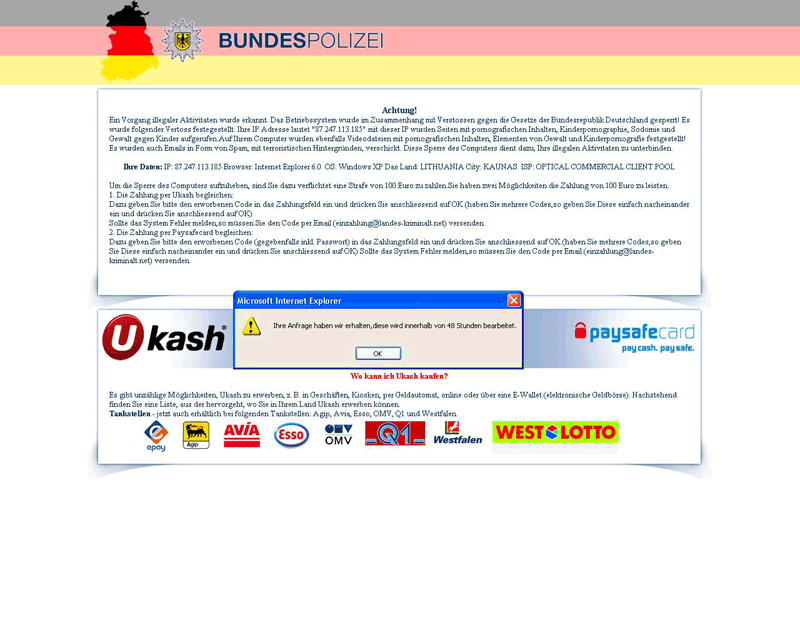 Fake Federal German Police (BKA) notice variante is a variant of a ransomware Trojan that uses a fake German legal warning. Fake Federal German Police (BKA) notice variante will prevent the use of your computer until you manage to remove Fake Federal German Police (BKA) notice variante or until you enter a valid serial key. The criminals that designed Fake Federal German Police (BKA) notice variante would prefer that you send them money to obtain a key, but it's recommended that you use advanced techniques and anti-malware software to remove Fake Federal German Police (BKA) notice variante instead of paying the ransom.
Don't Fall for the Fake German Police
Fake Federal German Police (BKA) notice variante is a common example of one type of ransomware that infects your computer through stealth and follows it up by locking up almost all computer operations. Fake Federal German Police (BKA) notice variante will open communications with a message that starts like this:
Achtung!
Ein Vorgan illegaler Aktivitaten wurde erkannt. Das Betriebssystem wurde im Zusammenhang mit Verstossen gegen die Gesetze der Bundesrepublik Deutschland gesperrt!
Translated, the message reads as follows:
Attention!
Illegal activities have been detected. The operating system has been blocked in connection with infringement of the laws of the Federal Republic of Germany!
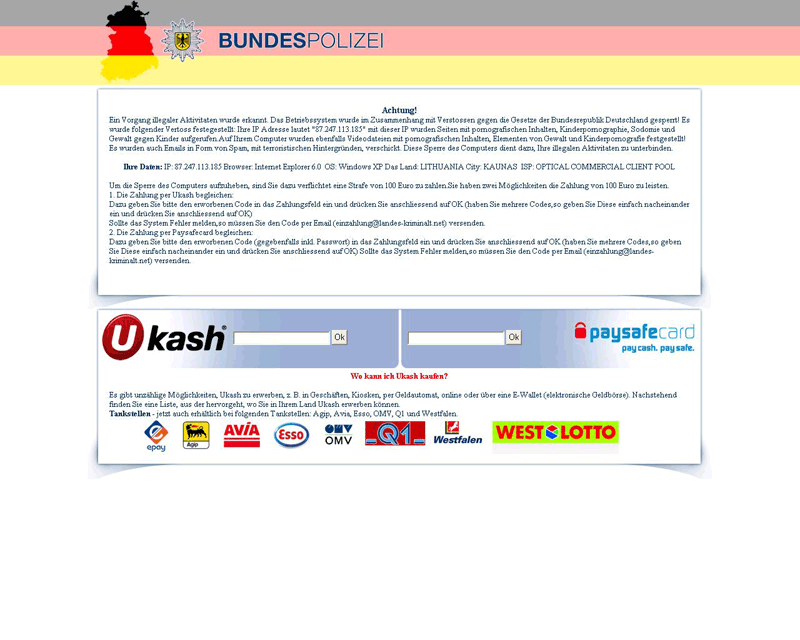
This lengthy warning will continue on to accuse you of downloading illegal materials such as child pornography. Fake Federal German Police (BKA) notice variante goes on to threaten you with legal action, but also leaves you a way out: just pay a not-so-small 100 Euro fine and all will be well again.
The Fake Federal German Police (BKA) notice variante program has no way of detecting any illegal actions on your PC, and you should never mistake Fake Federal German Police (BKA) notice variante for a legitimate legal authority. Fake Federal German Police (BKA) notice variante's presence in your PC is just a convoluted ransom scheme, with two convenient and fast payment-processing options (Ukash and paysafecard) at the end.
Stand Up to Fake Federal German Police (BKA) notice variante
There's no reason to pay Fake Federal German Police (BKA) notice variante the money Fake Federal German Police (BKA) notice variante demands, even if your computer is completely frozen. Unfortunately, there are no freely-circulated unlock keys for Fake Federal German Police (BKA) notice variante as of the time of this writing, since the codes can't be reverse-engineered from Fake Federal German Police (BKA) notice variante itself. However, disabling and then deleting Fake Federal German Police (BKA) notice variante will work just as well for getting your PC back in working order.
Utilizing Safe Mode will allow you to disable Fake Federal German Police (BKA) notice variante. You can access Safe Mode in any Windows PC by hitting F8 before Windows loads during the startup process. After that, it's just a matter of running your choice in anti-malware software to delete Fake Federal German Police (BKA) notice variante from your PC in a thorough system scan.

Leave a Reply
Please note that we are not able to assist with billing and support issues regarding SpyHunter or other products. If you're having issues with SpyHunter, please get in touch with SpyHunter customer support through your SpyHunter . If you have SpyHunter billing questions, we recommend you check the Billing FAQ. For general suggestions or feedback, contact us.