Windows PC Defender
Posted: September 17, 2009
Threat Metric
The following fields listed on the Threat Meter containing a specific value, are explained in detail below:
Threat Level: The threat level scale goes from 1 to 10 where 10 is the highest level of severity and 1 is the lowest level of severity. Each specific level is relative to the threat's consistent assessed behaviors collected from SpyHunter's risk assessment model.
Detection Count: The collective number of confirmed and suspected cases of a particular malware threat. The detection count is calculated from infected PCs retrieved from diagnostic and scan log reports generated by SpyHunter.
Volume Count: Similar to the detection count, the Volume Count is specifically based on the number of confirmed and suspected threats infecting systems on a daily basis. High volume counts usually represent a popular threat but may or may not have infected a large number of systems. High detection count threats could lay dormant and have a low volume count. Criteria for Volume Count is relative to a daily detection count.
Trend Path: The Trend Path, utilizing an up arrow, down arrow or equal symbol, represents the level of recent movement of a particular threat. Up arrows represent an increase, down arrows represent a decline and the equal symbol represent no change to a threat's recent movement.
% Impact (Last 7 Days): This demonstrates a 7-day period change in the frequency of a malware threat infecting PCs. The percentage impact correlates directly to the current Trend Path to determine a rise or decline in the percentage.
| Threat Level: | 10/10 |
|---|---|
| Infected PCs: | 21 |
| First Seen: | December 1, 2009 |
|---|---|
| Last Seen: | May 6, 2024 |
| OS(es) Affected: | Windows |
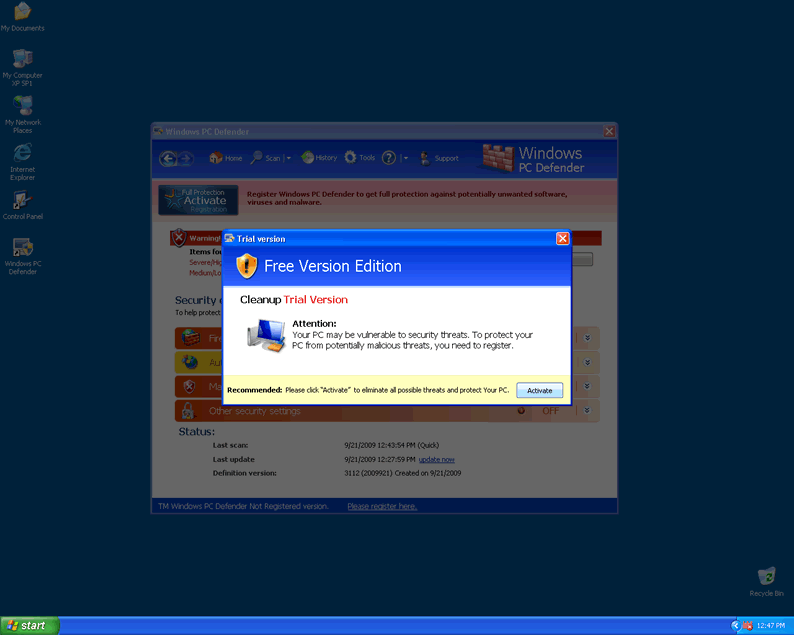
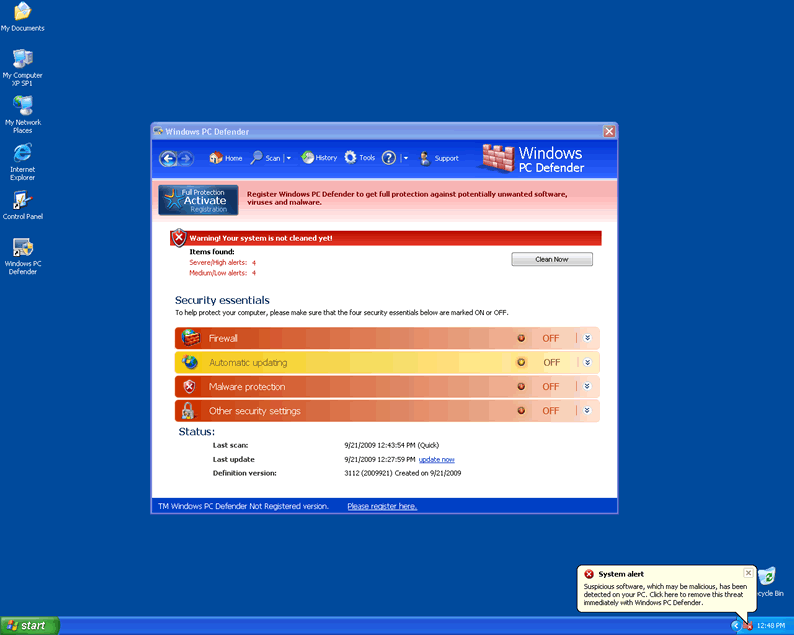
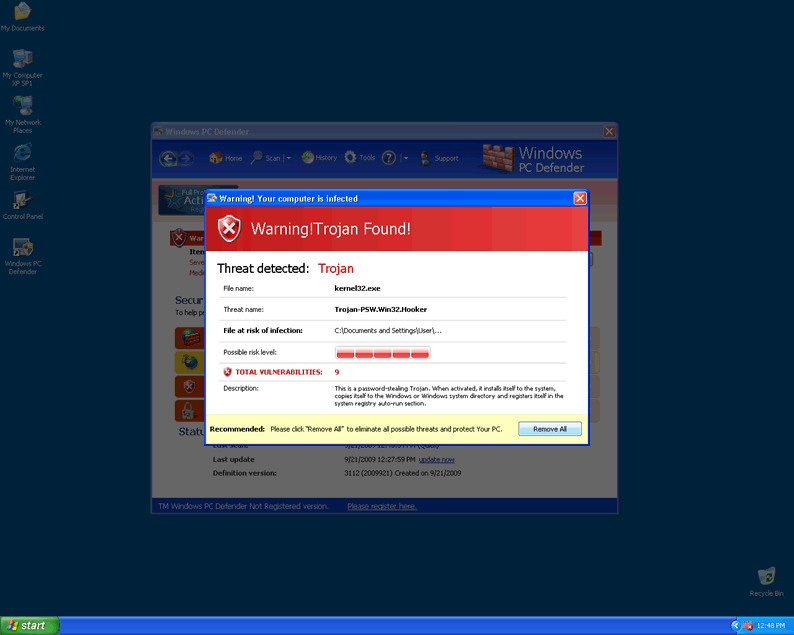
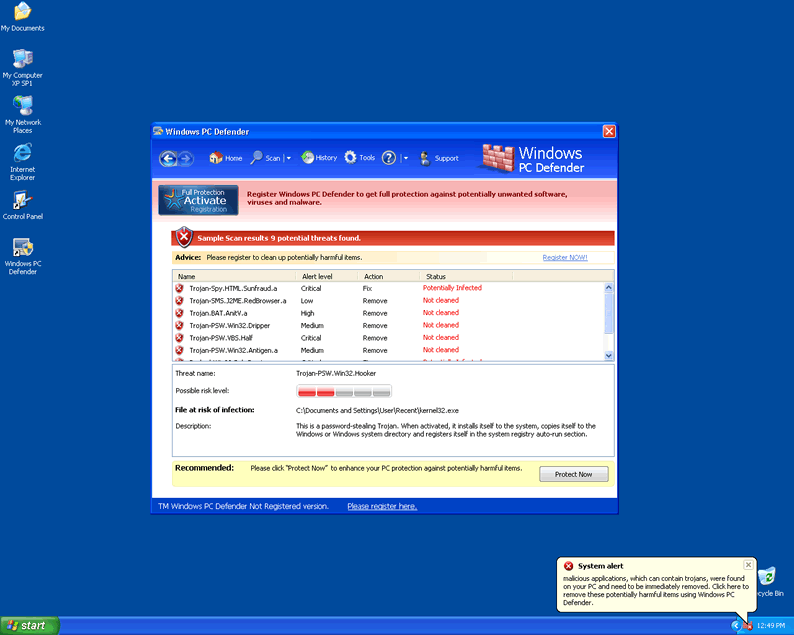
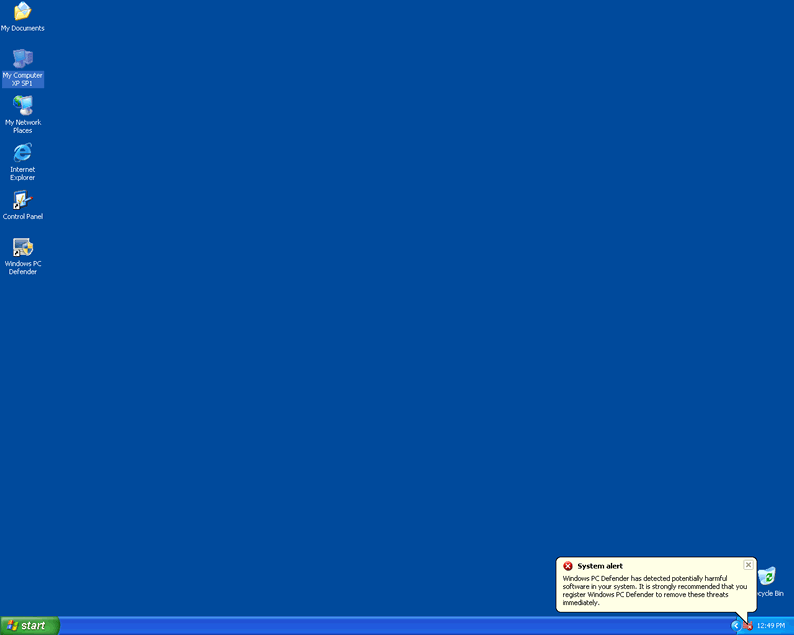
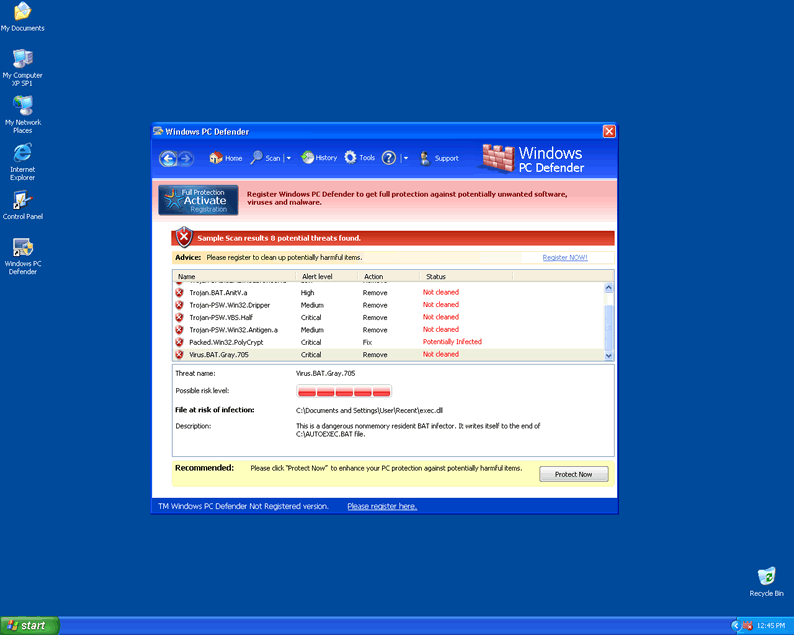
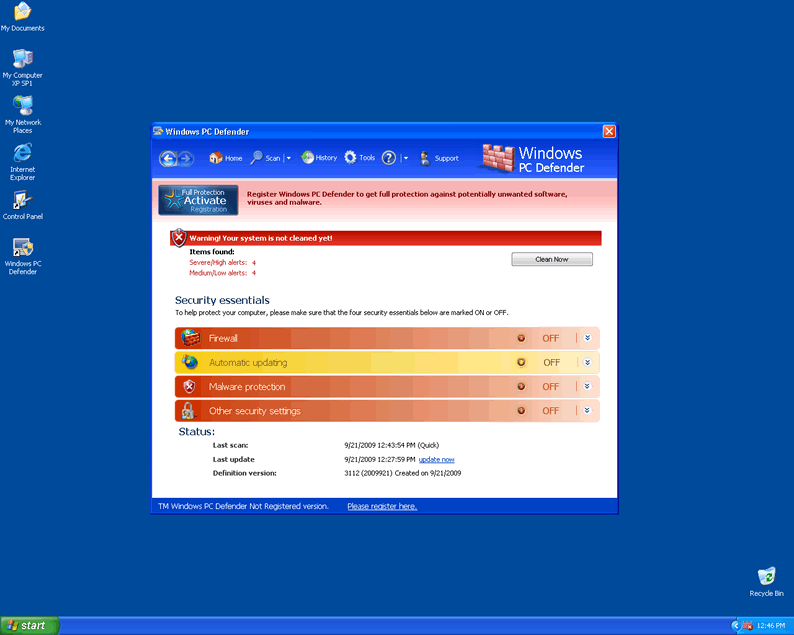 Windows PC Defender is a fake security application that uses fake security threat alerts to make computer users think that their computer is infected with parasites. Windows PC Defender is usually offered as a solution to the notifications but is not effectively able to rid any system of computer parasites.
Windows PC Defender comes from the WinPC Defender family of rogue applications. Windows PC Defender, as a rogue security program has many clones suchg as Ultimate Defender, SystemDefender, IE Defender, XP Defender, Advanced XP Defender, WinDefender2008, PCTotalDefender, PC Defender 2008, Personal Defender 2009, WinDefender 2009, Perfect Defender 2009, Total Defender, Malware Defender 2009, WinPC Defender, PC Privacy Defender, Smart Defender Pro, Rogue.UltimateDefender, FraudTool.LastDefender.b and Security Defender Pro 2015. Windows PC Defender can be download and installed through the use of a computer Trojan horse.
Aliases
More aliases (87)
Technical Details
File System Modifications
Tutorials: If you wish to learn how to remove malware components manually, you can read the tutorials on how to find malware, kill unwanted processes, remove malicious DLLs and delete other harmful files. Always be sure to back up your PC before making any changes.
The following files were created in the system:WPd00d.exe
File name: WPd00d.exeSize: 2.33 MB (2338304 bytes)
MD5: 7129a2afba49533dc001a65eb985b6d2
Detection count: 96
File type: Executable File
Mime Type: unknown/exe
Group: Malware file
Last Updated: December 11, 2009
WPb644.exe
File name: WPb644.exeSize: 2.42 MB (2423808 bytes)
MD5: c97fc3245614ef254cfd5dc380b7fb70
Detection count: 94
File type: Executable File
Mime Type: unknown/exe
Group: Malware file
Last Updated: December 11, 2009
WPb98c.exe
File name: WPb98c.exeSize: 2.35 MB (2358272 bytes)
MD5: 3e3b60351c22a5255e369a2d13f28bd8
Detection count: 94
File type: Executable File
Mime Type: unknown/exe
Group: Malware file
Last Updated: December 11, 2009
WPdccb.exe, ReleaseXP[1].exe
File name: WPdccb.exe, ReleaseXP[1].exeSize: 2.18 MB (2185216 bytes)
MD5: db50541ff7a46ddeb64fbccdb3bea9d9
Detection count: 85
File type: Executable File
Mime Type: unknown/exe
Group: Malware file
Last Updated: December 11, 2009
WP49c6.exe
File name: WP49c6.exeSize: 2.41 MB (2411008 bytes)
MD5: 28dcbbd7fa192e34ec4c02ce3be4e50f
Detection count: 76
File type: Executable File
Mime Type: unknown/exe
Group: Malware file
Last Updated: December 11, 2009
WP1f2d.exe
File name: WP1f2d.exeSize: 2.43 MB (2434048 bytes)
MD5: 142bf5bfb442b0d2fc42a4693c3f737a
Detection count: 73
File type: Executable File
Mime Type: unknown/exe
Group: Malware file
Last Updated: December 11, 2009
WPbffb.exe
File name: WPbffb.exeSize: 2.36 MB (2362368 bytes)
MD5: d2f7b4f323f568c17992fb13f10e002f
Detection count: 71
File type: Executable File
Mime Type: unknown/exe
Group: Malware file
Last Updated: December 11, 2009
WP9b30.exe
File name: WP9b30.exeSize: 2.33 MB (2339840 bytes)
MD5: 065b151e3c2c0c01a63afab2e7430b32
Detection count: 65
File type: Executable File
Mime Type: unknown/exe
Group: Malware file
Last Updated: December 11, 2009
WP2611.exe
File name: WP2611.exeSize: 2.34 MB (2341376 bytes)
MD5: 54e95ecac41a66ed245a0cb50c1e2671
Detection count: 60
File type: Executable File
Mime Type: unknown/exe
Group: Malware file
Last Updated: December 11, 2009
WP65b6.exe
File name: WP65b6.exeSize: 2.1 MB (2104832 bytes)
MD5: b26427e502ee2569d313fcd534da5f42
Detection count: 36
File type: Executable File
Mime Type: unknown/exe
Group: Malware file
Last Updated: December 11, 2009
WPd8da.exe
File name: WPd8da.exeSize: 2.35 MB (2357760 bytes)
MD5: b8367a880ced906fdfb26e68478d0bf5
Detection count: 30
File type: Executable File
Mime Type: unknown/exe
Group: Malware file
Last Updated: December 11, 2009
WP4648.exe
File name: WP4648.exeSize: 2.17 MB (2170368 bytes)
MD5: 543e7787861670b8471181a883038797
Detection count: 12
File type: Executable File
Mime Type: unknown/exe
Group: Malware file
Last Updated: December 11, 2009
C:\rogueware samples\7756ed0e53df84b1470a7b9d9a786529a08e1a80f352ab1a21261e5250ac108b.exe
File name: 7756ed0e53df84b1470a7b9d9a786529a08e1a80f352ab1a21261e5250ac108b.exeSize: 2.17 MB (2171904 bytes)
MD5: 455c69a7acdeb87fc2304451e8a5c889
Detection count: 7
File type: Executable File
Mime Type: unknown/exe
Path: C:\rogueware samples\7756ed0e53df84b1470a7b9d9a786529a08e1a80f352ab1a21261e5250ac108b.exe
Group: Malware file
Last Updated: May 6, 2024
C:\rogueware samples\folder\Fakevimes Rogue Collection\Windows PC Defender\Windows PC Defender.exe
File name: Windows PC Defender.exeSize: 2.33 MB (2339328 bytes)
MD5: 8e5818e9f9778b4f1c3b24c3ca14f076
Detection count: 7
File type: Executable File
Mime Type: unknown/exe
Path: C:\rogueware samples\folder\Fakevimes Rogue Collection\Windows PC Defender\Windows PC Defender.exe
Group: Malware file
Last Updated: May 6, 2024
WPf7dd.exe
File name: WPf7dd.exeSize: 2.18 MB (2185728 bytes)
MD5: 523a182504ce9ea68e1939d3a290286d
Detection count: 6
File type: Executable File
Mime Type: unknown/exe
Group: Malware file
Last Updated: December 11, 2009
WP858d.exe
File name: WP858d.exeSize: 2.1 MB (2107904 bytes)
MD5: 92daf9405cfd85e1ad791935caef0032
Detection count: 5
File type: Executable File
Mime Type: unknown/exe
Group: Malware file
Last Updated: December 11, 2009
WP0b77.exe
File name: WP0b77.exeSize: 2.18 MB (2187264 bytes)
MD5: 7862f3e671f22b93c18a5ebdf2d5120a
Detection count: 4
File type: Executable File
Mime Type: unknown/exe
Group: Malware file
Last Updated: December 11, 2009
WP0b5b.exe
File name: WP0b5b.exeSize: 2.37 MB (2377216 bytes)
MD5: 8050da5befb0d7d33e39b5478b6bcaa4
Detection count: 3
File type: Executable File
Mime Type: unknown/exe
Group: Malware file
Last Updated: December 11, 2009
WP8c07.exe
File name: WP8c07.exeSize: 2.17 MB (2173952 bytes)
MD5: 0cb3e6e207482cddbbdb548baa3c775b
Detection count: 3
File type: Executable File
Mime Type: unknown/exe
Group: Malware file
Last Updated: December 11, 2009
Leave a Reply
Please note that we are not able to assist with billing and support issues regarding SpyHunter or other products. If you're having issues with SpyHunter, please get in touch with SpyHunter customer support through your SpyHunter . If you have SpyHunter billing questions, we recommend you check the Billing FAQ. For general suggestions or feedback, contact us.