Antivirus Protection 2012
Posted: February 17, 2012
Threat Metric
The following fields listed on the Threat Meter containing a specific value, are explained in detail below:
Threat Level: The threat level scale goes from 1 to 10 where 10 is the highest level of severity and 1 is the lowest level of severity. Each specific level is relative to the threat's consistent assessed behaviors collected from SpyHunter's risk assessment model.
Detection Count: The collective number of confirmed and suspected cases of a particular malware threat. The detection count is calculated from infected PCs retrieved from diagnostic and scan log reports generated by SpyHunter.
Volume Count: Similar to the detection count, the Volume Count is specifically based on the number of confirmed and suspected threats infecting systems on a daily basis. High volume counts usually represent a popular threat but may or may not have infected a large number of systems. High detection count threats could lay dormant and have a low volume count. Criteria for Volume Count is relative to a daily detection count.
Trend Path: The Trend Path, utilizing an up arrow, down arrow or equal symbol, represents the level of recent movement of a particular threat. Up arrows represent an increase, down arrows represent a decline and the equal symbol represent no change to a threat's recent movement.
% Impact (Last 7 Days): This demonstrates a 7-day period change in the frequency of a malware threat infecting PCs. The percentage impact correlates directly to the current Trend Path to determine a rise or decline in the percentage.
| Threat Level: | 10/10 |
|---|---|
| Infected PCs: | 419 |
| First Seen: | February 17, 2012 |
|---|---|
| Last Seen: | March 11, 2024 |
| OS(es) Affected: | Windows |
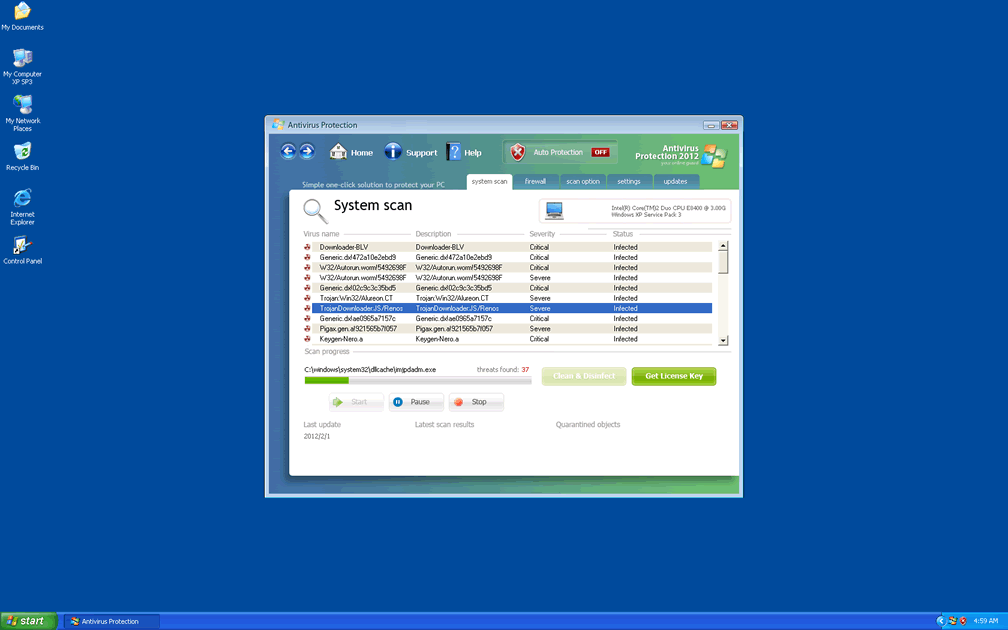
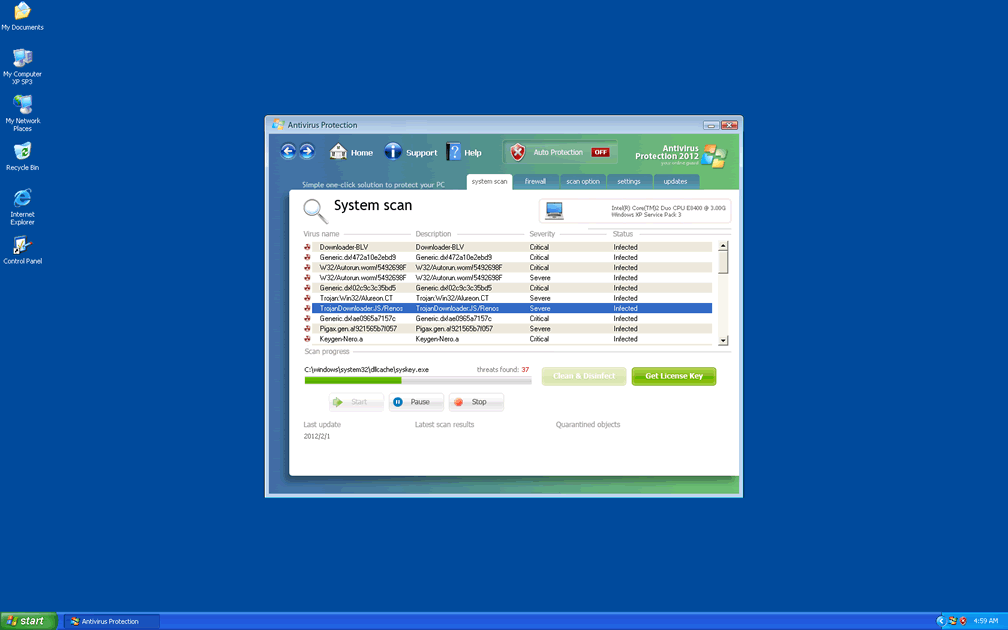
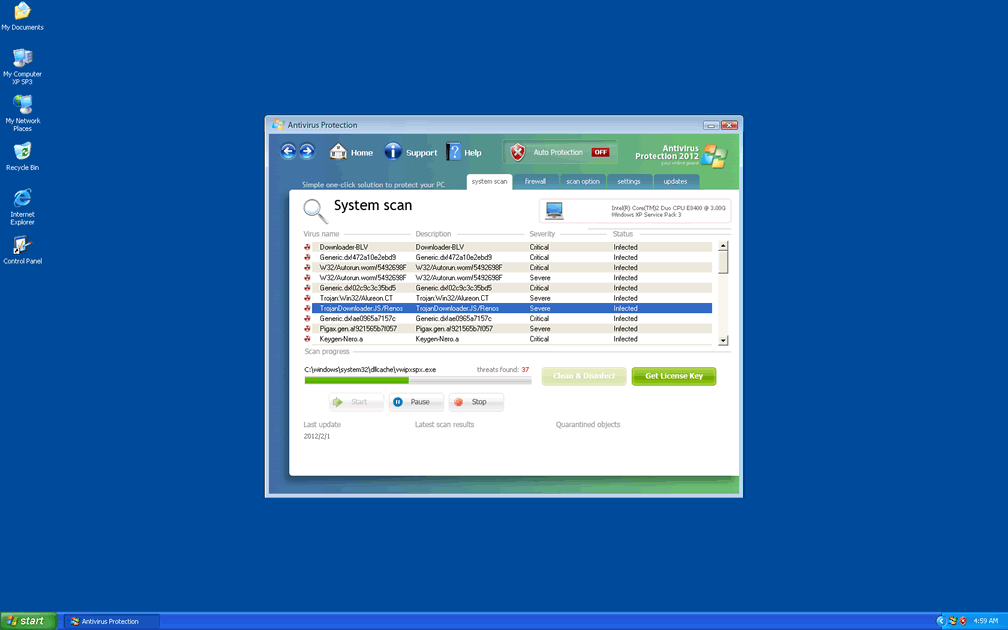
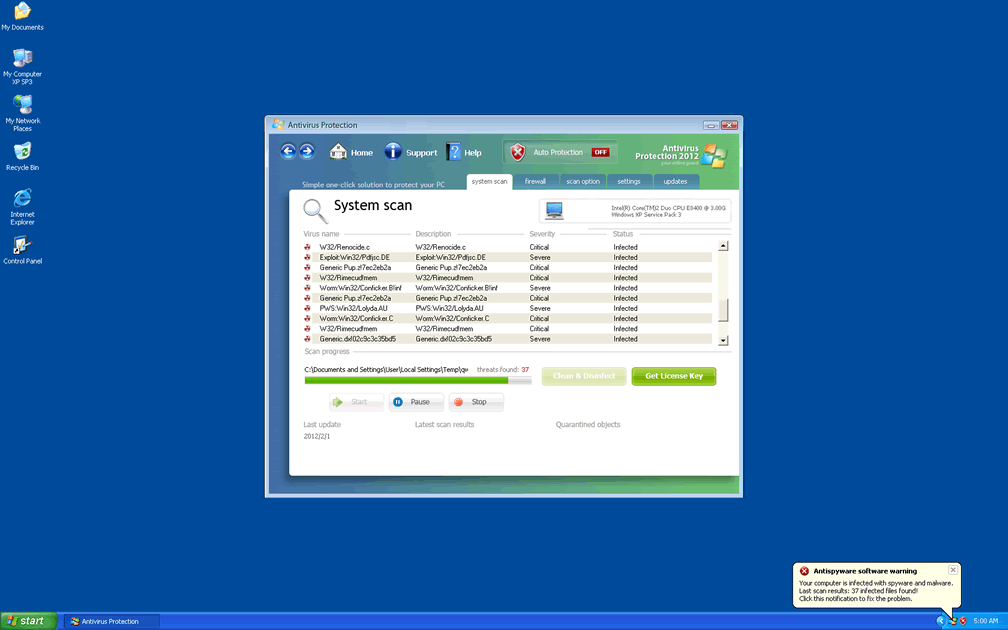
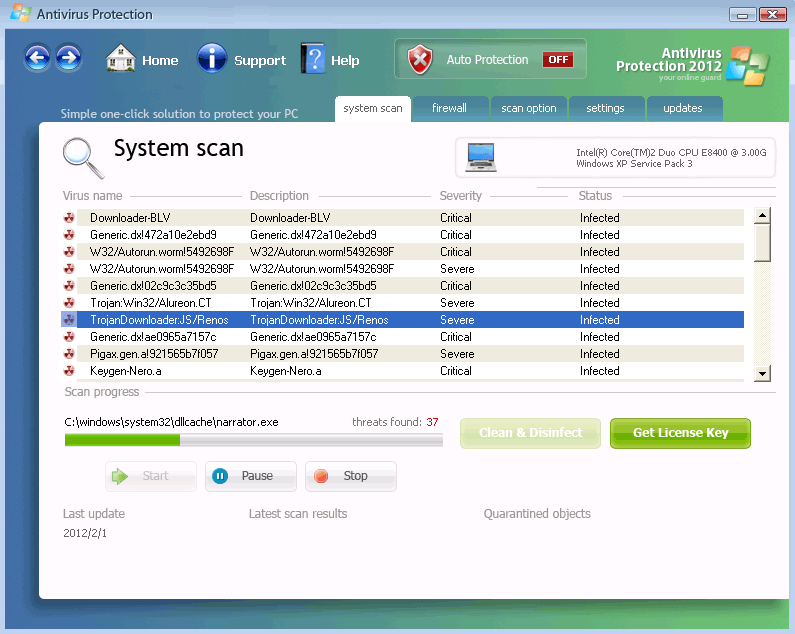 Antivirus Protection 2012 is a variant of Rogue:Win32/Defmid, a category of fake anti-malware programs that recycle their interface with a variety of different names to make each program appear to be an independent product. Antivirus Protection 2012 has changed its name but not its act, and SpywareRemove.com malware research team warns that Antivirus Protection 2012 will provide misleading and completely inaccurate information about malicious software or other PC threats to push computer users into wasting money on its worthless threat-removal software. Since members of Antivirus Protection 2012's family have also been known to block websites arbitrarily and download other files without permission, Antivirus Protection 2012 should be considered a potentially serious threat to your PC until Antivirus Protection 2012 is removed by appropriate anti-malware software.
Antivirus Protection 2012 – 2012's Version of a PC Security Hoax from 2011
Antivirus Protection 2012 markets itself as a supposedly trustworthy and independent anti-virus scanner, complete with firewall and other security features, but this pretense doesn't go skin-deep, since Antivirus Protection 2012 was noted to be utilizing the same skin and interface that other fake AV products from its family have used for months now. Examples of similar clones from the ranks of Antivirus Protection 2012's UnVirex family include UnVirex, Desktop Security 2010, Antivirus Studio 2010, SecurityInspector2010, Antivirus System 2011 and Antivirus Antispyware 2011. Many of these PC threats may also use an optional annual suffix (such as Security Defender 2011 or Security Monitor 2012).
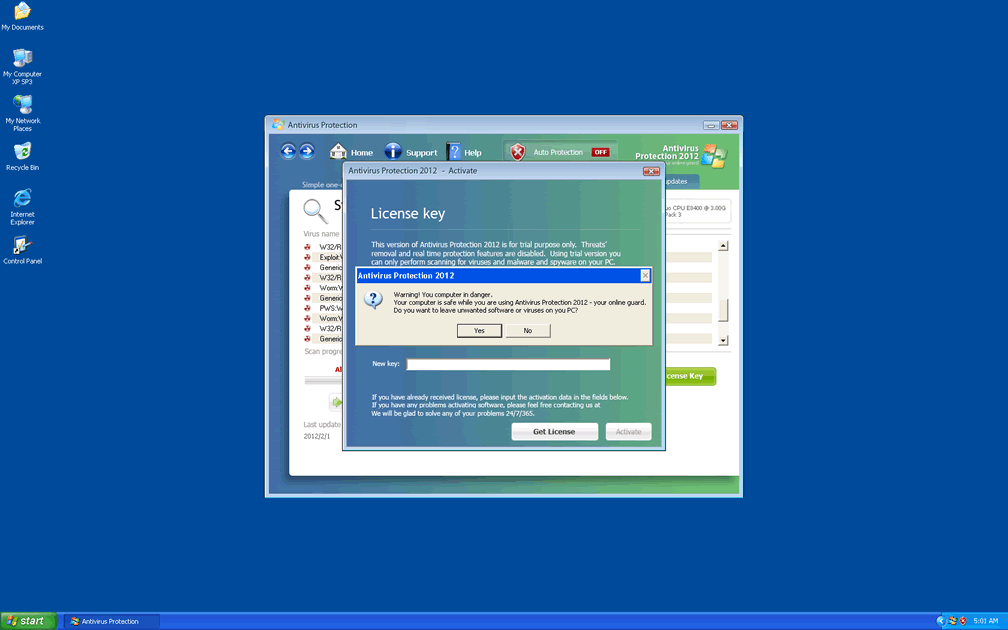
Both Antivirus Protection 2012's relatives and Antivirus Protection 2012 are capable of creating technical-looking detection alerts for Trojans, viruses and other PC threats, complete with full identification labels and useful descriptions. However, these detections are all fraudulent and should be ignored. SpywareRemove.com malware experts extend the same advice to system scans from Antivirus Protection 2012, which will launch without your permission. Since pop-up warnings from Antivirus Protection 2012 can display with many variants, the following samples are included further down in this article.
The Subtler Side of Antivirus Protection 2012's Fraudulent Protection
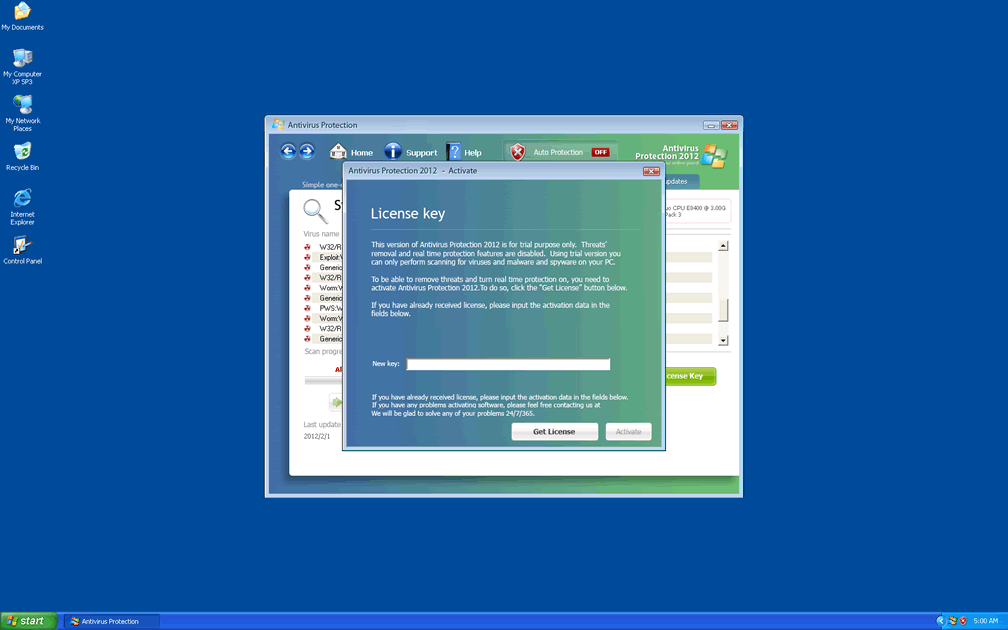
Antivirus Protection 2012 may also insert a self-promoting link for itself in Windows Security Center to encourage you to visit its website. SpywareRemove.com malware experts discourage purchasing Antivirus Protection 2012, of course, even to remove Antivirus Protection 2012 from your PC, since Antivirus Protection 2012 can be deactivated and removed by anti-malware software. However, if you wish to register Antivirus Protection 2012 to simplify deleting Antivirus Protection 2012, the following code has been known to work for its family of scamware: 'LIC2-00A6-234C-B6A9-38F8-F6E2-0838-F084-E235-6051-18B3.'
Fake error messages from Antivirus Protection 2012 can also extend to your web browser, and Antivirus Protection 2012 may use fake warnings to block certain websites. Finally, Antivirus Protection 2012 may even download and install other malicious files, a function that makes Antivirus Protection 2012 a high-priority PC threat to be removed on sight.


Aliases
Technical Details
File System Modifications
Tutorials: If you wish to learn how to remove malware components manually, you can read the tutorials on how to find malware, kill unwanted processes, remove malicious DLLs and delete other harmful files. Always be sure to back up your PC before making any changes.
The following files were created in the system:%APPDATA%\Antivirus Protection\securitymanager.exe
File name: securitymanager.exeSize: 179.2 KB (179200 bytes)
MD5: fd0456f67b13951445cecae1b0df7b4a
Detection count: 23
File type: Executable File
Mime Type: unknown/exe
Path: %APPDATA%\Antivirus Protection
Group: Malware file
Last Updated: February 22, 2012
%APPDATA%\Antivirus Protection\AntivirusProtection2012.exe
File name: AntivirusProtection2012.exeSize: 2.39 MB (2399232 bytes)
MD5: 9c1438460dddf6f9656b0e8735537923
Detection count: 9
File type: Executable File
Mime Type: unknown/exe
Path: %APPDATA%\Antivirus Protection
Group: Malware file
Last Updated: February 22, 2012
%APPDATA%\Antivirus Protection\securityhelper.exe
File name: securityhelper.exeSize: 3.91 MB (3913219 bytes)
MD5: 85c504bd57e2140716d28a2802248cdf
Detection count: 5
File type: Executable File
Mime Type: unknown/exe
Path: %APPDATA%\Antivirus Protection
Group: Malware file
Last Updated: February 22, 2012
%AppData%\Antivirus Protection\securitymanager.exe
File name: %AppData%\Antivirus Protection\securitymanager.exeFile type: Executable File
Mime Type: unknown/exe
Group: Malware file
%AppData%\Antivirus Protection\antivirusprotection2012.exe
File name: %AppData%\Antivirus Protection\antivirusprotection2012.exeFile type: Executable File
Mime Type: unknown/exe
Group: Malware file
%Desktop%\Antivirus Protection.lnk
File name: %Desktop%\Antivirus Protection.lnkFile type: Shortcut
Mime Type: unknown/lnk
Group: Malware file
%StartMenu%\Programs\Antivirus Protection\antivirus protection.lnk
File name: %StartMenu%\Programs\Antivirus Protection\antivirus protection.lnkFile type: Shortcut
Mime Type: unknown/lnk
Group: Malware file
%AppData%\Antivirus Protection\IcoActivate.ico
File name: %AppData%\Antivirus Protection\IcoActivate.icoMime Type: unknown/ico
Group: Malware file
%AppData%\Antivirus Protection\IcoHelp.ico
File name: %AppData%\Antivirus Protection\IcoHelp.icoMime Type: unknown/ico
Group: Malware file
%AppData%\Antivirus Protection\IcoUninstall.ico
File name: %AppData%\Antivirus Protection\IcoUninstall.icoMime Type: unknown/ico
Group: Malware file
%AppData%\Microsoft\Internet Explorer\Quick Launch\Antivirus Protection.lnk
File name: %AppData%\Microsoft\Internet Explorer\Quick Launch\Antivirus Protection.lnkFile type: Shortcut
Mime Type: unknown/lnk
Group: Malware file
%StartMenu%\Programs\Antivirus Protection.lnk
File name: %StartMenu%\Programs\Antivirus Protection.lnkFile type: Shortcut
Mime Type: unknown/lnk
Group: Malware file
%StartMenu%\Programs\Antivirus Protection\
File name: %StartMenu%\Programs\Antivirus Protection\Group: Malware file
%StartMenu%\Programs\Antivirus Protection\Help Antivirus Protection.lnk
File name: %StartMenu%\Programs\Antivirus Protection\Help Antivirus Protection.lnkFile type: Shortcut
Mime Type: unknown/lnk
Group: Malware file
%StartMenu%\Programs\Antivirus Protection\Activate Antivirus Protection.lnk
File name: %StartMenu%\Programs\Antivirus Protection\Activate Antivirus Protection.lnkFile type: Shortcut
Mime Type: unknown/lnk
Group: Malware file
%StartMenu%\Programs\Antivirus Protection\How to Activate Antivirus Protection.lnk
File name: %StartMenu%\Programs\Antivirus Protection\How to Activate Antivirus Protection.lnkFile type: Shortcut
Mime Type: unknown/lnk
Group: Malware file
%Temp%\472a10e2ebxd9.exe
File name: %Temp%\472a10e2ebxd9.exeFile type: Executable File
Mime Type: unknown/exe
Group: Malware file
%Temp%\2010yo.exe
File name: %Temp%\2010yo.exeFile type: Executable File
Mime Type: unknown/exe
Group: Malware file
%Temp%\hhbboll_2.exe
File name: %Temp%\hhbboll_2.exeFile type: Executable File
Mime Type: unknown/exe
Group: Malware file
%Temp%\d20mes.exe
File name: %Temp%\d20mes.exeFile type: Executable File
Mime Type: unknown/exe
Group: Malware file
%Temp%\ddoll3342.exe
File name: %Temp%\ddoll3342.exeFile type: Executable File
Mime Type: unknown/exe
Group: Malware file
%Temp%\destroyer.exe
File name: %Temp%\destroyer.exeFile type: Executable File
Mime Type: unknown/exe
Group: Malware file
%Temp%\56493.exe
File name: %Temp%\56493.exeFile type: Executable File
Mime Type: unknown/exe
Group: Malware file
%Temp%\cosock.exe
File name: %Temp%\cosock.exeFile type: Executable File
Mime Type: unknown/exe
Group: Malware file
%Temp%\cowceb.exe
File name: %Temp%\cowceb.exeFile type: Executable File
Mime Type: unknown/exe
Group: Malware file
%Temp%\wwwsssgen.exe
File name: %Temp%\wwwsssgen.exeFile type: Executable File
Mime Type: unknown/exe
Group: Malware file
%Temp%\dc_3.exe
File name: %Temp%\dc_3.exeFile type: Executable File
Mime Type: unknown/exe
Group: Malware file
%Temp%\puzpup.exe
File name: %Temp%\puzpup.exeFile type: Executable File
Mime Type: unknown/exe
Group: Malware file
%Temp%\exppdf_w.exe
File name: %Temp%\exppdf_w.exeFile type: Executable File
Mime Type: unknown/exe
Group: Malware file
%Temp%\winifi.exe
File name: %Temp%\winifi.exeFile type: Executable File
Mime Type: unknown/exe
Group: Malware file
%Temp%\jofcdks.exe
File name: %Temp%\jofcdks.exeFile type: Executable File
Mime Type: unknown/exe
Group: Malware file
%Temp%\lols.exe
File name: %Temp%\lols.exeFile type: Executable File
Mime Type: unknown/exe
Group: Malware file
%Temp%\sycre.exe
File name: %Temp%\sycre.exeFile type: Executable File
Mime Type: unknown/exe
Group: Malware file
More files
Registry Modifications
File name without pathAntivirus Protection 2012.lnkAntivirus Protection.lnkHKEY..\..\..\..{Subkeys}HKEY_CURRENT_USER\Software\Microsoft\Windows\CurrentVersion\Run!InspectorHKEY..\..\..\..{RegistryKeys}Software\Antivirus Protection 2012HKEY_LOCAL_MACHINE\SOFTWARE\Microsoft\..{RunKeys}Antivirus Protection
Additional Information
| # | Message |
|---|---|
| 1 | Antispyware software warningYour computer is infected with spyware and malware. Last scan results: 364 infected files found! Click this notification to fix the problem. |
| 2 | Antivirus Protection 2012
The application excel.exe was launched successfully but it was forced to shut down due to security reasons. This application infected by a malicious software program which might present damage for the PC. It is highly recommended to make a full scan of your computer to exterminate the malicious programs from it. |
| 3 | Antivirus Protection 2012
Your computer is being used as spamming machine. You can get sued for spam. Your computer WIL BE DISCONNECTED FORM <sic> INTERNET BECAUSE SPAMMING OTHER PCs. |
| 4 | Reported Insecure Browsing: Navigation Blocked Insecure Internet Activity. Threat of virus attack Due to insecure Internet browsing your PC can easily get infected with viruses, worms, and Trojans without your knowledge, and that can lead to system slowdown, freezes and crashes. Also insecure Internet activity can result in revealing your personal information. |
| 5 | Security Center
Unauthorized remote connection! Your system is making an unauthorized personal data transfer to a remote computer! Warning! Unauthorized personal data transfer is detected! It may be your personal credit card details, logins and passwords, browsing habits or information about files you have downloaded. To protect your private data, please click "Prevent Connection" button below. |
| 6 | Security Center Alert
To help protect your computer, Security Center has blocked some features of this program. Do you want to block this suspicious software? Name: Sft.Dez.Wien Risk: High |
| 7 | Security Center Alert To help protect your computer, Security Center has blocked some features of this program. Name: Screen.Grab.J.exe Risk: High |
| 8 | Security Center Unauthorized remote connection! Your system is making an unauthorized personal data transfer to a remote computer! Warning! Unauthorized personal data transfer is detected! It may be your personal credit card details, logins and passwords, browsing habits or information about files you have downloaded. To protect your private data, please click "Prevent Connection" button below. |
| 9 | System critical warning! You have been infected by a proxy-relay Trojan server Your query looks similar to automated requests from a spyware application. Your system has come under attack of hostile software. Click here to deactivate it. |
| 10 | You have been infected by a proxy-relay trojan server with new and danger "SpamBots".
You have a computer with a virus that sends spam. This is a mass-mailing worm with backdoor thus allowing un-authorized access to the infected system. It spreads by mass-mailing itself to e-mail addresses harvested from the local computer or by querying on-line search engines such as google.com. The IP [IP ADDRESS] address that YOU are getting from Internet Service Provider (ISP) for YOU personal computer is on some major blacklist. Your computer has been used to send a huge amount of junk e-mail messages during the last days. You IP <ip address> will be marked in the Police log file as mass-mailing spam assist. Upgrading to the full version Antivirus Protection 2012 it will eliminate the majority of Spam attempts. |
| 11 | Your computer might be at risk Antivirus detects viruses, worms, and Trojan horses. They can (and do) destroy data, format your hard disk or can destroy the BIOS. By destroying the BIOS many times you end up buying a new motherboard or if the bios chip is removable then that chip would need replacing |
Leave a Reply
Please note that we are not able to assist with billing and support issues regarding SpyHunter or other products. If you're having issues with SpyHunter, please get in touch with SpyHunter customer support through your SpyHunter . If you have SpyHunter billing questions, we recommend you check the Billing FAQ. For general suggestions or feedback, contact us.