Search.certified-toolbar.com
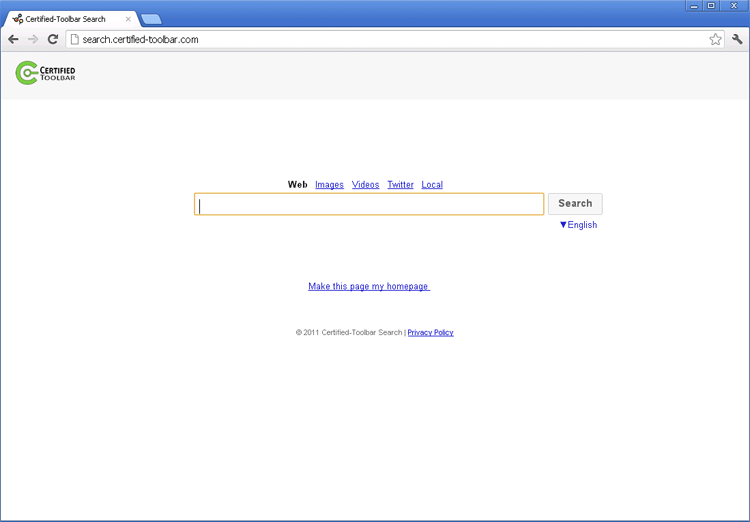 Search.certified-toolbar.com is a search engine site. Although SpywareRemove.com malware experts haven't seen any evidence that Search.certified-toolbar.com distributes malicious software directly, some PC threats are associated with Search.certified-toolbar.com in their usage of redirect attacks that force your browser to load Search.certified-toolbar.com automatically. If you experience these Search.certified-toolbar.com-promoting browser hijackers, anti-malware software should be used to disinfect your computer ASAP. Malware that use browser-hijacking attacks may also be capable of other functions, such as monitoring online transactions, stealing passwords or disabling your browser's security.
The Questionable Nature of Search.certified-toolbar.com's Certification
Contrary to what its URL might lead you to expect, Search.certified-toolbar.com is more likely to show you advertisements and affiliated websites rather than accurate and unbiased search results. While malware researchers do recommend that any interaction with Search.certified-toolbar.com be undertaken with caution, they also note that Search.certified-toolbar.com is not guilty, so far, of being a clearly-identified distribution point for PC threats.
However, some PC threats do have ties with Search.certified-toolbar.com, which has been enjoying the benefits of traffic boosts from a range of browser hijackers. Browser hijackers may redirect you to Search.certified-toolbar.com through methods such as:
- Altering your homepage settings to force your browser to load Search.certified-toolbar.com when you first launch the application.
- Forcing your web searches to be redirected to Search.certified-toolbar.com. This can occur when you first try to access a search engine, after you try to use that site's search features or even after you click a specific search result.
These attacks are often loaded by techniques (such as DNS changes) that aren't specific to a particular browser, such as Chrome, Firefox or IE.
Getting Your Browser Back the Way You Want It (and Out of Search.certified-toolbar.com's Clutches)
Redirects to Search.certified-toolbar.com, regardless of the form taken, are just a symptom of infection by malicious software that may include other attack capabilities. Even common browser hijackers are known to create pop-ups, advertisements and unnecessary links that slow down your browser, while some of the most advanced spyware programs have also been known for their inclusion of browser-hijacking functions.
To see to it that all PC threats linked to your Search.certified-toolbar.com redirects are removed, SpywareRemove.com malware research team suggests using Safe Mode to boot your computer before any other action is undertaken. Booting an OS from a source that you can confirm as clean, such as a USB drive, may also be required in extreme cases. Once this is done, you should use any reputable brand of anti-malware program to be able to remove the source of a series of Search.certified-toolbar.com redirects without any serious difficulties.
Leave a Reply
Please note that we are not able to assist with billing and support issues regarding SpyHunter or other products. If you're having issues with SpyHunter, please get in touch with SpyHunter customer support through your SpyHunter . If you have SpyHunter billing questions, we recommend you check the Billing FAQ. For general suggestions or feedback, contact us.