Spyware Protection 2010
Posted: November 2, 2010
Threat Metric
The following fields listed on the Threat Meter containing a specific value, are explained in detail below:
Threat Level: The threat level scale goes from 1 to 10 where 10 is the highest level of severity and 1 is the lowest level of severity. Each specific level is relative to the threat's consistent assessed behaviors collected from SpyHunter's risk assessment model.
Detection Count: The collective number of confirmed and suspected cases of a particular malware threat. The detection count is calculated from infected PCs retrieved from diagnostic and scan log reports generated by SpyHunter.
Volume Count: Similar to the detection count, the Volume Count is specifically based on the number of confirmed and suspected threats infecting systems on a daily basis. High volume counts usually represent a popular threat but may or may not have infected a large number of systems. High detection count threats could lay dormant and have a low volume count. Criteria for Volume Count is relative to a daily detection count.
Trend Path: The Trend Path, utilizing an up arrow, down arrow or equal symbol, represents the level of recent movement of a particular threat. Up arrows represent an increase, down arrows represent a decline and the equal symbol represent no change to a threat's recent movement.
% Impact (Last 7 Days): This demonstrates a 7-day period change in the frequency of a malware threat infecting PCs. The percentage impact correlates directly to the current Trend Path to determine a rise or decline in the percentage.
| Threat Level: | 10/10 |
|---|---|
| Infected PCs: | 468 |
| First Seen: | January 4, 2011 |
|---|---|
| Last Seen: | April 1, 2020 |
| OS(es) Affected: | Windows |
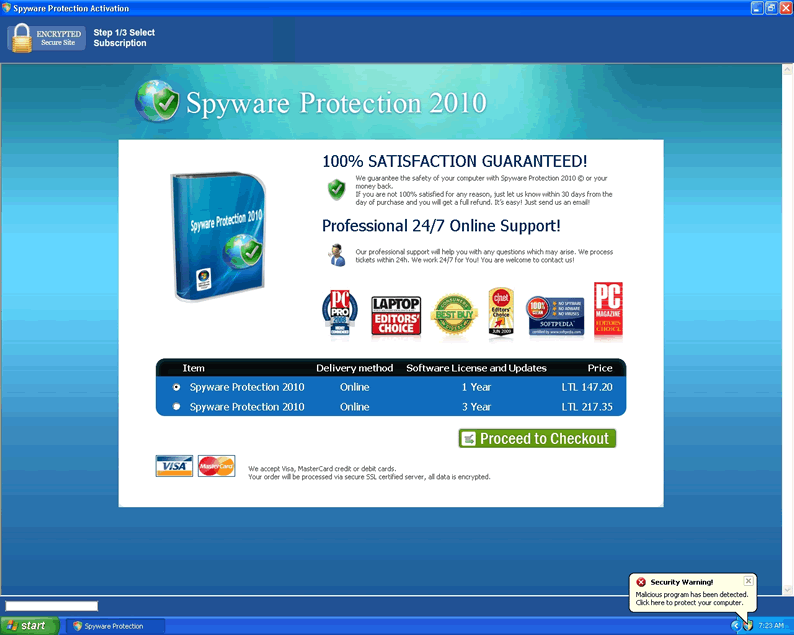
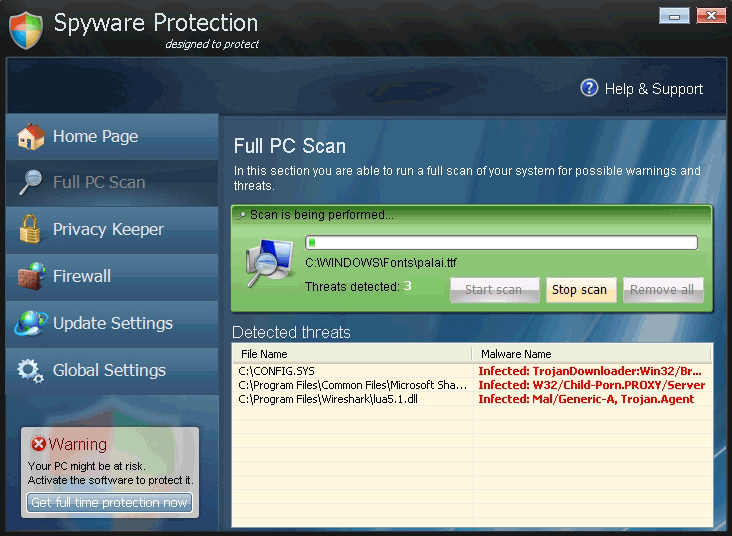 Spyware Protection 2010 is rogue software that detects errors on your system that don't exist for the purpose of directing you towards Spyware Protection 2010's website. Any information or money transferred through this site is entirely unsafe and in criminal hands. Deleting Spyware Protection 2010 is a necessity for keeping your computer secure, since the rogue product is able to disable most programs, reduce or entirely eliminate your computer security, and may cause other problems to boot.
Spyware Protection 2010 Malware-Riddled Beginnings
Made available by brute force infiltration since 2010, Spyware Protection 2010 has been promoted mostly by Trojans and other stealth-oriented malware. This has allowed Spyware Protection 2010 to infect computers across wireless networks, through removable hard drives, and even through advertising and compromised software updates.
It's likely that your security software, if you have any to begin with, will have Spyware Protection 2010 in its definitions, making catching the infection before Spyware Protection 2010 acts a non-issue. Thus, Spyware Protection 2010 is only truly a problem for people who download Spyware Protection 2010 by mistake and people who are on the Internet without any appropriate protective software running.
Spyware Protection 2010 Warning Signs
Spyware Protection 2010's hostility and invasiveness give many different and easily-justified reasons for removing Spyware Protection 2010 quickly if it's on your computer. Some of these actions are general to similar types of malware, but others place Spyware Protection 2010 a bit higher on the threat list than the average rogue scanner. One eternally applicable truth for Spyware Protection 2010 is that the worst thing you can do is purchase Spyware Protection 2010 through its self-promoted website. This will immediately give not only your money but all information involved in the digital transaction to hackers, and serious consequences are virtually inevitable. Even in the short term, just having Spyware Protection 2010 and not attempting to interact with Spyware Protection 2010 will produce some or all of the following issues.
- Your registry will contain alterations, especially ones inclined towards automatically running malware like Spyware Protection 2010 in a normal Windows boot mode.
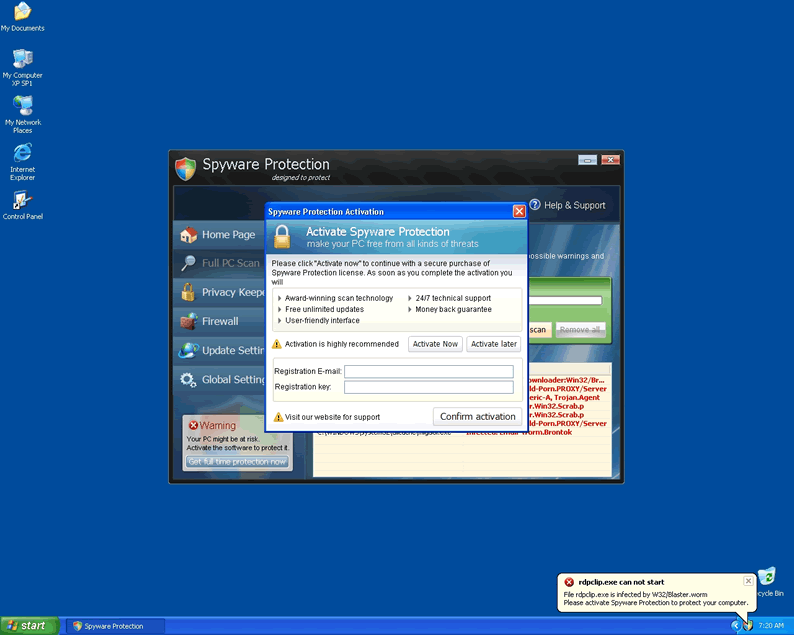
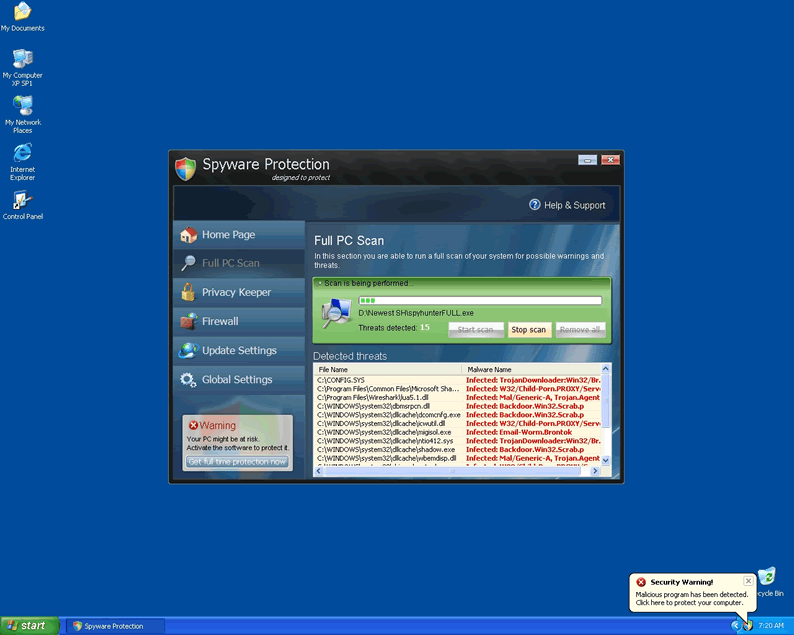
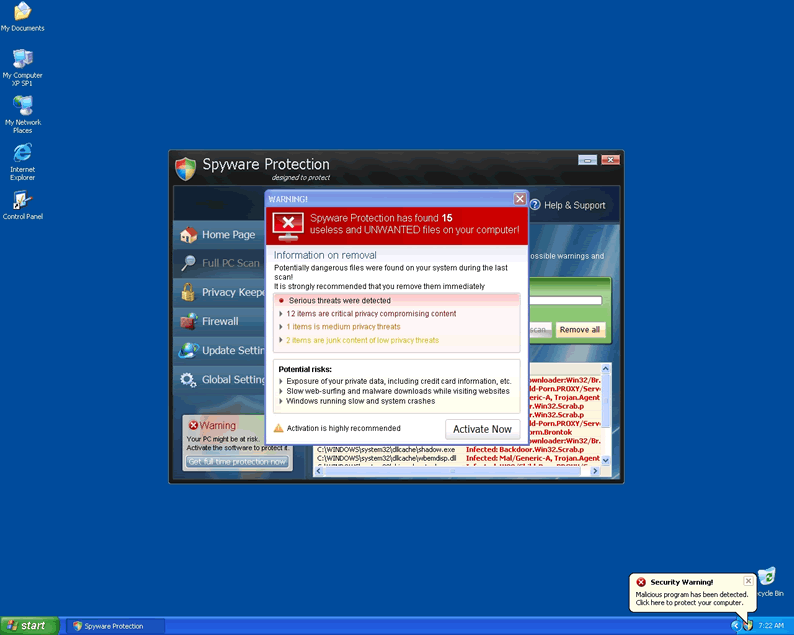
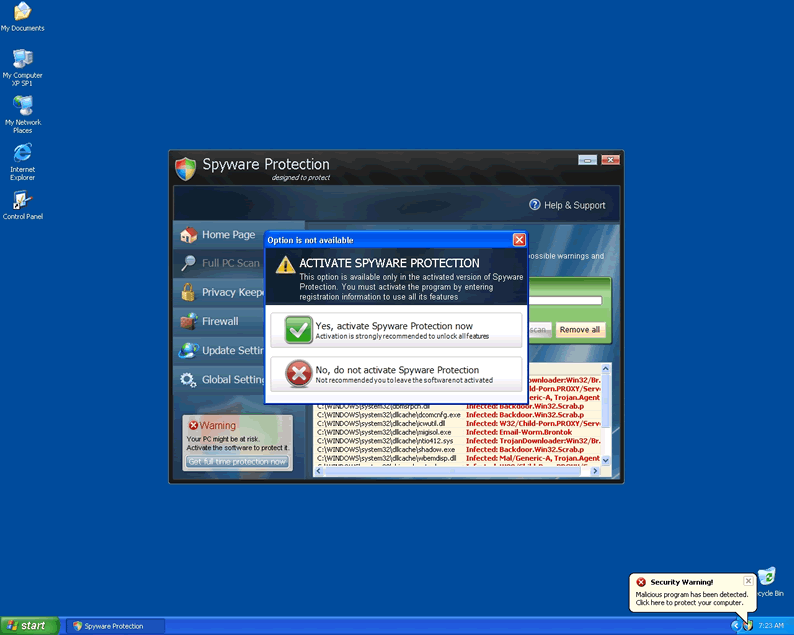
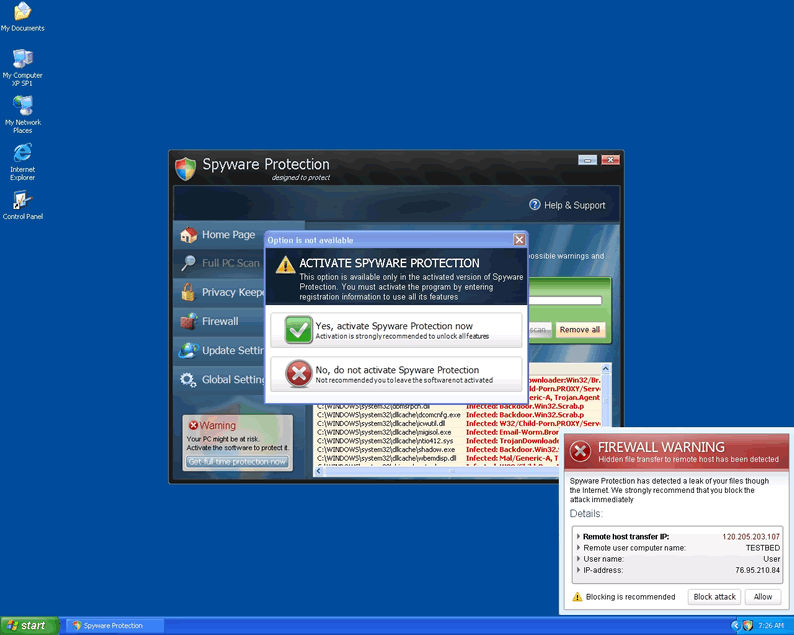
- Frequent and falsified error messages will occur. Spyware Protection 2010 uses these messages to inform you of Spyware Protection 2010's (fake) usefulness and give you a reason to purchase it.
- System resources such as RAM and hard drive space will be used heavily. Spyware Protection 2010 may use these resources to download malware besides itself, or Spyware Protection 2010 may simply use them up to slow down your computer and induce panic.
- Spyware Protection 2010 may also hijack your browser, redirecting it to Spyware Protection 2010's own website through additional fake error messages or other means.
- Spyware Protection 2010 has been reported to disable firewalls in some instances. This allows remote attackers to gain control over your computer and leaves your system open to any malware that targets it
- Worst of all, Spyware Protection 2010 or malware aligned with it can shut down virtually any processes or programs the hackers want shut down. In extreme instances, almost everything save for Internet Explorer has been reported to be debilitated, with the browser excepted solely for its ability to transfer money from the victim to the hackers.
.
Timely reaction and the use of a true virus scanner to combat the fraud Spyware Protection 2010 will generally allow your computer to escape with minimal or no damage. Having updated security software is strongly encouraged, since deleting Spyware Protection 2010 alone will usually leave attendant malware that may simply re-infect your system with Spyware Protection 2010 a second time over.
Aliases
More aliases (64)
Technical Details
File System Modifications
Tutorials: If you wish to learn how to remove malware components manually, you can read the tutorials on how to find malware, kill unwanted processes, remove malicious DLLs and delete other harmful files. Always be sure to back up your PC before making any changes.
The following files were created in the system:%APPDATA%\defender.exe
File name: defender.exeSize: 2.27 MB (2273280 bytes)
MD5: 318bdbf353f60a6818ec82e21a5286ca
Detection count: 117
File type: Executable File
Mime Type: unknown/exe
Path: %APPDATA%
Group: Malware file
Last Updated: January 4, 2011
%WINDIR%\TEMP\Ncc.exe
File name: Ncc.exeSize: 214.52 KB (214528 bytes)
MD5: f6931f95bcf8f9b47dc66fbf8d5be42e
Detection count: 50
File type: Executable File
Mime Type: unknown/exe
Path: %WINDIR%\TEMP
Group: Malware file
Last Updated: January 9, 2011
%ALLUSERSPROFILE%\TxIgLSBpYUyoPp.exe
File name: TxIgLSBpYUyoPp.exeSize: 468.99 KB (468992 bytes)
MD5: 5a1f46e2d721c3765648efe48b517932
Detection count: 28
File type: Executable File
Mime Type: unknown/exe
Path: %ALLUSERSPROFILE%
Group: Malware file
Last Updated: January 5, 2011
%APPDATA%\defender.exe
File name: defender.exeSize: 1.78 MB (1782784 bytes)
MD5: 40e6605b2f18444b0442cc11faa64b45
Detection count: 21
File type: Executable File
Mime Type: unknown/exe
Path: %APPDATA%
Group: Malware file
Last Updated: January 4, 2011
%APPDATA%\defender.exe
File name: defender.exeSize: 1.77 MB (1774592 bytes)
MD5: 1ea8df59c237f61bfc2b0701b104c9f5
Detection count: 9
File type: Executable File
Mime Type: unknown/exe
Path: %APPDATA%
Group: Malware file
Last Updated: January 6, 2011
%APPDATA%\AntiVirus Studio 2010\securitymanager.exe
File name: securitymanager.exeSize: 72.7 KB (72704 bytes)
MD5: f7657c8b8ab3402e9f63f3ae38ce0f28
Detection count: 5
File type: Executable File
Mime Type: unknown/exe
Path: %APPDATA%\AntiVirus Studio 2010
Group: Malware file
Last Updated: January 5, 2011
%APPDATA%\dwm.exe
File name: dwm.exeSize: 140.8 KB (140800 bytes)
MD5: fb194e79ec2e373d7fc2570184801572
Detection count: 5
File type: Executable File
Mime Type: unknown/exe
Path: %APPDATA%
Group: Malware file
Last Updated: January 5, 2011
%WINDIR%\Txocib.exe
File name: Txocib.exeSize: 217.08 KB (217088 bytes)
MD5: 701230b6f36b1dc8beb3ce10d646ebdb
Detection count: 5
File type: Executable File
Mime Type: unknown/exe
Path: %WINDIR%
Group: Malware file
Last Updated: January 24, 2011
Thanks! It worked.
Thanks! It worked like a charm. I had to do it in safemode, but it worked.
Thanks.
Worked for me thanks. U need pc running in safemode.
Thank you Spy Hunter took care of it for me.
Thank you so much!!!!
Spyware Protection will not let you do anything once it is installed - you cant even run task manager to stop it
What I did was
1) restart in SAFE mode
2) went to the start menu, right clicked the Spyware protection icon and selected properties
It turned out to be a file in the user's roaming folder
3) I navigated to that folder, right clicked the file and ran AVIRA against it.
Avira duly detected the trojan and dealt with it (but no idea why it didn't stop it in the first place)
After I restarted, I was back to normal - although I'm well aware that there are still bits of Software Protection left around
(Not my computer, user wanted it back)
Vince
Thx mate, it worked.
Thank you Spy Hunter
Guys, thank you so much for helping me to remove this nasty piece of malware.i was in a real bind this morning but I found your blogg and resolved the problem. I still don't understand why my Mcafee didn't pick this up, but thanks again for the resolution
Because McAfee sucks
I have mcafee too and it didnt pick it up either....so im about to see what this spyhunter will do for me....
Didn't see those exact files but removed Registry line ending defender .exe, shortcut referring to the defender file, and file in application data named defender and problem seems to be resolved; at least i can now run msconfig and task manager again normally and I don't have that nasty icon in my notification area (Windows XP)
My computer freezes, stops working,doesn\'t turn on sometimes.I know exactly why, my norton security suite catches OVER 50 different websites trying to hack me. I play the mmorpg game popular, called runescape, it is copyrightes, ive been playing for years im 100% sure it\'s not runescape, but anyways i have plenty of room on my hard drive but its like a wall, when u hit it the other side still shakes. when norton blocks the websites they still manage to get me frozen and give MAJOR lag. I would smack the S**t out of these nerds who are hacking if i knew them. Anyways please tell me a way on how to stop this. Symptoms- Freezes if not used in 5 minutes
-it works on 1 file and after use of about 10 minutes nothing else opens up
-after trying to open up something computer freezes resulting in a reboot
-in a 4 hour computer session i reboot my computer more than 10x
i have a windows XP compaq presario 2005 (i know its old but works great until now)
im not going to buy a new computer unless it crashes cause i know its fixable
best regards,
Ehsan M- please try to contact me on my unpublified email ASAP about this thanks.
i have just bought a 3 year license with spyware protection before finding out that everything is fake. they have deducted the money from my bank. they have provided a website where i can track my license status and there i have applied for a refund but haven’t received a feedback from them. now what i only want is my money bank. can anyone help me?