System Security 2012
Posted: November 4, 2011
Threat Metric
The following fields listed on the Threat Meter containing a specific value, are explained in detail below:
Threat Level: The threat level scale goes from 1 to 10 where 10 is the highest level of severity and 1 is the lowest level of severity. Each specific level is relative to the threat's consistent assessed behaviors collected from SpyHunter's risk assessment model.
Detection Count: The collective number of confirmed and suspected cases of a particular malware threat. The detection count is calculated from infected PCs retrieved from diagnostic and scan log reports generated by SpyHunter.
Volume Count: Similar to the detection count, the Volume Count is specifically based on the number of confirmed and suspected threats infecting systems on a daily basis. High volume counts usually represent a popular threat but may or may not have infected a large number of systems. High detection count threats could lay dormant and have a low volume count. Criteria for Volume Count is relative to a daily detection count.
Trend Path: The Trend Path, utilizing an up arrow, down arrow or equal symbol, represents the level of recent movement of a particular threat. Up arrows represent an increase, down arrows represent a decline and the equal symbol represent no change to a threat's recent movement.
% Impact (Last 7 Days): This demonstrates a 7-day period change in the frequency of a malware threat infecting PCs. The percentage impact correlates directly to the current Trend Path to determine a rise or decline in the percentage.
| Threat Level: | 10/10 |
|---|---|
| Infected PCs: | 23 |
| First Seen: | November 4, 2011 |
|---|---|
| Last Seen: | January 8, 2020 |
| OS(es) Affected: | Windows |
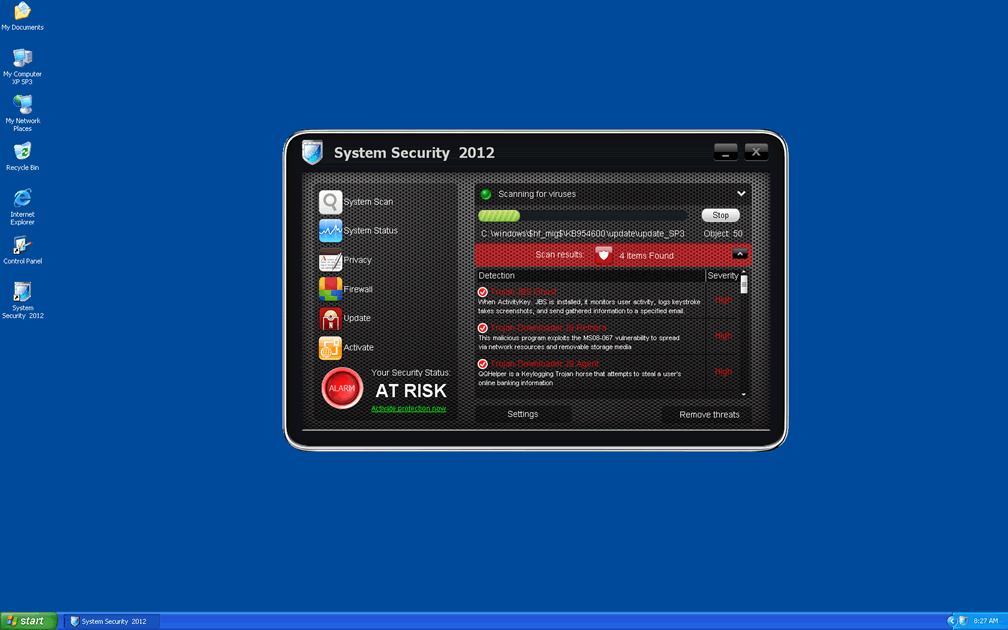
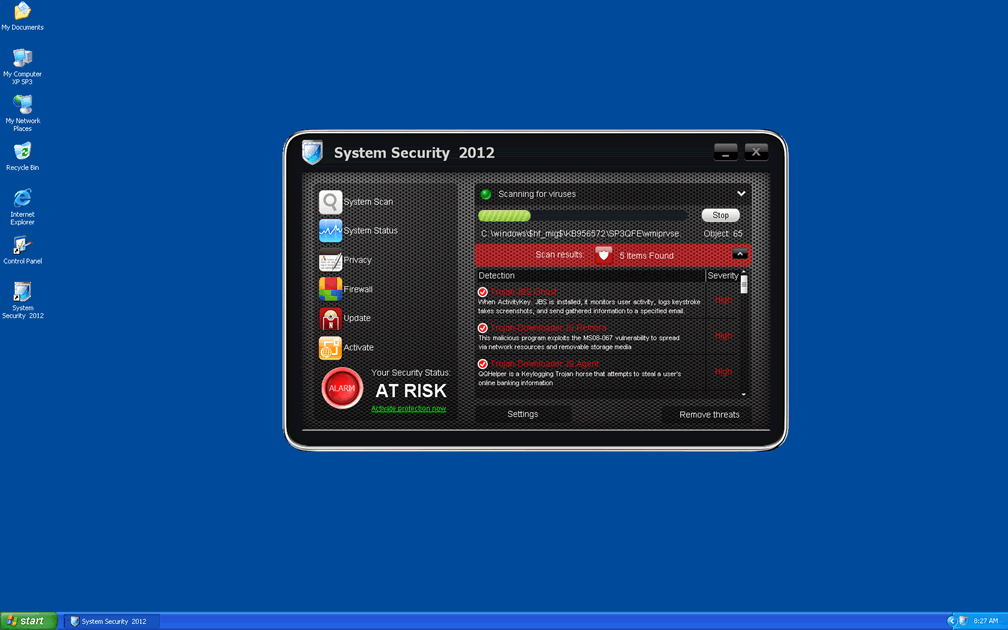
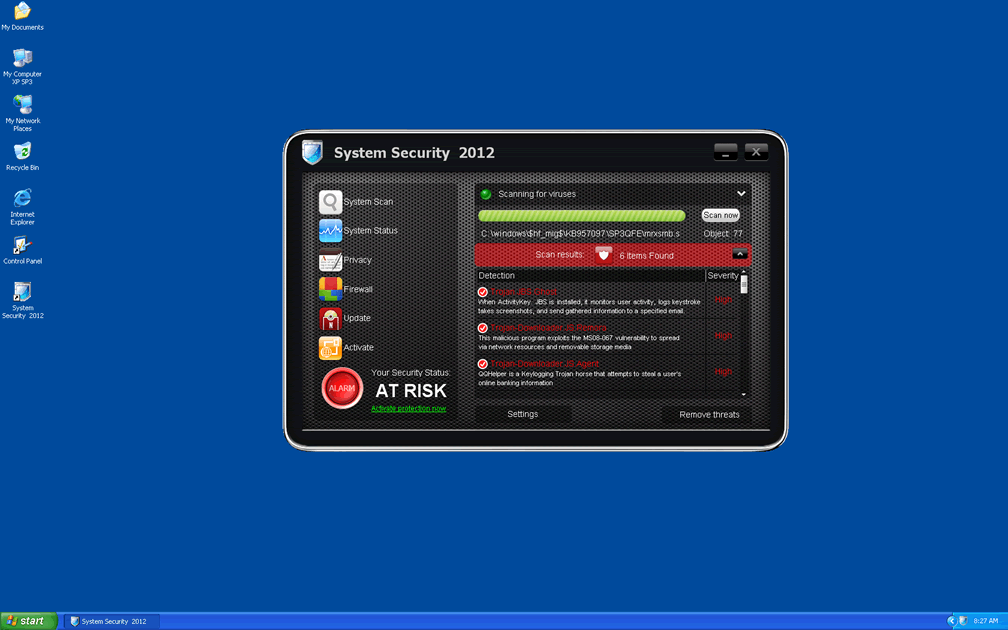
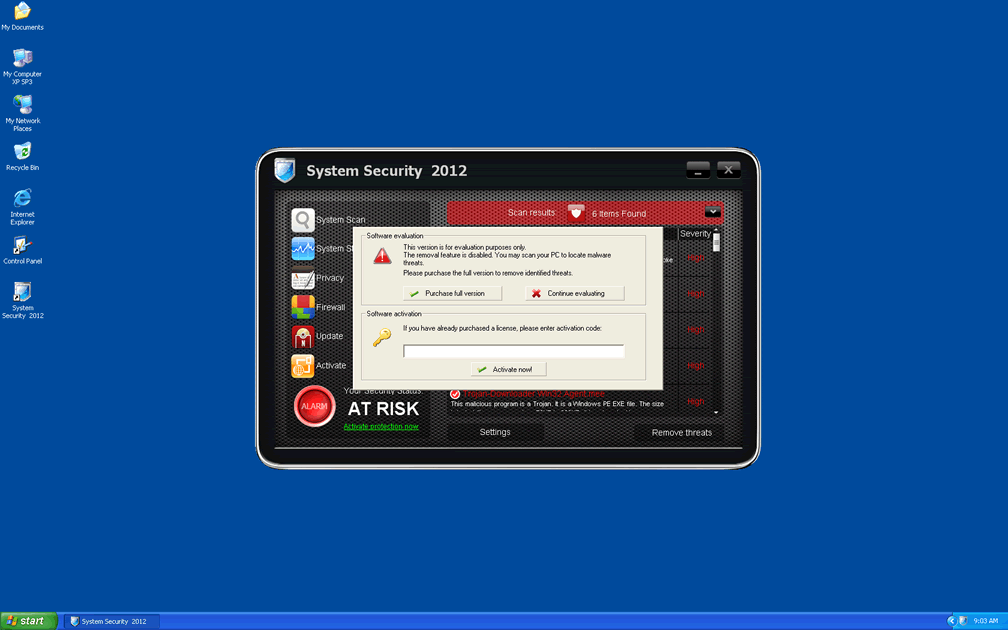
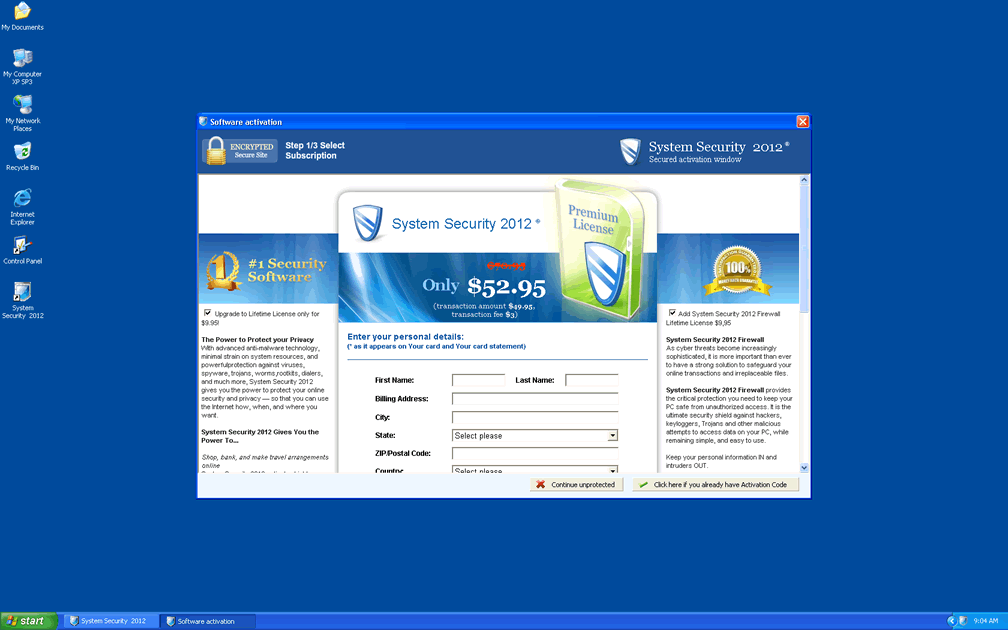
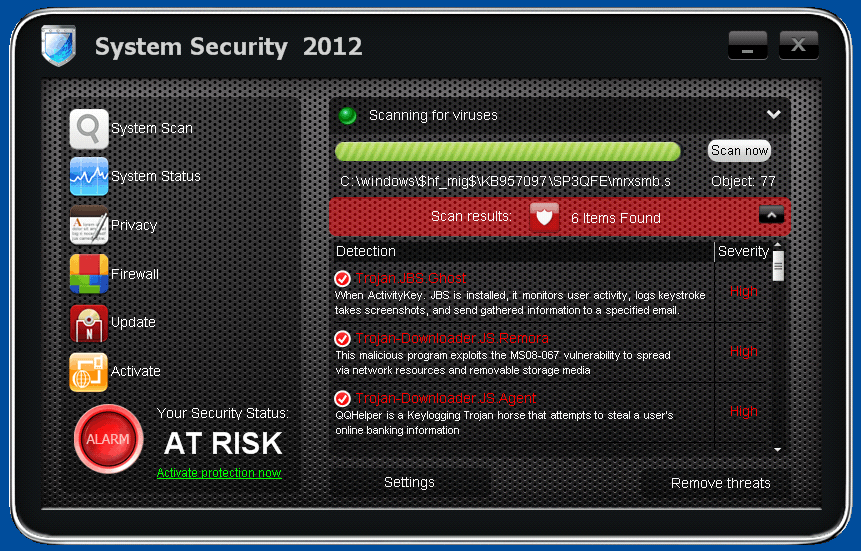 System Security 2012 is another variant of an old rogue security program scam that's been circulating under different names in the WinWeb Security or WinAVPro family. Although System Security 2012 looks and sounds like a useful program to protect your PC from malicious software, SpywareRemove.com malware experts have found that System Security 2012 has zilch to offer as far as legitimate anti-malware features are concerned. System Security 2012 infections can also be responsible for system crashes, blocked programs and browser hijacks, as long as System Security 2012 is active on your PC. Due to the multifaceted nature of System Security 2012, it's recommended that you try to remove System Security 2012 with a real anti-malware program that can scan your Registry and other advanced Windows components with minimal fuss.
Why There Isn't Anything to Rest Secure About with System Security 2012
System Security 2012 is from an especially-prolific family of rogue security programs that use a wide range of names to market themselves. Other branches of the System Security 2012 family of scamware include Antivirus Security, System Security, AntiSpyware Pro 2009, Total Security, Total Security 2009, Security Tool, Trojan.RogueAV.a.gen, System Adware Scanner 2010, FakeAlert-KW.e, Advanced Security Tool 2010, System Tool 2011, MS Removal Tool, Antivirus Center, Security Shield, Personal Shield Pro, Advanced PC Shield 2012, Security Sphere 2012 and Futurro Antivirus. Other than their similar looks, you should be able to recognize clones of System Security 2012, as well as System Security 2012, by noting the following attacks:
- Fake error messages that appear without warning or cause. SpywareRemove.com malware analysts have noted that these pop-ups and alerts are System Security 2012's most visible attack, but are also crammed full of fake information that may confuse you about your computer's health. You should never trust an error message from System Security 2012, or any error message that resembles one of the following examples:
Windows Security Alert
To help protect your computer, Windows Firewall has blocked some features of this program.
Do you want to keep blocking this program?
Name: Zeus Trojan
Publisher: UnauthorizedWarning! Infection found
Unauthorized sending E-MAIL with subject "RE:" to [FAKE EMAIL HERE] was CANCELLED.Security Warning
Malicious programs that may steal your private information and prevent your system from working properly are detected on your computer.
Click here to clean your PC immediately.Security Warning
There are critical system files on your computer that were modified by malicious software.
It may cause permanent data loss.
Click here to remove malicious software.svchost.exe
svchost.exe was replaced with unauthorized program.
It has encountered a problem and needs to close.
If you were in the middle of something, the information you were working on might be lost.
Please tell Microsoft about this problem.
We have created an error report that you can send to us. We will treat this report as confidential and anonymous.Warning! Infection found
Unwanted software (malware) or tracking cookies have been found during last scan. It is highly recommended to remove it from your computer.
Keylogger Zeus was detected and put in quarantine.
Keylogger Zeus is a very dangerous software used by criminals to steal personal data such as credit card information, access to banking accounts, passwords to social networks and e-mails.Security Warning
Your computer continues to be infected with harmful viruses. In order to prevent permanent loss of your information and credit card data theft please activate your antivirus software. Click here to enable protection.Windows Security Center
Serious security vulnerabilities were detected on this computer. Your privacy and personal data may be unsafe. Do you want to protect your PC?Warning: Spyware Detected
Windows has found spy programs running on your computer!
Click here to update your Windows antivirus softwareWarning: Infection is Detected
Windows has found spyware infection on your computer!
Click here to update your Windows antivirus software - Web browser redirect attacks that take you to System Security 2012's website or to the website of one of System Security 2012's clones. Even a quick visit to one of these sites may infect you with System Security 2012 via drive-by-download attacks, although you can protect your web browser by using strong security settings and a competent anti-malware program.
- 'Blue screen of death' style system crashes.
- A general failure of your anti-virus and PC security programs. Although System Security 2012 may create alert pop-ups that make it sound like all of these applications are infected, the truth is that System Security 2012 is just blocking them.
- Problems with viewing files, folders or even drives in Windows Explorer. An alternate program, such as the Command Prompt, may allow you to access all of this data and see that System Security 2012 hasn't deleted anything – only made it appear as though things were deleted.
Upgrading to the New Year without System Security 2012 in the Way
Even though System Security 2012's attacks are extremely-invasive, SpywareRemove.com malware researchers are happy to inform you that a System Security 2012 infection isn't likely to cause permanent damage to your PC. As long as you act quickly to delete System Security 2012 with a proper anti-malware product, your computer shouldn't suffer long-term harm from any of System Security 2012's attacks.
Since System Security 2012 may try to stop you from using software that could remove System Security 2012, you may need to enact one of the following workarounds:
- You may be able to run your anti-malware scanner while System Security 2012 is active, if you rename the scanner's .exe file to a common file name like 'explorer.exe.'
- Safe Mode is also able to stop most forms of malicious software from launching themselves, which will allow you to use your anti-malware application without System Security 2012 ever being 'awake' to notice it.
- If these measures fail, you can also boot Windows from an external device that bypasses the default Registry. This will stop System Security 2012 from being launched in almost all cases of infection.
Aliases
Technical Details
File System Modifications
Tutorials: If you wish to learn how to remove malware components manually, you can read the tutorials on how to find malware, kill unwanted processes, remove malicious DLLs and delete other harmful files. Always be sure to back up your PC before making any changes.
The following files were created in the system:%APPDATA%\dwme.exe
File name: dwme.exeSize: 99.84 KB (99840 bytes)
MD5: 574969c01c04c4716b1568a096c22796
Detection count: 84
File type: Executable File
Mime Type: unknown/exe
Path: %APPDATA%
Group: Malware file
Last Updated: November 4, 2011
PnG44aQHsWKfE9.exe
File name: PnG44aQHsWKfE9.exeSize: 1.69 MB (1698816 bytes)
MD5: 1af115f6c15d532c5837229d7eee191c
Detection count: 46
File type: Executable File
Mime Type: unknown/exe
Group: Malware file
Last Updated: November 10, 2011
%APPDATA%\dwme.exe
File name: dwme.exeSize: 99.84 KB (99840 bytes)
MD5: c1fa9c73a68858a1a439fdd8086e530a
Detection count: 12
File type: Executable File
Mime Type: unknown/exe
Path: %APPDATA%
Group: Malware file
Last Updated: November 4, 2011
%WINDIR%\system32\YTZkIVrlOtAuSiF.exe
File name: YTZkIVrlOtAuSiF.exeSize: 1.76 MB (1766912 bytes)
MD5: b7ddb0cae9cb1cb77904e5f8f771170a
Detection count: 5
File type: Executable File
Mime Type: unknown/exe
Path: %WINDIR%\system32
Group: Malware file
Last Updated: January 8, 2020
%AppData%\svhostu.exe
File name: %AppData%\svhostu.exeFile type: Executable File
Mime Type: unknown/exe
Group: Malware file
%AppData%\ldr.ini
File name: %AppData%\ldr.iniMime Type: unknown/ini
Group: Malware file
%AppData%\[RANDOM CHARACTERS]\System Security 2012.ico
File name: %AppData%\[RANDOM CHARACTERS]\System Security 2012.icoMime Type: unknown/ico
Group: Malware file
%UserProfile%\Desktop\System Security 2012.lnk
File name: %UserProfile%\Desktop\System Security 2012.lnkFile type: Shortcut
Mime Type: unknown/lnk
Group: Malware file
%Temp%\svhostu.exe
File name: %Temp%\svhostu.exeFile type: Executable File
Mime Type: unknown/exe
Group: Malware file
%Temp%\8.tmp
File name: %Temp%\8.tmpFile type: Temporary File
Mime Type: unknown/tmp
Group: Malware file
%StartMenu%\Programs\Startup\crss.exe
File name: %StartMenu%\Programs\Startup\crss.exeFile type: Executable File
Mime Type: unknown/exe
Group: Malware file
Registry Modifications
HKEY..\..\..\..{Subkeys}HKEY_CURRENT_USER\Software\System Security 2012HKEY_CURRENT_USER\Software\Microsoft\Windows\CurrentVersion\Internet Settings "ProxyServer" = "http=127.0.0.1:59232"HKEY_LOCAL_MACHINE\SOFTWARE\Microsoft\Windows\CurrentVersion\Run "[RANDOM CHARACTERS]"HKEY_CURRENT_USER\Software\Microsoft\Installer\Products\C0AB6693AB3202B4B9D95716ED5CE4A6\SourceList
Additional Information
| # | Message |
|---|---|
| 1 | Security Warning
Malicious programs that may steal your private information and prevent your system from working properly are detected on your computer. Click here to clean your PC immediately. |
| 2 | Security Warning
There are critical system files on your computer that were modified by malicious software. It may cause permanent data loss. Click here to remove malicious software. |
| 3 | Security Warning
Your computer continues to be infected with harmful viruses. In order to prevent permanent loss of your information and credit card data theft please activate your antivirus software. Click here to enable protection. |
| 4 | Warning infection found
Unwanted software (malware) or tracking cookies have been found during last scan. It is highly recommended to remove it from your computer. Keylogger Zeus Keylogger Zeus is a very dangerous software used by criminals to steal personal data such as credit card information, access to banking accounts, passwords to social networks and e-mails. |
| 5 | Warning infection found Unwanted software (malware) or tracking cookies have been found during last scan. It is highly recommended to remove it from your computer. Keylogger Zeus Keylogger Zeus is a very dangerous software used by criminals to steal personal data such as credit card information, access to banking accounts, passwords to social networks and e-mails. |
| 6 | Warning! Infection found
Unauthorized sending E-MAIL with subject "RE:" to [FAKE EMAIL HERE] was CANCELLED. |
| 7 | Warning! The file "taskmgr.exe" is infected. Running of application is impossible. Please activate your antivirus software |
| 8 | Warning: Infection is Detected
Windows has found spyware infection on your computer! Click here to update your Windows antivirus software |
| 9 | Windows Security Alert
To help protect your computer, Windows Firewall has blocked some features of this program. Do you want to keep blocking this program? Name: Zeus Trojan Publisher: Unauthorized Warning! The file "taskmgr.exe" is infected. Running of application is impossible. Please activate your antivirus software |
| 10 | Windows Security Alert To help protect your computer, Windows Firewall has blocked some features of this program. Do you want to keep blocking this program? Name: Zeus Trojan Publisher: Unauthorized |
| 11 | Windows Security Center
Serious security vulnerabilities were detected on this computer. Your privacy and personal data may be unsafe. Do you want to protect your PC? |
| 12 | svchost.exe
svchost.exe was replaced with unauthorized program. It has encountered a problem and needs to close. If you were in the middle of something, the information you were working on might be lost. Please tell Microsoft about this problem. We have created an error report that you can send to us. We will treat this report as confidential and anonymous. |
Just got my laptop out of the shop. Took them two days to get it all removed. Insidious!
Woah this security program is a total fake. didn't realize until i found this post. going to remove it now. thx for the help.