Windows Private Shield
Posted: May 20, 2012
Threat Metric
The following fields listed on the Threat Meter containing a specific value, are explained in detail below:
Threat Level: The threat level scale goes from 1 to 10 where 10 is the highest level of severity and 1 is the lowest level of severity. Each specific level is relative to the threat's consistent assessed behaviors collected from SpyHunter's risk assessment model.
Detection Count: The collective number of confirmed and suspected cases of a particular malware threat. The detection count is calculated from infected PCs retrieved from diagnostic and scan log reports generated by SpyHunter.
Volume Count: Similar to the detection count, the Volume Count is specifically based on the number of confirmed and suspected threats infecting systems on a daily basis. High volume counts usually represent a popular threat but may or may not have infected a large number of systems. High detection count threats could lay dormant and have a low volume count. Criteria for Volume Count is relative to a daily detection count.
Trend Path: The Trend Path, utilizing an up arrow, down arrow or equal symbol, represents the level of recent movement of a particular threat. Up arrows represent an increase, down arrows represent a decline and the equal symbol represent no change to a threat's recent movement.
% Impact (Last 7 Days): This demonstrates a 7-day period change in the frequency of a malware threat infecting PCs. The percentage impact correlates directly to the current Trend Path to determine a rise or decline in the percentage.
| Ranking: | 4,472 |
|---|---|
| Threat Level: | 2/10 |
| Infected PCs: | 39,392 |
| First Seen: | May 20, 2012 |
|---|---|
| Last Seen: | March 8, 2025 |
| OS(es) Affected: | Windows |
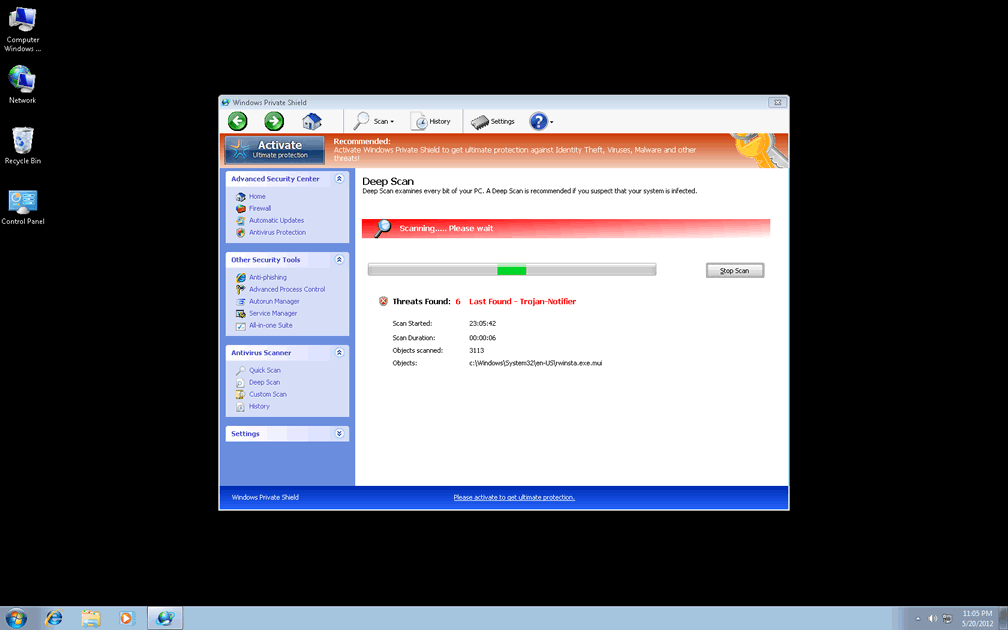
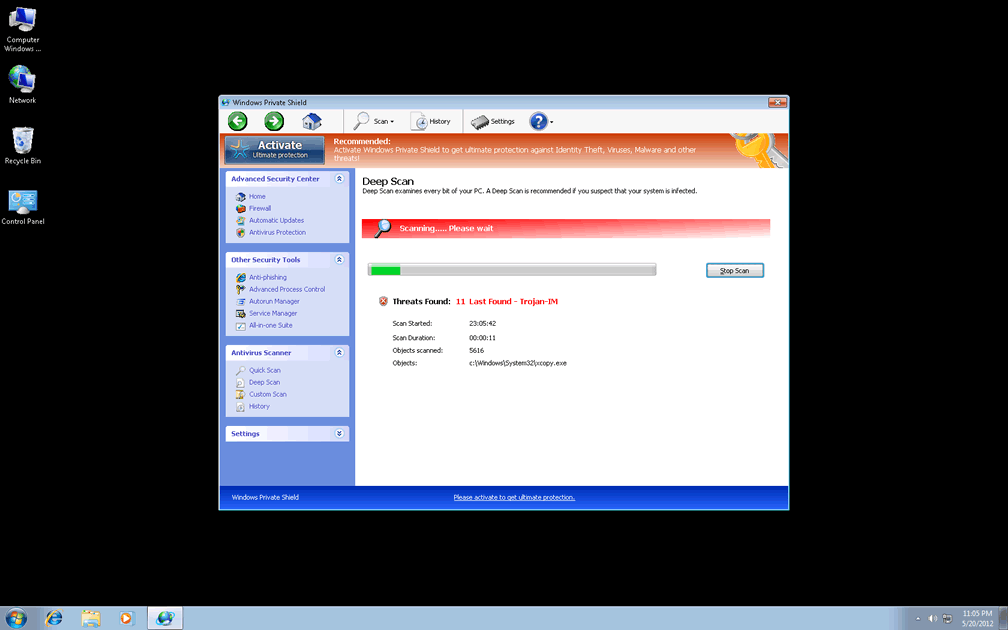
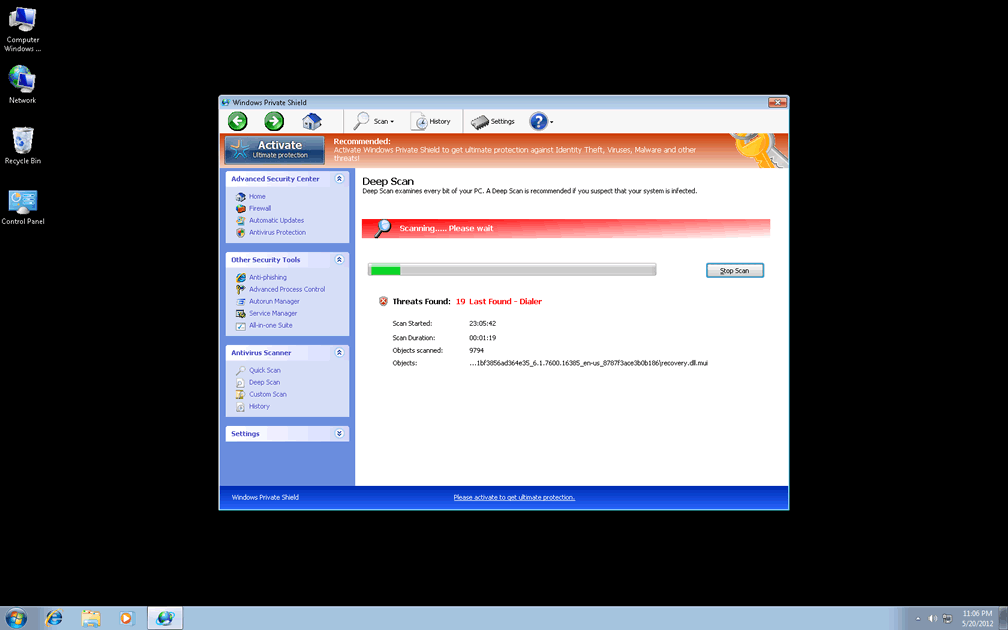
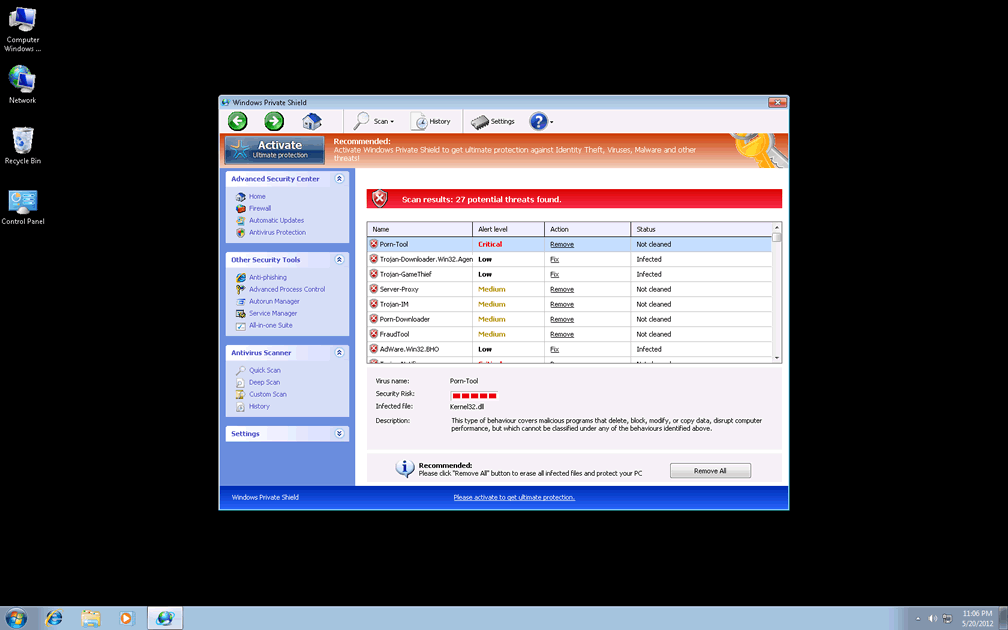
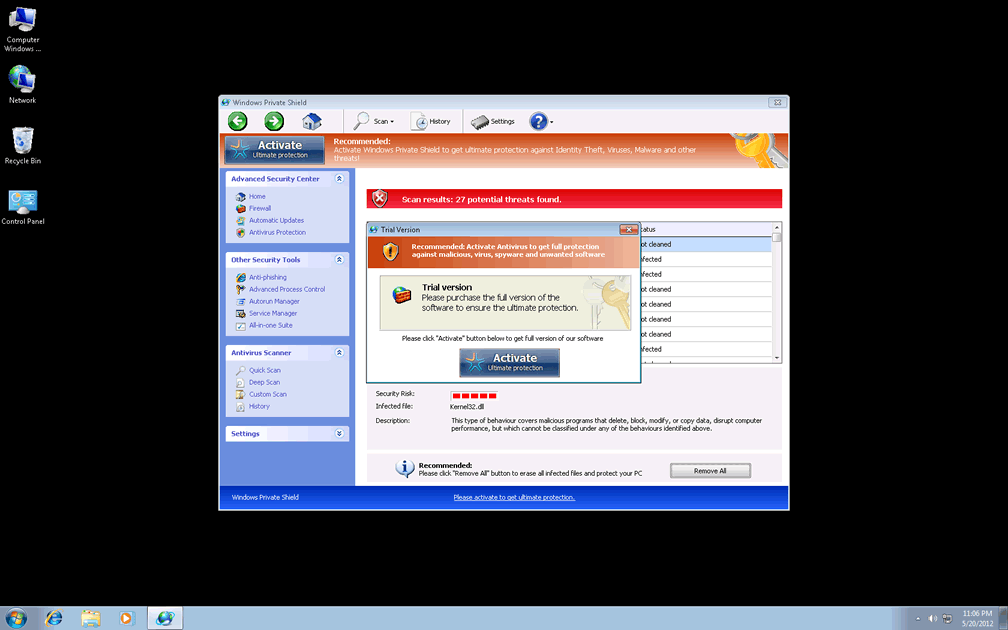
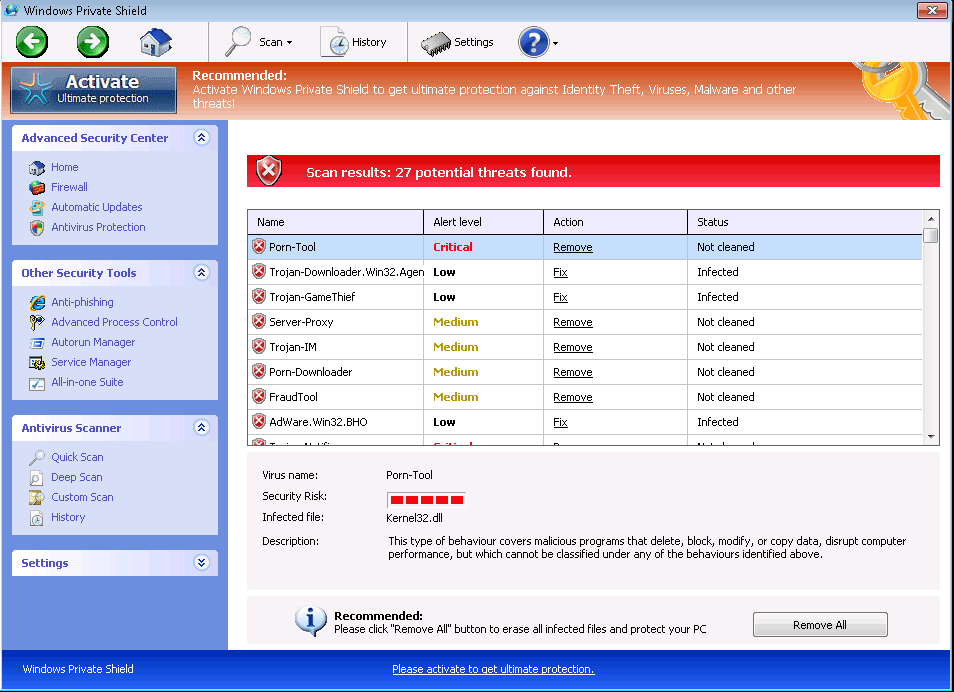 Just the next generation of a near-infinite series of Win32/FakeVimes-based scamware, Windows Private Shield may pretend to have powerful anti-spyware and security features, but all of Windows Private Shield's functions are dedicated either to attacking your computer's security or creating fake security warnings. Windows Private Shield should always be considered a danger to your PC until Windows Private Shield is removed by a dedicated anti-malware product. Symptoms that SpywareRemove.com malware researchers have found to be closely associated with Windows Private Shield include browser redirects, disabled Windows features, blocked AV programs and fraudulent security Trojan alerts.
Windows Private Shield: a Fresh Recruit for an Army of Rogue Anti-Malware Software
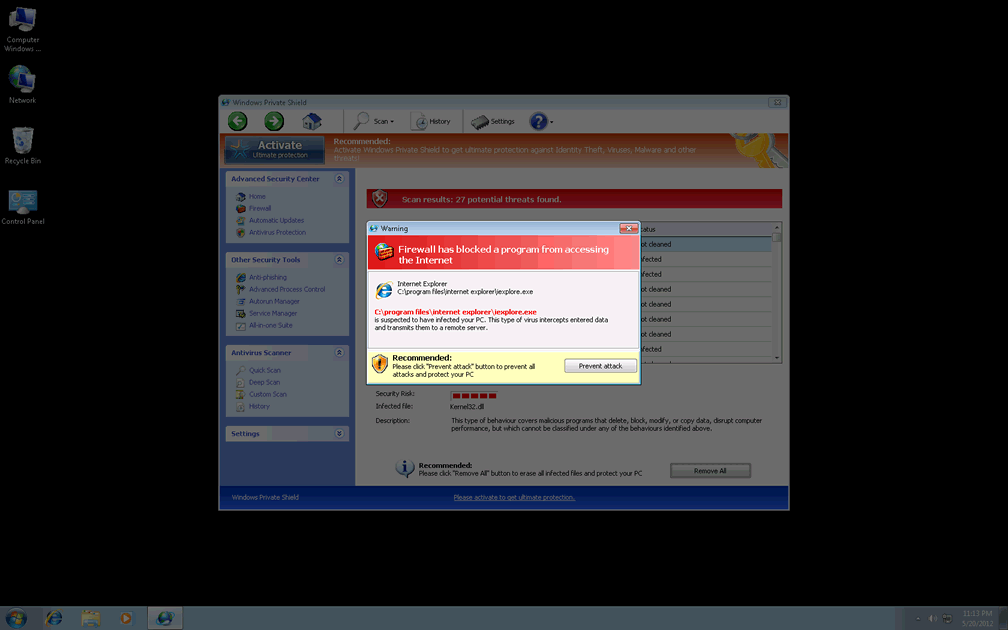
Even though Windows Private Shield is capable of sending out a range of technical-sounding security alerts, all of these alerts are designed to incite a maximum of alarm with a minimum of accuracy, since Windows Private Shield can't detect viruses or even delete already-identified PC threats. While Windows Private Shield has you distracted with fake warnings about identity theft or malicious scripts, your actual security functions, such as the Windows UAC, Task Manager and protection against files with invalid signatures, will all be disabled. Due to these security problems, SpywareRemove.com malware researchers rate Windows Private Shield as a serious PC threat to be exterminated as soon as you can access suitable anti-malware programs – even while Windows Private Shield is trying to block you from using them.
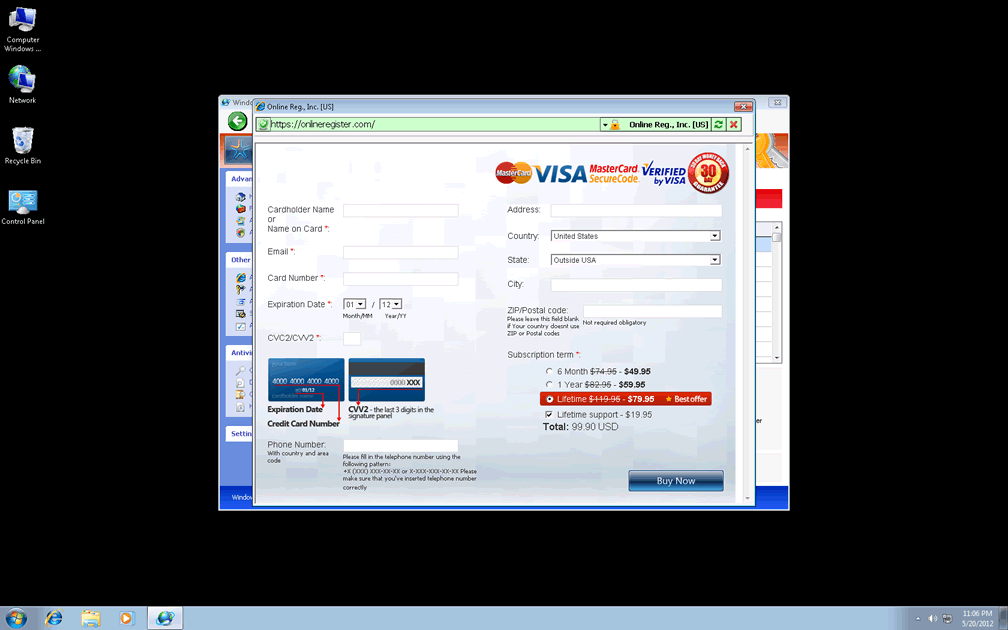
These attacks are also typical to other members of Win32/FakeVimes, which also share Windows Private Shield's appearance. Telltale signs to identify Windows Private Shield and its clones include their 'Advanced Process Control' feature, 'All-in-one Suite' and 'ACTIVATE Ultimate Protection' button, which offer a shortcut to a fraudulent registration process. You should never purchase, download or register Windows Private Shield, since SpywareRemove.com malware experts have confirmed its lack of security-related features in both its registered and unregistered form. Windows Private Shield is a rogue anti-spyware scanner that's closely related to PC threats like Privacy Guard Pro, Extra Antivirus, Fast Antivirus 2009, Presto TuneUp, Windows Security Suite, Smart Virus Eliminator, Packed.Generic.245, Volcano Security Suite, Windows Enterprise Suite, Enterprise Suite, Additional Guard, Live PC Care, PC Live Guard, Live Enterprise Suite, Security Antivirus, My Security Wall, CleanUp Antivirus, Smart Security and PrivacyGuard Pro 2.0.
Toppling Windows Private Shield's Scam for Easy Cash
Between Hosts file changes that redirect your browser to Windows Private Shield's site and various types of fraudulent system alerts, dealing with any Windows Private Shield infection will require that you avoid the temptation to give in and buy Windows Private Shield's worthless registration key. However, SpywareRemove.com malware researchers have found some value in faking the registration process for Windows Private Shield and other FakeVimes-based scamware programs by using the code '0W000-000B0-00T00-E0020' for free.
Until Windows Private Shield is deleted, you should also anticipate blockades enacted against security-related programs.
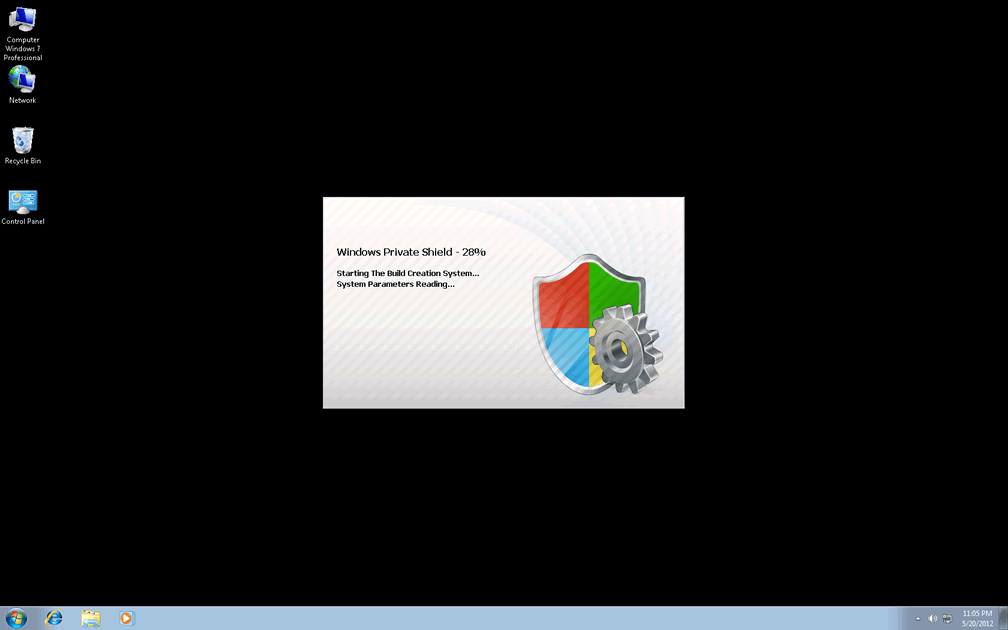
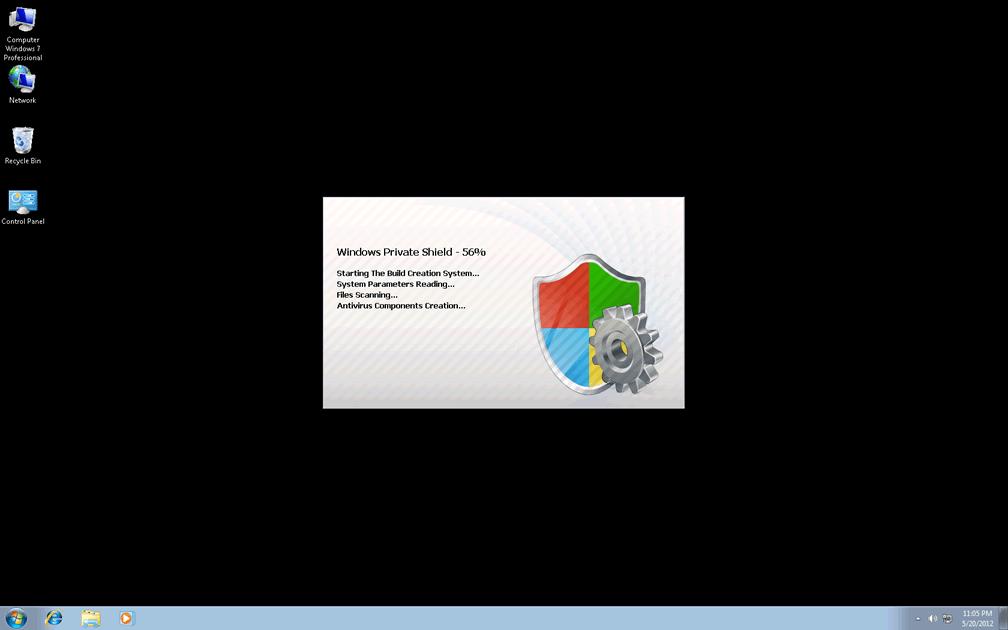
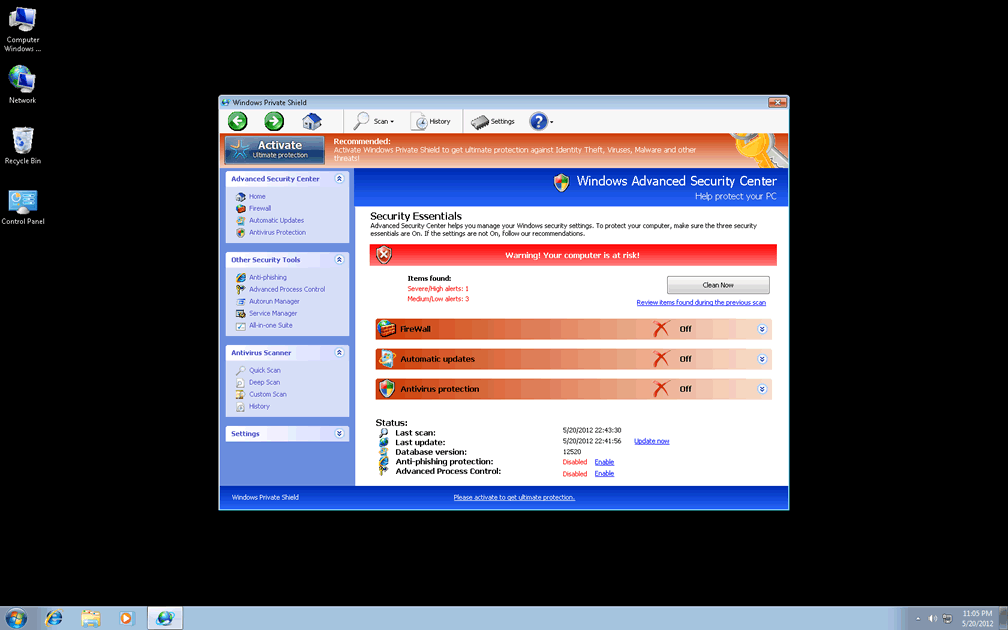
Technical Details
File System Modifications
Tutorials: If you wish to learn how to remove malware components manually, you can read the tutorials on how to find malware, kill unwanted processes, remove malicious DLLs and delete other harmful files. Always be sure to back up your PC before making any changes.
The following files were created in the system:Protector-[RANDOM NUMBERS].exe
File name: Protector-[RANDOM NUMBERS].exeFile type: Executable File
Mime Type: unknown/exe
Group: Malware file
Registry Modifications
HKEY..\..\{Value}HKEY_CURRENT_USER\Software\Microsoft\Windows\CurrentVersion\Internet Settings "WarnOnHTTPSToHTTPRedirect" = 0HKEY_CURRENT_USER\Software\Microsoft\Windows\CurrentVersion\Policies\System "DisableRegedit" = 0HKEY_CURRENT_USER\Software\Microsoft\Windows\CurrentVersion\Policies\System "DisableRegistryTools" = 0HKEY_CURRENT_USER\Software\Microsoft\Windows\CurrentVersion\Policies\System "DisableTaskMgr" = 0HKEY_CURRENT_USER\Software\Microsoft\Windows\CurrentVersion\Settings "net" = "2012-2-17_2"HKEY_CURRENT_USER\Software\Microsoft\Windows\CurrentVersion\Settings "UID" = "rudbxijemb"HKEY_LOCAL_MACHINE\SOFTWARE\Microsoft\Windows\CurrentVersion\policies\system "ConsentPromptBehaviorAdmin" = 0HKEY_LOCAL_MACHINE\SOFTWARE\Microsoft\Windows\CurrentVersion\policies\system "ConsentPromptBehaviorUser" = 0HKEY_LOCAL_MACHINE\SOFTWARE\Microsoft\Windows\CurrentVersion\policies\system "EnableLUA" = 0HKEY..\..\..\..{Subkeys}HKEY_LOCAL_MACHINE\SOFTWARE\Microsoft\Internet Explorer\Main\FeatureControl\FEATURE_ERROR_PAGE_BYPASS_ZONE_CHECK_FOR_HTTPS_KB954312HKEY_CURRENT_USER\Software\ASProtectHKEY_LOCAL_MACHINE\SOFTWARE\Microsoft\Windows NT\CurrentVersion\Image File Execution Options\tapinstall.exeHKEY_LOCAL_MACHINE\SOFTWARE\Microsoft\Windows NT\CurrentVersion\Image File Execution Options\ashDisp.exeHKEY_LOCAL_MACHINE\SOFTWARE\Microsoft\Windows NT\CurrentVersion\Image File Execution Options\_avp32.exeHKEY_LOCAL_MACHINE\SOFTWARE\Microsoft\Windows NT\CurrentVersion\Image File Execution Options\_avpcc.exeHKEY_LOCAL_MACHINE\SOFTWARE\Microsoft\Windows NT\CurrentVersion\Image File Execution Options\divx.exeHKEY_LOCAL_MACHINE\SOFTWARE\Microsoft\Windows NT\CurrentVersion\Image File Execution Options\zapsetup3001.exeHKEY_LOCAL_MACHINE\SOFTWARE\Microsoft\Windows NT\CurrentVersion\Image File Execution Options\mostat.exeHKEY_LOCAL_MACHINE\SOFTWARE\Microsoft\..{RunKeys}HKEY_CURRENT_USER\Software\Microsoft\Windows\CurrentVersion\Run "Inspector"
Additional Information
| # | Message |
|---|---|
| 1 | Error
Software without a digital signature detected. Your system files are at risk. We strongly advise you to activate your protection. |
| 2 | Torrent Alert
Recomended: Please use secure encrypted protocol for torrent links. Torrent link detected! Receiving this notification means that you have violated the copyright laws. Using Torrent for downloading movies and licensed software shall be prosecuted and you may be sued for cybercrime and breach of law under the SOPA legislation. Please register your copy of the AV to activate anonymous data transfer protocol through the torrent link. |
I had to deleate windows private shield. It ocked up my computer.