Adware.Win32.MalwareAlarm
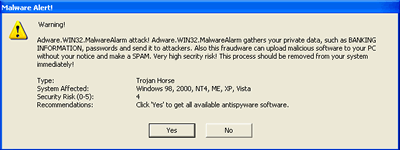 Adware.Win32.MalwareAlarm is a Trojan name that appears on fake warning messages which are used to threaten and trick users into buying rogue anti-spyware applications. Adware.Win32.MalwareAlarm warning message may appear after a drive-by download or after downloading a video codec bundled with a nasty Trojan, popularly known as Zlob. Zlob Trojan then displays false warning messages stating "Adware.WIN32.MalwareAlarm attack!" and recommends to download an antispyware program to allegedly remove the Adware.WIN32.MalwareAlarm infection. However, the anti-spyware program recommended will not fix your computer but may actually expose you to more security threats.
Adware.WIN32.MalwareAlarm warning message is meant to trick you into download a rogue anti-spyware program that will only display false positives on its scanner and you'll end up wasting your money if you should decide to purchase it. Adware.Win32.MalwareAlarm warning message states:
"Adware.WIN32.MalwareAlarm attack! Adware.WIN32.MalwareAlarm gathers your private data, such as BANKING INFORMATION, passwords and send it to attackers. Also this fraudware can upload malicious software to your PC without your notice and make a SPAM. Very high secrity risk! This process should be removed from your system immediately!
Type: Trojan Horse
System Affected: Windows 98, 2000, NT4, ME, XP, Vista
Security Risk (0-5):
Recommendations: Click 'Yes' to get all available antispyware software."
Adware.Win32.MalwareAlarm warning message may also pop up on the middle of your desktop and may state the following:
"Warning! Spyware detected on your computer! Install an antivirus or spyware remover to clean your computer."
Adware.Win32.MalwareAlarm is associated with Abebot, a backdoor Trojan that is used to promote rogue anti-spyware programs. We recommend the immediate removal of Adware.Win32.MalwareAlarm.
File System Modifications
- The following files were created in the system:
# File Name 1 cjvy.dll 2 ecxwp.dll 3 esent9.dll 4 gqagksr.dll 5 mlljh.dll 6 mscfg32.dll 7 msvideo.dll 8 pmspl.dll 9 ssqppol.dll 10 stream32a.dll 11 ttvbonvgl.dll 12 urqnomm.dll 13 vtssp.dll 14 websrc32.dll 15 windivx.dll
Registry Modifications
- The following CLSID's were detected:
HKEY..\..\{CLSID Path}43BA0532-0D69-458A-8C71-AD0F6AE70D19F9EAAA11-DF98-4615-A2C7-7D03C86A6BE9B3E45A9B-7756-46A2-AB14-90175CD374F9E856E05E-1B91-4339-9EFC-9A3308CB549115EB9F40-D775-4463-B75B-8687B3C66BB76D64B03B-3B93-4AF2-BFC6-01264A4C7F2A6A719349-BDF5-4268-9019-4ACA0C2562D2D17CFF74-A19C-4C36-821A-E074E4F889CAb166be07-30a4-4d38-b781-44528a63070662EA9201-8CC7-4199-AC30-7744F836322E202EBB90-ABD4-46CC-BB5A-4F0ECC67B331A8565FBC-8D53-4D4F-9BB0-CBC68A22B12669B98C68-D2B8-4A4E-9CB7-E85B6F3A7014BBB05D9E-0297-404D-A6BF-D8F2876B84A6c4545fc9-26d0-4ccf-b4fb-728aed895dbd
Leave a Reply
Please note that we are not able to assist with billing and support issues regarding SpyHunter or other products. If you're having issues with SpyHunter, please get in touch with SpyHunter customer support through your SpyHunter . If you have SpyHunter billing questions, we recommend you check the Billing FAQ. For general suggestions or feedback, contact us.