Vista Internet Security
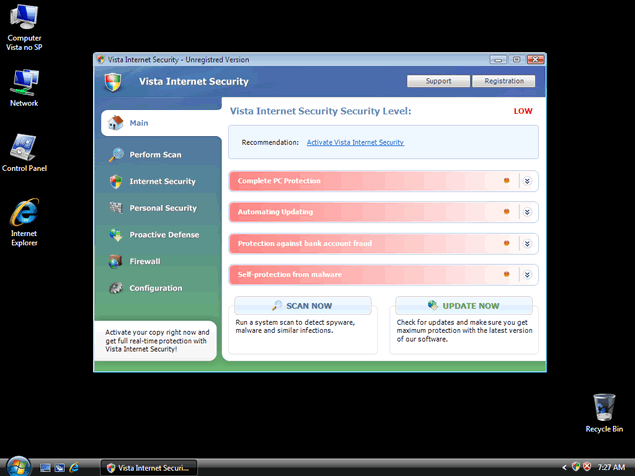
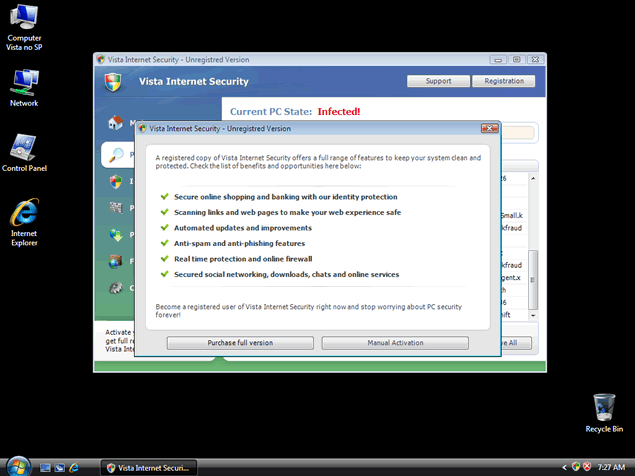
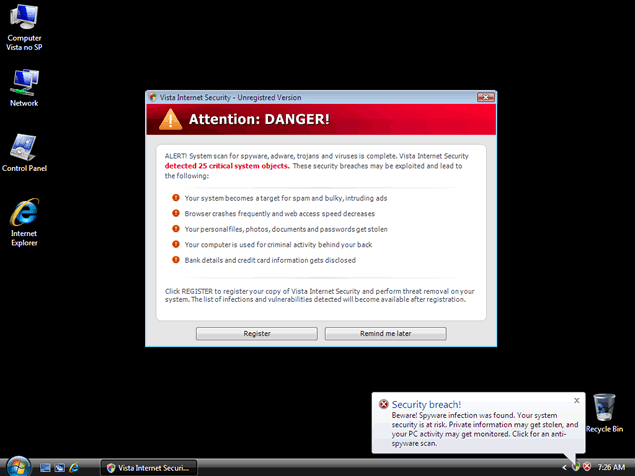 The rogue security program Vista Internet Security is a clone of similar malicious rogue security applications and uses similar techniques – false positive system alerts, bad scanner results, web browser hijacks and shutting down real security applications. Clones of Vista Internet Security will change their names to avoid detection and to match the operating system they infect while repetitively demanding that you spend money on registering them. Purchasing a registration key for Vista Internet Security and related malware is inadvisable, since letting these programs stay on your PC will result in harm to your privacy and computer security. Instead, consider removing Vista Internet Security with the help of a good anti-malware scanner.
Vista Internet Security is a Generic Threat Rearranged for a Vista PC
Under normal circumstances, you'll only see Vista Internet Security if you run Windows Vista on your computer. Vista Internet Security is part of a larger group of rogue security programs that change the first word in their name to match the operating system. They can also alter the middle descriptive word and may or may not append a year, such as 2010 or 2011, to the end. For example, XP Home Security 2011, Win 7 Internet Security 2011 and XP Internet Security are all just different versions of Vista Internet Security, and vice versa.
Vista Internet Security will usually be installed by Trojans that infect your computer through browser script exploits, or when you download a supposed security program from a malicious website that offers fake system scanning services. Many rogue security program-delivering Trojans are known to use fake Windows alerts that suggest that you install Vista Internet Security or another rogue security program to remove a nonexistent infection.
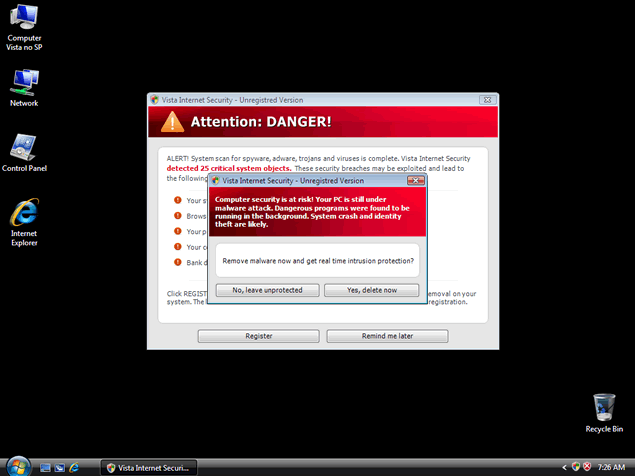
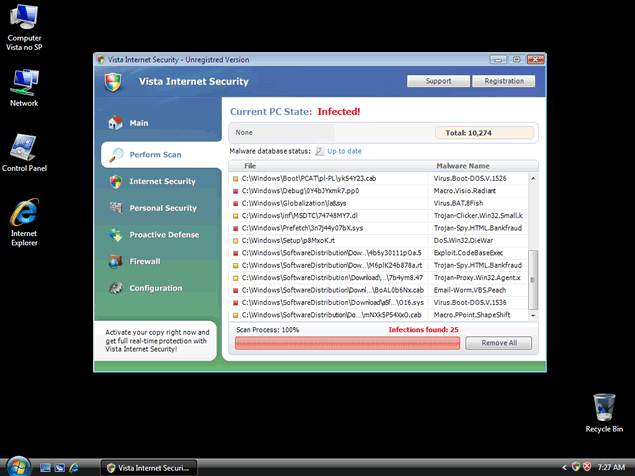
Once Vista Internet Security forces your computer to let Vista Internet Security run whenever Windows starts, Vista Internet Security will begin by faking malware-full scanner results and creating error messages like these:
System danger!
Your system security is in danger. Privacy threats detected. Spyware, keyloggers or Trojans may be working the background right now. Perform an in-depth scan and removal now, click here.
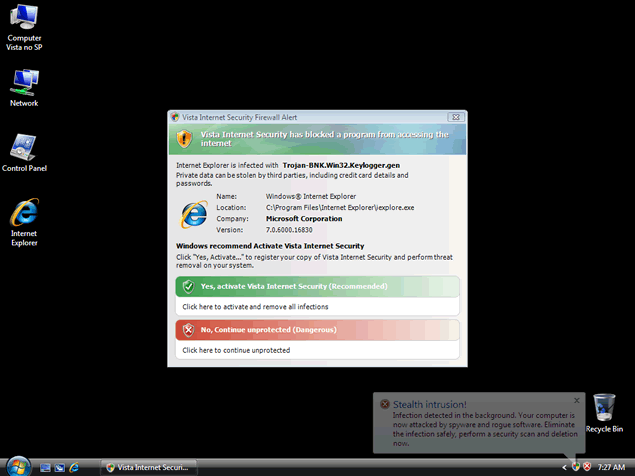
Stealth intrusion!
Infection detected in the background. Your computer is now attacked by spyware and rogue software. Eliminate the infection safely, perform a security scan and deletion now.
Attention: DANGER!
ALERT! System scan for spyware, adware, Trojans and viruses is complete.
Vista Internet Security detected 35 critical system objects.
Privacy threat!
Spyware intrusion detected. Your system is infected. System integrity is at risk. Private data can be stolen by third parties, including credit card details and passwords. Click here to perform a security repair.
It's important to disregard any instructions or suggestions offered in these fake alerts, since obeying them can cause you to delete undamaged files, place your PC at risk of further damage or give away sensitive information to criminals. Such errors are pre-programmed to occur without any regard for whether or not they match the state of the infected computer.
Getting Vista Back from Vista Internet Security
Although Vista Internet Security's fake errors are numerous and obvious, the other problems caused by Vista Internet Security are far worse:
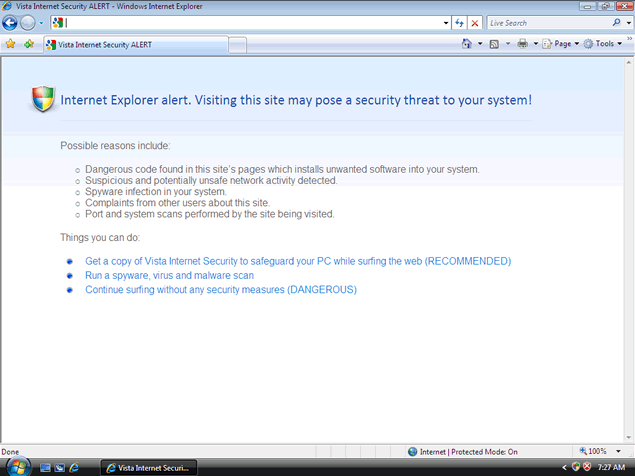
- Vista Internet Security may hijack your web browser, blocking out security websites with fake 'malicious website' warnings and redirecting you to dangerous websites. Even your homepage can be changed without your permission.
- Applications and file downloads may be blocked to prevent you from detecting or removing Vista Internet Security. In some cases, renaming the file can let you download or launch it regardless of Vista Internet Security's maliciously defensive efforts. You may see a warning about a Trojan-BNK.Win32.Keylogger.gen Trojan, which is a fake detection used by Vista Internet Security and Vista Internet Security's clones to make you think that a harmless program has been infected.
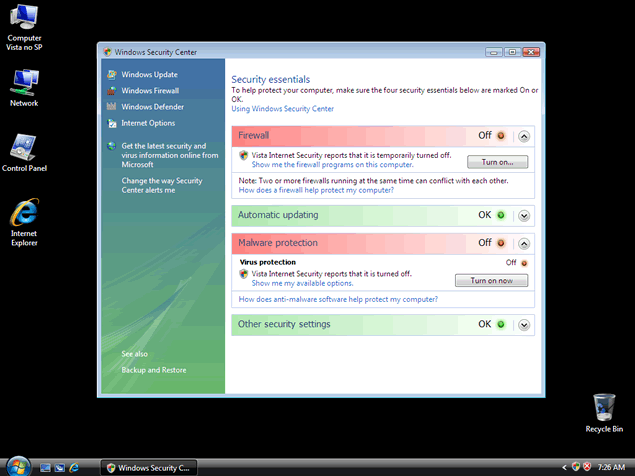
- Vista Internet Security will run whenever Windows starts. This is due to changes to the Registry that must be undone when trying to delete Vista Internet Security to insure system integrity. In the worst cases, Vista Internet Security and Vista Internet Security's clones have been known to launch even during Safe Mode.
Deleting Vista Internet Security is no task for a novice, and manually removing Vista Internet Security's files one by one will fail in most cases. The better choice is to use a good anti-malware program that can scan for and delete Vista Internet Security along with any Trojans or other infections that may be hanging around with Vista Internet Security.
The primary mean of securing a stable environment for removing Vista Internet Security and similar rogue security programs is to use Safe Mode. If Safe Mode is disabled or Vista Internet Security remains active inside it, you may need to download the appropriate software from another computer and transfer it via removable hard drive.
Always update whatever anti-malware scanner you choose to use before scanning your PC to get rid of Vista Internet Security. Since Vista Internet Security's overall family is fairly new to the threat industry, scanners that don't have updates may not be able to detect Vista Internet Security.
File System Modifications
- The following files were created in the system:
# File Name 1 av.exe
Registry Modifications
- The following newly produced Registry Values are:
HKEY..\..\..\..{Subkeys}HKEY_CURRENT_USER\Software\Classes\.exe\shell\open\command "(Default)" = "av.exe" /START "%1? %*HKEY_CURRENT_USER\Software\Classes\secfile\shell\open\command "(Default)" = "av.exe" /START "%1? %*HKEY_LOCAL_MACHINE\SOFTWARE\Clients\StartMenuInternet\IEXPLORE.EXE\shell\open\command "(Default)" = "av.exe" /START "iexplore.exe"HKEY_LOCAL_MACHINE\SOFTWARE\Microsoft\Security Center "AntiVirusOverride" = "1?HKEY_LOCAL_MACHINE\SOFTWARE\Microsoft\Security Center "FirewallOverride" = "1?
Leave a Reply
Please note that we are not able to assist with billing and support issues regarding SpyHunter or other products. If you're having issues with SpyHunter, please get in touch with SpyHunter customer support through your SpyHunter . If you have SpyHunter billing questions, we recommend you check the Billing FAQ. For general suggestions or feedback, contact us.