Finding Electric Car Charging Stations with Apple Maps: Upgrading, Filtering, and Compatible Connectors
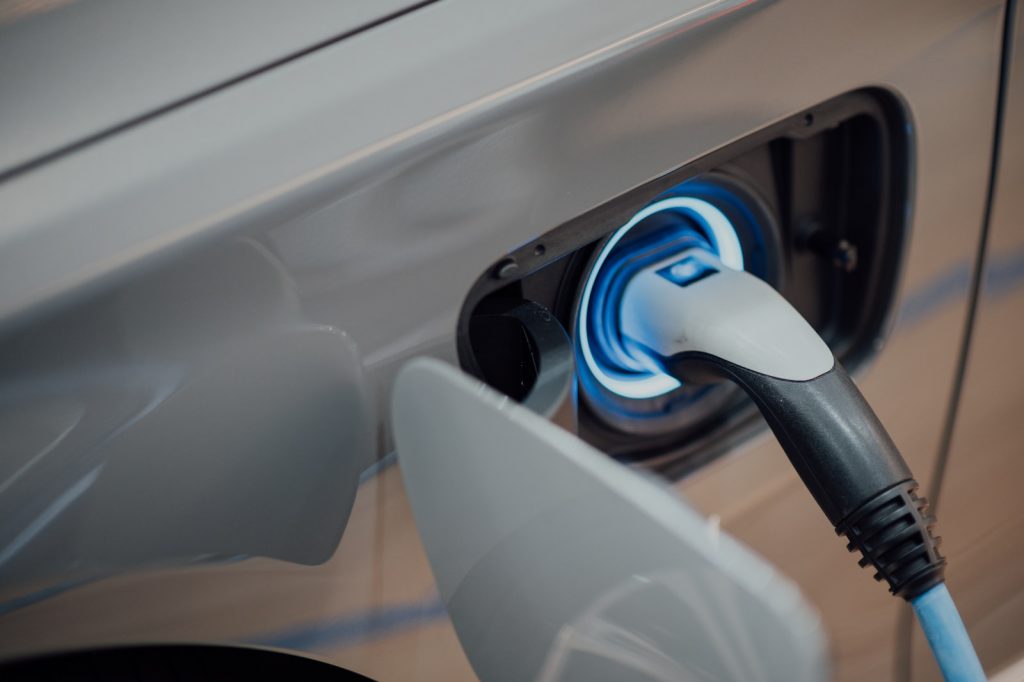
Searching for Electric Car Charging Stations in Apple Maps
Finding charging stations for electric vehicles on the go is a crucial feature for EV owners. The latest feature in Apple Maps makes it easy to locate EV charging stations. This functionality of finding electric car charging stations is one of the powerful new features added in the latest iOS 17 release. Here's how you do it:
Upgrading to iOS 17 or beyond to access new features
If you own an iPhone 15 or a newer model, you already have iOS 17 pre-installed. If you're using an older iPhone model, you need to upgrade your operating system. To do this, navigate to Settings > General > Software Update to install the latest iOS version. You should remember that the upgrade procedure could take up to 20 minutes after the download, so it's best to ensure you don't initiate it inconveniently.
Using specific search terms such as "charging station" or "car charge point"
Once you've got the update, open the Apple Maps app and key in "charging station" or "car charge point" in the search bar. These search terms will provide results for dedicated charging stations and more. Dedicated charging stations like Tesla Superchargers, Electrify America, and travel stops will become visible on your map on inputting "charging station."
Using the Add Stop feature on the direction route to find charging stations
While navigating using Apple Maps, you can insert a pit stop at a charging station. The 'Add Stop' feature facilitates this. All you need to do is swipe up from the bottom of your screen and tap 'Add Stop.' Then, input "charging station" or "car charge point" in the search space to fetch results.
Understanding differences between results for "charging station" and "car charge point"
It's vital to recognize the nuance in terms of result differences when searching using "charging station" versus "car charge point." When you look up "charging station," Apple Maps will primarily show you dedicated charging stations, as mentioned earlier. On the other hand, the search term "car charge point" yields a broader result. It features hotels, libraries, and campgrounds, which have charging facilities (even though they aren't dedicated charging points). Hence, depending on your location and convenience, you can utilize either search phrase to find the nearest available charging station.
Filtering Search Results to Meet Charging Needs
Apple Maps gets you covered by showing where charging stations are and allowing you to filter the search results per your distinct charging needs. Depending on the urgency and your preferences, you may want to find open stations that offer fast charging or free charging. Furthermore, Apple Maps also provides useful information about each charging point.
Using filters to identify currently open stations, fast charging availability, or free charging opportunities
The filter feature on Apple Maps can come in handy to narrow down your search results to the most suitable stations. You can tap the filters on the top of your search results to check which charging stations are currently open, offer fast charging (stations with chargers of 50kW or higher), or provide charging for free. Apple Maps makes hunting for an appropriate charging station easier, allowing EV drivers to sort out the best and most time-efficient charging options.
Reviewing the number of chargers and their availability at each location from search results
Beyond just the location of charging stations, what makes the search function even more powerful is the ability to see the number of charging points available at each location and their availability status. When you tap on a specific station in your search results, you can get detailed information about how many chargers are available at that particular location and how many are currently free. This, in turn, can help avoid waiting times and ensure a smooth charging experience on your EV travel.
Understanding Charger Compatibility
Not all electric vehicles use the same type of charging connector. Therefore, one crucial aspect of finding the right EV charging station is understanding the compatibility of different chargers. Apple Maps offers detailed insights about the types of connectors available at each charging station, their number, and their operating speeds.
Viewing detailed information about the types of connectors available at each charging station
When you tap a location in your search results, a detailed view of the charging station emerges. This display provides information about the types of connectors available at that station and the number of each type. Also, you can find out the operating speeds of these connectors. Plus, Apple Maps goes a step further in helping EV owners locate important facilities, such as convenience stores near their charging spots, enabling users to make the most out of their charging stop.
Recognizing common connectors such as CCS, NACS, and CHAdeMO
There are several types of connectors for EV charging stations, and the most common ones are CCS, NACS, and CHAdeMO. The Combined Charging System (CCS) is commonly used in most parts of the world; Tesla's North American Connector Standard (NACS) is popular in the United States and is set to be adopted globally, while CHAdeMO is common in older vehicles. Having this information on hand is particularly helpful to ensure your EV is compatible with the charging options available at each station.
Obtaining directions to the chosen location or adding them to your route
Once you have found a charging station suitable for your EV in terms of location, availability, and connector type, Apple Maps helps you navigate your way there. Tap on ‘Directions’ to get a route to the chosen charging location. If you are already on an existing route, you can add this station as a stop by tapping ‘Add Stop.’ This functionality makes Apple Maps a powerful tool for planning your EV trips and ensuring you never run out of charge on your journey.
Suggested Improvements for Apple Maps
While Apple Maps has done a commendable job in integrating advanced features to assist electric vehicle owners in finding charging stations, there is potential for more enhancements to further streamline the user experience. Some suggestions include implementing a faster access feature to search for charging stations, ensuring safety with less distracting search options, and integrating more deeply with advanced CarPlay.
Need for a quick access feature for finding charging stations similar to gas stations
Apple Maps places a conspicuous shortcut in its app for users to swiftly find gas stations along their route. However, as electric vehicles keep gaining popularity, a similar shortcut for EV charging stations would be equally beneficial. As predictions suggest that EVs may outsell conventional gasoline vehicles by 2035 globally, such an improvement could significantly help the rapidly growing community of electric vehicle owners.
Incorporating safe search options to avoid distracted driving
Another area of potential improvement would be to make searching for charging stations safer for drivers. Currently, users need to manually type "charging station" into the search bar, which could lead to distracted driving. Given the seriousness of traffic offenses related to distracted driving in many US states and countries worldwide, adding voice commands or quick access options for finding charging stations could be a useful and safer alternative.
Integrating Apple Maps with advanced CarPlay for intelligent journey planning related to vehicle range and charging needs
Apple could also improve its service by integrating Apple Maps with advanced CarPlay in electric vehicles. Combining destination with vehicle range estimates would allow for more accurate and useful journey planning. For instance, Apple Maps could automatically add charging stops along a long road trip based on the vehicle's expected range, or it could filter out charging stations beyond the electric vehicle's current range. Such intelligent planning could greatly enhance user experience, making long trips in electric vehicles more convenient and stress-free.