Don't Have SpyHunter? Click Here to Download SpyHunter
Download SpyHunter Detect & Remove Malware
See additional offer below where available. EULA and Privacy/Cookie Policy.
SpyHunter Uninstall Instructions
To uninstall SpyHunter, follow these instructions:
Option #1: Uninstall SpyHunter using the Add/Remove Programs control panel in Windows. To look
for SpyHunter on the Add/Remove Programs tool:
-
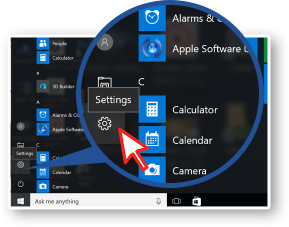 1. Click Windows Start (Windows Key), and then click the Settings item.
 -
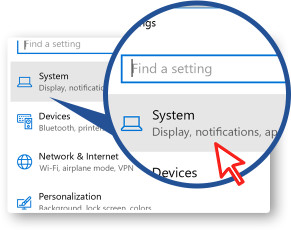 2. Click System on the Settings window.
 -
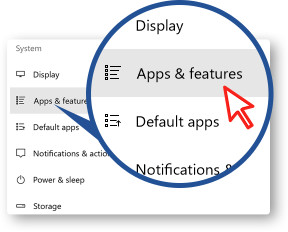 3. Select Apps & features from the left pane of the System window of items.
 -
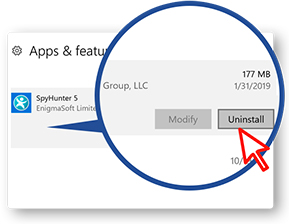 4. In the Apps & features list, find and right-click SpyHunter. Once SpyHunter
is highlighted, click on the Uninstall button.
4. In the Apps & features list, find and right-click SpyHunter. Once SpyHunter
is highlighted, click on the Uninstall button. -
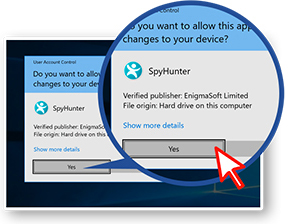 5. Once SpyHunter Uninstall window appears, it will ask you if you're sure you wish to
remove SpyHunter. Click Yes to start the uninstallation process. This will start the uninstallation
process.
5. Once SpyHunter Uninstall window appears, it will ask you if you're sure you wish to
remove SpyHunter. Click Yes to start the uninstallation process. This will start the uninstallation
process.
-
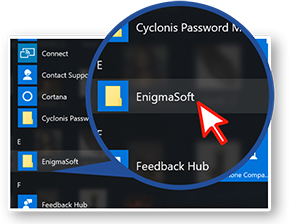 1. Go to the Start menu, find the folder for SpyHunter. Left-click to open.
 -
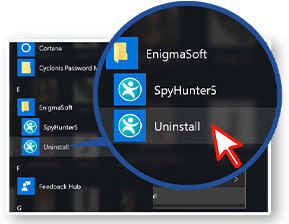 2. Click on SpyHunter item and select Uninstall.
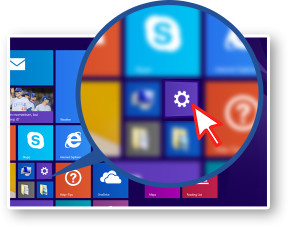 1. Click Windows Start (Windows Key), and then click the Settings item.
 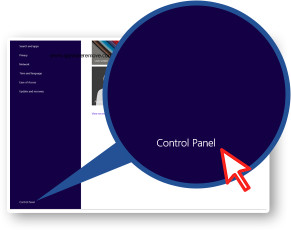 2. Click Control Panel on the bottom left corner.
 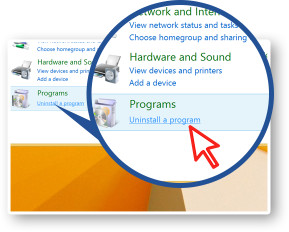 3. Select Uninstall a program of the Control Panel windows of items.
 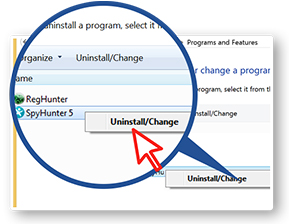 4. In the Programs and Features list, find and right-click SpyHunter, then click
on the Uninstall button.
4. In the Programs and Features list, find and right-click SpyHunter, then click
on the Uninstall button. 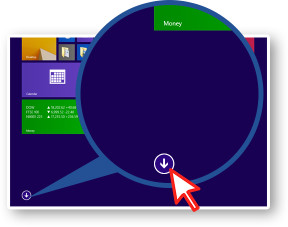 1. Click Windows Start (Windows Key + Q). Select Apps in bottom left corner.
 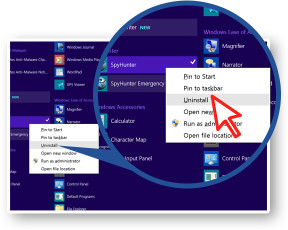 2. Find the folder SpyHunter, click on it and select Uninstall.
 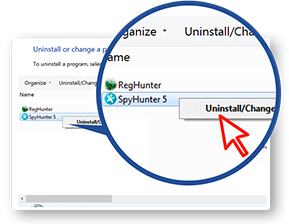 3. Select Uninstall a program of the Control Panel window of items. In
the Programs and Features list, find and right-click SpyHunter, then click on the Uninstall
button.
3. Select Uninstall a program of the Control Panel window of items. In
the Programs and Features list, find and right-click SpyHunter, then click on the Uninstall
button. 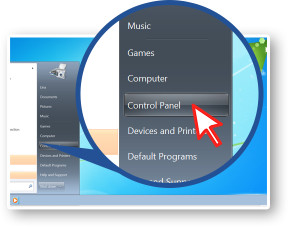 1. Click Windows Start (Windows Key), and then click the Control Panel.
 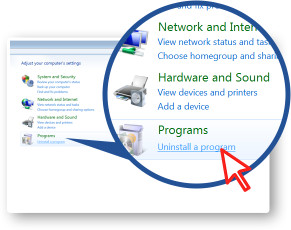 2. When Control Panel window appears, select Uninstall a program.
 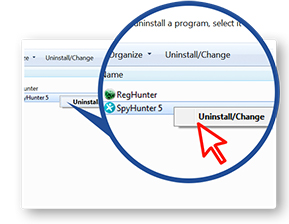 3. In the Programs and Features list, find and right-click SpyHunter. Then click
on the Uninstall button.
3. In the Programs and Features list, find and right-click SpyHunter. Then click
on the Uninstall button. 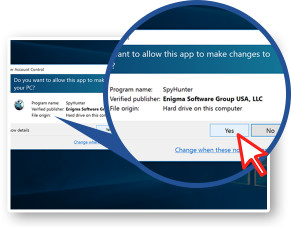 4. Once SpyHunter Uninstall window appears, it will ask you if you're sure you wish to
remove SpyHunter. Click Yes to start the uninstallation process. This will start the uninstallation
process.
4. Once SpyHunter Uninstall window appears, it will ask you if you're sure you wish to
remove SpyHunter. Click Yes to start the uninstallation process. This will start the uninstallation
process. 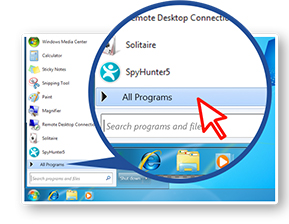 1. Click Windows Start (Windows Key). Select All Programs.
 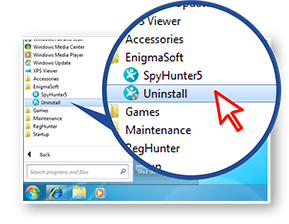 2. Find the folder for SpyHunter, click on it and select Uninstall.
 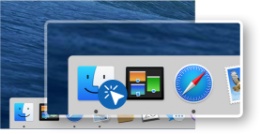 1. Open a "Finder" window by clicking the "Finder" icon in the Dock.
 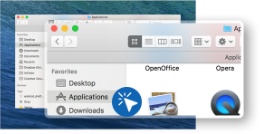 2. In the "Finder" sidebar, click the "Applications" folder and select SpyHunter
in the list of apps.
2. In the "Finder" sidebar, click the "Applications" folder and select SpyHunter
in the list of apps. 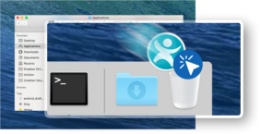 3. Right-click the SpyHunter icon and select "Move to Trash", or drag and drop the
SpyHunter icon from the "Applications" folder to the "Trash" icon (generally located at
the right of the Dock).
3. Right-click the SpyHunter icon and select "Move to Trash", or drag and drop the
SpyHunter icon from the "Applications" folder to the "Trash" icon (generally located at
the right of the Dock). 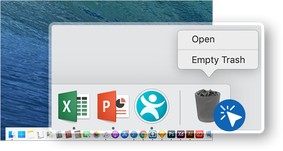 4. If you wish, Mac OS gives you the option to right-click on the "Trash" icon and select
"Empty Trash" to permanently delete all items in the "Trash" folder. Before emptying the
"Trash", you should review the items in your system's "Trash" folder and confirm that you do not
need any of them.
4. If you wish, Mac OS gives you the option to right-click on the "Trash" icon and select
"Empty Trash" to permanently delete all items in the "Trash" folder. Before emptying the
"Trash", you should review the items in your system's "Trash" folder and confirm that you do not
need any of them.