Botnet.M6 Processing
Posted: April 7, 2014
Threat Metric
The following fields listed on the Threat Meter containing a specific value, are explained in detail below:
Threat Level: The threat level scale goes from 1 to 10 where 10 is the highest level of severity and 1 is the lowest level of severity. Each specific level is relative to the threat's consistent assessed behaviors collected from SpyHunter's risk assessment model.
Detection Count: The collective number of confirmed and suspected cases of a particular malware threat. The detection count is calculated from infected PCs retrieved from diagnostic and scan log reports generated by SpyHunter.
Volume Count: Similar to the detection count, the Volume Count is specifically based on the number of confirmed and suspected threats infecting systems on a daily basis. High volume counts usually represent a popular threat but may or may not have infected a large number of systems. High detection count threats could lay dormant and have a low volume count. Criteria for Volume Count is relative to a daily detection count.
Trend Path: The Trend Path, utilizing an up arrow, down arrow or equal symbol, represents the level of recent movement of a particular threat. Up arrows represent an increase, down arrows represent a decline and the equal symbol represent no change to a threat's recent movement.
% Impact (Last 7 Days): This demonstrates a 7-day period change in the frequency of a malware threat infecting PCs. The percentage impact correlates directly to the current Trend Path to determine a rise or decline in the percentage.
| Threat Level: | 8/10 |
|---|---|
| Infected PCs: | 16,500 |
| First Seen: | April 7, 2014 |
|---|---|
| Last Seen: | September 25, 2024 |
| OS(es) Affected: | Windows |
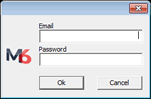 M6 Processing is a potentially unwanted program (PUP)/botnet that is created by M6 Processing Ltd (Pysy Software). The authors of M6 Processing may state that it allows PC users connecting computers all over the world to solve complex computing problems. Computer users should not rely on M6 Processing as its functionality may be identical to malware infections that may turn PCs into bitcoin miners and drain computer resources without the PC user's permission. Once installed, M6 Processing may lead to privacy issues or unwanted pop-up ads on the PC. Computer users may install M6 Processing as an extra application when downloading and installing freeware from untrustworthy download websites by overlooking the installation steps of the free tool they are downloading. M6 Processing may also circulate via downloads of fake video players and Web browser updates.
Technical Details
File System Modifications
Tutorials: If you wish to learn how to remove malware components manually, you can read the tutorials on how to find malware, kill unwanted processes, remove malicious DLLs and delete other harmful files. Always be sure to back up your PC before making any changes.
The following files were created in the system:C:\Users\<username>\AppData\Roaming\M6 Processing\vm6.exe
File name: vm6.exeSize: 175.42 KB (175424 bytes)
MD5: c78d0412222e1b9fd81f572a3ea44cea
Detection count: 1,672
File type: Executable File
Mime Type: unknown/exe
Path: C:\Users\<username>\AppData\Roaming\M6 Processing\vm6.exe
Group: Malware file
Last Updated: November 18, 2023
C:\Users\<username>\AppData\Roaming\M6 Processing\trz8B81.tmp
File name: trz8B81.tmpSize: 175.42 KB (175424 bytes)
MD5: ca28002b4414c54af587a1f92580b6ed
Detection count: 771
File type: Temporary File
Mime Type: unknown/tmp
Path: C:\Users\<username>\AppData\Roaming\M6 Processing\trz8B81.tmp
Group: Malware file
Last Updated: October 21, 2021
C:\Users\<username>\AppData\Roaming\M6 Processing\trz5C0B.tmp
File name: trz5C0B.tmpSize: 362.3 KB (362304 bytes)
MD5: f7fdfbfd0c04d989307ebfc9e84ccd2f
Detection count: 742
File type: Temporary File
Mime Type: unknown/tmp
Path: C:\Users\<username>\AppData\Roaming\M6 Processing\trz5C0B.tmp
Group: Malware file
Last Updated: October 21, 2021
C:\Users\<username>\AppData\Roaming\M6 Processing\ff.exe
File name: ff.exeSize: 175.42 KB (175424 bytes)
MD5: 35d1b629c9fadb2051550082d8c80c58
Detection count: 658
File type: Executable File
Mime Type: unknown/exe
Path: C:\Users\<username>\AppData\Roaming\M6 Processing\ff.exe
Group: Malware file
Last Updated: July 9, 2021
C:\Users\<username>\AppData\Roaming\M6 Processing\M602\32\cpusrv.dat
File name: cpusrv.datSize: 71.16 KB (71168 bytes)
MD5: 2a5f6e91d39d627612289b25bfcb27dd
Detection count: 478
File type: Data file
Mime Type: unknown/dat
Path: C:\Users\<username>\AppData\Roaming\M6 Processing\M602\32\cpusrv.dat
Group: Malware file
Last Updated: April 23, 2023
%SYSTEMDRIVE%\Users\<username>\AppData\Roaming\Microsoft\ApplicationManager\cpu\cpu.exe
File name: cpu.exeSize: 395.26 KB (395264 bytes)
MD5: 3310daab958109a2094f1967a2f73839
Detection count: 309
File type: Executable File
Mime Type: unknown/exe
Path: %SYSTEMDRIVE%\Users\<username>\AppData\Roaming\Microsoft\ApplicationManager\cpu\cpu.exe
Group: Malware file
Last Updated: November 6, 2024
F:\Users\<username>\AppData\Roaming\M6 Processing\M6.exe
File name: M6.exeSize: 187.39 KB (187392 bytes)
MD5: f831b809acb9dbd29686e06647544cee
Detection count: 44
File type: Executable File
Mime Type: unknown/exe
Path: F:\Users\<username>\AppData\Roaming\M6 Processing\M6.exe
Group: Malware file
Last Updated: May 5, 2022
More files
Registry Modifications
HKEY_LOCAL_MACHINE\Software\[APPLICATION]\Microsoft\Windows\CurrentVersion\Uninstall..{Uninstaller}M6 Processing
Leave a Reply
Please note that we are not able to assist with billing and support issues regarding SpyHunter or other products. If you're having issues with SpyHunter, please get in touch with SpyHunter customer support through your SpyHunter . If you have SpyHunter billing questions, we recommend you check the Billing FAQ. For general suggestions or feedback, contact us.