Desktop Security 2010
Posted: January 25, 2010
Threat Metric
The following fields listed on the Threat Meter containing a specific value, are explained in detail below:
Threat Level: The threat level scale goes from 1 to 10 where 10 is the highest level of severity and 1 is the lowest level of severity. Each specific level is relative to the threat's consistent assessed behaviors collected from SpyHunter's risk assessment model.
Detection Count: The collective number of confirmed and suspected cases of a particular malware threat. The detection count is calculated from infected PCs retrieved from diagnostic and scan log reports generated by SpyHunter.
Volume Count: Similar to the detection count, the Volume Count is specifically based on the number of confirmed and suspected threats infecting systems on a daily basis. High volume counts usually represent a popular threat but may or may not have infected a large number of systems. High detection count threats could lay dormant and have a low volume count. Criteria for Volume Count is relative to a daily detection count.
Trend Path: The Trend Path, utilizing an up arrow, down arrow or equal symbol, represents the level of recent movement of a particular threat. Up arrows represent an increase, down arrows represent a decline and the equal symbol represent no change to a threat's recent movement.
% Impact (Last 7 Days): This demonstrates a 7-day period change in the frequency of a malware threat infecting PCs. The percentage impact correlates directly to the current Trend Path to determine a rise or decline in the percentage.
| Threat Level: | 10/10 |
|---|---|
| Infected PCs: | 12,031 |
| First Seen: | January 26, 2010 |
|---|---|
| Last Seen: | May 6, 2024 |
| OS(es) Affected: | Windows |
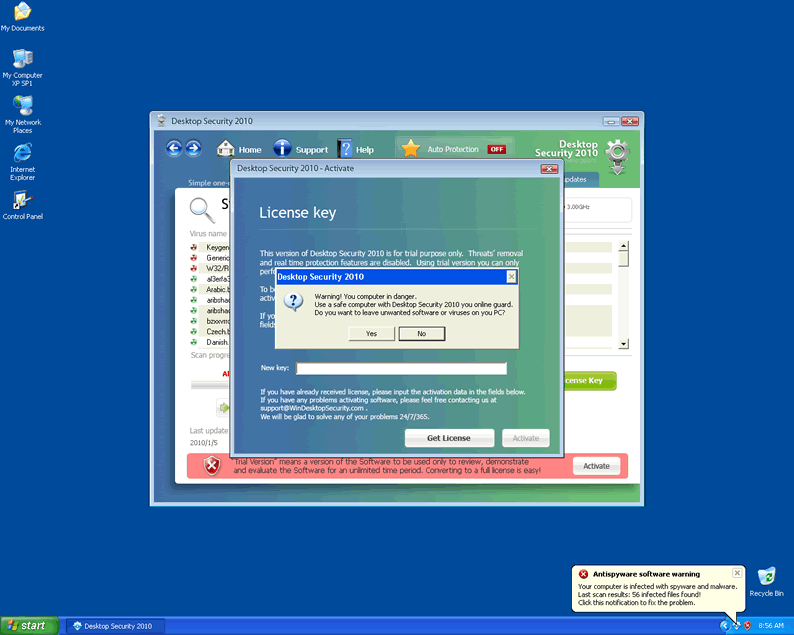
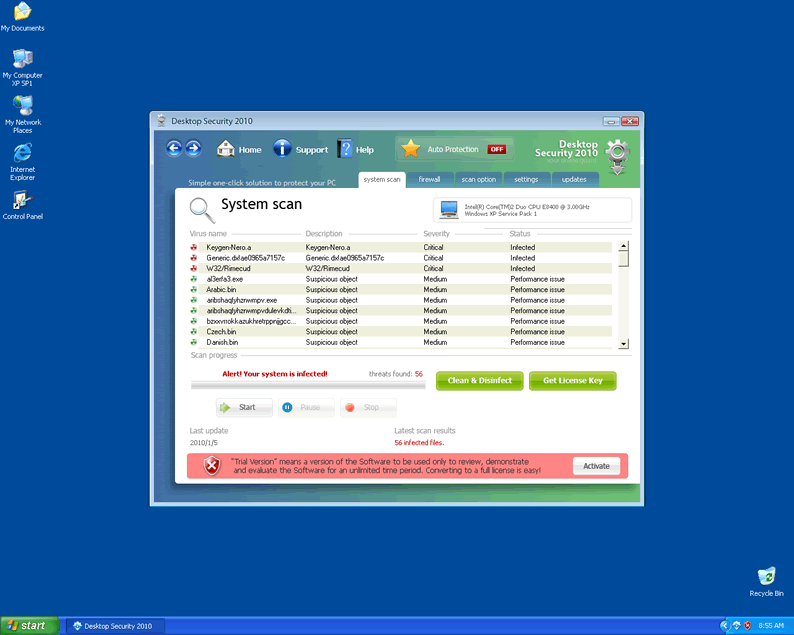 Although Desktop Security 2010 may look like a real security application on the outside, on the inside, Desktop Security 2010 is a nothing but malware that attacks your PC in multiple ways. Desktop Security 2010 will offer fake information on infections and other unreal system problems through scans and pop-up alerts, but these exist solely to force you to purchase a registration key. Since Desktop Security 2010 will continue to reduce your PC security while the rogue security program is present, and purchasing Desktop Security 2010 will make you vulnerable to other fraudulent charges, just go ahead and remove Desktop Security 2010 through appropriate anti-malware tactics.
How Desktop Security Bad Security Infects Your PC
Desktop Security 2010 is a member of a very large rogue security application family that includes such members as Antivirus Antispyware 2011, Security Tool, Total PC Defender, Antivirus Live, Security Essentials 2010 and XP Guardian. These rogue security programs use similar attacks and are even distributed by similar trojans and other security abuses but have slightly different names and interfaces to make them difficult to recognize.
This disguise is aided by the fact that Desktop Security 2010 and related threats use an interface highly reminiscent of legitimate brand products. In particular, Desktop Security 2010 and its kin will imitate the Windows interface in some of their fake errors. You can recognize these fake errors by their content, as seen below:
Security Center Alert
To help protect your computer, Desktop Security 2010 has blocked some features of this program.
Name Sft.dez.Wien
Risk High
Description Sft.dez.Wien is a virus attempts to spread itself by attaching to a host program, and can damage hardware, software or data in the process. This worm can be blocked from firewall and anti-virus software.
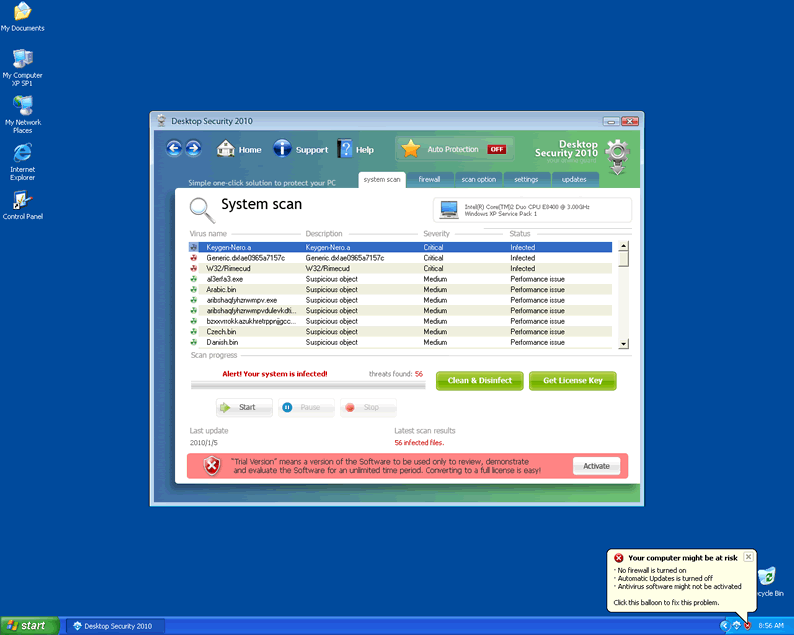
Your computer might be at risk
Antivirus detects viruses, worms, and Trojan horses. They can (and do) destroy data, format your hard disk or can destroy the BIOS. By destroying the BIOS many times you end up buying a new motherboard or if the bios chip is removable then that chip would need replacing.
Click this balloon to fix this problem.
No firewall is turned on
Automatic Updates is turned off
Antivirus software might not be activated
Click this balloon to fix this problem.
Spyware Warning
Your online guard helps to stop unauthorized changes to your computer
Details: Spyware detected on your computer
These errors detect nonexistent threats – for example, the threat Sft.dez.Wien isn't a real infection at all, but a made-up that Desktop Security 2010 uses to make you think that you have other infections. You may also see an error message about another infection called Win64.BIT.Looker.Exe.
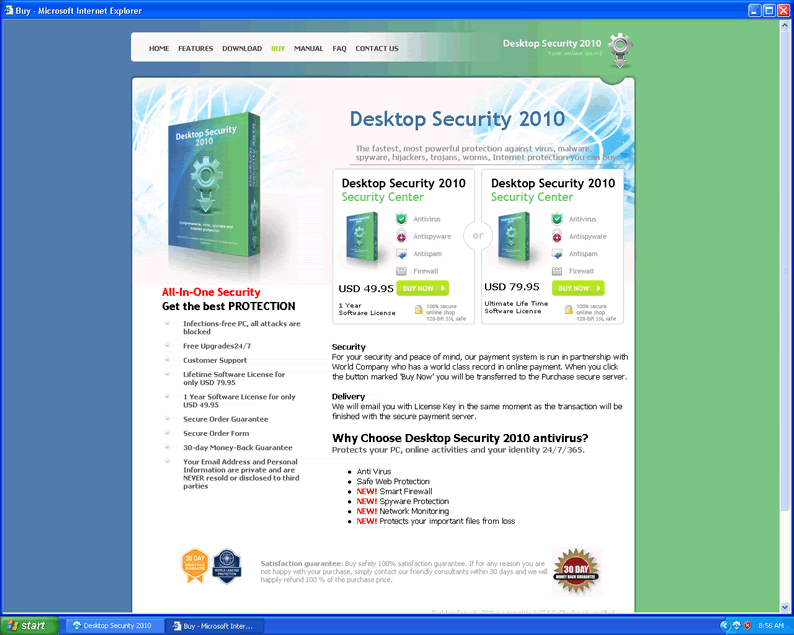
Since Desktop Security 2010 can't detect real malware, there's no reason to purchase Desktop Security 2010 and expose your credit card to other fraudulent charges. Known vectors for infection by Desktop Security 2010 include fake online scanners and fake codec updates – as long as you avoid malicious websites and files from untrustworthy sources, your PC shouldn't come into contact with Desktop Security 2010 at all.
Switching from Fake Desktop Security to the Real Thing
Other problems related to Desktop Security 2010 and rogue security programs in the Desktop Security 2010 family include:
- Browser hijacks that change your homepage, alter your search results, and use other dishonest means to redirect you to hostile websites. You may also see error messages or advertisements that block you from websites that could help you remove Desktop Security 2010.
- An altered Windows Task Manager display; Desktop Security 2010 may change this application to make it appear as though Task Manager can detect infected processes.
- Desktop Security 2010 may also stop applications from running to prevent you from using anti-malware or general system maintenance programs. This is often done in coordination with a fake error message, so you shouldn't let this trick you into thinking the program is infected.
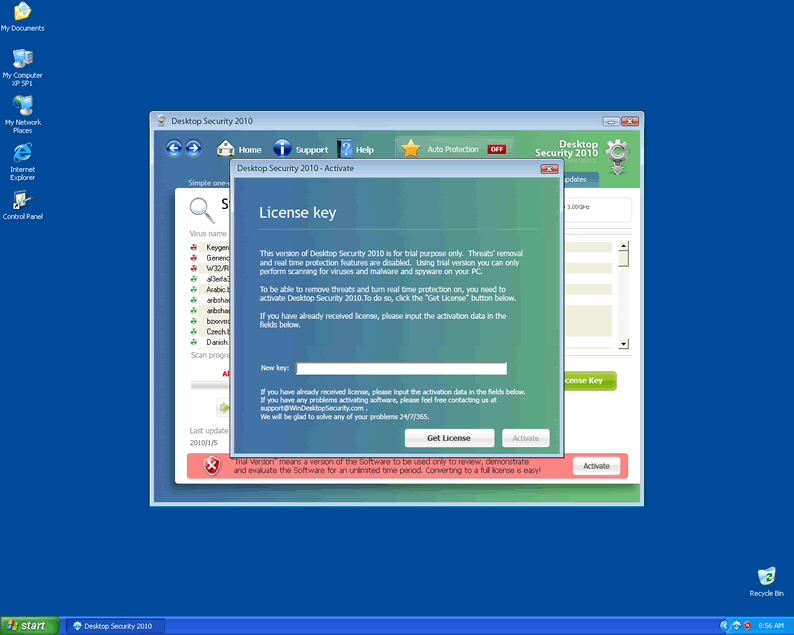
If you're having difficulty removing Desktop Security 2010, you may want to try using this activation key: LIC-1800-FE88-8788-BBED-B26C-899B-14A6-4503-4618-EB85-B7A8-371D-1097-FEBC-B41D-C2B1-7A5F. An activated version of Desktop Security 2010 isn't any more helpful than its regular version, but the activation may cause Desktop Security 2010 to stop blocking your programs.
Deleting Desktop Security 2010, as is the case with most threats, should be done by using a high-quality anti-malware program whenever this is possible. Deleting Desktop Security 2010 files personally will rarely result in a complete deletion of Desktop Security 2010, and so you should rely on a scanner to reduce the chance of disastrous user error.
Aliases
More aliases (186)
Technical Details
File System Modifications
Tutorials: If you wish to learn how to remove malware components manually, you can read the tutorials on how to find malware, kill unwanted processes, remove malicious DLLs and delete other harmful files. Always be sure to back up your PC before making any changes.
The following files were created in the system:%APPDATA%\Desktop Security\taskmgr.dll
File name: taskmgr.dllSize: 83.45 KB (83456 bytes)
MD5: 4d035d42562a6bfdf0d9edfceee759e0
Detection count: 43
File type: Dynamic link library
Mime Type: unknown/dll
Path: %APPDATA%\Desktop Security
Group: Malware file
Last Updated: October 4, 2010
%SYSTEMDRIVE%\System Volume Information\_restore{90805DDC-128E-4683-A703-502E91307F17}\RP25\A0007420.exe
File name: A0007420.exeSize: 140.8 KB (140800 bytes)
MD5: a3a11eb30cc8cb2fa9669534fdf74f6e
Detection count: 30
File type: Executable File
Mime Type: unknown/exe
Path: %SYSTEMDRIVE%\System Volume Information\_restore{90805DDC-128E-4683-A703-502E91307F17}\RP25\A0007420.exe
Group: Malware file
Last Updated: October 2, 2020
al3erfa3.exe
File name: al3erfa3.exeSize: 26.62 KB (26624 bytes)
MD5: 5c26b4987c2108457f669e9c301107a2
Detection count: 20
File type: Executable File
Mime Type: unknown/exe
Group: Malware file
Last Updated: January 26, 2010
kjdh_gf_jjdhgd.exe
File name: kjdh_gf_jjdhgd.exeSize: 51.2 KB (51200 bytes)
MD5: 5063d007675316bc57fd1366b19e3ff6
Detection count: 16
File type: Executable File
Mime Type: unknown/exe
Group: Malware file
Last Updated: January 26, 2010
%APPDATA%\Desktop Security\securitycenter .exe
File name: securitycenter .exeSize: 36.87 KB (36872 bytes)
MD5: b1d1dcd0aa9c72844133f7748d77d4d9
Detection count: 12
File type: Executable File
Mime Type: unknown/exe
Path: %APPDATA%\Desktop Security
Group: Malware file
Last Updated: October 26, 2010
Desktop_Security_2010.exe
File name: Desktop_Security_2010.exeSize: 19.86 MB (19865600 bytes)
MD5: 1670eaae21284baa7efc19941264af9b
Detection count: 5
File type: Executable File
Mime Type: unknown/exe
Group: Malware file
Last Updated: December 25, 2020
kgn.exe
File name: kgn.exeSize: 34.81 KB (34816 bytes)
MD5: 8ea5e1281ec4d7a3aef11e968326aa6a
Detection count: 5
File type: Executable File
Mime Type: unknown/exe
Group: Malware file
Last Updated: April 1, 2020
kn.a.exe
File name: kn.a.exeSize: 4.09 KB (4096 bytes)
MD5: 0644c773c548fe5ecf90adf30df26fe2
Detection count: 5
File type: Executable File
Mime Type: unknown/exe
Group: Malware file
Last Updated: April 1, 2020
gedx_ae09.exe
File name: gedx_ae09.exeSize: 13.31 KB (13312 bytes)
MD5: 5d7c89d18bc84bd76568c6e1f134ce5a
Detection count: 5
File type: Executable File
Mime Type: unknown/exe
Group: Malware file
Last Updated: April 1, 2020
%APPDATA%\Desktop Security\Desktop Security 2010.exe
File name: Desktop Security 2010.exeSize: 1.72 MB (1723392 bytes)
MD5: 54598a2f060d3737bf5ea43f6d1fcd63
Detection count: 5
File type: Executable File
Mime Type: unknown/exe
Path: %APPDATA%\Desktop Security
Group: Malware file
Last Updated: October 26, 2010
%APPDATA%\Desktop Security\securitycenter.exe
File name: securitycenter.exeSize: 376.83 KB (376832 bytes)
MD5: 6aeed4d95551c54df30e57146ee13a78
Detection count: 5
File type: Executable File
Mime Type: unknown/exe
Path: %APPDATA%\Desktop Security
Group: Malware file
Last Updated: October 26, 2010
More files
Registry Modifications
File name without pathActivate Desktop Security 2010.lnkDesktop Security 2010.lnkHelp Desktop Security 2010.lnkHow to Activate Desktop Security 2010.lnk
Additional Information
| # | Message |
|---|---|
| 1 | Security Center Alert
To help protect your computer, Desktop Security 2010 has blocked some features of this program. Name Sft.dez.Wien Risk High Description Sft.dez.Wien is a virus attempts to spread itself by attaching to a host program, and can damage hardware, software or data in the process. This worm can be blocked from firewall and antivirus software. |
| 2 | Spyware Warning
Your online guard helps to stop unauthorized changes to your computer Details: Spyware detected on your computer |
| 3 | Warning! You computer in danger
Use a safe computer with Desktop Security 2010 you online guard. Do you want to leave unwanted software or viruses on you PC? |
| 4 | Your computer might be at risk
Antivirus detects viruses, worms, and Trojan horses. They can (and do) destroy data, format your hard disk or can destroy the BIOS. By destroying the BIOS many times you end up buying a new motherboard or if the bios chip is removable then that chip would need replacing. Click this balloon to fix this problem. No firewall is turned on Automatic Updates is turned off Antivirus software might not be activated Click this balloon to fix this problem. |
Leave a Reply
Please note that we are not able to assist with billing and support issues regarding SpyHunter or other products. If you're having issues with SpyHunter, please get in touch with SpyHunter customer support through your SpyHunter . If you have SpyHunter billing questions, we recommend you check the Billing FAQ. For general suggestions or feedback, contact us.