InstaFinder.com
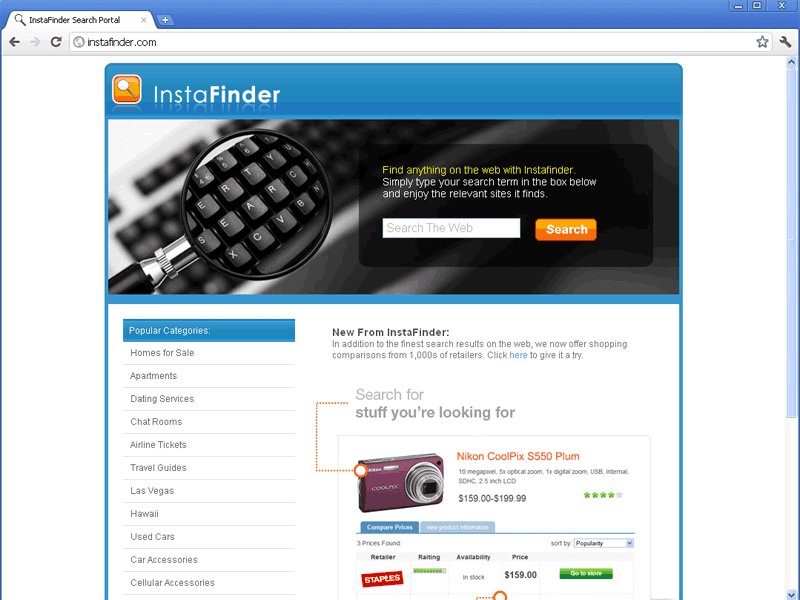 InstaFinder.com is a fake search engine and link archive that pretends to offer helpful tools for finding benign websites. However, unlike real search engines, InstaFinder.com provides self-profiting links that deliver affiliate revenue back to its web masters. SpywareRemove.com malware researchers have also noted InstaFinder.com in connection with browser redirect attacks that call into question the safety of both InstaFinder.com and websites that InstaFinder.com links your browser towards. If you see symptoms of redirects to InstaFinder.com or have any contact with InstaFinder.com, it's recommended that you treat your PC as infected and resort to an immediate and up-to-date system scan via your choice of anti-malware products. Since browser redirects to InstaFinder.com can be caused by Trojans, rootkits and other forms of sophisticated PC threats, attempting to put a halt to InstaFinder.com redirects without software-based assistance is discouraged as both potentially-hazardous and difficult.
InstaFinder.com – Instantly Finding Malicious Software for Your PC
InstaFinder.com is just one of countless forms of fraudulent websites that portray themselves as search engines while not providing legitimate search-related features. Although InstaFinder.com's links, search feature and product-displaying tips may appear safe, InstaFinder.com has a confirmed history of propagating PC threats and has no interest in providing benevolent links. SpywareRemove.com malware researchers discourage any interaction with InstaFinder.com whatsoever due to the strong possibility of InstaFinder.com redirecting you to sites that host phishing attacks, fake system scanners, automatic-download exploits and other types of browser-based dangers to your PC.
If you believe that your PC has come into contact with InstaFinder.com or a partner site of InstaFinder.com, your web browser may already have been attacked by a wide range of PC threats that can be installed without your consent. Most relevantly, this includes Trojans with browser-redirecting functions that can redirect your browser to InstaFinder.com and other types of hostile sites. SpywareRemove.com malware analysts caution that browser hijackers that are affiliated with InstaFinder.com may also reduce your web browser's security, create pop-ups, display fake errors, change your homepage settings or monitor login information that passes through your browser.
Safely Undoing the Damage That InstaFinder.com Does in a Flash
Potential infections by InstaFinder.com browser hijackers should be dealt with by appropriate PC security products to minimize the chance of harm to your computer. Because Trojans that are affiliated with InstaFinder.com may alter the Registry, hide their files in sensitive locations (such as the Windows folder) or inject harmful code into normal files, manual deletion is discouraged unless other options aren't available. Before removing an InstaFinder.com-related infection, you should be wary about using your web browser, since redirects to InstaFinder.com can infect your PC anew even while you're attempting to remove the initial PC threat.
If you've given away your credit card information while attempting to purchase items that are advertised by InstaFinder.com, SpywareRemove.com malware experts recommend that you cancel your credit card or speak with your bank about re-securing the relevant financial information. Not doing this can allow criminals an opportunity to make fraudulent transactions from your account. Usage of a USB-based Windows boot or a Safe Mode boot may also be required before your anti-malware scanner can completely-remove a browser hijacker for InstaFinder.com.
Technical Details
File System Modifications
Tutorials: If you wish to learn how to remove malware components manually, you can read the tutorials on how to find malware, kill unwanted processes, remove malicious DLLs and delete other harmful files. Always be sure to back up your PC before making any changes.
The following files were created in the system:%AppData%Instafindertoolbarcouponsmerchants2.xml
File name: %AppData%Instafindertoolbarcouponsmerchants2.xmlMime Type: unknown/xml
%AppData%Instafindertoolbardtx.ini
File name: %AppData%Instafindertoolbardtx.iniMime Type: unknown/ini
%AppData%Instafindertoolbarguid.dat
File name: %AppData%Instafindertoolbarguid.datFile type: Data file
Mime Type: unknown/dat
%AppData%Instafindertoolbarcouponscategories.xml
File name: %AppData%Instafindertoolbarcouponscategories.xmlMime Type: unknown/xml
%AppData%Instafindertoolbarlog.txt
File name: %AppData%Instafindertoolbarlog.txtMime Type: unknown/txt
%AppData%Instafindertoolbarcouponsmerchants.xml
File name: %AppData%Instafindertoolbarcouponsmerchants.xmlMime Type: unknown/xml
%AppData%Instafindertoolbarpreferences.dat
File name: %AppData%Instafindertoolbarpreferences.datFile type: Data file
Mime Type: unknown/dat
%AppData%Instafindertoolbarstat.log
File name: %AppData%Instafindertoolbarstat.logMime Type: unknown/log
%AppData%Instafindertoolbarstats.dat
File name: %AppData%Instafindertoolbarstats.datFile type: Data file
Mime Type: unknown/dat
%AppData%Instafindertoolbarversion.xml
File name: %AppData%Instafindertoolbarversion.xmlMime Type: unknown/xml
%Temp%Instafindertoolbar-manifest.xml
File name: %Temp%Instafindertoolbar-manifest.xmlMime Type: unknown/xml
%AppData%InstafindertoolbaruninstallIE.dat
File name: %AppData%InstafindertoolbaruninstallIE.datFile type: Data file
Mime Type: unknown/dat
%AppData%InstafindertoolbaruninstallStatIE.dat
File name: %AppData%InstafindertoolbaruninstallStatIE.datFile type: Data file
Mime Type: unknown/dat
Registry Modifications
HKEY..\..\..\..{Subkeys}HKEY_LOCAL_MACHINESOFTWAREClassesInstafinderIEHelper.DNSGuard.1HKEY_LOCAL_MACHINESOFTWAREMicrosoftInternet ExplorerToolbar "Instafinder Toolbar"HKEY_LOCAL_MACHINESOFTWAREClassesInstafinderIEHelper.DNSGuardHKEY_LOCAL_MACHINESOFTWAREClassesCLSID{A40DC6C5-79D0-4ca8-A185-8FF989AF1115}VersionIndependentProgID "InstafinderIEHelper.UrlHelper"HKEY_LOCAL_MACHINESOFTWAREClassesCLSID{A40DC6C5-79D0-4ca8-A185-8FF989AF1115}ProgID "InstafinderIEHelper.UrlHelper.1"HKEY_LOCAL_MACHINESOFTWAREClassesCLSID{A40DC6C5-79D0-4ca8-A185-8FF989AF1115} "UrlHelper Class"HKEY_LOCAL_MACHINESOFTWAREClassesInstafinderIEHelper.DNSGuardCLSIDHKEY_LOCAL_MACHINESOFTWAREClassesInstafinderIEHelper.DNSGuardCurVerHKEY_LOCAL_MACHINESOFTWAREClassesCLSID{99079a25-328f-4bd4-be04-00955acaa0a7} "Instafinder Toolbar"HKEY_LOCAL_MACHINESOFTWAREClassesCLSID{99079a25-328f-4bd4-be04-00955acaa0a7}InprocServer32 "C:PROGRA~1WINDOW~4ToolBarInstafinderdtx.dll"HKEY_LOCAL_MACHINESOFTWAREMicrosoftWindowsCurrentVersionExplorerBrowser Helper Objects{99079a25-328f-4bd4-be04-00955acaa0a7} "Instafinder Instafinder Toolbar"
Leave a Reply
Please note that we are not able to assist with billing and support issues regarding SpyHunter or other products. If you're having issues with SpyHunter, please get in touch with SpyHunter customer support through your SpyHunter . If you have SpyHunter billing questions, we recommend you check the Billing FAQ. For general suggestions or feedback, contact us.