Searchamong.com
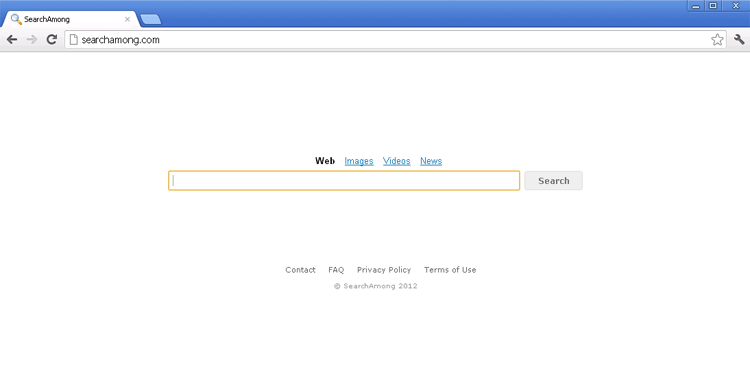 Searchamong.com is a fake search site that uses a Google-reminiscent interface to make up for its minimal reputation, poor search results and nonexistent marketing on the web. While it would be nice if these were the worst things that Searchamong.com did, Searchamong.com also is guilty of promoting a browser hijacker or PUP (Potentially Unwanted Program) in the form of its SearchAmong Toolbar. This toolbar replaces your browser settings so that you're forced to use Searchamong.com as your homepage and search engine. Like all browser hijackers with adware associations, SpywareRemove.com malware researchers rank Searchamong.com's toolbar as a low-level threat and recommend that you get rid of the SearchAmong Toolbar (and, hopefully, all of its browser changes) with your pick of suitable PC security applications.
Why You'll Wish Searchamong.com Could Take No for An Answer
Searchamong.com looks like any other simple search engine, but users who've attempted to help themselves to Searchamong.com's search results have reported that Searchamong.com is only interested in handing out advertisements, spam and other types of irrelevant links. While Searchamong.com isn't likely to harm your PC in a visit, SpywareRemove.com malware researchers recommend that you avoid placing too much trust in links from Searchamong.com, which may redirect you to suspicious or even dangerous sites. Currently, Searchamong.com isn't listed as hosting or promoting malicious software intentionally – although this may change in the future when other PC security companies develop database entries for Searchamong.com's browser plugin.
Besides its search engine, Searchamong.com's standout feature is its SearchAmong Toolbar, a browser add-on that functions in Firefox, Chrome and Internet Explorer. Like many browser plugins from similar sites, the SearchAmong Toolbar claims to have search-enhancing features, but all SpywareRemove.com malware experts were able to notice was its tendency to reset one's homepage and default search engine to Searchamong.com. These settings can remain in place even if all affected browsers are reinstalled from scratch.
Getting Out from the Midst of Searchamong.com's No-Good Links
If you're ready to sail away from Searchamong.com and get back to a real search engine, SpywareRemove.com malware research team suggests using anti-malware software to delete Searchamong.com's toolbar and related components, such as registry entries. Although the Searchamong.com website does provide instructions for uninstalling the SearchAmong Toolbar, many PC users have reported that these instructions don't remove all of the Searchamong.com-related settings changes to their browsers.
Besides downloading Searchamong.com's toolbar manually, you may also install Searchamong.com's add-on by accident. These incidents usually are tied to unrelated programs that include Searchamong.com's toolbar and other forms of adware as opt-out offers. Therefore, a little attention to what check boxes you select during the installation process may help you duck a potential encounter with Searchamong.com. At this time, fraudulent media players are particularly associated with Searchamong.com-related browser hijackers.
Leave a Reply
Please note that we are not able to assist with billing and support issues regarding SpyHunter or other products. If you're having issues with SpyHunter, please get in touch with SpyHunter customer support through your SpyHunter . If you have SpyHunter billing questions, we recommend you check the Billing FAQ. For general suggestions or feedback, contact us.