SearchMagnified.com
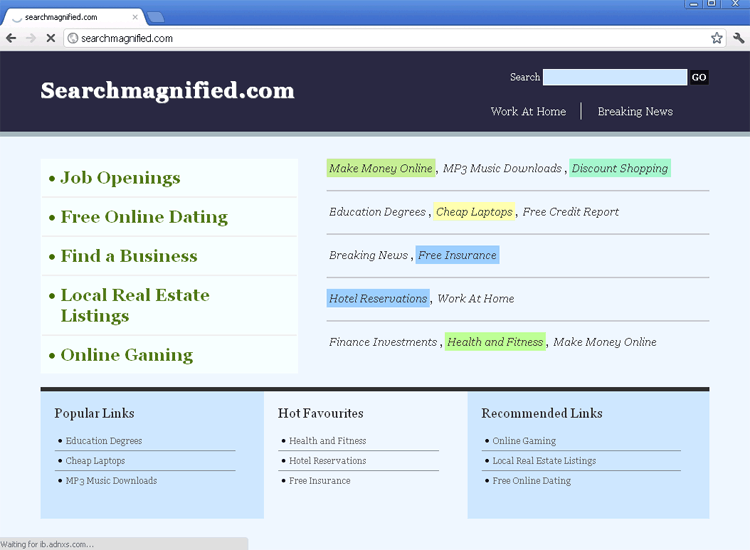 SearchMagnified.com is a site that gathers affiliate revenue with advertisements. Since SearchMagnified.com's supposedly helpful functions don't work, there's no reason to visit SearchMagnified.com or try to use SearchMagnified.com's services. Instead of trying to enhance your searches with SearchMagnified.com, the best thing for your PC is to avoid any kind of contact with SearchMagnified.com and scan your computer as soon as you've experienced any sort of redirect or other form of contact with SearchMagnified.com.
Placing a Magnifying Glass Over the Dangers of SearchMagnified.com
SearchMagnified.com looks like an online search site with bundles of useful and informative links, but this aesthetic facade is just a template for SearchMagnified.com to hide its real intentions, which are somewhat more sinister than being a Google replacement. Victims of SearchMagnified.com have reported everything from unwanted advertisements to online scams to the presence of malicious software, and you should anticipate the possibility of any of the above if you were to have the misfortune to be redirected to SearchMagnified.com.
The majority of SearchMagnified.com's victims are rounded up via redirect attacks that force their web browsers to load SearchMagnified.com without permission. SpywareRemove.com malware experts further note that these redirects may trigger for specific sites (such as popular search engines) or in an arbitrary fashion. SearchMagnified.com redirects are, in most cases, caused by browser hijackers that are installed on your PC, and these PC threats may also set your homepage to SearchMagnified.com or make other browser modifications.
How to Save Your Browser (and the Rest of Your PC) from SearchMagnified.com Attacks
If your PC shows any signs of contact with SearchMagnified.com, a system scan via competent anti-malware software should be able to find and remove all SearchMagnified.com-associated threats, including its browser hijackers. Until you're certain that your PC is fully disinfected and that all system changes have been reverted, you may also want to be aware of the following safety measures that can guard against attacks by browser hijackers:
- Using browser settings that disable exploitable features (such as Java or Flash usage) for suspicious websites. Most web browsers will allow you to turn these features on or off for specific websites, and you may wish to set them to 'off' by default.
- Blocking third-party advertisements from sources that don't filter their advertisements for your safety – this is often accomplished with browser add-ons.
- Keeping anti-malware products on your PC for real-time detection of browser-based attacks.
- Avoiding file downloads from unusual and exploitable sources, which SpywareRemove.com malware experts note to consist primarily of e-mail file attachments, links from pirate software websites and software recommendations from fake system scanners.
Leave a Reply
Please note that we are not able to assist with billing and support issues regarding SpyHunter or other products. If you're having issues with SpyHunter, please get in touch with SpyHunter customer support through your SpyHunter . If you have SpyHunter billing questions, we recommend you check the Billing FAQ. For general suggestions or feedback, contact us.