Search.openmediasoft.com
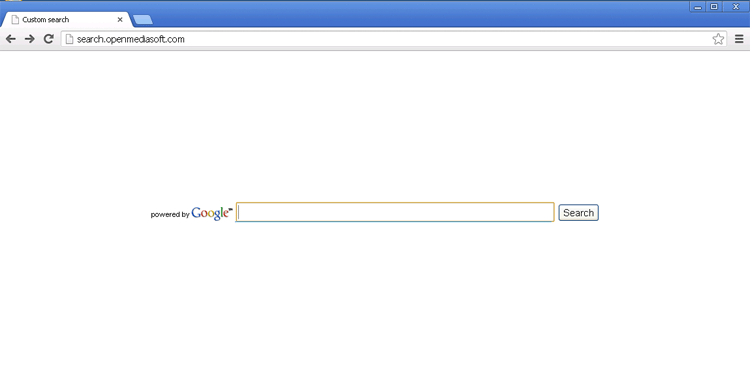 . Even though contact with Search.openmediasoft.com or using its search features isn't likely to cause immediate harm to your PC, SpywareRemove.com security analysts encourage the use of anti-malware software to resolve any unwarranted redirects to Search.openmediasoft.com, which usually are indicative of the presence of malware. Avoidance of suspicious web links and downloads also should be considered paramount for minimizing any potential contact with Search.openmediasoft.com-related browser hijackers.
Why Search.openmediasoft.com is a Little Too Open with Your Web-Browsing Habits
Although Search.openmediasoft.com imitates the appearance of Google and may give results similar to that search engine, SpywareRemove.com malware researchers recommend that you use high caution while browsing the web with Search.openmediasoft.com, which hasn't been verified to use any standard web-searching security procedures. Vulnerabilities such as outdated browsers, incautious usage of JavaScript or outdated Adobe software all may be used to attack your PC through suspicious sites.
Nonetheless, SpywareRemove.com malware researchers consider the prime danger of Search.openmediasoft.com to be the browser hijackers that promote Search.openmediasoft.com, rather than Search.openmediasoft.com's actual content. Browser hijackers for Search.openmediasoft.com can be installed by spam e-mail links, Trojans that are distributed as misnamed files or drive-by-download attacks. Common symptoms that are connected to Search.openmediasoft.com-related browser hijacks include:
- Having online searches that are redirected to Search.openmediasoft.com when you attempt to access a search site, use its search features or click its results.
- Pop-up windows that are displayed randomly and include irrelevant content (such as advertisements).
- Having your web-browsing habits monitored to provide advertisements that are associated with the sites you visit and search queries that you use.
- Depending on your system resources, you also may experience poor browser performance such as slowdown and bad responsiveness to input.
Closing Your Browser Back Up from Search.openmediasoft.com's Idea of 'Helping'
Regardless of whether or not contact with Search.openmediasoft.com results in other issues for your computer, browser hijackers that are affiliated with Search.openmediasoft.com should be considered malicious software that should be deleted in short order. Keeping all relevant software updated, using strong security settings while you're browsing the web and having anti-malware software with web-browsing protection can be used to prevent a Search.openmediasoft.com-related browser hijacker from infecting your computer in the first place.
Because browser hijackers for Search.openmediasoft.com and similar websites usually include system changes and hidden components that can be difficult to remove, SpywareRemove.com malware research team recommends using dedicated anti-malware programs to resolve any Search.openmediasoft.com redirects issue. Updated anti-malware products should be able to delete browser hijackers for Search.openmediasoft.com without any problems – especially if you boot your PC in Safe Mode before you begin a scan (which will ensure that simple PC threats will fail to launch).
Leave a Reply
Please note that we are not able to assist with billing and support issues regarding SpyHunter or other products. If you're having issues with SpyHunter, please get in touch with SpyHunter customer support through your SpyHunter . If you have SpyHunter billing questions, we recommend you check the Billing FAQ. For general suggestions or feedback, contact us.