Search.rpidity.com
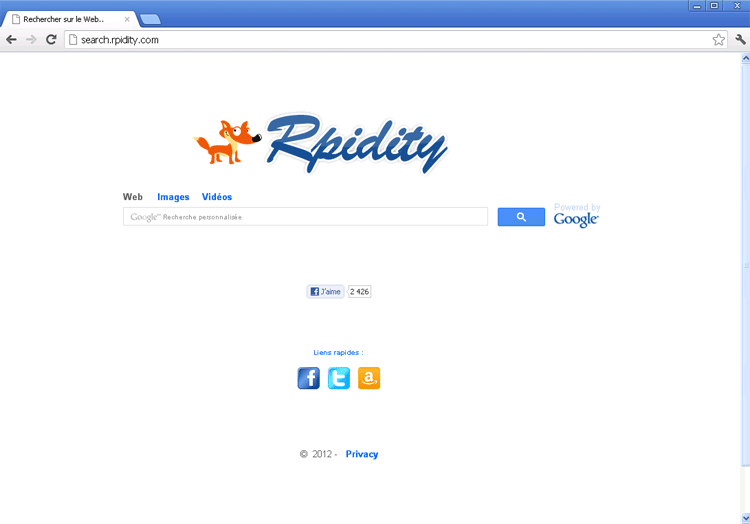 Search.rpidity.com is a Google-powered search engine, but while its search results may be genuine and its content may be safe, Search.rpidity.com is unlikely to be completely innocent of association with PC threats. SpywareRemove.com malware researchers have confirmed a series of incidents wherein Search.rpidity.com is promoted by browser hijackers through redirects and undesirable settings changes that force hapless web surfers to Search.rpidity.com without their consent. Even though Search.rpidity.com may not be involved in these attacks directly, you should consider any browser hijack, even for a seemingly-harmless site like Search.rpidity.com, to be a danger to your computer due to accompanying security vulnerabilities. Accordingly, anti-malware software should be used to restore your browser to normal and remove any other malware that may have been involved in the installation of a Search.rpidity.com-promoting browser hijacker.
Browser Hijackers for Search.rpidity.com – Taking Your Freedom Away as Quickly as They Can
Because Search.rpidity.com 'borrows' its search results from Google, links dredged up from Search.rpidity.com are unlikely to result in any harm to your computer, and SpywareRemove.com malware experts haven't seen any signs of Search.rpidity.com being directly-linked with malicious content. In spite of this, reports of browser hijacks involving Search.rpidity.com have been rising as of September 2012, and unwanted redirects to Search.rpidity.com or other sites always should be considered minor security risks.
Because browser hijackers' intent on promoting Search.rpidity.com's services can be installed in several formats, SpywareRemove.com malware researchers recommend that you be prepared to watch for any of the following symptoms:
- Redirects to Search.rpidity.com when you try to load or use unassociated sites (search engines are particularly popular for this purpose).
- Seeing Search.rpidity.com as your browser's homepage – even if your actual homepage is set to a different site.
- An inability to change your browser's settings in ways that would allow you to avoid contact with Search.rpidity.com.
The above may also be applied to rpidity.com, since Search.rpidity.com is a subdomain of that site and can be considered identical to it in terms of associated browser attacks.
Sparing Your Browser from Being Taken Along for a Ride to Search.rpidity.com
SpywareRemove.com malware experts haven't analyzed concrete infection vectors for browser hijackers that promote Search.rpidity.com as a search engine, and, until more information is uncovered in investigation, you should keep your standard browser security tips in mind. Avoiding unnecessary usage of Java/JavaScript from your browser, having anti-malware programs with web-surfing protection and staying away from disreputable download sources can help prevent your browser from being the next to be taken on an unwarranted trip to Search.rpidity.com.
The majority of browser hijackers for Search.rpidity.com and other sites will alter your operating system's files in the course of their infection. SpywareRemove.com malware experts suggest using anti-malware software to reverse these changes, and discourage any needless attempt to fix browser redirects to Search.rpidity.com by deleting or changing a specific web browser.
Leave a Reply
Please note that we are not able to assist with billing and support issues regarding SpyHunter or other products. If you're having issues with SpyHunter, please get in touch with SpyHunter customer support through your SpyHunter . If you have SpyHunter billing questions, we recommend you check the Billing FAQ. For general suggestions or feedback, contact us.