TidyNetwork.com
Posted: April 3, 2013
Threat Metric
The following fields listed on the Threat Meter containing a specific value, are explained in detail below:
Threat Level: The threat level scale goes from 1 to 10 where 10 is the highest level of severity and 1 is the lowest level of severity. Each specific level is relative to the threat's consistent assessed behaviors collected from SpyHunter's risk assessment model.
Detection Count: The collective number of confirmed and suspected cases of a particular malware threat. The detection count is calculated from infected PCs retrieved from diagnostic and scan log reports generated by SpyHunter.
Volume Count: Similar to the detection count, the Volume Count is specifically based on the number of confirmed and suspected threats infecting systems on a daily basis. High volume counts usually represent a popular threat but may or may not have infected a large number of systems. High detection count threats could lay dormant and have a low volume count. Criteria for Volume Count is relative to a daily detection count.
Trend Path: The Trend Path, utilizing an up arrow, down arrow or equal symbol, represents the level of recent movement of a particular threat. Up arrows represent an increase, down arrows represent a decline and the equal symbol represent no change to a threat's recent movement.
% Impact (Last 7 Days): This demonstrates a 7-day period change in the frequency of a malware threat infecting PCs. The percentage impact correlates directly to the current Trend Path to determine a rise or decline in the percentage.
| Ranking: | 7,161 |
|---|---|
| Threat Level: | 2/10 |
| Infected PCs: | 175,217 |
| First Seen: | April 3, 2013 |
|---|---|
| Last Seen: | March 10, 2025 |
| OS(es) Affected: | Windows |
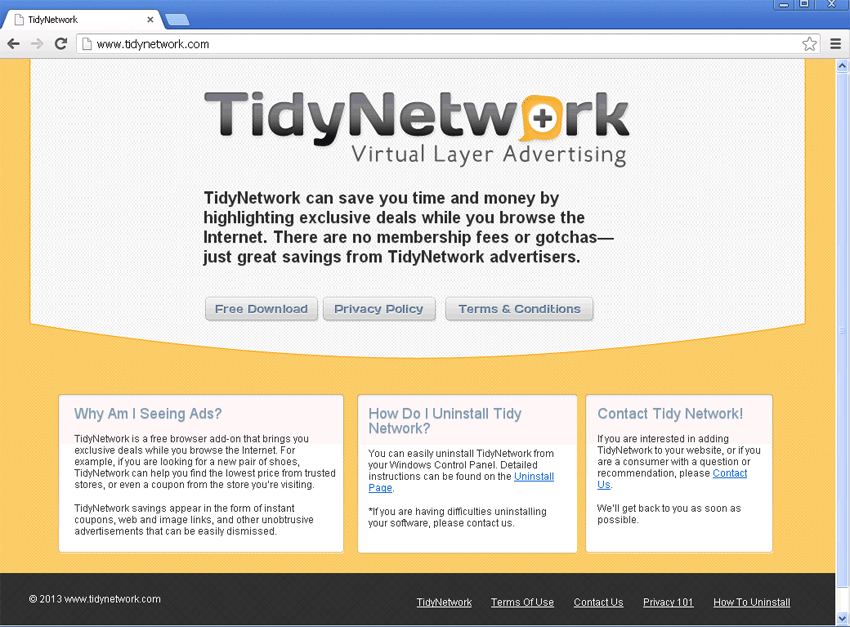 TidyNetwork and the TidyNetwork.com site are part of an adware scheme where they infect a system and display a multitude of random advertisements. Most times TidyNetwork and the TidyNetwork.com site change settings within your web browser to load the TidyNetwork.com site as your default home page or search engine. Other unwanted sites may be loaded due to TidyNetwork and prove to be difficult to stop. Complete removal of TidyNetwork and all associated files is the sure way of restoring your system back to normal operation where you may select your own home page and default internet search engine.
Technical Details
File System Modifications
Tutorials: If you wish to learn how to remove malware components manually, you can read the tutorials on how to find malware, kill unwanted processes, remove malicious DLLs and delete other harmful files. Always be sure to back up your PC before making any changes.
The following files were created in the system:C:\Program Files (x86)\TidyNetwork\petn64.dll
File name: petn64.dllSize: 127.48 KB (127488 bytes)
MD5: d3c857ebfaf3002fcaed2c66548bca06
Detection count: 6,073
File type: Dynamic link library
Mime Type: unknown/dll
Path: C:\Program Files (x86)\TidyNetwork\petn64.dll
Group: Malware file
Last Updated: May 5, 2022
%PROGRAMFILES(x86)%\TidyNetwork.com\tidy2start.exe
File name: tidy2start.exeSize: 56.32 KB (56320 bytes)
MD5: 2a7d9e3d2bd3db45fdd3131874fe3f10
Detection count: 5,335
File type: Executable File
Mime Type: unknown/exe
Path: %PROGRAMFILES(x86)%\TidyNetwork.com\tidy2start.exe
Group: Malware file
Last Updated: November 21, 2022
C:\Program Files (x86)\TidyNetwork\petn.dll
File name: petn.dllSize: 106.49 KB (106496 bytes)
MD5: 93c876d38f8f22329816f33fc3071847
Detection count: 1,047
File type: Dynamic link library
Mime Type: unknown/dll
Path: C:\Program Files (x86)\TidyNetwork\petn.dll
Group: Malware file
Last Updated: November 14, 2022
C:\Users\<username>\AppData\Local\TidyNetwork.com\tidynetwork009.exe
File name: tidynetwork009.exeSize: 199.01 KB (199016 bytes)
MD5: 966f77a9b64a43693920710c8f462009
Detection count: 337
File type: Executable File
Mime Type: unknown/exe
Path: C:\Users\<username>\AppData\Local\TidyNetwork.com\tidynetwork009.exe
Group: Malware file
Last Updated: October 16, 2022
%LOCALAPPDATA%\TidyNetwork.com\tidynetwork005.exe
File name: tidynetwork005.exeSize: 202.08 KB (202088 bytes)
MD5: 87640902afb65fd423905e2603e8cd3b
Detection count: 126
File type: Executable File
Mime Type: unknown/exe
Path: %LOCALAPPDATA%\TidyNetwork.com
Group: Malware file
Last Updated: January 7, 2021
More files
Registry Modifications
CLSID{7736C7FA-512D-11E2-B871-DEC36088709B}Regexp file mask%WinDir%\System32\Tasks\TidyNetwork UpdateHKEY..\..\..\..{RegistryKeys}Software\AppDataLow\Software\TidyNetworkSOFTWARE\Classes\Local Settings\Software\Microsoft\Windows\CurrentVersion\AppContainer\Storage\microsoft.microsoftedge_8wekyb3d8bbwe\Children\001\Internet Explorer\DOMStorage\tidynetwork.comSOFTWARE\Classes\Local Settings\Software\Microsoft\Windows\CurrentVersion\AppContainer\Storage\microsoft.microsoftedge_8wekyb3d8bbwe\Children\001\Internet Explorer\DOMStorage\www.tidynetwork.comSOFTWARE\Classes\Local Settings\Software\Microsoft\Windows\CurrentVersion\AppContainer\Storage\microsoft.microsoftedge_8wekyb3d8bbwe\Children\001\Internet Explorer\EdpDomStorage\tidynetwork.comSOFTWARE\Classes\Local Settings\Software\Microsoft\Windows\CurrentVersion\AppContainer\Storage\microsoft.microsoftedge_8wekyb3d8bbwe\Children\001\Internet Explorer\EdpDomStorage\www.tidynetwork.comSoftware\Microsoft\Internet Explorer\Approved Extensions\{742FE549-4AC5-3471-ED44-E8F67BB1E0B9}Software\Microsoft\Internet Explorer\Approved Extensions\{7736C7FA-512D-11E2-B871-DEC36088709B}Software\Microsoft\Internet Explorer\Approved Extensions\{A0A41E95-EDE1-3882-CEAF-C1A4C7BE7FCE}SOFTWARE\Microsoft\Windows NT\CurrentVersion\Schedule\TaskCache\Tree\TidyNetwork UpdateSoftware\TidyNetworkSoftware\TidyNetwork.comHKEY_LOCAL_MACHINE\Software\[APPLICATION]\Microsoft\Windows\CurrentVersion\Uninstall..{Uninstaller}TidyNetworkTidyNetwork.com
Leave a Reply
Please note that we are not able to assist with billing and support issues regarding SpyHunter or other products. If you're having issues with SpyHunter, please get in touch with SpyHunter customer support through your SpyHunter . If you have SpyHunter billing questions, we recommend you check the Billing FAQ. For general suggestions or feedback, contact us.