Advanced XP Defender
Posted: May 20, 2008
Threat Metric
The following fields listed on the Threat Meter containing a specific value, are explained in detail below:
Threat Level: The threat level scale goes from 1 to 10 where 10 is the highest level of severity and 1 is the lowest level of severity. Each specific level is relative to the threat's consistent assessed behaviors collected from SpyHunter's risk assessment model.
Detection Count: The collective number of confirmed and suspected cases of a particular malware threat. The detection count is calculated from infected PCs retrieved from diagnostic and scan log reports generated by SpyHunter.
Volume Count: Similar to the detection count, the Volume Count is specifically based on the number of confirmed and suspected threats infecting systems on a daily basis. High volume counts usually represent a popular threat but may or may not have infected a large number of systems. High detection count threats could lay dormant and have a low volume count. Criteria for Volume Count is relative to a daily detection count.
Trend Path: The Trend Path, utilizing an up arrow, down arrow or equal symbol, represents the level of recent movement of a particular threat. Up arrows represent an increase, down arrows represent a decline and the equal symbol represent no change to a threat's recent movement.
% Impact (Last 7 Days): This demonstrates a 7-day period change in the frequency of a malware threat infecting PCs. The percentage impact correlates directly to the current Trend Path to determine a rise or decline in the percentage.
| Threat Level: | 10/10 |
|---|---|
| Infected PCs: | 16 |
| First Seen: | July 24, 2009 |
|---|---|
| Last Seen: | January 10, 2019 |
| OS(es) Affected: | Windows |
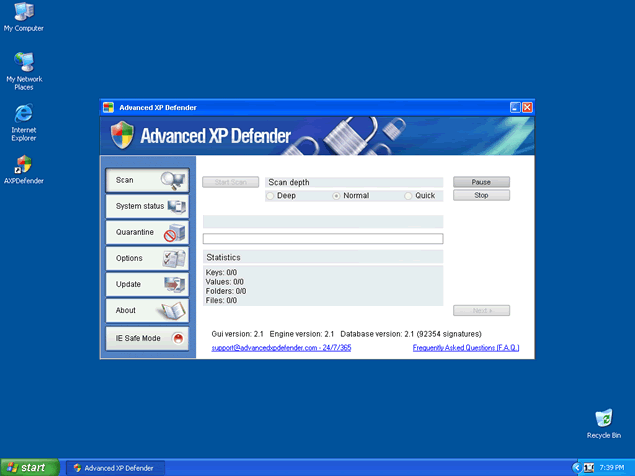
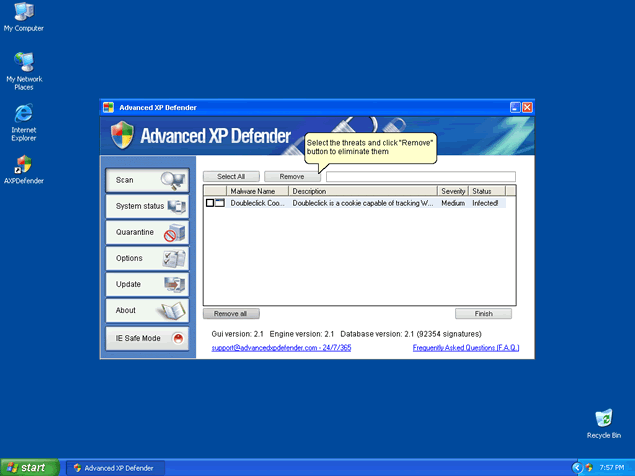
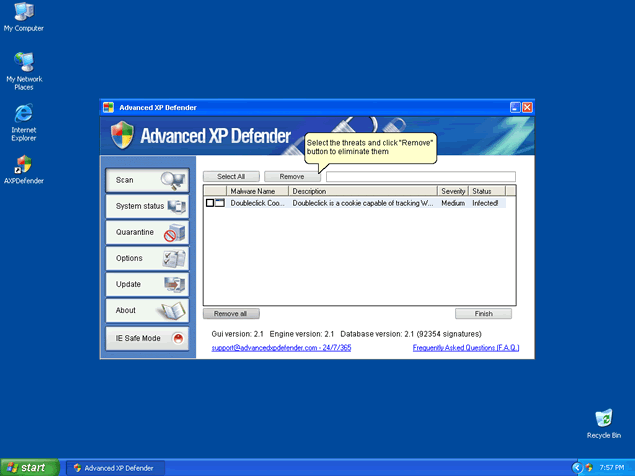
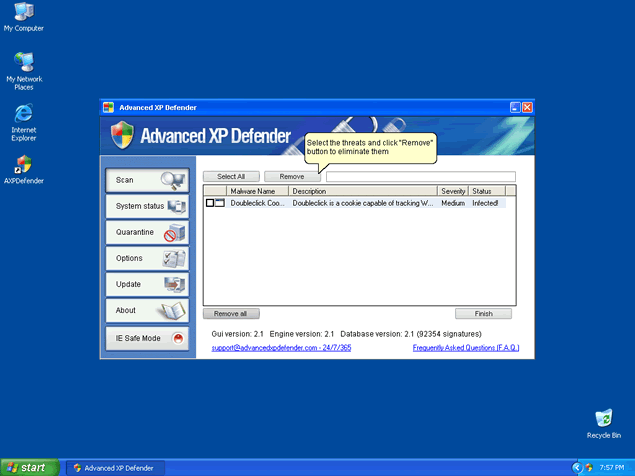
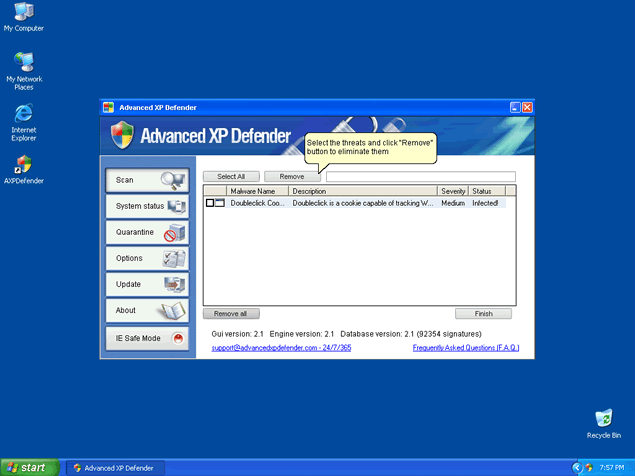
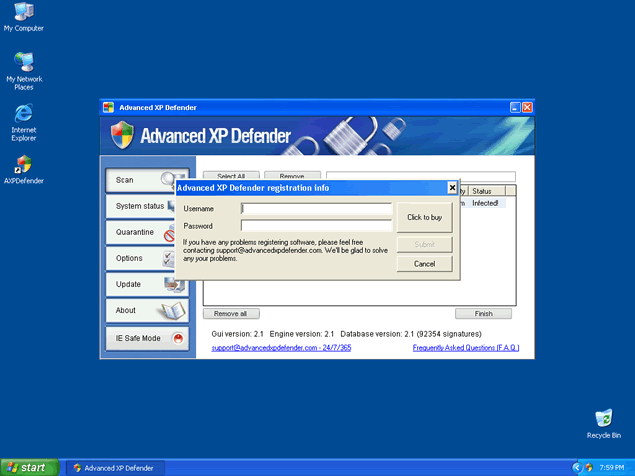
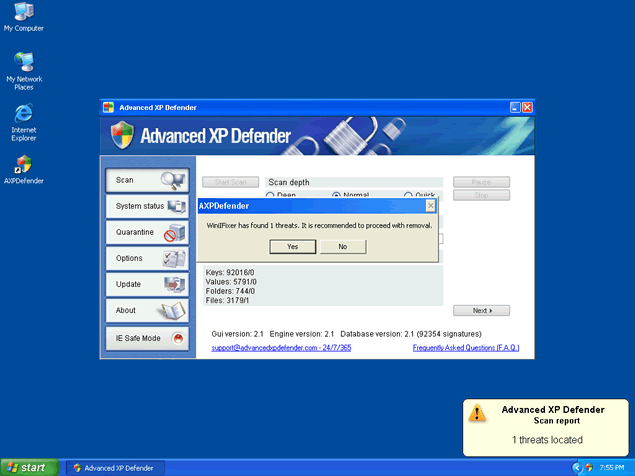
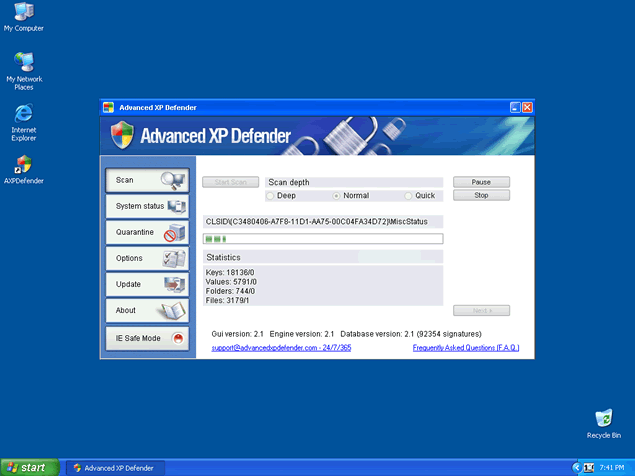
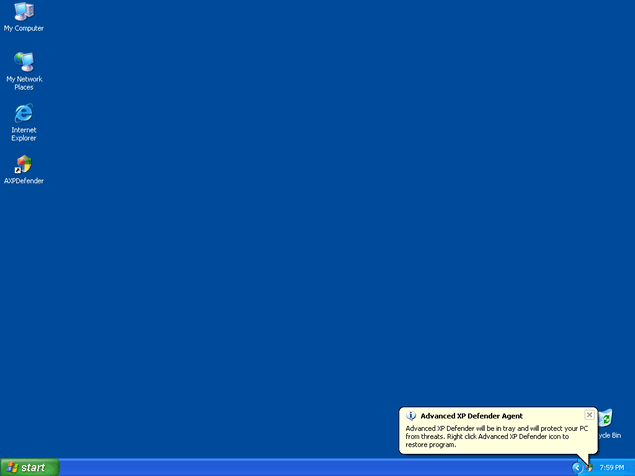 Advanced XP Defender is a fake anti-malware program that's based on the same family as InfeStop, WinIFixer and SpyAway. Like its identical cousins, Advanced XP Defender pretends to offer system scans, a Safe Mode for Internet Explorer and other security-related features, but SpywareRemove.com malware researchers have determined that Advanced XP Defender doesn’t follow through on any of its promises. Because Advanced XP Defender is only capable of displaying system information that's inaccurate to a high degree, you should ignore Advanced XP Defender's alerts, system scans and any other attempts Advanced XP Defender makes at providing warnings about nonexistent PC threats. Instead of following Advanced XP Defender's advice and rewarding its criminal designers with money, it's recommended that you delete Advanced XP Defender with a legitimate anti-malware application of your choice.
Why the Only Thing That's 'Advanced' About Advanced XP Defender is the Nature of Its Deception
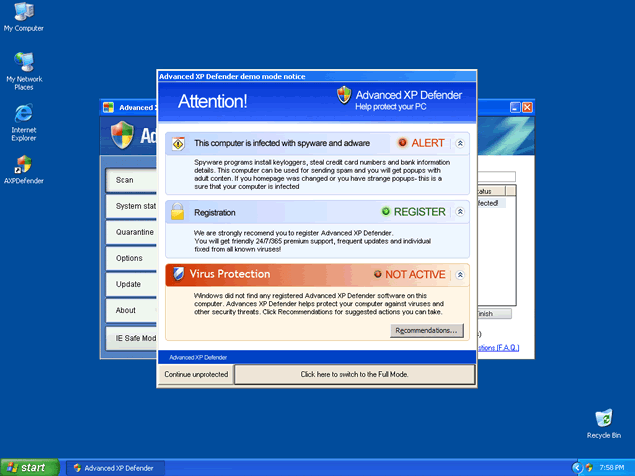
Advanced XP Defender conducts a typical scamware hoax against any Windows-based PC that Advanced XP Defender infects by displaying inaccurate information about infections, program damage and other system issues that would normally be detected by competent security programs. Unlike a legitimate security product, Advanced XP Defender doesn't attempt to analyze your computer and is set to display a series of fake alerts no matter how healthy or unhealthy your PC might be. SpywareRemove.com malware analysts have noted the following examples of Advanced XP Defender's fake warnings for easy identification:
Malware and harmful software were found.
Online scanner detected software may compromise your privacy or damage your computer. Understanding alert levels.
NOTICE: You have not completed the errors scan. If your computer has errors in file system or Windows Registry, it could cause unpredictable or erratic PC behavior, freezes, crashes and loss of data.
You need to install [rogue security scanner's name] to scan for and, if found, fix system errors now (Recommended)?
Unable to execute file:
[blocked program file's path]
CreateProcess failed; code 2.
The system cannot find the file specified.
Eventually, Advanced XP Defender will request that you spend money on a purchasable version of its software, which can be considered a needless waste of your money. As a worthless application that doesn't have any ability to detect or remove viruses or other PC threats, Advanced XP Defender should always be left unpurchased. SpywareRemove.com malware research team recommends that you remove Advanced XP Defender with your preferred brand of anti-malware program to insure that all its components are deleted. Since Advanced XP Defender's family was first noted in 2007, it's unlikely that you'll need to update your software to detect Advanced XP Defender, although Advanced XP Defender may be installed with other PC threats that are of a more recent origin than itself.
A Defense That Even Advanced XP Defender Will Not Break
Advanced XP Defender is promoted at advancedxpdefender.com through misleading marketing efforts and warning messages that encourage you to download Advanced XP Defender of your own free will. Staying away from Advanced XP Defender's website will drastically increase your chances of avoiding an Advanced XP Defender infection, although SpywareRemove.com malware experts also recommend that you use strong browser settings to prevent unexpected redirect or drive-by-download attacks from installing Advanced XP Defender automatically.
Rogue security programs from Advanced XP Defender's family have also been known to attack the Firefox web browser. These attacks hijack Firefox and use it to create pop-ups that promote WinIFixer, SpyAway, InfeStop, Advanced XP Defender and similar types of scamware. However, since these attacks only issue forth after a successful infection, SpywareRemove.com malware experts have found that keeping Advanced XP Defender and its relatives out of your computer should insure that you never have to see these pop-ups.
Aliases
More aliases (20)
Technical Details
File System Modifications
Tutorials: If you wish to learn how to remove malware components manually, you can read the tutorials on how to find malware, kill unwanted processes, remove malicious DLLs and delete other harmful files. Always be sure to back up your PC before making any changes.
The following files were created in the system:install.exe
File name: install.exeSize: 2.07 MB (2072634 bytes)
MD5: 450702427976581c71b2f8fe47a848a4
Detection count: 90
File type: Executable File
Mime Type: unknown/exe
Group: Malware file
Last Updated: December 11, 2009
AXPDefenderSkin.dll
File name: AXPDefenderSkin.dllSize: 6.47 MB (6479872 bytes)
MD5: 185c99a05e145b80f2305e46a4a47ac7
Detection count: 30
File type: Dynamic link library
Mime Type: unknown/dll
Group: Malware file
Last Updated: December 11, 2009
AXPDefender.exe
File name: AXPDefender.exeSize: 1.13 MB (1139712 bytes)
MD5: e54ad157ed74c012132ca54c922a9a55
Detection count: 17
File type: Executable File
Mime Type: unknown/exe
Group: Malware file
Last Updated: December 11, 2009
AXPDefender.exe
File name: AXPDefender.exeSize: 1.52 MB (1523712 bytes)
MD5: ff1fdbe80c51343abd566c4743e5ed0d
Detection count: 7
File type: Executable File
Mime Type: unknown/exe
Group: Malware file
Last Updated: December 11, 2009
Leave a Reply
Please note that we are not able to assist with billing and support issues regarding SpyHunter or other products. If you're having issues with SpyHunter, please get in touch with SpyHunter customer support through your SpyHunter . If you have SpyHunter billing questions, we recommend you check the Billing FAQ. For general suggestions or feedback, contact us.