Accurately-locate.com
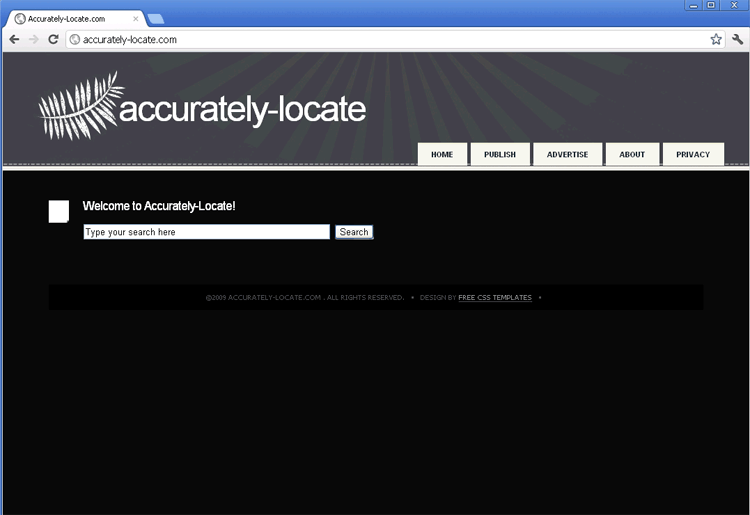 Accurately-locate.com is a search website that displays advertisements and other forms of unrelated content instead of filtering its links according to safety or relevance. Because Accurately-locate.com has also been noticed to propel phishing strikes and the distribution of malicious software in some of its links, we recommend that you stay away from any type of prolonged interaction with Accurately-locate.com's conclusively worthless 'search' feature. In addition to this, Accurately-locate.com has also been found to be promoted by various PC threats in browser redirect attacks that force Accurately-locate.com to load on your browser even if you're trying to visit another site (such as an alternative search engine). Redirects to Accurately-locate.com and similar sites should always be taken as evidence of hostile software installed on your PC, and may be indicative of such high-level PC threats as rootkits and backdoor Trojans that should always be removed with reputable anti-malware software.
While Accurately-locate.com would like you to believe that Accurately-locate.com is a safe alternative to popular sites like Google, Accurately-locate.com's search capabilities have been confirmed to focus strictly on pop-up advertisements, advertising networks and other forms of content that are of little interest to genuine web searchers. This behavior is similar to less malicious sites than Accurately-locate.com like Discover-facts.com or Localfindinfo.com, but Accurately-locate.com has seen fit to up the ante by promoting outright hostile content. SpywareRemove.com malware analysts have discerned that hazards from Accurately-locate.com-provided links are particularly likely to include:
- Scams and phishing attacks that attempt to steal personal information under false pretenses.
- Distributed malicious software, potentially including drive-by-downloads that automatically install PC threats via browser and script exploits.
Because Accurately-locate.com lacks even a hint of a good reputation as a search engine, interacting with Accurately-locate.com or searching for sites with Accurately-locate.com is always discouraged by SpywareRemove.com malware experts, who suggest minimizing contact with Accurately-locate.com for the safety of your computer.
When You Don't Get a Choice About Visiting Accurately-locate.com
Staying away from Accurately-locate.com, in and of itself, wouldn't be much hassle for anyone if it weren't for related PC threats that have used browser hijack attacks to promote Accurately-locate.com. Browser redirects to unwanted sites like Accurately-locate.com can be included as functions for various rootkits, Trojans and other forms of hostile software, and should always be treated by deleting the relevant software with an anti-malware program whenever possible. While other symptoms of an Accurately-locate.com-promoting browser hijacker can vary, common symptoms that SpywareRemove.com malware research team has observed can also include:
- Having your homepage locked to Accurately-locate.com or another unwanted site.
- Experiencing browser pop-ups for no reason.
- Noting unusual links added to text content for sites that normally lack such links.
- Being blocked from visiting certain sites or having your search results filtered, especially regarding PC security websites.
Technical Details
File System Modifications
Tutorials: If you wish to learn how to remove malware components manually, you can read the tutorials on how to find malware, kill unwanted processes, remove malicious DLLs and delete other harmful files. Always be sure to back up your PC before making any changes.
The following files were created in the system:%AppData%[trojan name]toolbarcouponscategories.xml
File name: %AppData%[trojan name]toolbarcouponscategories.xmlMime Type: unknown/xml
%AppData%[trojan name]toolbarcouponsmerchants.xml
File name: %AppData%[trojan name]toolbarcouponsmerchants.xmlMime Type: unknown/xml
%AppData%[trojan name]toolbarcouponsmerchants2.xml
File name: %AppData%[trojan name]toolbarcouponsmerchants2.xmlMime Type: unknown/xml
%AppData%[trojan name]toolbardtx.ini
File name: %AppData%[trojan name]toolbardtx.iniMime Type: unknown/ini
%AppData%[trojan name]toolbarguid.dat
File name: %AppData%[trojan name]toolbarguid.datFile type: Data file
Mime Type: unknown/dat
%AppData%[trojan name]toolbarlog.txt
File name: %AppData%[trojan name]toolbarlog.txtMime Type: unknown/txt
%AppData%[trojan name]toolbarpreferences.dat
File name: %AppData%[trojan name]toolbarpreferences.datFile type: Data file
Mime Type: unknown/dat
%AppData%[trojan name]toolbarstat.log
File name: %AppData%[trojan name]toolbarstat.logMime Type: unknown/log
%AppData%[trojan name]toolbaruninstallIE.dat
File name: %AppData%[trojan name]toolbaruninstallIE.datFile type: Data file
Mime Type: unknown/dat
%AppData%[trojan name]toolbaruninstallStatIE.dat
File name: %AppData%[trojan name]toolbaruninstallStatIE.datFile type: Data file
Mime Type: unknown/dat
%AppData%[trojan name]toolbarversion.xml
File name: %AppData%[trojan name]toolbarversion.xmlMime Type: unknown/xml
Registry Modifications
HKEY..\..\..\..{Subkeys}HKEY_LOCAL_MACHINESOFTWAREClassesCLSID{99079a25-328f-4bd4-be04-00955acaa0a7}InprocServer32 "C:PROGRA~1WINDOW~4ToolBar[trojan name]dtx.dll"HKEY_LOCAL_MACHINESOFTWAREClassesCLSID{99079a25-328f-4bd4-be04-00955acaa0a7} "[trojan name] Toolbar"HKEY_LOCAL_MACHINESOFTWAREClassesCLSID{A40DC6C5-79D0-4ca8-A185-8FF989AF1115}VersionIndependentProgID "[trojan name]IEHelper.UrlHelper"HKEY_LOCAL_MACHINESOFTWAREClassesCLSID{A40DC6C5-79D0-4ca8-A185-8FF989AF1115}ProgID "[trojan name]IEHelper.UrlHelper.1"HKEY_LOCAL_MACHINESOFTWAREClassesCLSID{A40DC6C5-79D0-4ca8-A185-8FF989AF1115} "UrlHelper Class"HKEY_LOCAL_MACHINESOFTWAREClasses[trojan name]IEHelper.DNSGuardCurVerHKEY_LOCAL_MACHINESOFTWAREClasses[trojan name]IEHelper.DNSGuardCLSIDHKEY_LOCAL_MACHINESOFTWAREClasses[trojan name]IEHelper.DNSGuardHKEY_LOCAL_MACHINESOFTWAREClasses[trojan name]IEHelper.DNSGuard.1HKEY_LOCAL_MACHINESOFTWAREMicrosoftInternet ExplorerToolbar "[trojan name] Toolbar"HKEY_LOCAL_MACHINESOFTWAREMicrosoftWindowsCurrentVersionExplorerBrowser Helper Objects{99079a25-328f-4bd4-be04-00955acaa0a7} "[trojan name] Toolbar"
Leave a Reply
Please note that we are not able to assist with billing and support issues regarding SpyHunter or other products. If you're having issues with SpyHunter, please get in touch with SpyHunter customer support through your SpyHunter . If you have SpyHunter billing questions, we recommend you check the Billing FAQ. For general suggestions or feedback, contact us.