Microsoft Windows Ukash Virus
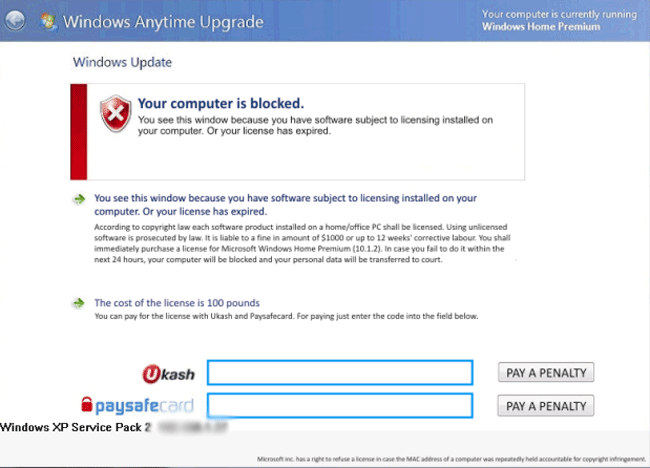 The Microsoft Windows Ukash Virus is a ransomware Trojan that creates a fake infection warning on your computer, blocks you from loading Windows and requests money in exchange for removing the lockdown. While Microsoft Windows Ukash Virus is a semi-innovative type of ransom scam in that Microsoft Windows Ukash Virus claims that there's an actual infection to divert you from the fact that Microsoft Windows Ukash Virus is, itself, a Trojan, SpywareRemove.com malware experts haven't seen any indications that Microsoft Windows Ukash Virus can detect other PC threats on your computer. Given that the Microsoft Windows Ukash Virus's fake alert is localized for France, French PC users should be considered more at risk for Microsoft Windows Ukash Virus attacks than PC users in other countries. However, suitable anti-malware techniques and software can be used to remove Microsoft Windows Ukash Virus for free whenever necessary.
Microsoft Windows Ukash Virus: the Windows-Locking Trojan That Hides Behind... Itself
The Microsoft Windows Ukash Virus is unrelated to other members of the Ukash Virus family and uses a different methodology for its attack, although its overall strategy is similar to that of other ransomware Trojans. While standard Ukash Virus-based Trojans will allow Windows to launch and then cover the screen with a browser window-based warning message, the Microsoft Windows Ukash Virus stops Windows at the login screen. Instead of your usual login interface, you'll see a warning message in French that claims that your PC is infected by an operating system-locking Trojan.
Microsoft Windows Ukash Virus's alert recommends that you pay its Ukash fee to disinfect your computer, after which your OS supposedly will unlock within one to four hours. However, SpywareRemove.com malware researchers don't recommend that you pay this fee, since the Microsoft Windows Ukash Virus isn't affiliated with Microsoft and, in fact, it's the actual reason why your computer has problems in the first place.
So far, SpywareRemove.com malware analysts haven't found variants of Microsoft Windows Ukash Virus that cover any country other than France, although very similar types of ransomware Trojans have been known to target almost every country in Europe along with Mexico, Canada and the United States. French PC users should take appropriate steps to protect themselves from potential Microsoft Windows Ukash Virus infections, which are likely to be caused by drive-by-download browser attacks or Trojans that are distributed in a misleading manner (through spam e-mail, fake updates for movie players, etc).
Getting the Real Windows-Blocker Off Your Hard Drive
SpywareRemove.com malware analysts recommend disabling Microsoft Windows Ukash Virus's startup routine before you try to remove Microsoft Windows Ukash Virus from your computer. You can do this by launching Safe Mode (from the advanced startup menu that launches when you press F8 while rebooting) or by loading a clean OS from a USB flash drive. As soon as you can get into your operating system without Microsoft Windows Ukash Virus's fake login screen appearing, any reputable anti-malware program shouldn't have any problems in removing Microsoft Windows Ukash Virus for no extra charge.
Since Ukash doesn't give refunds for used vouchers, SpywareRemove.com malware research team stresses the necessity of not paying the Microsoft Windows Ukash Virus's fee. However, if you've merely purchased the Ukash voucher without having used it, Ukash may be able to refund your money. In either case, falling for the Microsoft Windows Ukash Virus's ransom scam does nothing to bring your PC closer to being unlocked.
help me please, that Ukash thing already blokked my computer. What do I have to do ?
Remove Police Central e-crime Unit (PCEU)