Total Anti Malware Protection
Posted: May 5, 2012
Threat Metric
The following fields listed on the Threat Meter containing a specific value, are explained in detail below:
Threat Level: The threat level scale goes from 1 to 10 where 10 is the highest level of severity and 1 is the lowest level of severity. Each specific level is relative to the threat's consistent assessed behaviors collected from SpyHunter's risk assessment model.
Detection Count: The collective number of confirmed and suspected cases of a particular malware threat. The detection count is calculated from infected PCs retrieved from diagnostic and scan log reports generated by SpyHunter.
Volume Count: Similar to the detection count, the Volume Count is specifically based on the number of confirmed and suspected threats infecting systems on a daily basis. High volume counts usually represent a popular threat but may or may not have infected a large number of systems. High detection count threats could lay dormant and have a low volume count. Criteria for Volume Count is relative to a daily detection count.
Trend Path: The Trend Path, utilizing an up arrow, down arrow or equal symbol, represents the level of recent movement of a particular threat. Up arrows represent an increase, down arrows represent a decline and the equal symbol represent no change to a threat's recent movement.
% Impact (Last 7 Days): This demonstrates a 7-day period change in the frequency of a malware threat infecting PCs. The percentage impact correlates directly to the current Trend Path to determine a rise or decline in the percentage.
| Threat Level: | 10/10 |
|---|---|
| Infected PCs: | 14 |
| First Seen: | May 5, 2012 |
|---|---|
| Last Seen: | April 1, 2020 |
| OS(es) Affected: | Windows |
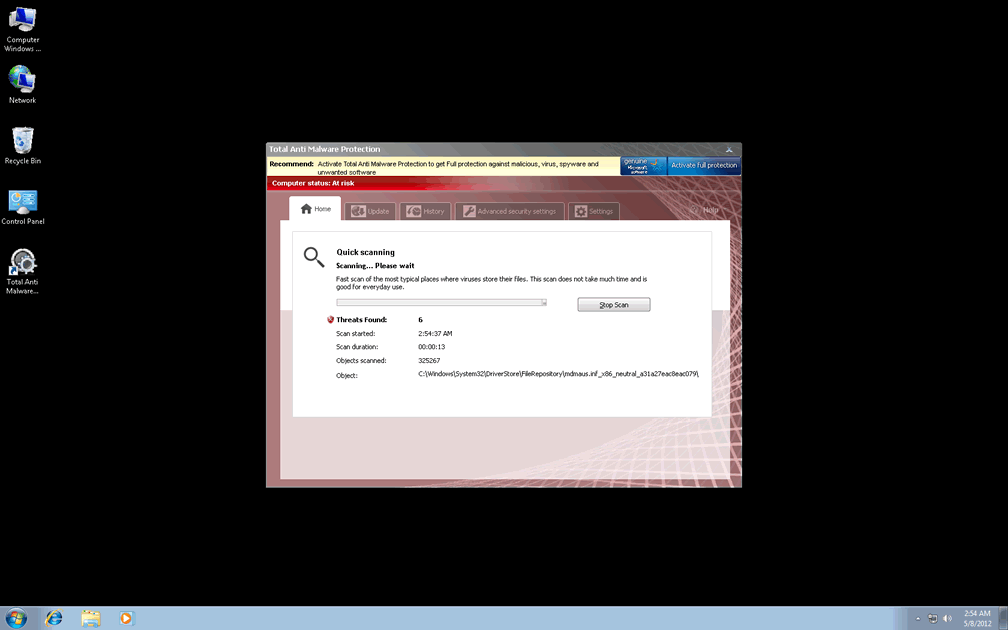
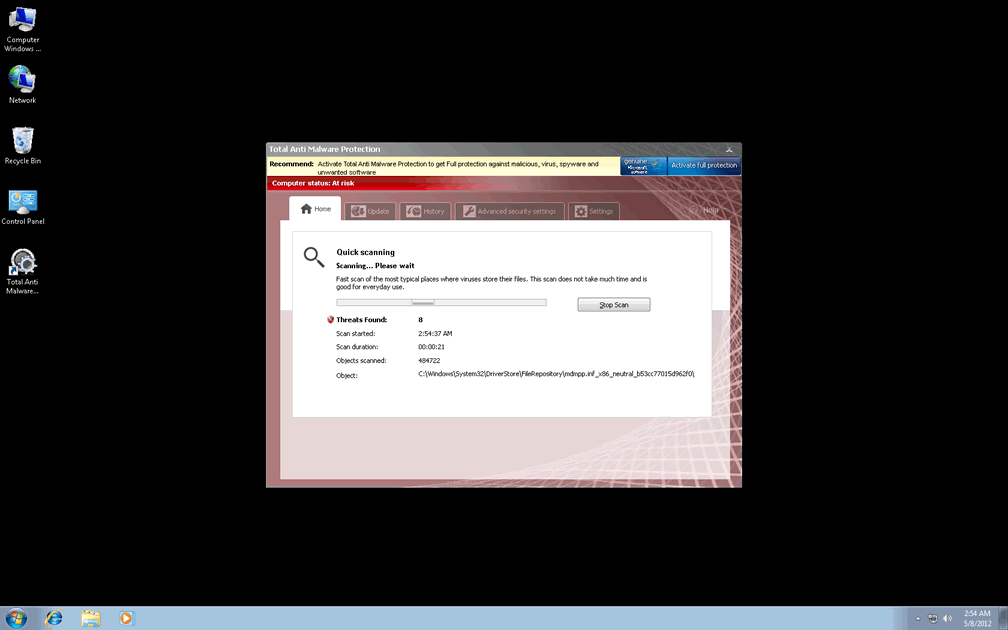
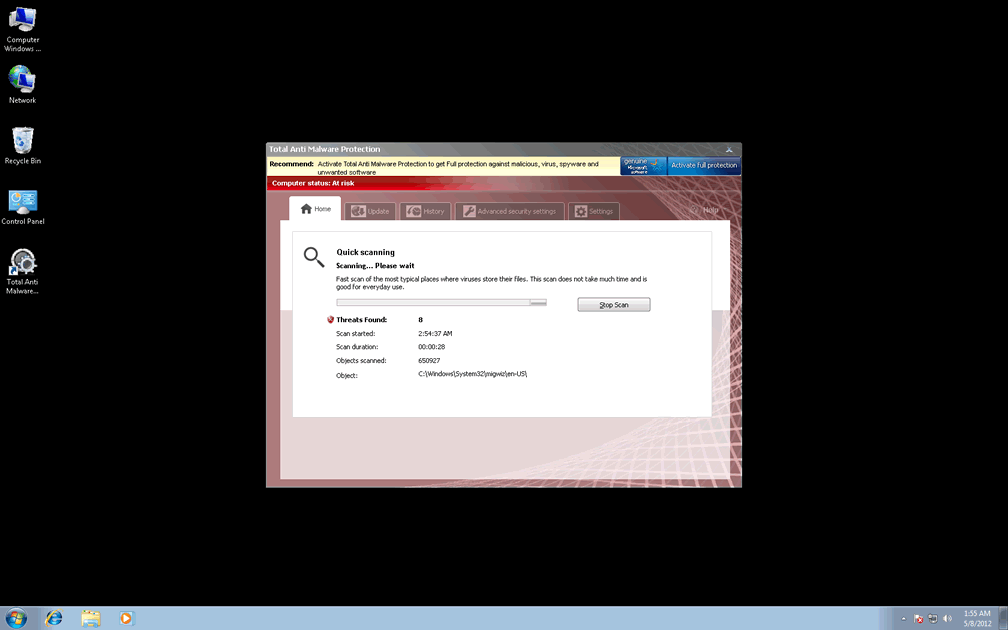
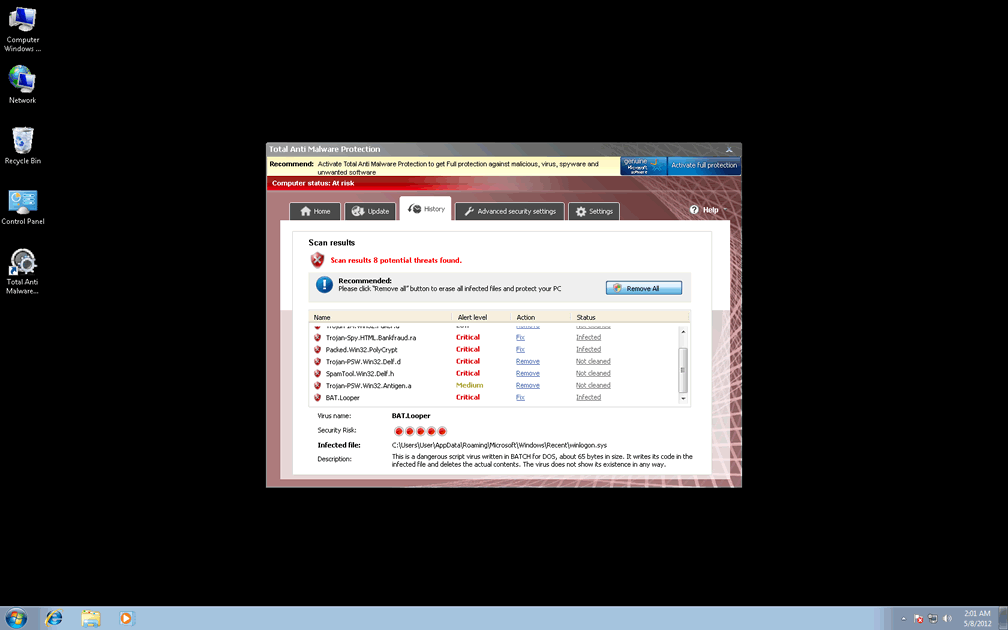
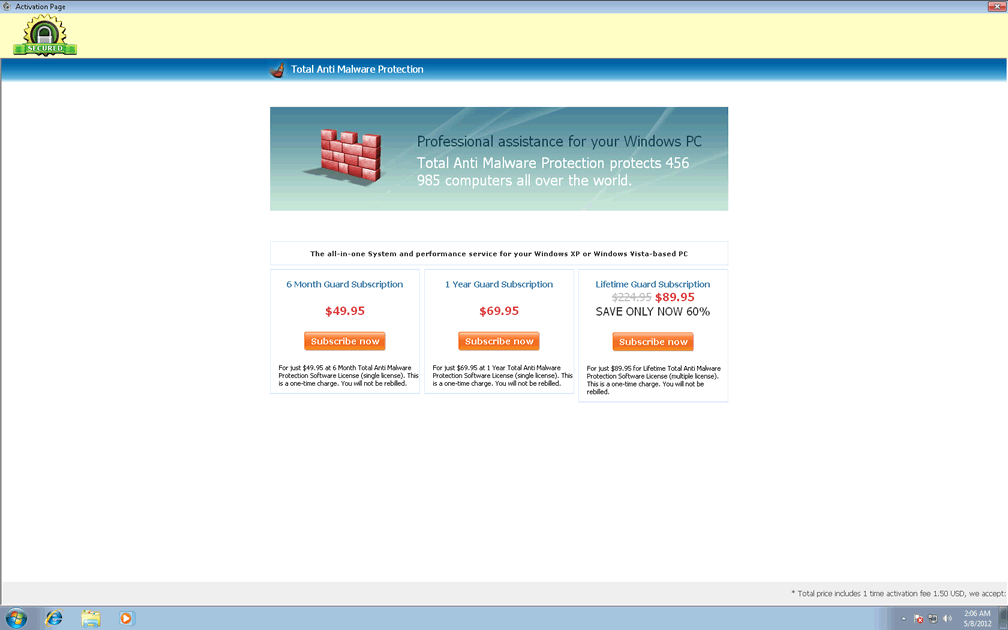
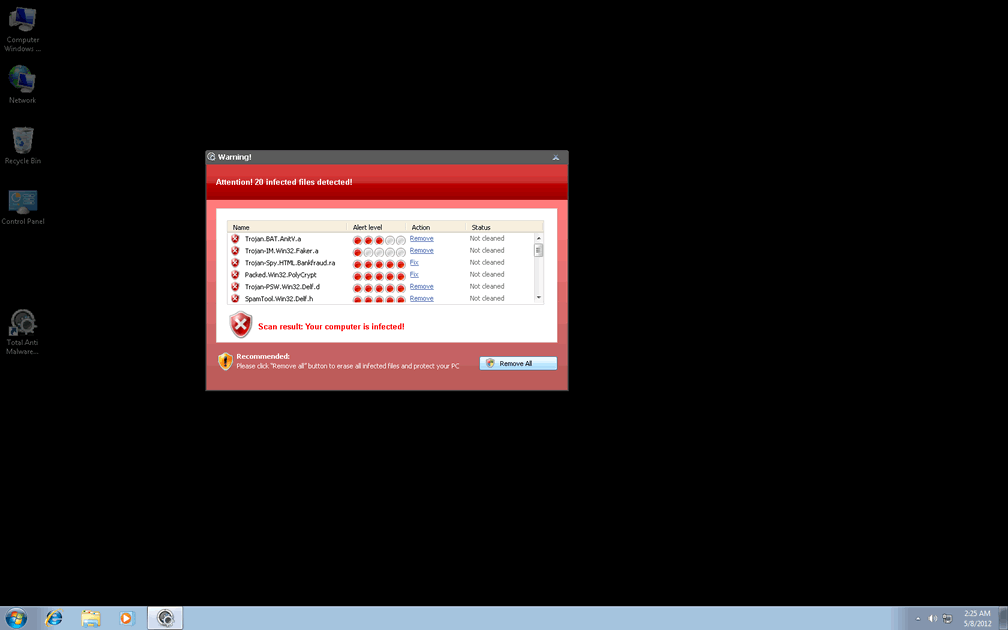
 Like other types of scamware, Total Anti Malware Protection's most visible symptoms are its attempts to pass itself off as an anti-malware product through fake system alerts, infection-riddled system scans and other types of fraudulent information. Total Anti Malware Protection is a rogue anti-malware program that bears many of the hallmark traits of a member of FakeVimes, including causing browser redirects and blocking Windows diagnostic software. SpywareRemove.com malware analysts encourage you to set any temptation to pay attention to security-related information from Total Anti Malware Protection aside, which has no ability to detect any kind of PC threat, and remove Total Anti Malware Protection with a genuine anti-malware scanner.
Why You'll Want to Protect Your PC from Total Anti Malware Protection
Total Anti Malware Protection, contrary to its name, is unable to find or remove any kind of malicious software or block any malicious activity that targets your computer, although Total Anti Malware Protection's various pop-ups and fake security features will try to convince you that such isn't the case. While buying Total Anti Malware Protection is the first thing its criminal coders would like you to do, SpywareRemove.com malware research team sees no benefit to doing this, and note that it's also likely to open up your financial accounts to the possibility of other fraudulent charges. Besides providing fake system scan results and security-oriented pop-ups, Total Anti Malware Protection may also:
- Redirect your online searches to hazardous sites.
- Block security and system diagnostics programs, including baseline Windows tools like Task Manager and the Registry Editor.
- Make other system changes that disable security-related features or otherwise make your PC less secure than usual against future attacks. Some of these changes may include setting file permissions to block any attempts to remove Total Anti Malware Protection's own alterations.
What You Can Do to Break Out of Total Anti Malware Protection's Constricting Idea of 'Protection'
It should go without saying that, due to the attacks noted above, Total Anti Malware Protection should always be considered a danger to your computer's security instead of an enhancer of it. Therefore, SpywareRemove.com malware experts suggest that you use the same methods to delete Total Anti Malware Protection that you would use to delete similar types of program-blocking scamware like Privacy Guard Pro, PrivacyGuard Pro 2.0, Extra Antivirus, Fast Antivirus 2009, Presto TuneUp, Windows Security Suite, Smart Virus Eliminator, Packed.Generic.245, Volcano Security Suite, Windows Enterprise Suite, Enterprise Suite, Additional Guard, Live PC Care, PC Live Guard, Live Enterprise Suite, Security Antivirus, My Security Wall, CleanUp Antivirus and Smart Security.
This may require that you disable Total Anti Malware Protection's startup routine before you can remove Total Anti Malware Protection's with appropriate software. Easily-implemented strategies for launching Windows without Total Anti Malware Protection coming along for the ride include booting in Safe Mode, booting your OS from a network-shared hard drive or booting from a removable drive device (a CD, USB thumb drive or similar). Once Total Anti Malware Protection has been prevented from starting, any competent anti-malware product should be able to delete Total Anti Malware Protection in perfect safety.
Technical Details
File System Modifications
Tutorials: If you wish to learn how to remove malware components manually, you can read the tutorials on how to find malware, kill unwanted processes, remove malicious DLLs and delete other harmful files. Always be sure to back up your PC before making any changes.
The following files were created in the system:%ALLUSERSPROFILE%\TAe0e_8001.exe
File name: TAe0e_8001.exeSize: 4.16 MB (4166656 bytes)
MD5: 79b53b52b0ce16ab1f6dd80a382995e0
Detection count: 2
File type: Executable File
Mime Type: unknown/exe
Path: %ALLUSERSPROFILE%
Group: Malware file
Last Updated: May 7, 2012
%AppData%\Total Anti Malware Protection\
File name: %AppData%\Total Anti Malware Protection\Group: Malware file
%AppData%\Microsoft\Internet Explorer\Quick Launch\Total Anti Malware Protection.lnk
File name: %AppData%\Microsoft\Internet Explorer\Quick Launch\Total Anti Malware Protection.lnkFile type: Shortcut
Mime Type: unknown/lnk
Group: Malware file
%AllUsersProfile%\Application Data\[RANDOM CHARACTERS]\[RANDOM CHARACTERS]
File name: %AllUsersProfile%\Application Data\[RANDOM CHARACTERS]\[RANDOM CHARACTERS]Group: Malware file
%UserProfile%\Desktop\Total Anti Malware Protection\
File name: %UserProfile%\Desktop\Total Anti Malware Protection\Group: Malware file
%UserProfile%\Start Menu\Total Anti Malware Protection\
File name: %UserProfile%\Start Menu\Total Anti Malware Protection\Group: Malware file
%UserProfile%\Start Menu\Programs\Total Anti Malware Protection.lnk
File name: %UserProfile%\Start Menu\Programs\Total Anti Malware Protection.lnkFile type: Shortcut
Mime Type: unknown/lnk
Group: Malware file
Registry Modifications
HKEY..\..\{Value}HKEY_CURRENT_USER\software\Microsoft\Windows\CurrentVersion\Run\Total Anti Malware Protection = "%AllUsersProfile%\Application Data\a2r3fq\FPa1a_7294.exe" /s /dHKEY_LOCAL_MACHINE\software\microsoft\Windows NT\CurrentVersion\Image File Execution Options\[RANDOM].exe\Debugger = svchost.exeHKEY_LOCAL_MACHINE\SOFTWARE\Microsoft\..{RunKeys}HKEY_CURRENT_USER\Software\Microsoft\Windows\CurrentVersion\Policies\Explorer\DisallowRun\[1...15]HKEY_CURRENT_USER\Software\Microsoft\Windows\CurrentVersion\Policies\Explorer\DisallowRun = 01000000
Leave a Reply
Please note that we are not able to assist with billing and support issues regarding SpyHunter or other products. If you're having issues with SpyHunter, please get in touch with SpyHunter customer support through your SpyHunter . If you have SpyHunter billing questions, we recommend you check the Billing FAQ. For general suggestions or feedback, contact us.