Windows Anti-Malware Patch
Posted: August 11, 2012
Threat Metric
The following fields listed on the Threat Meter containing a specific value, are explained in detail below:
Threat Level: The threat level scale goes from 1 to 10 where 10 is the highest level of severity and 1 is the lowest level of severity. Each specific level is relative to the threat's consistent assessed behaviors collected from SpyHunter's risk assessment model.
Detection Count: The collective number of confirmed and suspected cases of a particular malware threat. The detection count is calculated from infected PCs retrieved from diagnostic and scan log reports generated by SpyHunter.
Volume Count: Similar to the detection count, the Volume Count is specifically based on the number of confirmed and suspected threats infecting systems on a daily basis. High volume counts usually represent a popular threat but may or may not have infected a large number of systems. High detection count threats could lay dormant and have a low volume count. Criteria for Volume Count is relative to a daily detection count.
Trend Path: The Trend Path, utilizing an up arrow, down arrow or equal symbol, represents the level of recent movement of a particular threat. Up arrows represent an increase, down arrows represent a decline and the equal symbol represent no change to a threat's recent movement.
% Impact (Last 7 Days): This demonstrates a 7-day period change in the frequency of a malware threat infecting PCs. The percentage impact correlates directly to the current Trend Path to determine a rise or decline in the percentage.
| Threat Level: | 10/10 |
|---|---|
| Infected PCs: | 35 |
| First Seen: | August 11, 2012 |
|---|---|
| Last Seen: | January 8, 2020 |
| OS(es) Affected: | Windows |
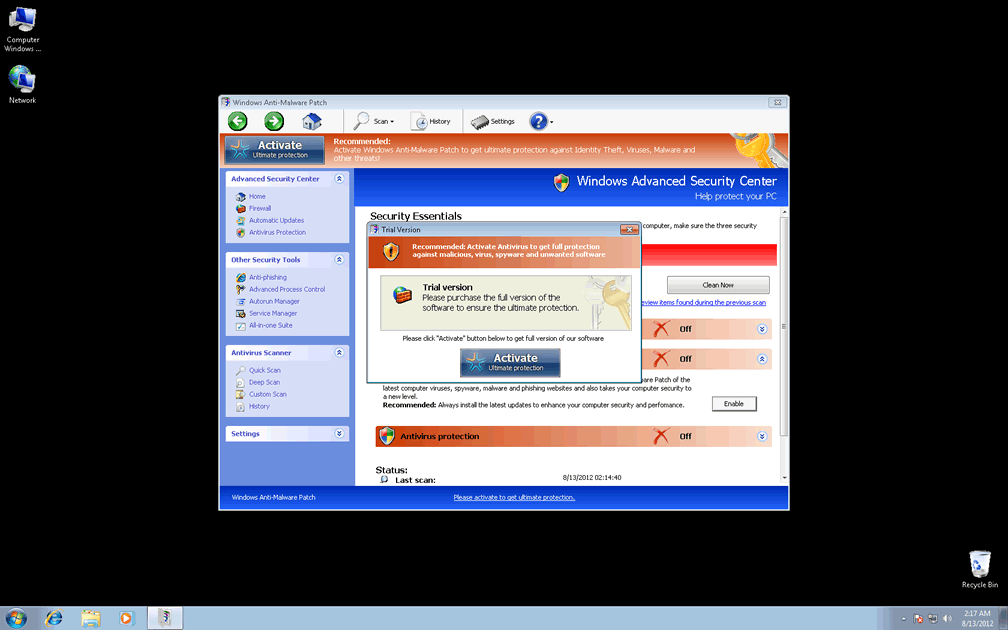
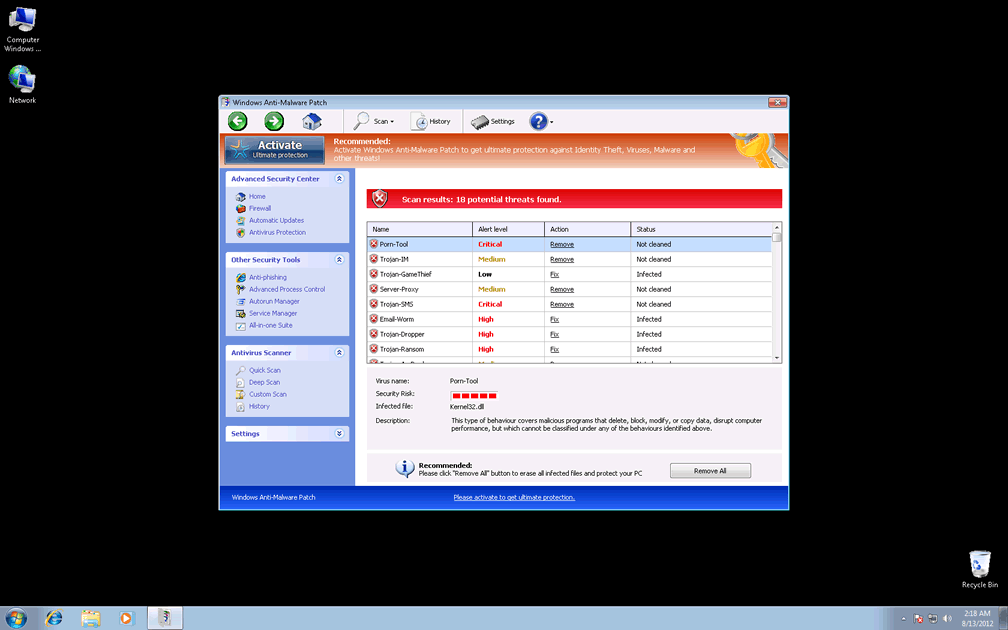
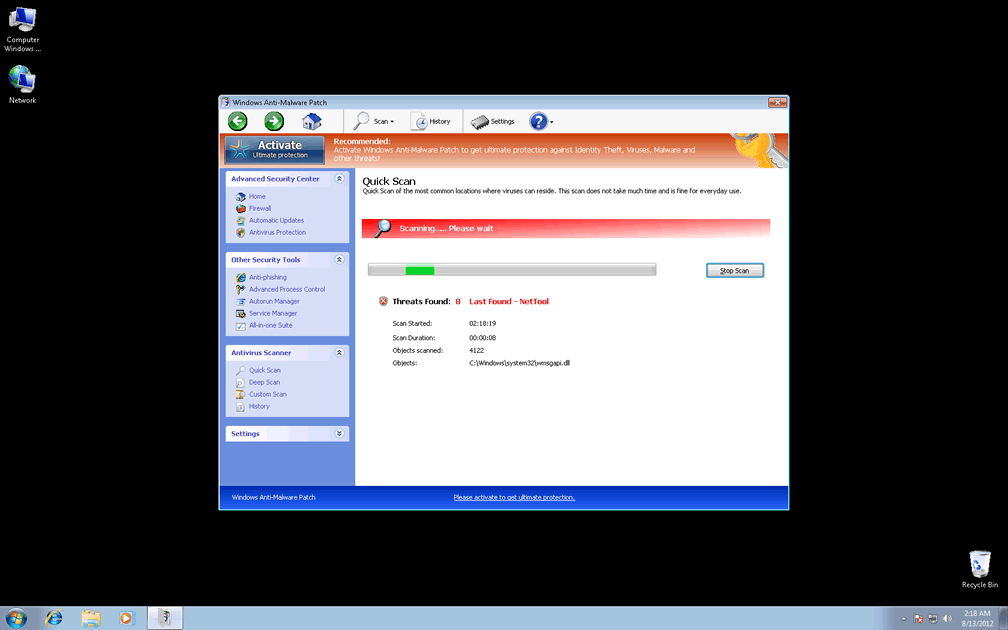
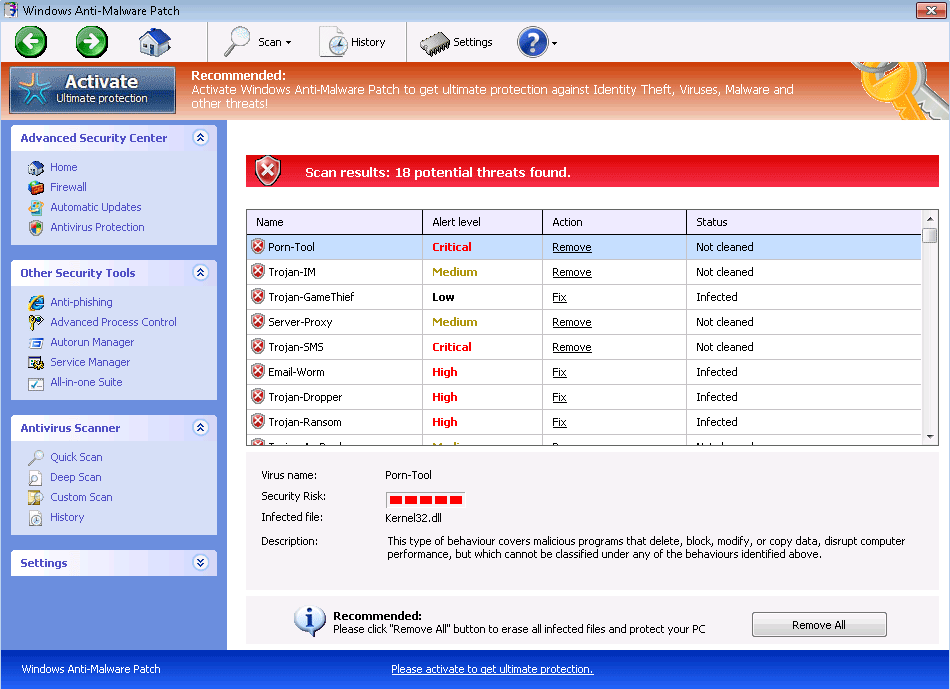 Windows Anti-Malware Patch may look like something designed to handle Windows security, but while Windows Anti-Malware Patch does claim to have many anti-malware features, these functions are all, at best, fraudulent, or at worst, disruptive to your real security. Windows Anti-Malware Patch most often infects PCs by using fake scanners that are launched via online JavaScript exploits, although Windows Anti-Malware Patch may also be installed by other PC threats (such as Zlob or Cycbot trojans). SpywareRemove.com malware experts especially recommend that you avoid purchasing Windows Anti-Malware Patch, despite its many prompts to do so as a means of removing the infections that it detects – all of which are fake and can be ignored as less of an actual danger to your computer than Windows Anti-Malware Patch, itself.
Where the 'Anti' in Windows Anti-Malware Patch Really Applies
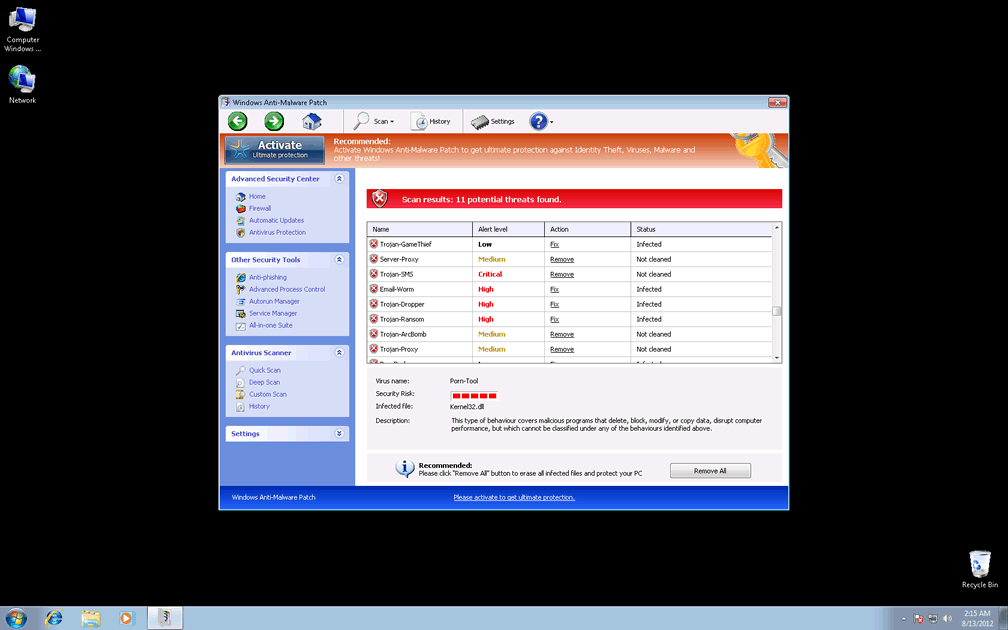
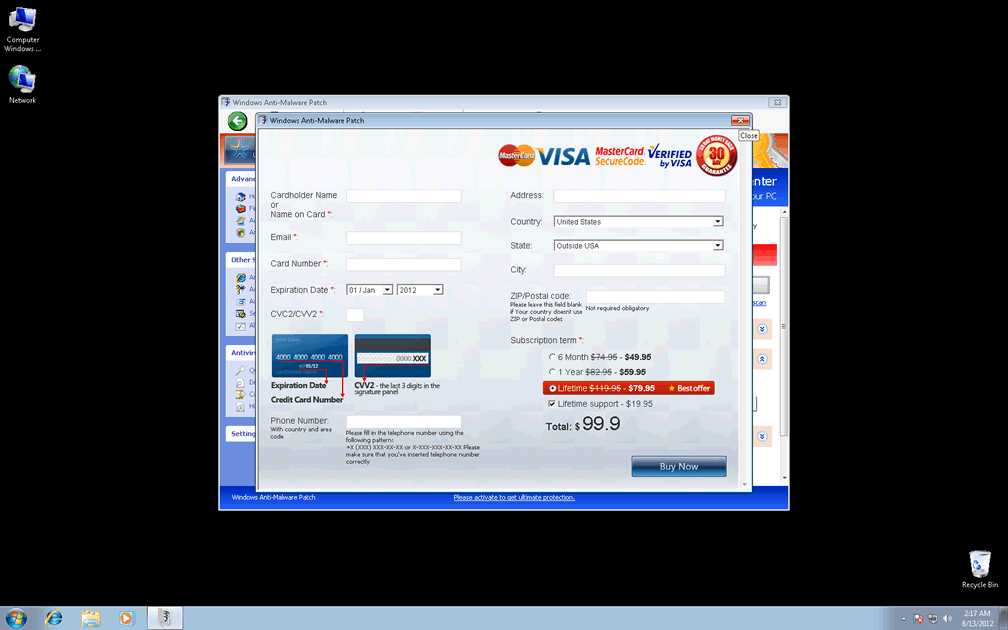
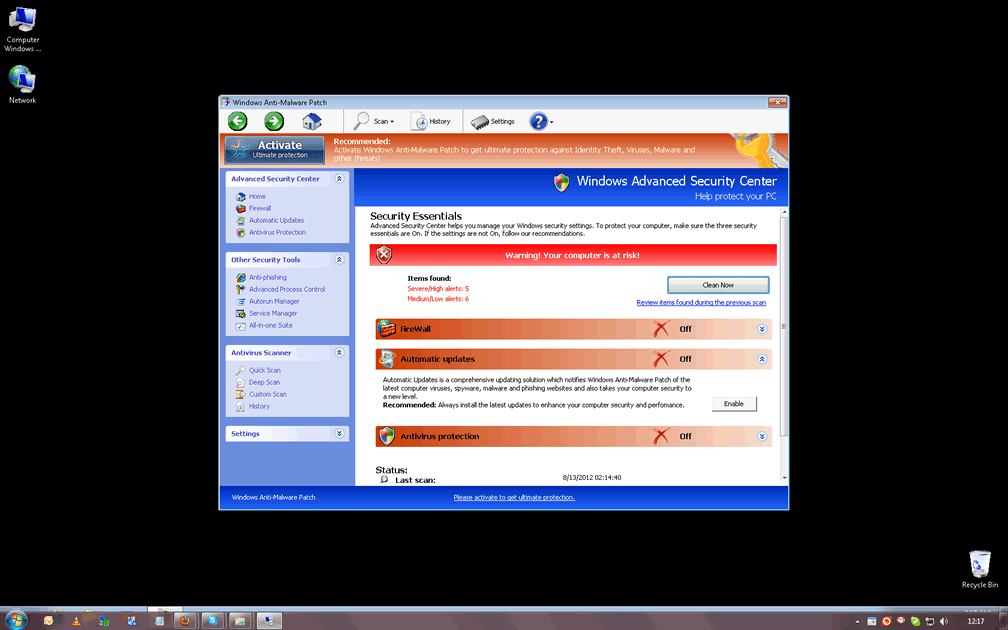
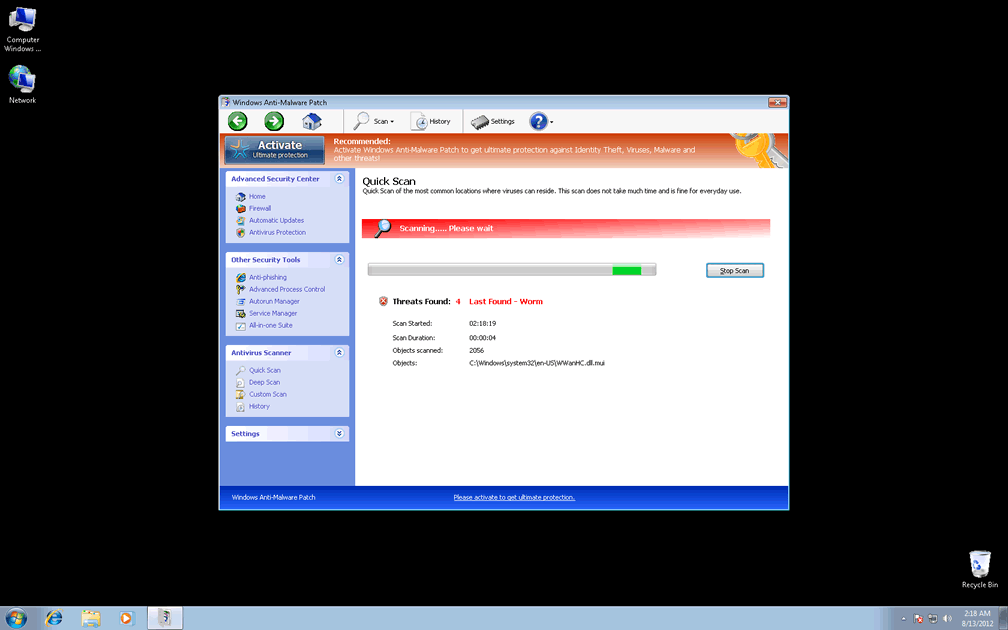
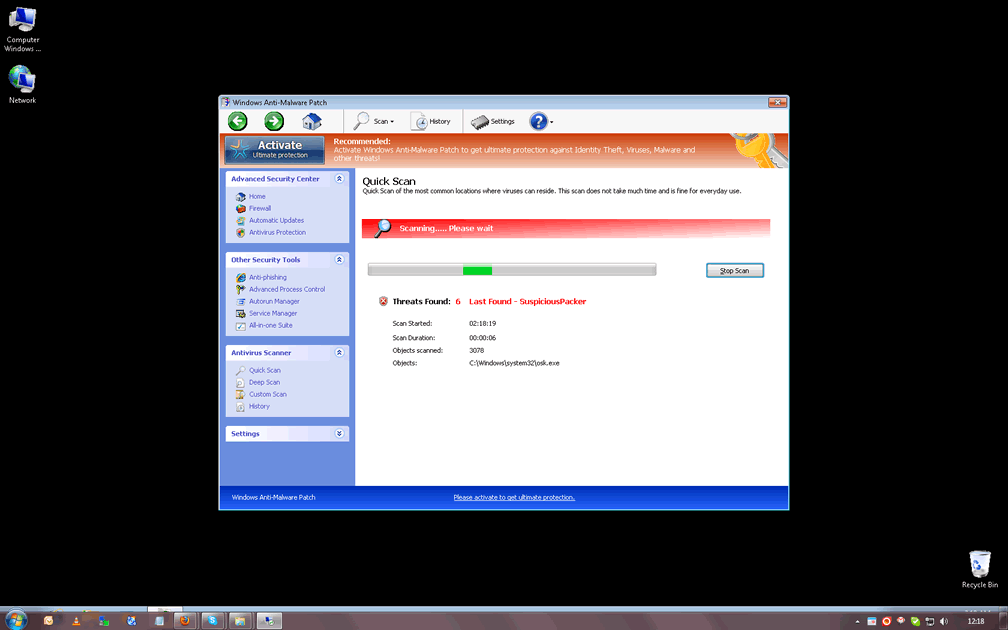
Windows Anti-Malware Patch doesn't have any ability to find real PC threats, but swaps such features out for the ability to create realistic-looking fake alerts and other forms of pop-ups. Some such pop-ups have been known to imitate Windows applications, such as the Windows Security Center or Microsoft Security Essentials, although Windows Anti-Malware Patch isn't affiliated with Microsoft or the Windows OS. The fake infections that Windows Anti-Malware Patch detects can include such threats as trojans, adware and worms – most likely in hopes of making you flee in terror straight to Windows Anti-Malware Patch's purchase form, wherein it claims it can delete these imaginary problems after purchase.
In reality, SpywareRemove.com malware analysts haven't noted a single positive feature in Windows Anti-Malware Patch's supposed toolset of security functions, and Windows Anti-Malware Patch is more likely to block beneficial programs than anything else. Examples of some programs that may be blocked by Windows Anti-Malware Patch include:
- Adobe brand software.
- Windows Task Manager.
- Various brands of anti-malware and anti-virus scanners.
- Windows Registry Editor.
The Patch That Can Provide Their Own Protection from Windows Anti-Malware Patch
Given that most of Windows Anti-Malware Patch's distribution is browser-based, SpywareRemove.com malware research team recommends that you update your browser and related software to close vulnerabilities that can be used to install Windows Anti-Malware Patch without your consent. Likewise, disabling features that are often exploited (such as JavaScript) should be considered a must while visiting suspicious sites. Similar precautions also pertain to other members of FakeVimes's wide-ranging family, such as Privacy Guard Pro, Extra Antivirus, Fast Antivirus 2009, Presto TuneUp, Windows Security Suite, Smart Virus Eliminator, Packed.Generic.245, Volcano Security Suite, Windows Enterprise Suite, Enterprise Suite, Additional Guard, Live PC Care, PC Live Guard, Live Enterprise Suite, Security Antivirus, My Security Wall, CleanUp Antivirus, Smart Security and PrivacyGuard Pro 2.0.
Because SpywareRemove.com malware analysts have found some Windows Anti-Malware Patch infections coinciding with backdoor trojan-related infections that can be significant security hazards, you should remove Windows Anti-Malware Patch with anti-malware scans that are also capable of detecting all associated PC threats. If Windows Anti-Malware Patch blocks the software that you'd prefer to use for this procedure, booting your PC from a flash drive or booting Windows in Safe Mode may alleviate this problem.
Technical Details
File System Modifications
Tutorials: If you wish to learn how to remove malware components manually, you can read the tutorials on how to find malware, kill unwanted processes, remove malicious DLLs and delete other harmful files. Always be sure to back up your PC before making any changes.
The following files were created in the system:C:\rogueware samples\WintionalityChecker samples\adf00fcc32c3eebe01adc18de4e6f014c7858b60af599c3b8fb372bafb1b8e2d.exe
File name: adf00fcc32c3eebe01adc18de4e6f014c7858b60af599c3b8fb372bafb1b8e2d.exeSize: 2.61 MB (2616320 bytes)
MD5: 63fb15b80a2d8a5b875e00d9fc74b202
Detection count: 9
File type: Executable File
Mime Type: unknown/exe
Path: C:\rogueware samples\WintionalityChecker samples\adf00fcc32c3eebe01adc18de4e6f014c7858b60af599c3b8fb372bafb1b8e2d.exe
Group: Malware file
Last Updated: May 6, 2024
%AppData%\Protector-[RANDOM].exe
File name: %AppData%\Protector-[RANDOM].exeFile type: Executable File
Mime Type: unknown/exe
Group: Malware file
Registry Modifications
HKEY..\..\{Value}HKEY_CURRENT_USER\Software\Microsoft\Windows\CurrentVersion\Internet Settings "WarnOnHTTPSToHTTPRedirect" = 0HKEY_CURRENT_USER\Software\Microsoft\Windows\CurrentVersion\Settings "ID" = "4"HKEY_CURRENT_USER\Software\Microsoft\Windows\CurrentVersion\Settings "UID" = "[RANDOM]"HKEY_LOCAL_MACHINE\Software\Microsoft\Windows NT\CurrentVersion\Image File Execution Options\AAWTray.exe\"Debugger" = "svchost.exe"HKEY_LOCAL_MACHINE\Software\Microsoft\Windows NT\CurrentVersion\Image File Execution Options\AVCare.exe\"Debugger" = "svchost.exe"HKEY_LOCAL_MACHINE\Software\Microsoft\Windows NT\CurrentVersion\Image File Execution Options\AVENGINE.EXE\"Debugger" = "svchost.exe"HKEY_LOCAL_MACHINE\SOFTWARE\Microsoft\Windows\CurrentVersion\policies\system "ConsentPromptBehaviorAdmin" = 0HKEY_LOCAL_MACHINE\SOFTWARE\Microsoft\Windows\CurrentVersion\policies\system "ConsentPromptBehaviorUser" = 0HKEY_LOCAL_MACHINE\SOFTWARE\Microsoft\Windows\CurrentVersion\policies\system "EnableLUA" = 0HKEY..\..\..\..{Subkeys}HKEY_CURRENT_USER\Software\Microsoft\Windows\CurrentVersion\Settings "net" = "[DATE OF INSTALLATION]"HKEY_LOCAL_MACHINE\SOFTWARE\Microsoft\Windows NT\CurrentVersion\Image File Execution Options\AAWTray.exeHKEY_LOCAL_MACHINE\SOFTWARE\Microsoft\Windows NT\CurrentVersion\Image File Execution Options\AVCare.exeHKEY_LOCAL_MACHINE\SOFTWARE\Microsoft\Windows NT\CurrentVersion\Image File Execution Options\AVENGINE.EXEHKEY_LOCAL_MACHINE\SOFTWARE\Microsoft\..{RunKeys}HKEY_CURRENT_USER\Software\Microsoft\Windows\CurrentVersion\Run "%AppData%\Protector-[RANDOM].exe"
Leave a Reply
Please note that we are not able to assist with billing and support issues regarding SpyHunter or other products. If you're having issues with SpyHunter, please get in touch with SpyHunter customer support through your SpyHunter . If you have SpyHunter billing questions, we recommend you check the Billing FAQ. For general suggestions or feedback, contact us.