Windows Proprietary Advisor
Posted: June 30, 2012
Threat Metric
The following fields listed on the Threat Meter containing a specific value, are explained in detail below:
Threat Level: The threat level scale goes from 1 to 10 where 10 is the highest level of severity and 1 is the lowest level of severity. Each specific level is relative to the threat's consistent assessed behaviors collected from SpyHunter's risk assessment model.
Detection Count: The collective number of confirmed and suspected cases of a particular malware threat. The detection count is calculated from infected PCs retrieved from diagnostic and scan log reports generated by SpyHunter.
Volume Count: Similar to the detection count, the Volume Count is specifically based on the number of confirmed and suspected threats infecting systems on a daily basis. High volume counts usually represent a popular threat but may or may not have infected a large number of systems. High detection count threats could lay dormant and have a low volume count. Criteria for Volume Count is relative to a daily detection count.
Trend Path: The Trend Path, utilizing an up arrow, down arrow or equal symbol, represents the level of recent movement of a particular threat. Up arrows represent an increase, down arrows represent a decline and the equal symbol represent no change to a threat's recent movement.
% Impact (Last 7 Days): This demonstrates a 7-day period change in the frequency of a malware threat infecting PCs. The percentage impact correlates directly to the current Trend Path to determine a rise or decline in the percentage.
| Threat Level: | 2/10 |
|---|---|
| Infected PCs: | 38 |
| First Seen: | June 30, 2012 |
|---|---|
| OS(es) Affected: | Windows |
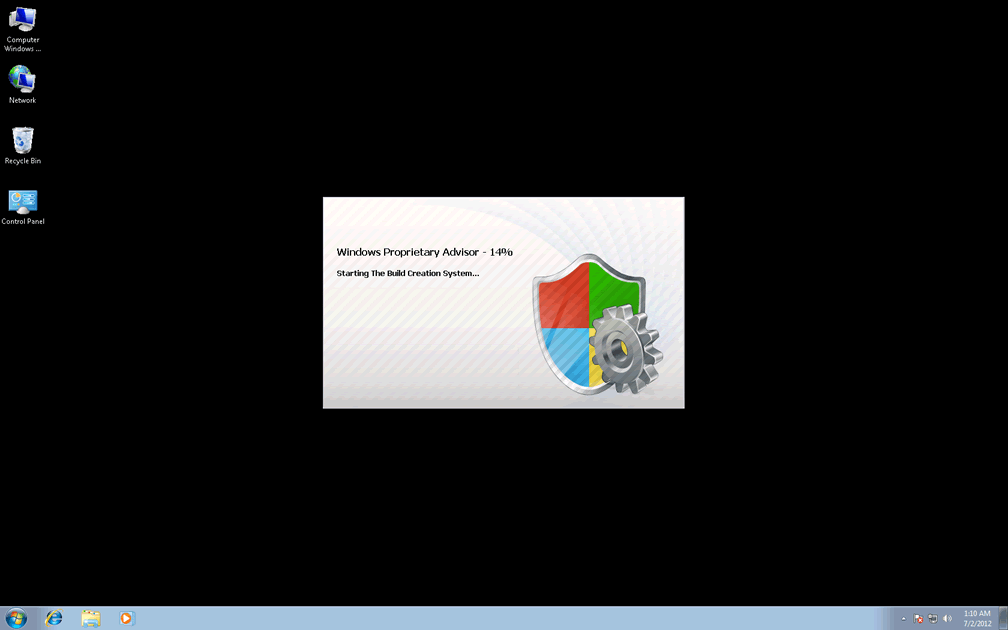
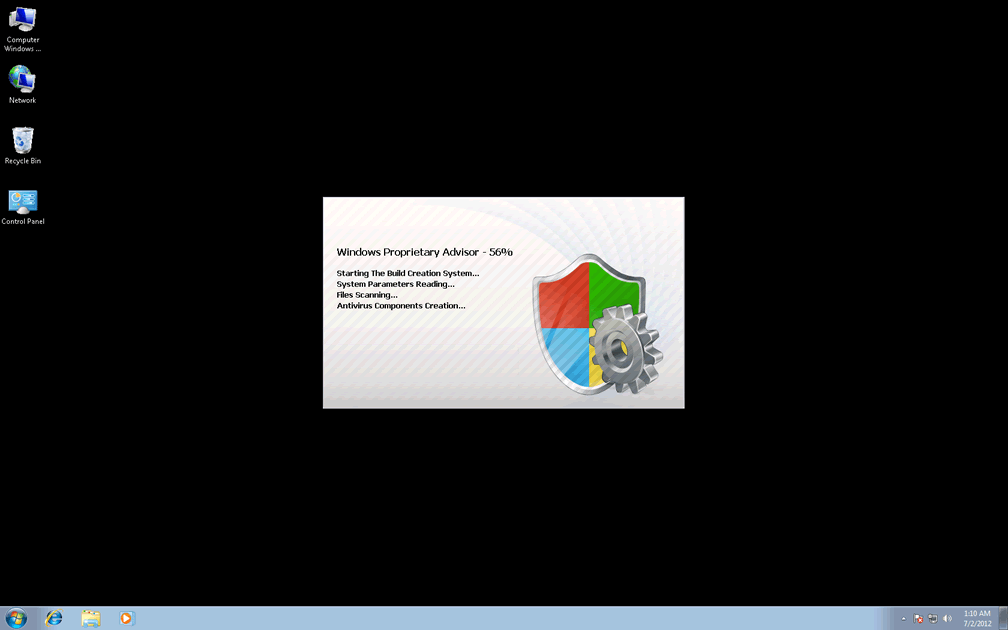
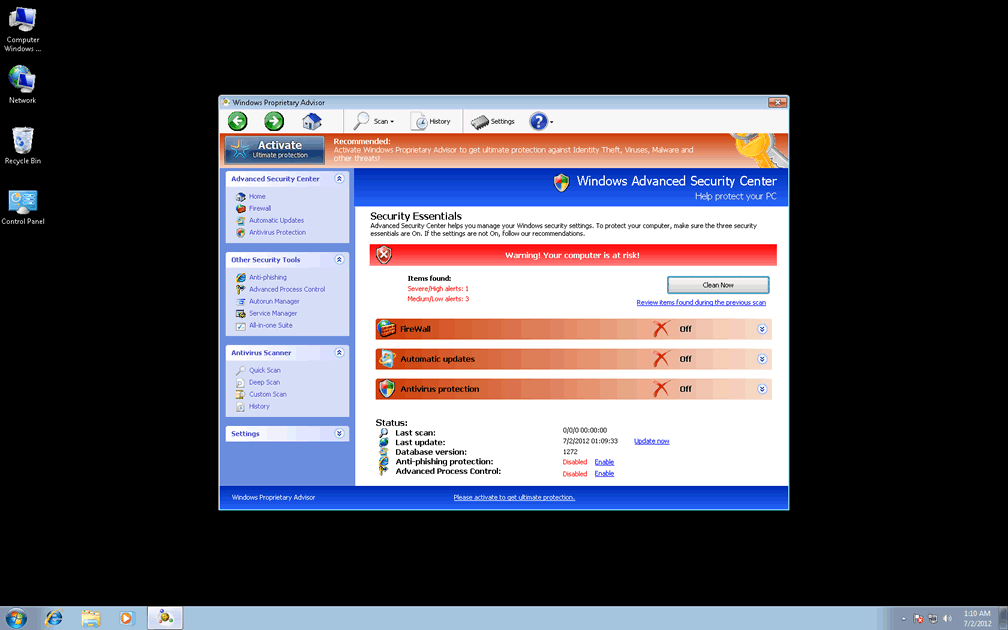
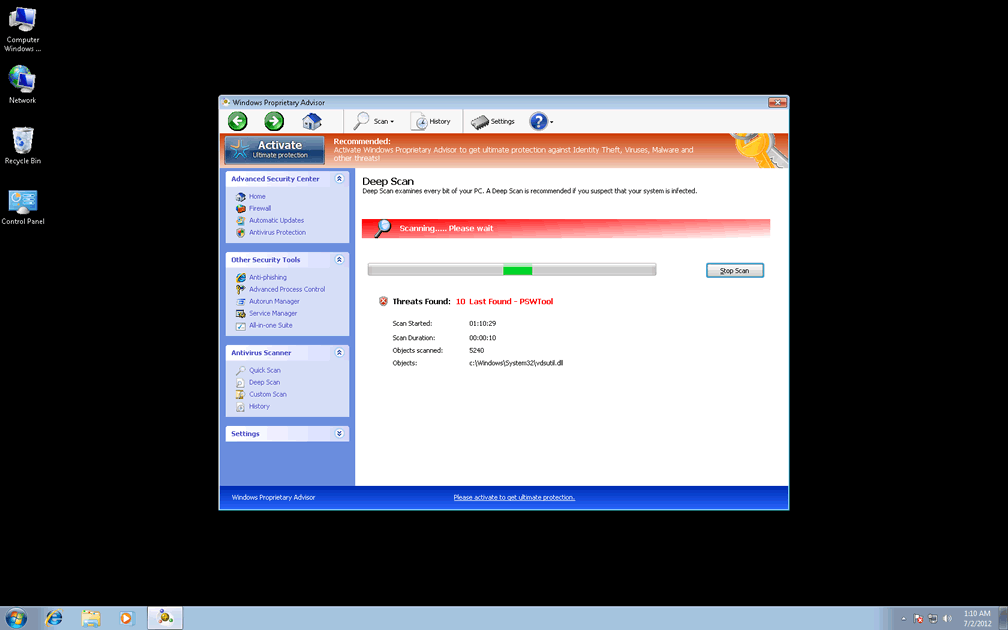
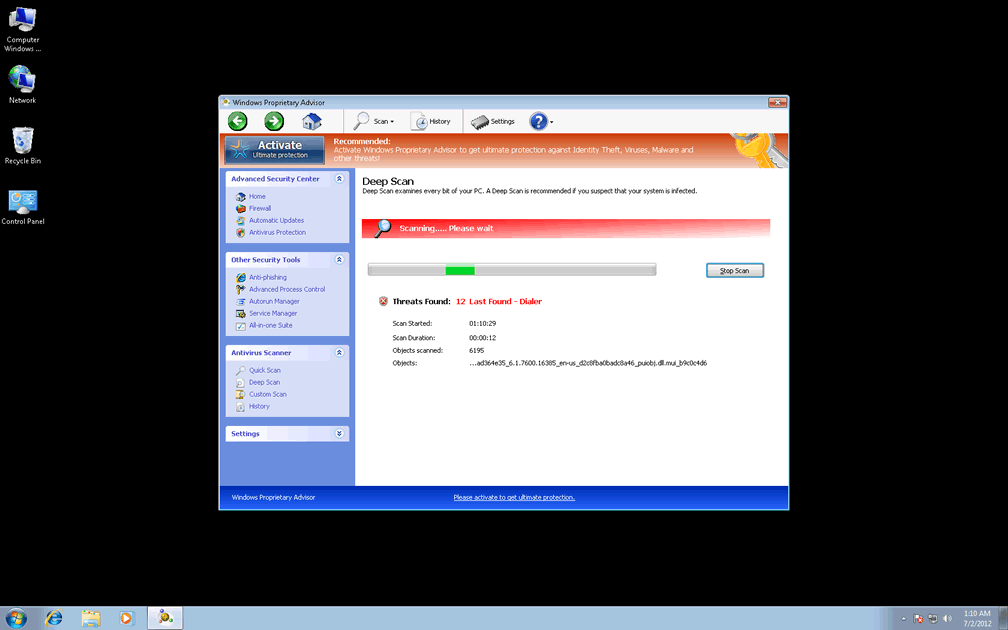
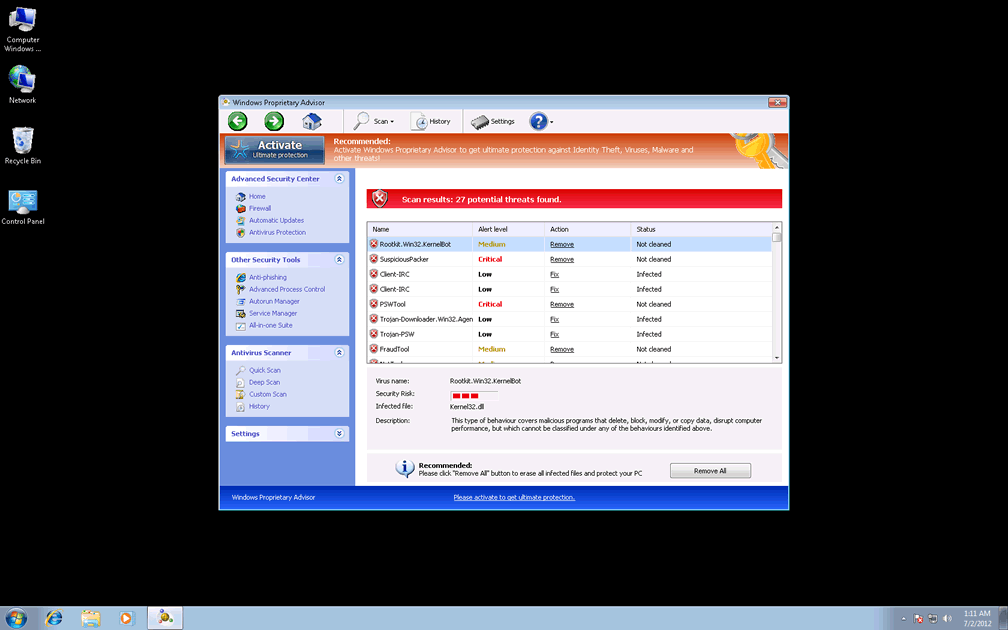
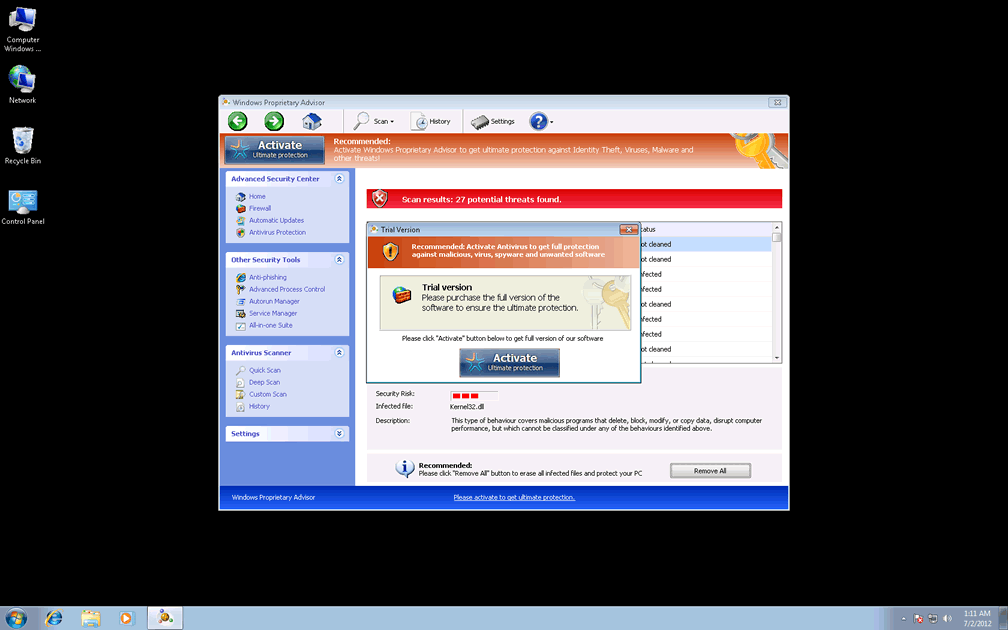
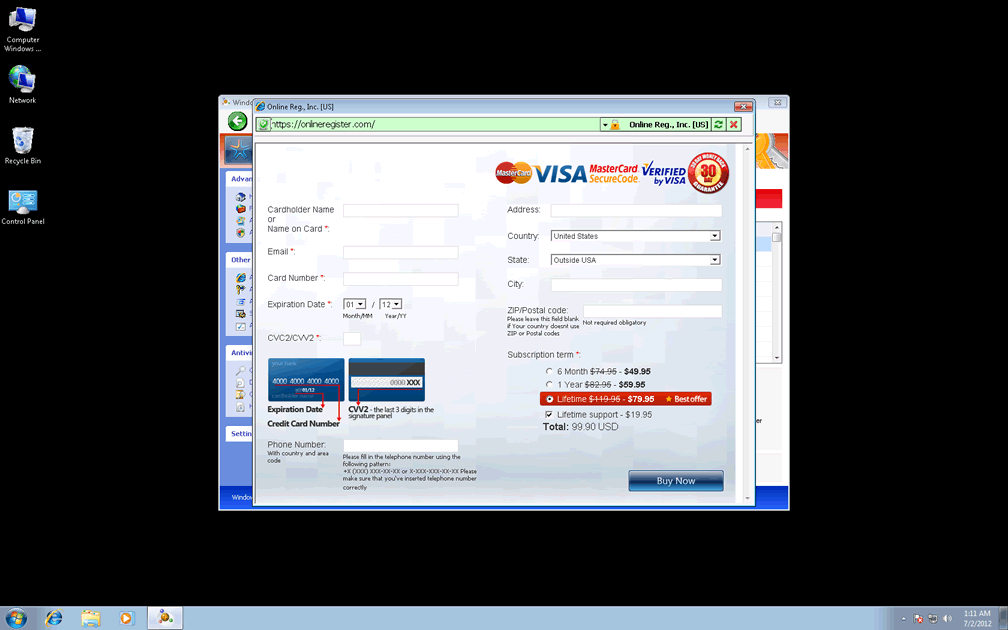
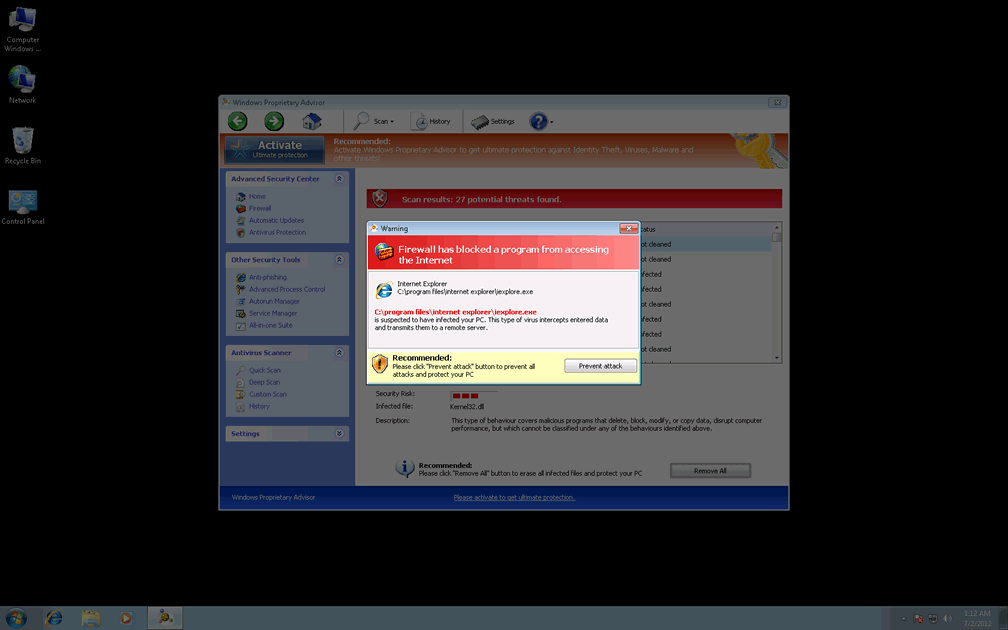
 A mere derivative of a common and fast-growing scamware family, Windows Proprietary Advisor shares both its appearance as an anti-malware program and its fake security features with modern variants of FakeVimes. Browser redirects, modified security settings and blocked software are all common symptoms of infection by Windows Proprietary Advisor, although Windows Proprietary Advisor's identifying characteristics remain the fake pop-up warnings and scans that give Windows Proprietary Advisor a purpose as a rogue anti-malware program. SpywareRemove.com malware researchers strongly recommend against buying Windows Proprietary Advisor, which places your financial information and money directly into criminal hands, and suggests that you recruit real anti-malware software for the purpose of getting rid of Windows Proprietary Advisor.
The Foul Consequences at the Heart of Windows Proprietary Advisor's Advice
Windows Proprietary Advisor has the look of an anti-malware scanner and may even be distributed by fraudulent system scanner simulations that market Windows Proprietary Advisor as a helpful form of security software, but SpywareRemove.com malware researchers have confirmed Windows Proprietary Advisor as a rogue anti-malware program without any real security features to mention. Windows Proprietary Advisor's fraudulent security can take the form of program-blocking pop-ups, pop-ups that alert you about unreal infections or scans that show results that accurate anti-malware programs will be unable to corroborate. SpywareRemove.com malware experts always discourage any attempt to treat Windows Proprietary Advisor's security advice as legitimate, since this inevitably will result in the deletion of perfectly safe and harmless applications, folders or files.
Windows Proprietary Advisor's malicious behavior may also include any or all of the following:
- Redirects to potentially harmful search engine sites, scamware sites and other sites of poor repute (such as securitysoftwarepayments.com, secure-plus-payments.com or paysoftbillsolution.com).
- Blocking your actual security programs, including default Windows tools and some brand of anti-malware scanners.
- Reducing your browser's security to make it vulnerable to drive-by-downloads and other attacks that involve malicious files.
How to Fire Windows Proprietary Advisor with a Real Sage of PC Security
Like all members of FakeVimes, Windows Proprietary Advisor changes system components, such as the Windows Registry, to cause many of its attacks, and these changes should be removed by appropriate anti-malware software whenever possible. If you need to disable Windows Proprietary Advisor to access your anti-malware programs, SpywareRemove.com malware researchers recommend a removable media-based system boot as one of the most effective (but not only) method of preventing Windows Proprietary Advisor from launching. If Windows Proprietary Advisor is deleted appropriately, long-term damage to your computer should be nonexistent.
SpywareRemove.com malware researchers also recommend that you keep equal safeguards for other PC threats that are related to Windows Proprietary Advisor scamware, such as Privacy Guard Pro, Extra Antivirus, Fast Antivirus 2009, Presto TuneUp, Windows Security Suite, Smart Virus Eliminator, Packed.Generic.245, Volcano Security Suite, Windows Enterprise Suite, Enterprise Suite, Additional Guard, Live PC Care, PC Live Guard, Live Enterprise Suite, Security Antivirus, My Security Wall, CleanUp Antivirus, Smart Security and PrivacyGuard Pro 2.0. Finally, contact with sites that are promoted by Windows Proprietary Advisor is also discouraged, since they may host drive-by-download attacks and other forms of hostile content that could re-infect your PC even after Windows Proprietary Advisor is removed.

Technical Details
File System Modifications
Tutorials: If you wish to learn how to remove malware components manually, you can read the tutorials on how to find malware, kill unwanted processes, remove malicious DLLs and delete other harmful files. Always be sure to back up your PC before making any changes.
The following files were created in the system:%AppData%\Windows Proprietary Advisor\ScanDisk_.exe
File name: %AppData%\Windows Proprietary Advisor\ScanDisk_.exeFile type: Executable File
Mime Type: unknown/exe
Group: Malware file
%AppData%\Windows Proprietary Advisor\Instructions.ini
File name: %AppData%\Windows Proprietary Advisor\Instructions.iniMime Type: unknown/ini
Group: Malware file
%AppData%\Microsoft\Internet Explorer\Quick Launch\Windows Proprietary Advisor.lnk
File name: %AppData%\Microsoft\Internet Explorer\Quick Launch\Windows Proprietary Advisor.lnkFile type: Shortcut
Mime Type: unknown/lnk
Group: Malware file
%Desktop%\Windows Proprietary Advisor.lnk
File name: %Desktop%\Windows Proprietary Advisor.lnkFile type: Shortcut
Mime Type: unknown/lnk
Group: Malware file
%StartMenu%\Windows Proprietary Advisor.lnk
File name: %StartMenu%\Windows Proprietary Advisor.lnkFile type: Shortcut
Mime Type: unknown/lnk
Group: Malware file
%Programs%\Windows Proprietary Advisor.lnk
File name: %Programs%\Windows Proprietary Advisor.lnkFile type: Shortcut
Mime Type: unknown/lnk
Group: Malware file
%CommonAppData%\58ef5\SP98c.exe
File name: %CommonAppData%\58ef5\SP98c.exeFile type: Executable File
Mime Type: unknown/exe
Group: Malware file
%CommonAppData%\58ef5\SPT.ico
File name: %CommonAppData%\58ef5\SPT.icoMime Type: unknown/ico
Group: Malware file
%CommonAppData%\SPUPCZPDET\SPABOIJT.cfg
File name: %CommonAppData%\SPUPCZPDET\SPABOIJT.cfgMime Type: unknown/cfg
Group: Malware file
Registry Modifications
HKEY..\..\{Value}HKEY_LOCAL_MACHINE\Software\Microsoft\Windows NT\CurrentVersion\Image File Execution Options\AluSchedulerSvc.exe\"Debugger" = "svchost.exe"HKEY_LOCAL_MACHINE\Software\Microsoft\Windows NT\CurrentVersion\Image File Execution Options\AVCare.exe\"Debugger" = "svchost.exe"HKEY_LOCAL_MACHINE\Software\Microsoft\Windows NT\CurrentVersion\Image File Execution Options\AVENGINE.EXE\"Debugger" = "svchost.exe"HKEY_LOCAL_MACHINE\Software\Microsoft\Windows NT\CurrentVersion\Image File Execution Options\AVWEBGRD.EXE\"Debugger" = "svchost.exe"HKEY_LOCAL_MACHINE\Software\Microsoft\Windows NT\CurrentVersion\Image File Execution Options\About.exe\"Debugger" = "svchost.exe"HKEY_LOCAL_MACHINE\Software\Microsoft\Windows NT\CurrentVersion\Image File Execution Options\Ad-Aware.exe\"Debugger" = "svchost.exe"HKEY_LOCAL_MACHINE\Software\Microsoft\Windows NT\CurrentVersion\Image File Execution Options\AdwarePrj.exe\"Debugger" = "svchost.exe"HKEY_LOCAL_MACHINE\Software\Microsoft\Windows NT\CurrentVersion\Image File Execution Options\AlphaAV\"Debugger" = "svchost.exe"HKEY_LOCAL_MACHINE\Software\Microsoft\Windows NT\CurrentVersion\Image File Execution Options\AlphaAV.exe\"Debugger" = "svchost.exe"HKEY_LOCAL_MACHINE\Software\Microsoft\Windows NT\CurrentVersion\Image File Execution Options\AAWTray.exe\"Debugger" = "svchost.exe"
Additional Information
| # | Message |
|---|---|
| 1 | Error Attempt to modify registry key entries detected. Registry entry analysis is recommended. |
| 2 | Error Attempt to run a potentially dangerous script detected. Full system scan is a highly recommended. |
| 3 | Error Keylogger activity detected. System information security is at risk. It is recommended to activate protection and run a full system scan. |
| 4 | Error Software without a digital signature detected. Your system files are at risk. We strongly advise you to activate your protection. |
| 5 | Warning Firewall has blocked a program from accessing the Internet C:program filesinternet exploreriexplore.exe is suspected to have infected your PC. This type of virus intercepts entered data and transmits them to a remote server. |
Leave a Reply
Please note that we are not able to assist with billing and support issues regarding SpyHunter or other products. If you're having issues with SpyHunter, please get in touch with SpyHunter customer support through your SpyHunter . If you have SpyHunter billing questions, we recommend you check the Billing FAQ. For general suggestions or feedback, contact us.