Windows Secure Surfer
Posted: May 13, 2012
Threat Metric
The following fields listed on the Threat Meter containing a specific value, are explained in detail below:
Threat Level: The threat level scale goes from 1 to 10 where 10 is the highest level of severity and 1 is the lowest level of severity. Each specific level is relative to the threat's consistent assessed behaviors collected from SpyHunter's risk assessment model.
Detection Count: The collective number of confirmed and suspected cases of a particular malware threat. The detection count is calculated from infected PCs retrieved from diagnostic and scan log reports generated by SpyHunter.
Volume Count: Similar to the detection count, the Volume Count is specifically based on the number of confirmed and suspected threats infecting systems on a daily basis. High volume counts usually represent a popular threat but may or may not have infected a large number of systems. High detection count threats could lay dormant and have a low volume count. Criteria for Volume Count is relative to a daily detection count.
Trend Path: The Trend Path, utilizing an up arrow, down arrow or equal symbol, represents the level of recent movement of a particular threat. Up arrows represent an increase, down arrows represent a decline and the equal symbol represent no change to a threat's recent movement.
% Impact (Last 7 Days): This demonstrates a 7-day period change in the frequency of a malware threat infecting PCs. The percentage impact correlates directly to the current Trend Path to determine a rise or decline in the percentage.
| Threat Level: | 2/10 |
|---|---|
| Infected PCs: | 625 |
| First Seen: | May 13, 2012 |
|---|---|
| Last Seen: | May 6, 2024 |
| OS(es) Affected: | Windows |
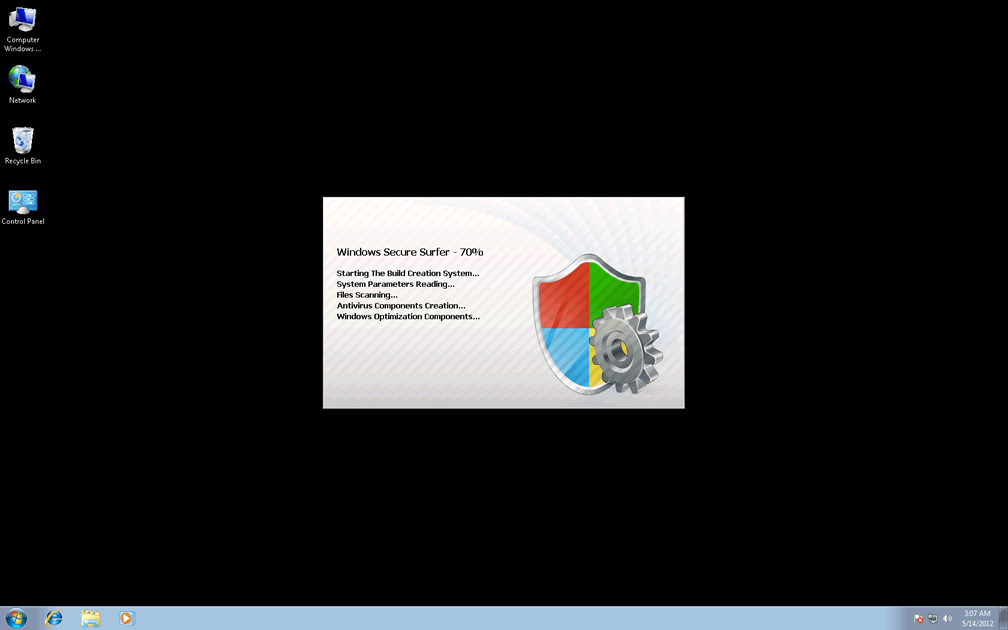
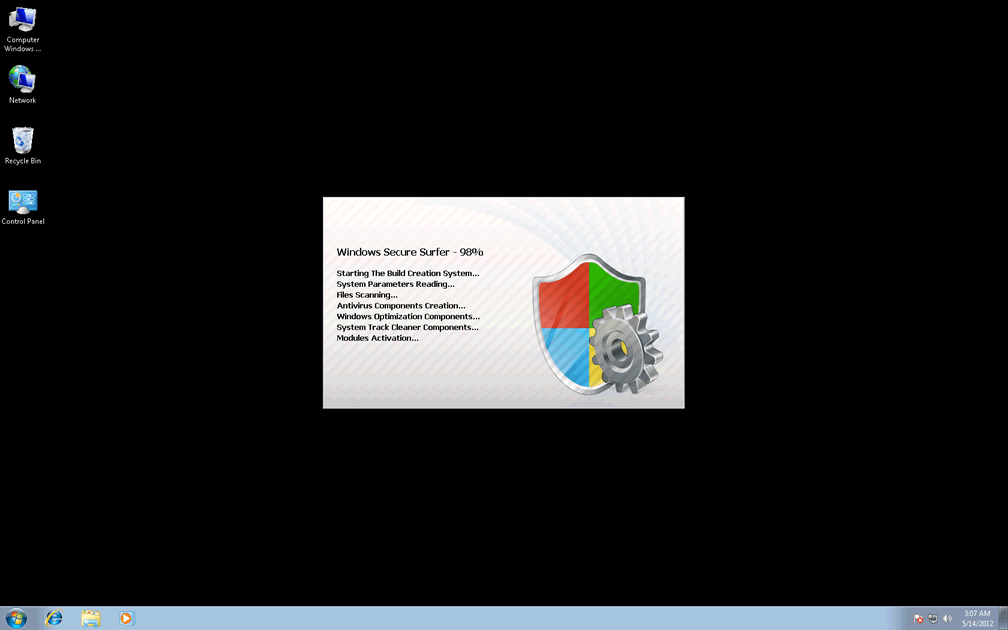
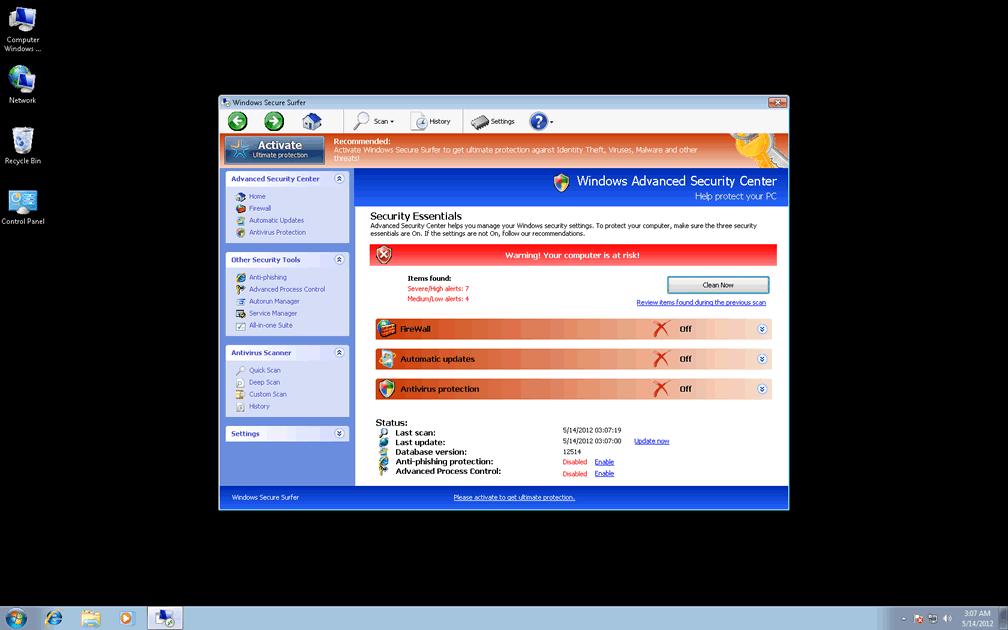
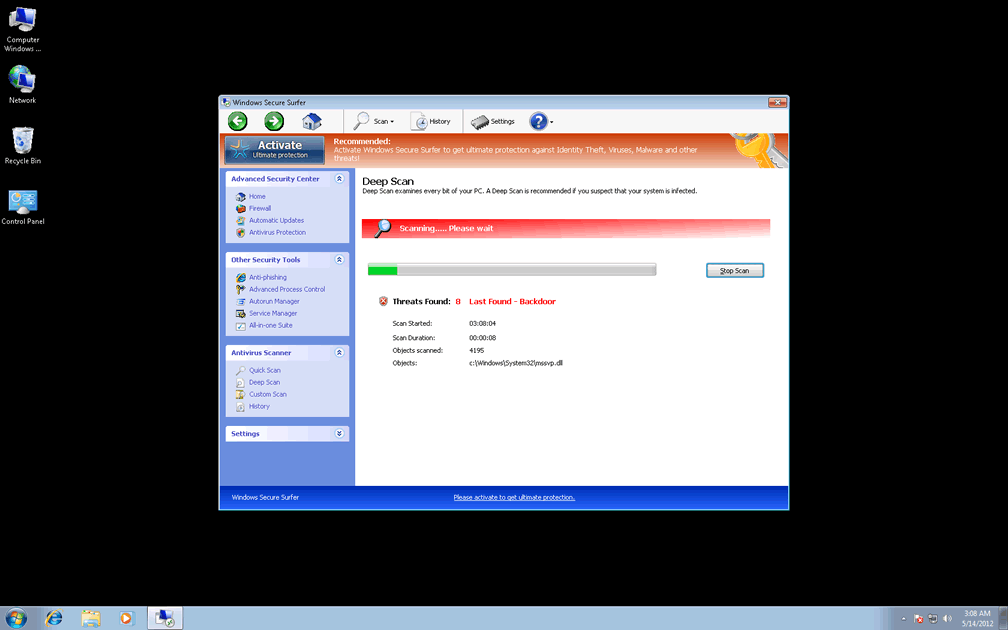
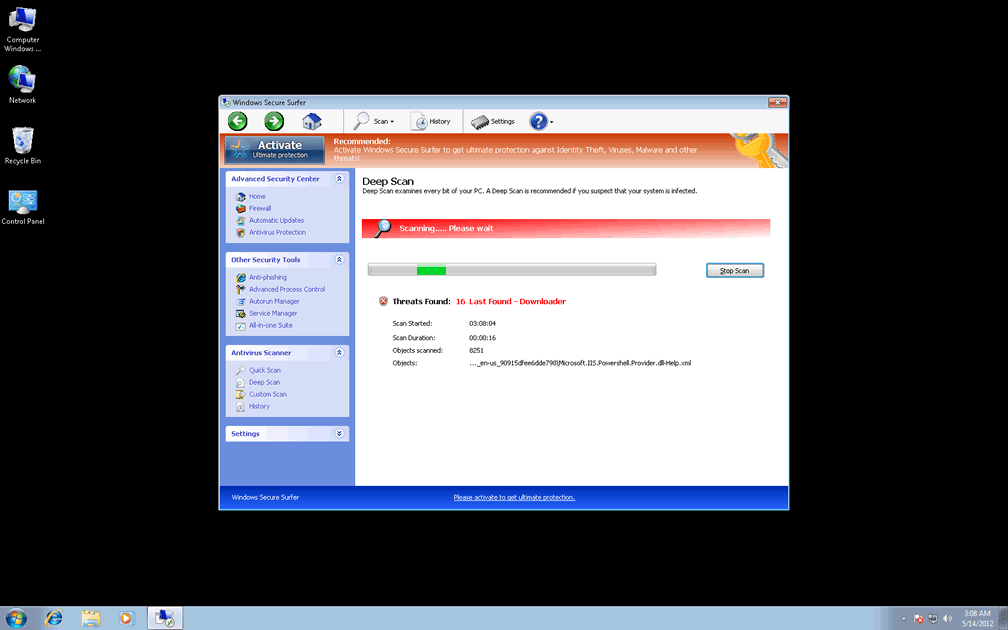
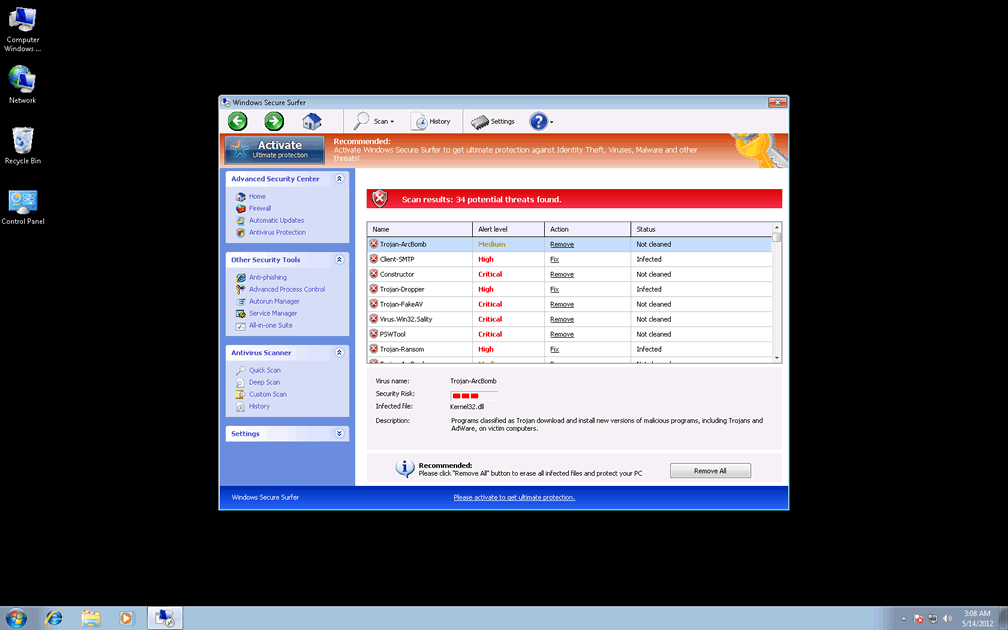
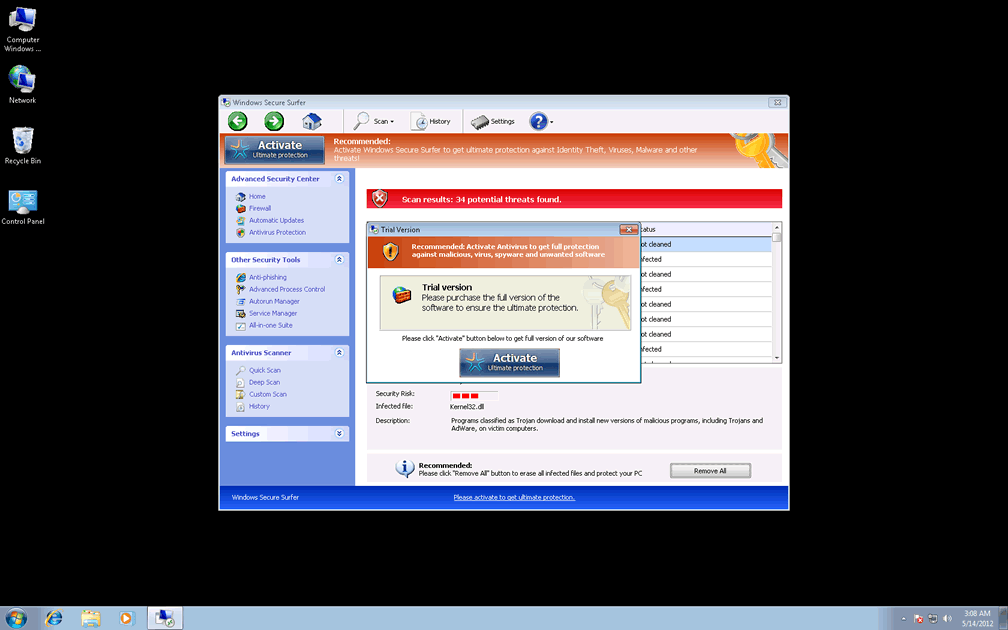
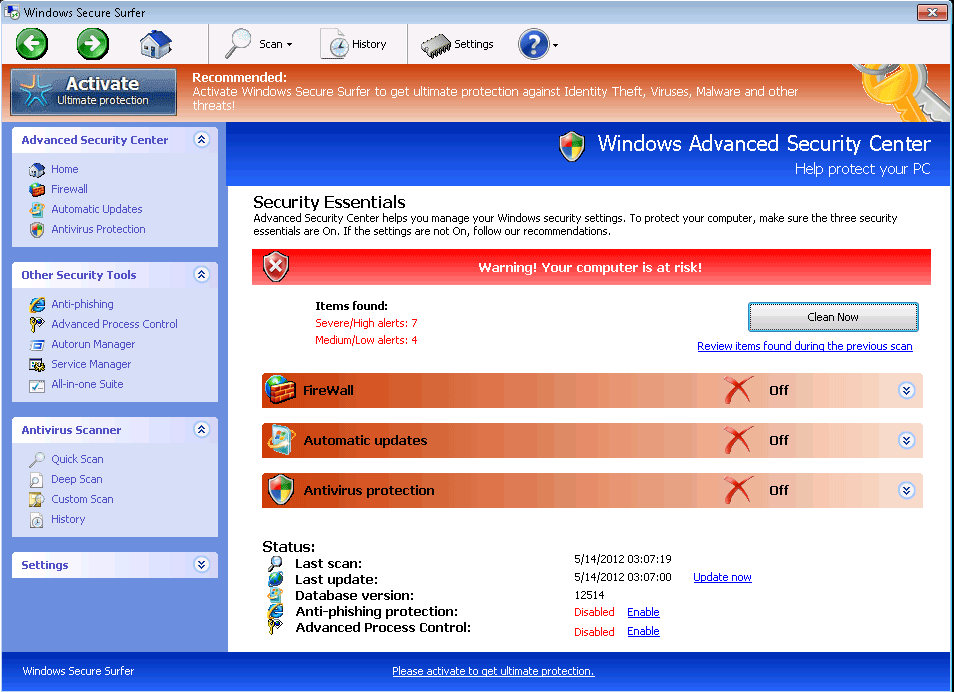 Windows Secure Surfer is a new variant of Win32/FakeVimes (also known as Rogue.FakeVimes), a group of rogue anti-spyware programs that display fraudulent security info alongside attacks against your computer's real security features. Because a Windows Secure Surfer infection can include such functions as browser redirects to malicious sites or attempts to block your security software, SpywareRemove.com malware researchers suggest removing Windows Secure Surfer immediately and with an appropriate choice of anti-malware software. Until you've deleted Windows Secure Surfer, your PC will also be forced to sit through system scans with fake results and a wide range of fake popup alerts that should all be ignored as parts of Windows Secure Surfer's clumsy and deceitful self-marketing campaign.
Riding Windows Secure Surfer's Waves Right to Deceit, Theft and Loss of Personal Information
Windows Secure Surfer, like every other member of its family, may look like an anti-spyware scanner with a whole parcel's worth of extra security features, but Windows Secure Surfer's real ability to find or remove PC threats is utterly nonexistent. To cover up for this deficiency, Windows Secure Surfer displays constant popup warnings about various attacks (such as identity theft or unauthorized network activity), along with fake infection alerts that identify PC threats that aren't on your hard drive. SpywareRemove.com malware analysts, of course, suggest ignoring all of the above, and focusing on finding a way to remove Windows Secure Surfer safely – preferably with legitimate anti-malware software.
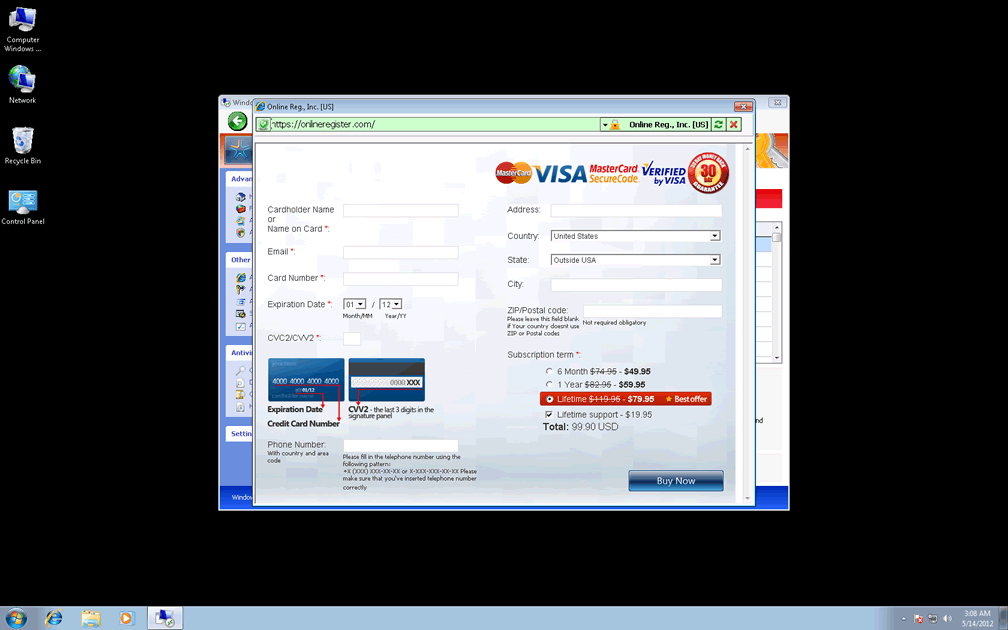
Similar precautions also apply to rogue anti-spyware products that are clones of Windows Secure Surfer, such as Privacy Guard Pro, Extra Antivirus, Fast Antivirus 2009, Presto TuneUp, Windows Security Suite, Smart Virus Eliminator, Packed.Generic.245, Volcano Security Suite, Windows Enterprise Suite, Enterprise Suite, Additional Guard, Live PC Care, PC Live Guard, Live Enterprise Suite, Security Antivirus, My Security Wall, CleanUp Antivirus, Smart Security and PrivacyGuard Pro 2.0. If Windows Secure Surfer or a relative of infects your PC, you may find it convenient to fake registration with the FakeVimes family code '0W000-000B0-00T00-E0020.' While this fake registration can cause some of Windows Secure Surfer's attacks to be mitigated, you shouldn't attempt to purchase a 'real' registration code for Windows Secure Surfer, which will put your money and sensitive data in criminal possession.
How Being Lazy About Kicking Windows Secure Surfer Off of Your Ride Can Come Back to Haunt You
Without a doubt, the definitive characteristics of a Windows Secure Surfer infection are its fake security displays. However, SpywareRemove.com malware analysts have also found reasons to warn, in particular, about other security-related attacks that Windows Secure Surfer and its family have been known to launch. Some typical FakeVimes-based attacks can also extend to:
- Launching Windows Secure Surfer without your consent and keeping it open even after you try to close it.
- Blocking your real security programs, along with Windows utilities like Task Manager or the Registry Editor.
- Disabled Windows security functions, notably including the UAC.
- Redirecting your browser, particularly during online searches.
Aliases
Technical Details
File System Modifications
Tutorials: If you wish to learn how to remove malware components manually, you can read the tutorials on how to find malware, kill unwanted processes, remove malicious DLLs and delete other harmful files. Always be sure to back up your PC before making any changes.
The following files were created in the system:%APPDATA%\Protector-lmsj.exe
File name: Protector-lmsj.exeSize: 2.36 MB (2361856 bytes)
MD5: 19e8b88e36599bd658144a35f40032a2
Detection count: 93
File type: Executable File
Mime Type: unknown/exe
Path: %APPDATA%
Group: Malware file
Last Updated: May 14, 2012
%APPDATA%\Protector-ynmo.exe
File name: Protector-ynmo.exeSize: 1.93 MB (1933824 bytes)
MD5: 59479eeb90e7b3837f4b280d83a718f2
Detection count: 39
File type: Executable File
Mime Type: unknown/exe
Path: %APPDATA%
Group: Malware file
Last Updated: August 30, 2012
%APPDATA%\Protector-nqtk.exe
File name: Protector-nqtk.exeSize: 2.2 MB (2209792 bytes)
MD5: 7002bf2c7805b903261a03e863aa3db7
Detection count: 15
File type: Executable File
Mime Type: unknown/exe
Path: %APPDATA%
Group: Malware file
Last Updated: May 14, 2012
%APPDATA%\Protector-cubv.exe
File name: Protector-cubv.exeSize: 2.28 MB (2280960 bytes)
MD5: 6c9b169944da72ab4baa95e1bd7b1b9c
Detection count: 10
File type: Executable File
Mime Type: unknown/exe
Path: %APPDATA%
Group: Malware file
Last Updated: August 30, 2012
C:\rogueware samples\WintionalityChecker samples\Protector-bprl.exe
File name: Protector-bprl.exeSize: 2.23 MB (2232320 bytes)
MD5: 536e60a0eaaa1f73b812579d9f6032ed
Detection count: 7
File type: Executable File
Mime Type: unknown/exe
Path: C:\rogueware samples\WintionalityChecker samples\Protector-bprl.exe
Group: Malware file
Last Updated: May 6, 2024
%AppData%\NPSWF32.dll
File name: %AppData%\NPSWF32.dllFile type: Dynamic link library
Mime Type: unknown/dll
Group: Malware file
%AppData%\Protector-[RANDOM 3 CHARACTERS].exe
File name: %AppData%\Protector-[RANDOM 3 CHARACTERS].exeFile type: Executable File
Mime Type: unknown/exe
Group: Malware file
%AppData%\Protector-[RANDOM 4 CHARACTERS].exe
File name: %AppData%\Protector-[RANDOM 4 CHARACTERS].exeFile type: Executable File
Mime Type: unknown/exe
Group: Malware file
%AppData%\result.db
File name: %AppData%\result.dbMime Type: unknown/db
Group: Malware file
Registry Modifications
HKEY..\..\{Value}HKEY_CURRENT_USER\Software\Microsoft\Windows\CurrentVersion\Internet Settings "WarnOnHTTPSToHTTPRedirect" = 0HKEY_CURRENT_USER\Software\Microsoft\Windows\CurrentVersion\Policies\System "DisableRegedit" = 0HKEY_CURRENT_USER\Software\Microsoft\Windows\CurrentVersion\Policies\System "DisableRegistryTools" = 0HKEY_CURRENT_USER\Software\Microsoft\Windows\CurrentVersion\Policies\System "DisableTaskMgr" = 0HKEY_CURRENT_USER\Software\Microsoft\Windows\CurrentVersion\Settings "net" = "2012-5-13_4"HKEY_CURRENT_USER\Software\Microsoft\Windows\CurrentVersion\Settings "UID" = "hspbkebjqj"HKEY_LOCAL_MACHINE\SOFTWARE\Microsoft\Windows\CurrentVersion\policies\system "ConsentPromptBehaviorAdmin" = 0HKEY_LOCAL_MACHINE\SOFTWARE\Microsoft\Windows\CurrentVersion\policies\system "ConsentPromptBehaviorUser" = 0HKEY_LOCAL_MACHINE\SOFTWARE\Microsoft\Windows\CurrentVersion\policies\system "EnableLUA" = 0HKEY..\..\..\..{Subkeys}HKEY_CURRENT_USER\Software\ASProtectHKEY_LOCAL_MACHINE\SOFTWARE\Microsoft\Windows NT\CurrentVersion\Image File Execution Options\cmdagent.exeHKEY_LOCAL_MACHINE\SOFTWARE\Microsoft\Windows NT\CurrentVersion\Image File Execution Options\gator.exeHKEY_LOCAL_MACHINE\SOFTWARE\Microsoft\Windows NT\CurrentVersion\Image File Execution Options\AlphaAV.exeHKEY_LOCAL_MACHINE\SOFTWARE\Microsoft\Windows NT\CurrentVersion\Image File Execution Options\avkwctl9.exeHKEY_LOCAL_MACHINE\SOFTWARE\Microsoft\Windows NT\CurrentVersion\Image File Execution Options\nod32.exeHKEY_LOCAL_MACHINE\SOFTWARE\Microsoft\Windows NT\CurrentVersion\Image File Execution Options\outpost.exeHKEY_LOCAL_MACHINE\SOFTWARE\Microsoft\Windows NT\CurrentVersion\Image File Execution Options\ozn695m5.exeHKEY_LOCAL_MACHINE\SOFTWARE\Microsoft\Windows NT\CurrentVersion\Image File Execution Options\padmin.exeHKEY_LOCAL_MACHINE\SOFTWARE\Microsoft\Windows NT\CurrentVersion\Image File Execution Options\normist.exeHKEY_LOCAL_MACHINE\SOFTWARE\Microsoft\Windows NT\CurrentVersion\Image File Execution Options\otfix.exeHKEY_LOCAL_MACHINE\SOFTWARE\Microsoft\Windows NT\CurrentVersion\Image File Execution Options\prmt.exeHKEY_LOCAL_MACHINE\SOFTWARE\Microsoft\Windows NT\CurrentVersion\Image File Execution Options\vsched.exeHKEY_LOCAL_MACHINE\SOFTWARE\Microsoft\Windows NT\CurrentVersion\Image File Execution Options\panixk.exeHKEY_LOCAL_MACHINE\SOFTWARE\Microsoft\Windows NT\CurrentVersion\Image File Execution Options\patch.exeHKEY_LOCAL_MACHINE\SOFTWARE\Microsoft\Windows NT\CurrentVersion\Image File Execution Options\MalwareRemoval.exeHKEY_LOCAL_MACHINE\SOFTWARE\Microsoft\Windows NT\CurrentVersion\Image File Execution Options\prizesurfer.exeHKEY_LOCAL_MACHINE\SOFTWARE\Microsoft\..{RunKeys}HKEY_CURRENT_USER\Software\Microsoft\Windows\CurrentVersion\Run "Inspector"
Additional Information
| # | Message |
|---|---|
| 1 | Error
Attempt to modify Registry key entries detected. Registry entry analysis recommended. |
| 2 | Error
Trojan activity detected. System data security is at risk. It is recommended to activate protection and run a full system scan. |
| 3 | Warning
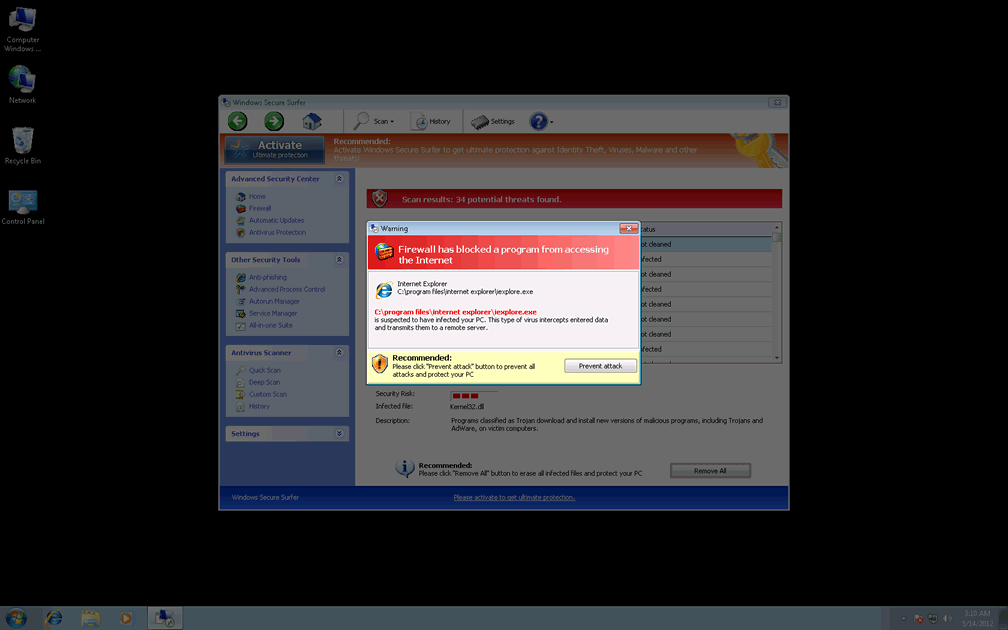
Firewall has blocked a program from accessing the Internet C:\program files\internet explorer\iexplore.exe is suspected to have infected your PC. This type of virus intercepts entered data and transmits them to a remote server. |
Leave a Reply
Please note that we are not able to assist with billing and support issues regarding SpyHunter or other products. If you're having issues with SpyHunter, please get in touch with SpyHunter customer support through your SpyHunter . If you have SpyHunter billing questions, we recommend you check the Billing FAQ. For general suggestions or feedback, contact us.