Windows Virus Hunter
Posted: July 4, 2012
Threat Metric
The following fields listed on the Threat Meter containing a specific value, are explained in detail below:
Threat Level: The threat level scale goes from 1 to 10 where 10 is the highest level of severity and 1 is the lowest level of severity. Each specific level is relative to the threat's consistent assessed behaviors collected from SpyHunter's risk assessment model.
Detection Count: The collective number of confirmed and suspected cases of a particular malware threat. The detection count is calculated from infected PCs retrieved from diagnostic and scan log reports generated by SpyHunter.
Volume Count: Similar to the detection count, the Volume Count is specifically based on the number of confirmed and suspected threats infecting systems on a daily basis. High volume counts usually represent a popular threat but may or may not have infected a large number of systems. High detection count threats could lay dormant and have a low volume count. Criteria for Volume Count is relative to a daily detection count.
Trend Path: The Trend Path, utilizing an up arrow, down arrow or equal symbol, represents the level of recent movement of a particular threat. Up arrows represent an increase, down arrows represent a decline and the equal symbol represent no change to a threat's recent movement.
% Impact (Last 7 Days): This demonstrates a 7-day period change in the frequency of a malware threat infecting PCs. The percentage impact correlates directly to the current Trend Path to determine a rise or decline in the percentage.
| Threat Level: | 10/10 |
|---|---|
| Infected PCs: | 9 |
| First Seen: | July 4, 2012 |
|---|---|
| Last Seen: | January 8, 2020 |
| OS(es) Affected: | Windows |
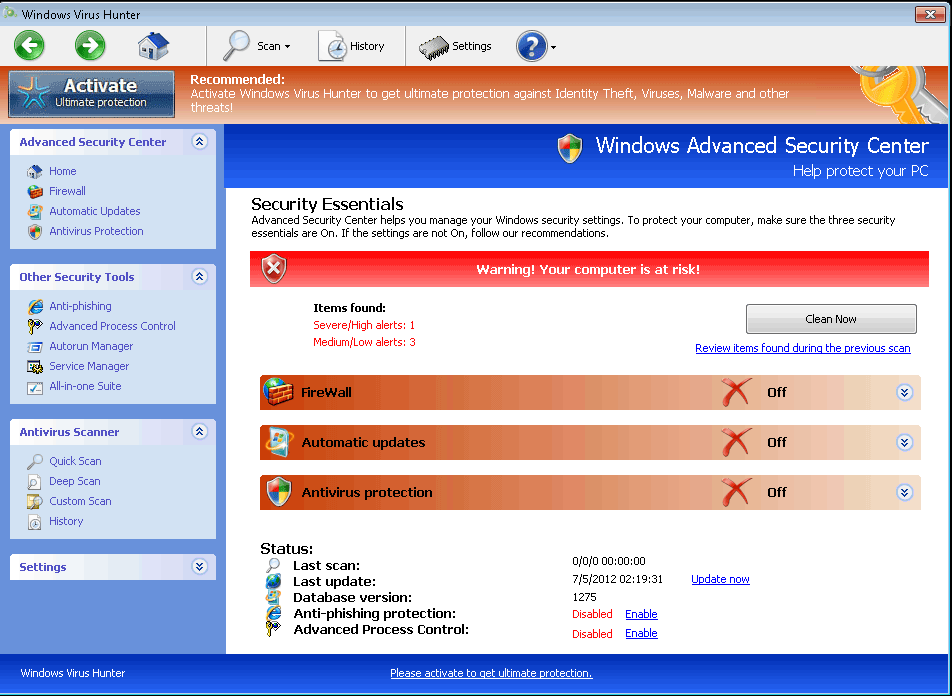 The colorfully aggressive brand name that Windows Virus Hunter uses is a clue to its real intentions – while Windows Virus Hunter is, indeed, a virtual hunter, the prey that Windows Virus Hunter is after is your wallet. A recruit for the well-known rogue anti-malware product family that's label FakeVimes, Windows Virus Hunter pretends to be able to disinfect viruses and other PC threats, but SpywareRemove.com malware analysts have verified Windows Virus Hunter's security software status as fraudulent. Notwithstanding Windows Virus Hunter's problems with providing accurate security information, very real functions that may be included in any Windows Virus Hunter infection can consist of browser hijacks, disabled security applications and even altered Windows security settings. Routine removal of Windows Virus Hunter should use anti-malware scanners whenever practical, since Windows Virus Hunter's installation is likely to have been facilitated by other PC threats that may or may not exhibit their own symptoms.
Windows Virus Hunter Has Declared Open Season on Your Computer
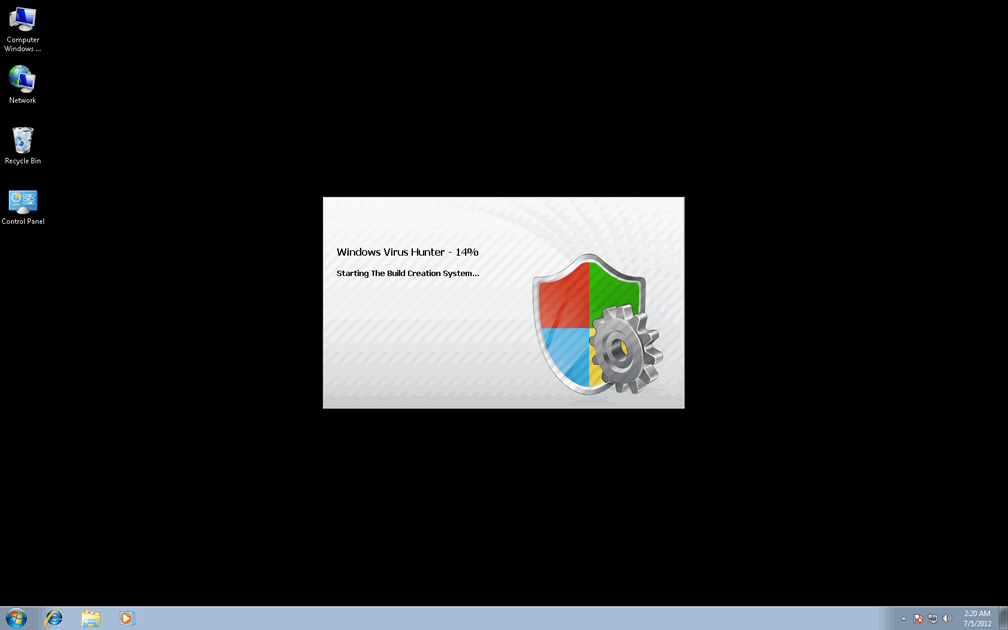
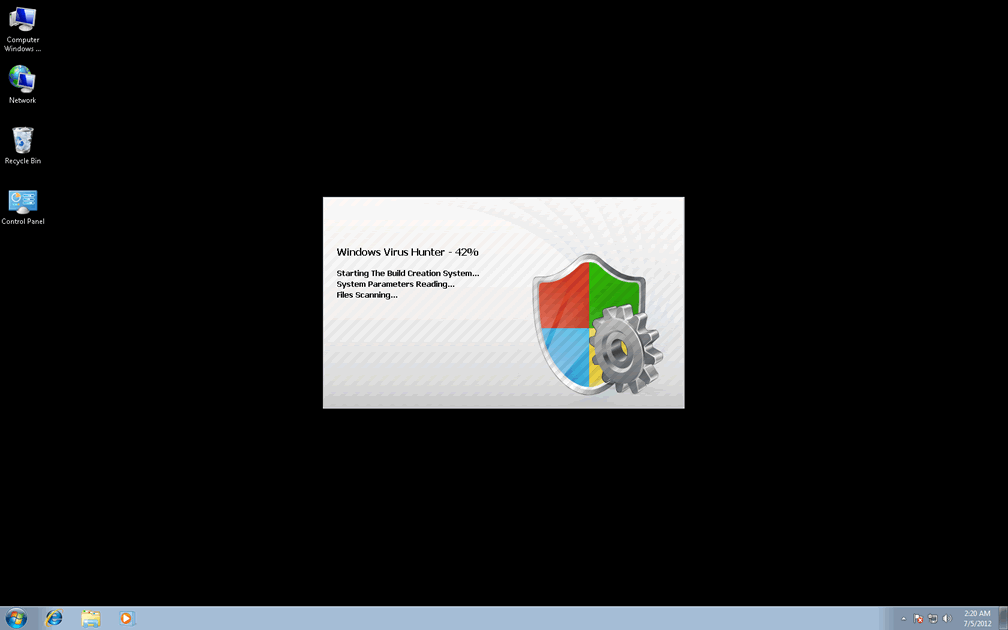
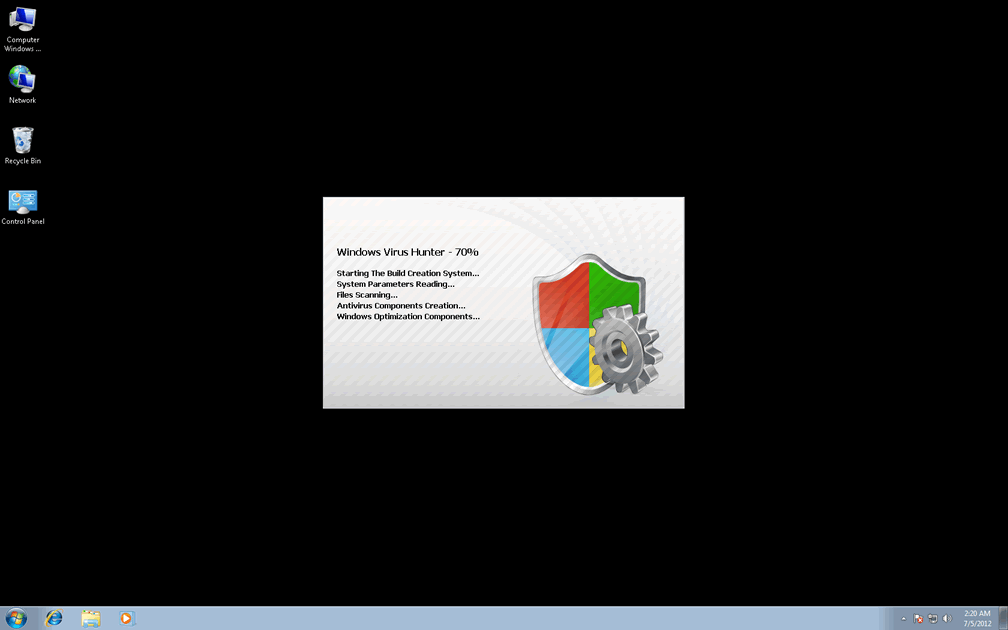
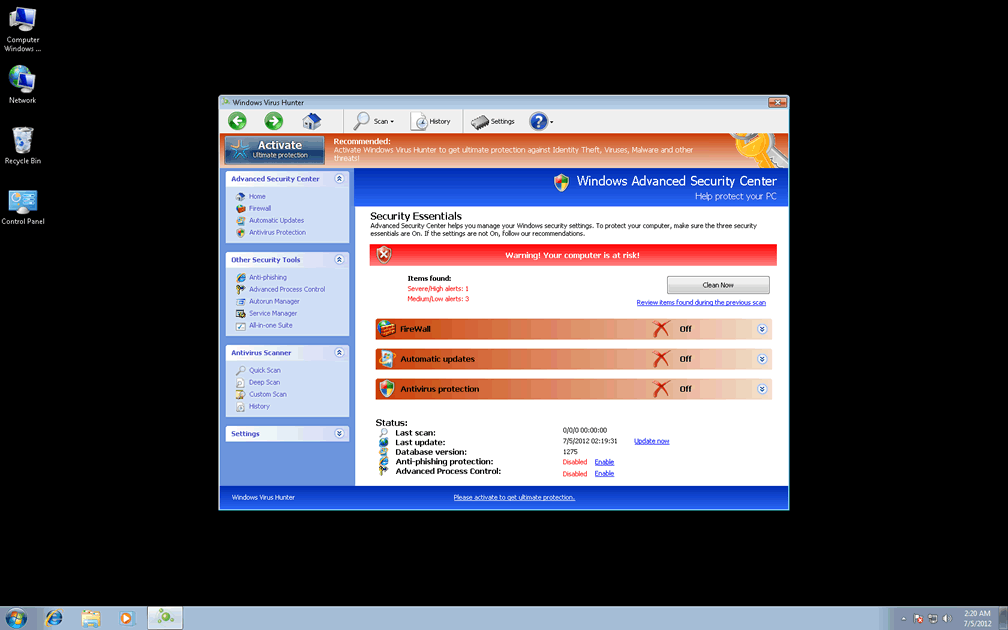
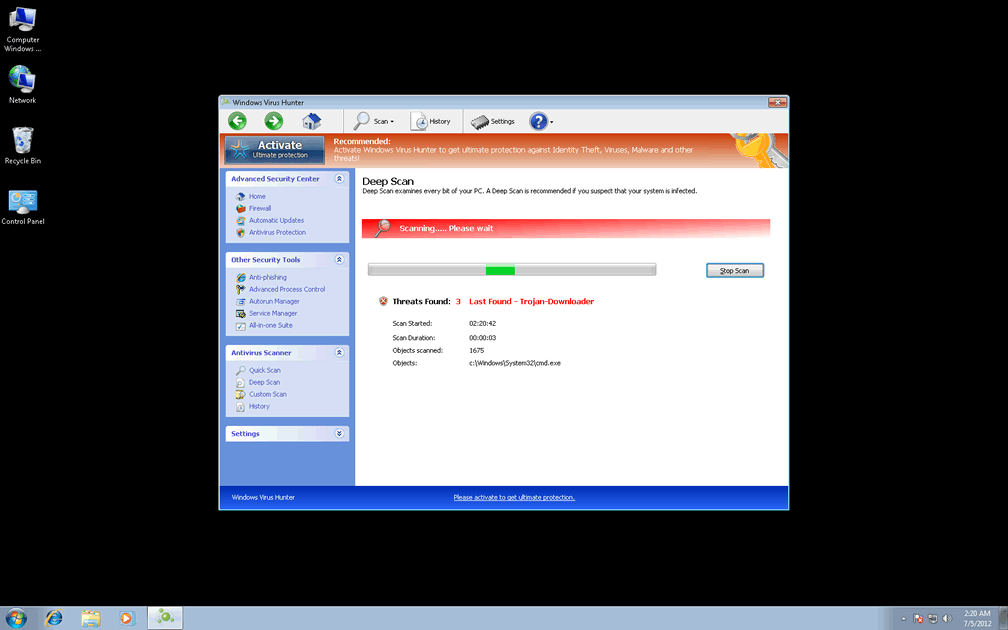
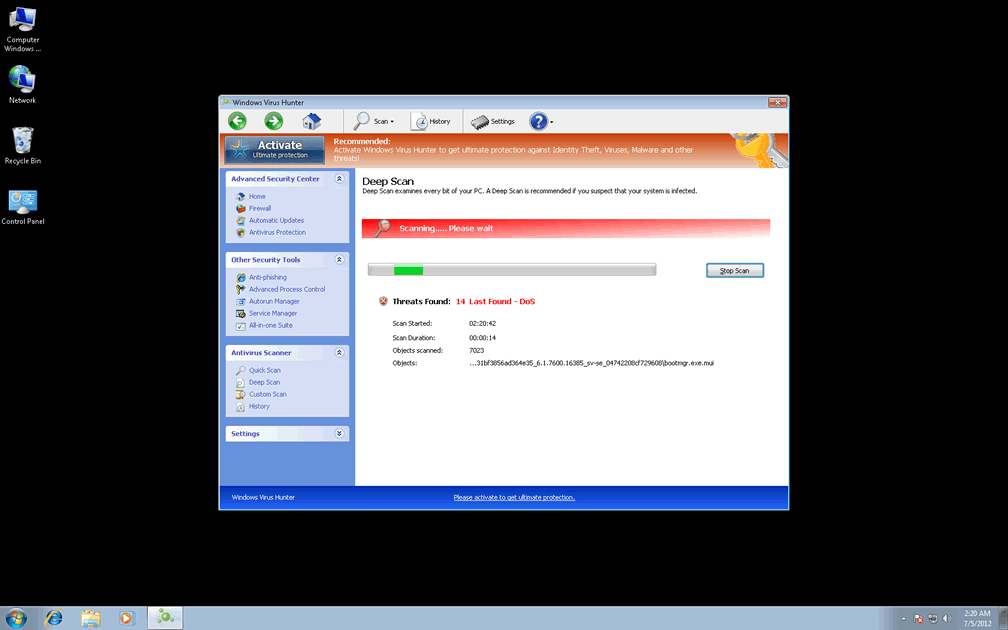
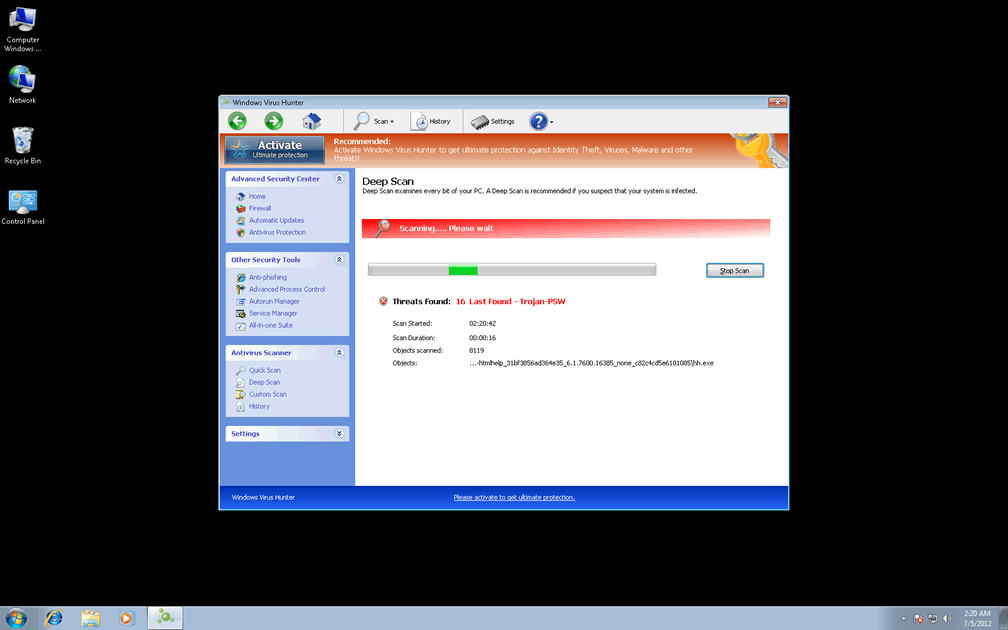
Windows Virus Hunter is one of the newer entrants into the FakeVimes family of fake anti-malware programs, and like its many relatives, Windows Virus Hunter holds the appearance but not the real features of a PC security product. The easiest-to-detect symptoms of a Windows Virus Hunter infection include the fake pop-up warnings and scans that Windows Virus Hunter displays when your system starts up, and Windows Virus Hunter will continue to produce fraudulent alerts at other opportunities (such as if you attempt to set up a program that Windows Virus Hunter doesn't want you to access). These attacks, along with characteristic FakeVimes traits like the fake 'Advanced Process Control' feature, are shared between Windows Virus Hunter and its kin like Privacy Guard Pro, Extra Antivirus, Fast Antivirus 2009, Presto TuneUp, Windows Security Suite, Smart Virus Eliminator, Packed.Generic.245, Volcano Security Suite, Windows Enterprise Suite, Enterprise Suite, Additional Guard, Live PC Care, PC Live Guard, Live Enterprise Suite, Security Antivirus, My Security Wall, CleanUp Antivirus, Smart Security and PrivacyGuard Pro 2.0.
Other side effects of a Windows Virus Hunter infection that may not be as obvious in origin as the ones noted above have also been noted by SpywareRemove.com malware researchers, as delineated below:
- Redirects to disreputable, unusual or malicious sites. Browser redirects and similar attacks may alter your search results, hijack your homepage or expose you to drive-by-download exploits that can put your PC at risk.
- Security and anti-malware programs that are disabled by Windows Virus Hunter, with or without fake pop-up alerts. Preferred targets for Windows Virus Hunter and other FakeVimes-based scamware programs include the Windows UAC, Task Manager, anti-virus scanners and firewall utilities.
- System settings that are changed to hamper your PC's security. Windows Virus Hunter may disable portions of your Windows Firewall or turn off security features that protect your PC from malicious files.
Sparing Your Funds from Windows Virus Hunter's Depredations
Because Windows Virus Hunter's modest goal is to trick you into spending your money on a registration key for its fake security software, you should take special care in avoiding software registration or purchase requests from both Windows Virus Hunter and websites that are associated with Windows Virus Hunter's browser redirect attacks. Deleting Windows Virus Hunter is the first step to truly taking your PC back from all malicious software, even if you're required to take additional steps to assist your anti-malware software with the process.
Windows Virus Hunter, like all FakeVimes-based scamware, does change Windows components without your permission, and this can damage your operating system if you remove these changes in an improper way. Due to this risk and the simple fact that Windows Virus Hunter will resist its own uninstallation, SpywareRemove.com malware researchers don't recommend that you use normal or manual techniques to delete Windows Virus Hunter if any genuine anti-malware products are available.
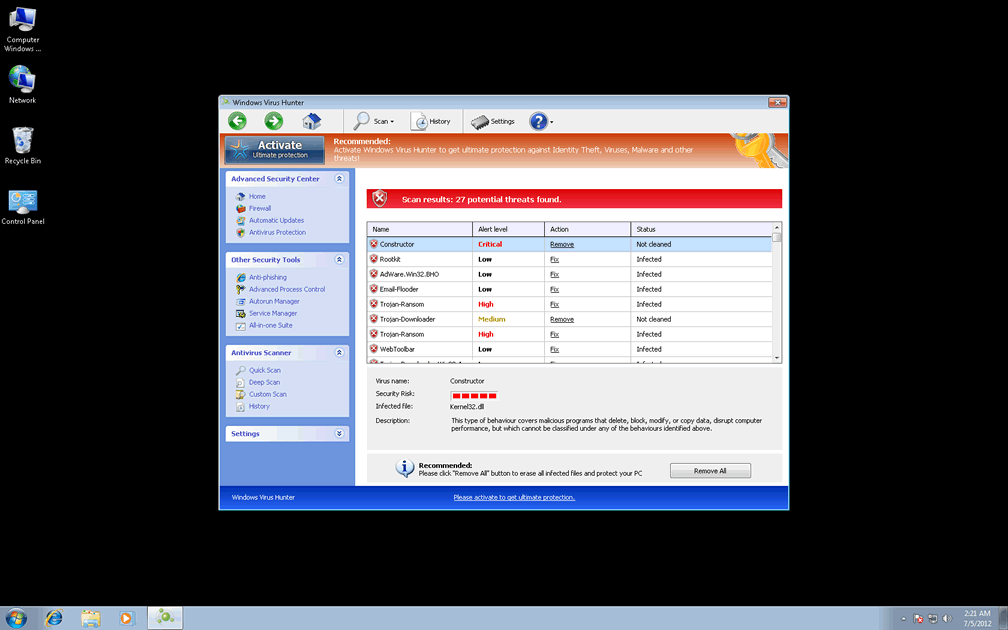
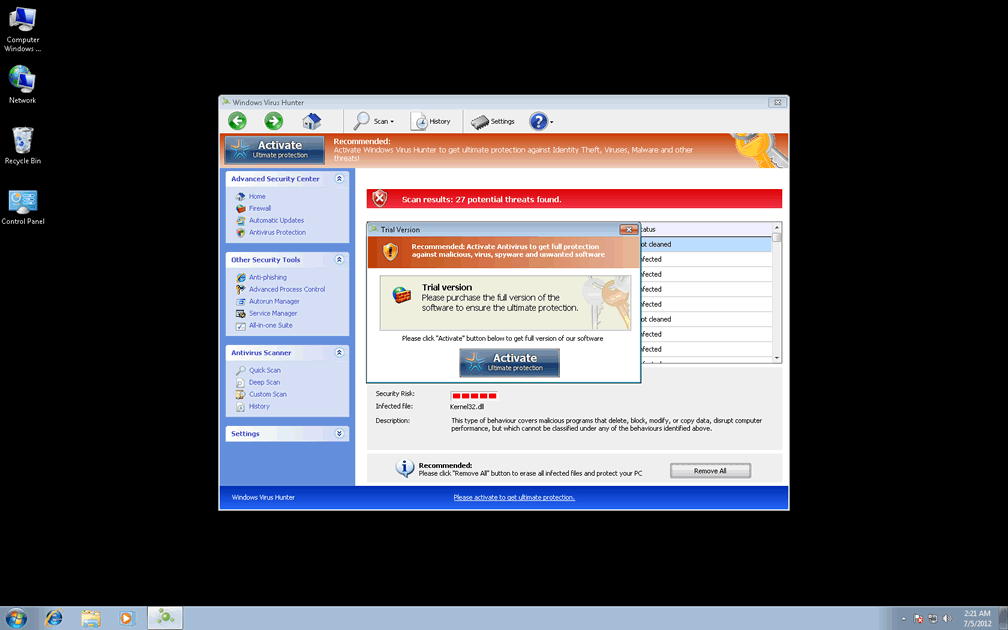
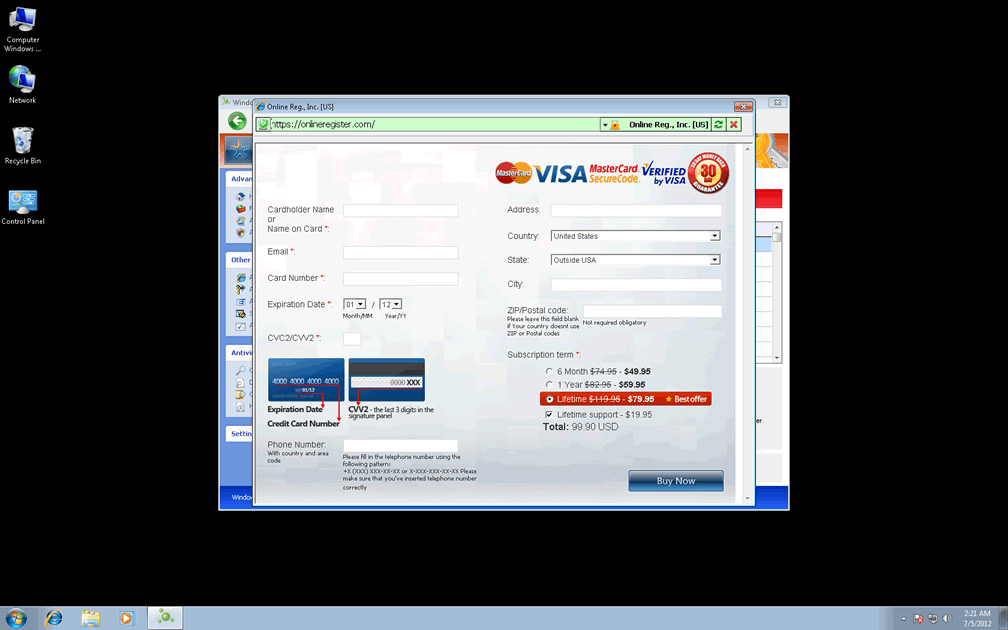
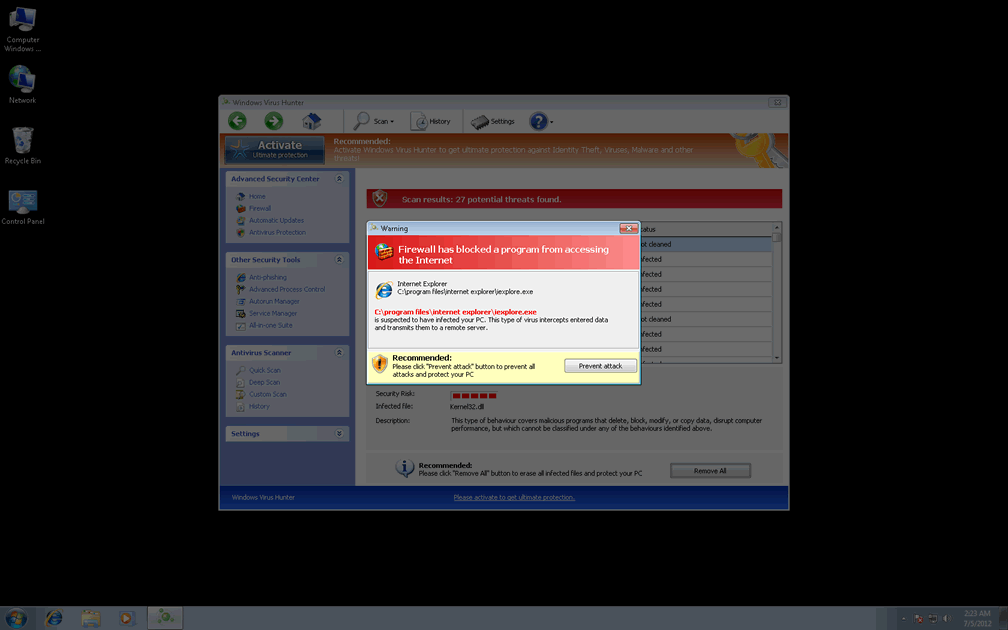
Technical Details
File System Modifications
Tutorials: If you wish to learn how to remove malware components manually, you can read the tutorials on how to find malware, kill unwanted processes, remove malicious DLLs and delete other harmful files. Always be sure to back up your PC before making any changes.
The following files were created in the system:%APPDATA%\Protector-rmgh.exe
File name: Protector-rmgh.exeSize: 1.81 MB (1817600 bytes)
MD5: f07d2f5146f1f2eed87620e7f0d37d55
Detection count: 61
File type: Executable File
Mime Type: unknown/exe
Path: %APPDATA%
Group: Malware file
Last Updated: January 8, 2020
%AppData%\1st$0l3th1s.cnf
File name: %AppData%\1st$0l3th1s.cnfMime Type: unknown/cnf
Group: Malware file
%AppData%\Microsoft\Internet Explorer\Quick Launch\Windows Virus Hunter.lnk
File name: %AppData%\Microsoft\Internet Explorer\Quick Launch\Windows Virus Hunter.lnkFile type: Shortcut
Mime Type: unknown/lnk
Group: Malware file
%AppData%\NPSWF32.dll
File name: %AppData%\NPSWF32.dllFile type: Dynamic link library
Mime Type: unknown/dll
Group: Malware file
%AppData%\result.db
File name: %AppData%\result.dbMime Type: unknown/db
Group: Malware file
%AppData%\Windows Virus Hunter\Instructions.ini
File name: %AppData%\Windows Virus Hunter\Instructions.iniMime Type: unknown/ini
Group: Malware file
%AppData%\Windows Virus Hunter\ScanDisk_.exe
File name: %AppData%\Windows Virus Hunter\ScanDisk_.exeFile type: Executable File
Mime Type: unknown/exe
Group: Malware file
%CommonAppData%\58ef5\SP98c.exe
File name: %CommonAppData%\58ef5\SP98c.exeFile type: Executable File
Mime Type: unknown/exe
Group: Malware file
%CommonAppData%\58ef5\SPT.ico
File name: %CommonAppData%\58ef5\SPT.icoMime Type: unknown/ico
Group: Malware file
%CommonAppData%\SPUPCZPDET\SPABOIJT.cfg
File name: %CommonAppData%\SPUPCZPDET\SPABOIJT.cfgMime Type: unknown/cfg
Group: Malware file
%Desktop%\Windows Virus Hunter.lnk
File name: %Desktop%\Windows Virus Hunter.lnkFile type: Shortcut
Mime Type: unknown/lnk
Group: Malware file
%Programs%\Windows Virus Hunter.lnk
File name: %Programs%\Windows Virus Hunter.lnkFile type: Shortcut
Mime Type: unknown/lnk
Group: Malware file
%StartMenu%\Windows Virus Hunter.lnk
File name: %StartMenu%\Windows Virus Hunter.lnkFile type: Shortcut
Mime Type: unknown/lnk
Group: Malware file
Protector-[RANDOM 3 CHARACTERS].exe
File name: Protector-[RANDOM 3 CHARACTERS].exeFile type: Executable File
Mime Type: unknown/exe
Group: Malware file
Protector-[RANDOM 4 CHARACTERS].exe
File name: Protector-[RANDOM 4 CHARACTERS].exeFile type: Executable File
Mime Type: unknown/exe
Group: Malware file
Registry Modifications
HKEY..\..\{CLSID Path}HKEY_LOCAL_MACHINE\SOFTWARE\Classes\CLSID\{3F2BBC05-40DF-11D2-9455-00104BC936FF}\LocalServer32HKEY_LOCAL_MACHINE\SOFTWARE\Classes\Dumped_.DocHostUIHandler\ClsidHKEY_LOCAL_MACHINE\SOFTWARE\Classes\Dumped_.DocHostUIHandler\Clsid\{3F2BBC05-40DF-11D2-9455-00104BC936FF}HKEY..\..\{Value}HKEY_CURRENT_USER\Software\Microsoft\Windows\CurrentVersion\Internet Settings "WarnOnHTTPSToHTTPRedirect" = 0HKEY_CURRENT_USER\Software\Microsoft\Windows\CurrentVersion\Policies\System "DisableRegedit" = 0HKEY_CURRENT_USER\Software\Microsoft\Windows\CurrentVersion\Policies\System "DisableRegistryTools" = 0HKEY_CURRENT_USER\Software\Microsoft\Windows\CurrentVersion\Policies\System "DisableTaskMgr" = 0HKEY_LOCAL_MACHINE\Software\Microsoft\Windows NT\CurrentVersion\Image File Execution Options\AAWTray.exe\"Debugger" = "svchost.exe"HKEY_LOCAL_MACHINE\Software\Microsoft\Windows NT\CurrentVersion\Image File Execution Options\About.exe\"Debugger" = "svchost.exe"HKEY_LOCAL_MACHINE\Software\Microsoft\Windows NT\CurrentVersion\Image File Execution Options\Ad-Aware.exe\"Debugger" = "svchost.exe"HKEY_LOCAL_MACHINE\Software\Microsoft\Windows NT\CurrentVersion\Image File Execution Options\AdwarePrj.exe\"Debugger" = "svchost.exe"HKEY_LOCAL_MACHINE\Software\Microsoft\Windows NT\CurrentVersion\Image File Execution Options\AlphaAV.exe\"Debugger" = "svchost.exe"HKEY_LOCAL_MACHINE\Software\Microsoft\Windows NT\CurrentVersion\Image File Execution Options\AlphaAV\"Debugger" = "svchost.exe"HKEY_LOCAL_MACHINE\Software\Microsoft\Windows NT\CurrentVersion\Image File Execution Options\AluSchedulerSvc.exe\"Debugger" = "svchost.exe"HKEY_LOCAL_MACHINE\Software\Microsoft\Windows NT\CurrentVersion\Image File Execution Options\AVCare.exe\"Debugger" = "svchost.exe"HKEY_LOCAL_MACHINE\Software\Microsoft\Windows NT\CurrentVersion\Image File Execution Options\AVENGINE.EXE\"Debugger" = "svchost.exe"HKEY_LOCAL_MACHINE\Software\Microsoft\Windows NT\CurrentVersion\Image File Execution Options\AVWEBGRD.EXE\"Debugger" = "svchost.exe"HKEY_LOCAL_MACHINE\SOFTWARE\Microsoft\Windows\CurrentVersion\policies\system "ConsentPromptBehaviorAdmin" = 0HKEY_LOCAL_MACHINE\SOFTWARE\Microsoft\Windows\CurrentVersion\policies\system "ConsentPromptBehaviorUser" = 0HKEY_LOCAL_MACHINE\SOFTWARE\Microsoft\Windows\CurrentVersion\policies\system "EnableLUA" = 0HKEY..\..\..\..{Subkeys}HKEY_CURRENT_USER\Software\ASProtectHKEY_LOCAL_MACHINE\SOFTWARE\Classes\CLSID\{3F2BBC05-40DF-11D2-9455-00104BC936FF}HKEY_LOCAL_MACHINE\SOFTWARE\Classes\CLSID\{3F2BBC05-40DF-11D2-9455-00104BC936FF}\Implements DocHostUIHandlerHKEY_LOCAL_MACHINE\SOFTWARE\Classes\CLSID\{3F2BBC05-40DF-11D2-9455-00104BC936FF}\LocalServer32\[UNKNOWN DIRECTORY]\[UNKNOWN FILE NAME].exeHKEY_LOCAL_MACHINE\SOFTWARE\Classes\CLSID\{3F2BBC05-40DF-11D2-9455-00104BC936FF}\ProgIDHKEY_LOCAL_MACHINE\SOFTWARE\Classes\CLSID\{3F2BBC05-40DF-11D2-9455-00104BC936FF}\ProgID\[UNKNOWN FILE NAME].DocHostUIHandlerHKEY_LOCAL_MACHINE\SOFTWARE\Classes\Dumped_.DocHostUIHandlerHKEY_LOCAL_MACHINE\SOFTWARE\Classes\Dumped_.DocHostUIHandler\Implements DocHostUIHandlerHKEY_LOCAL_MACHINE\SOFTWARE\Microsoft\Tracing\FWCFGHKEY_LOCAL_MACHINE\SOFTWARE\Microsoft\Tracing\FWCFG\ConsoleTracingMask -65536HKEY_LOCAL_MACHINE\SOFTWARE\Microsoft\Tracing\FWCFG\EnableConsoleTracing 0HKEY_LOCAL_MACHINE\SOFTWARE\Microsoft\Tracing\FWCFG\EnableFileTracing 0HKEY_LOCAL_MACHINE\SOFTWARE\Microsoft\Tracing\FWCFG\FileDirectory %windir%\tracingHKEY_LOCAL_MACHINE\SOFTWARE\Microsoft\Tracing\FWCFG\FileTracingMask -65536HKEY_LOCAL_MACHINE\SOFTWARE\Microsoft\Tracing\FWCFG\MaxFileSize 1048576HKEY_LOCAL_MACHINE\SOFTWARE\Microsoft\Windows NT\CurrentVersion\Image File Execution Options\AAWTray.exeHKEY_LOCAL_MACHINE\SOFTWARE\Microsoft\Windows NT\CurrentVersion\Image File Execution Options\About.exeHKEY_LOCAL_MACHINE\SOFTWARE\Microsoft\Windows NT\CurrentVersion\Image File Execution Options\Ad-Aware.exeHKEY_LOCAL_MACHINE\SOFTWARE\Microsoft\Windows NT\CurrentVersion\Image File Execution Options\AdwarePrj.exeHKEY_LOCAL_MACHINE\SOFTWARE\Microsoft\Windows NT\CurrentVersion\Image File Execution Options\AlphaAVHKEY_LOCAL_MACHINE\SOFTWARE\Microsoft\Windows NT\CurrentVersion\Image File Execution Options\AluSchedulerSvc.exeHKEY_LOCAL_MACHINE\SOFTWARE\Microsoft\Windows NT\CurrentVersion\Image File Execution Options\AVCare.exeHKEY_LOCAL_MACHINE\SOFTWARE\Microsoft\Windows NT\CurrentVersion\Image File Execution Options\AVENGINE.EXEHKEY_LOCAL_MACHINE\SOFTWARE\Microsoft\Windows NT\CurrentVersion\Image File Execution Options\AVWEBGRD.EXEHKEY_LOCAL_MACHINE\SOFTWARE\Microsoft\Windows NT\CurrentVersion\Image File Execution Options\avxmonitornt.exeHKEY_LOCAL_MACHINE\SOFTWARE\Microsoft\Windows NT\CurrentVersion\Image File Execution Options\iamserv.exeHKEY_LOCAL_MACHINE\SOFTWARE\Microsoft\Windows NT\CurrentVersion\Image File Execution Options\navnt.exeHKEY_LOCAL_MACHINE\SOFTWARE\Microsoft\Windows NT\CurrentVersion\Image File Execution Options\rapapp.exeHKEY_LOCAL_MACHINE\SOFTWARE\Microsoft\Windows NT\CurrentVersion\Image File Execution Options\vbwinntw.exeHKEY_LOCAL_MACHINE\SOFTWARE\Microsoft\Windows NT\CurrentVersion\Image File Execution Options\zapsetup3001.exeHKEY_LOCAL_MACHINE\SOFTWARE\Microsoft\Windows NT\CurrentVersion\Image File Execution Options\~2.exeHKEY_LOCAL_MACHINE\SOFTWARE\Microsoft\..{RunKeys}HKEY_CURRENT_USER\Software\Microsoft\Windows\CurrentVersion\Run "Inspector"HKEY_CURRENT_USER\Software\Microsoft\Windows\CurrentVersion\Run\Windows Virus Hunter "%CommonAppData%\58ef5\SP98c.exe" /s /dHKEY_LOCAL_MACHINE\Software\[APPLICATION]\Microsoft\Windows\CurrentVersion\Uninstall..{Uninstaller}HKEY_CURRENT_USER\Software\Microsoft\Windows\CurrentVersion\Uninstall\Windows Virus HunterHKEY_CURRENT_USER\Software\Microsoft\Windows\CurrentVersion\Uninstall\Windows Web Commander\DisplayIcon = [UNKNOWN DIRECTORY]\[UNKNOWN FILE NAME].exe,0HKEY_CURRENT_USER\Software\Microsoft\Windows\CurrentVersion\Uninstall\Windows Web Commander\DisplayName = Windows Malware FirewallHKEY_CURRENT_USER\Software\Microsoft\Windows\CurrentVersion\Uninstall\Windows Web Commander\DisplayVersion = 1.1.0.1010HKEY_CURRENT_USER\Software\Microsoft\Windows\CurrentVersion\Uninstall\Windows Web Commander\InstallLocation = [UNKNOWN DIRECTORY]HKEY_CURRENT_USER\Software\Microsoft\Windows\CurrentVersion\Uninstall\Windows Web Commander\UninstallString = "[UNKNOWN DIRECTORY]\[UNKNOWN FILE NAME].exe" /del
Leave a Reply
Please note that we are not able to assist with billing and support issues regarding SpyHunter or other products. If you're having issues with SpyHunter, please get in touch with SpyHunter customer support through your SpyHunter . If you have SpyHunter billing questions, we recommend you check the Billing FAQ. For general suggestions or feedback, contact us.