Windows Web Commander
Posted: July 4, 2012
Threat Metric
The following fields listed on the Threat Meter containing a specific value, are explained in detail below:
Threat Level: The threat level scale goes from 1 to 10 where 10 is the highest level of severity and 1 is the lowest level of severity. Each specific level is relative to the threat's consistent assessed behaviors collected from SpyHunter's risk assessment model.
Detection Count: The collective number of confirmed and suspected cases of a particular malware threat. The detection count is calculated from infected PCs retrieved from diagnostic and scan log reports generated by SpyHunter.
Volume Count: Similar to the detection count, the Volume Count is specifically based on the number of confirmed and suspected threats infecting systems on a daily basis. High volume counts usually represent a popular threat but may or may not have infected a large number of systems. High detection count threats could lay dormant and have a low volume count. Criteria for Volume Count is relative to a daily detection count.
Trend Path: The Trend Path, utilizing an up arrow, down arrow or equal symbol, represents the level of recent movement of a particular threat. Up arrows represent an increase, down arrows represent a decline and the equal symbol represent no change to a threat's recent movement.
% Impact (Last 7 Days): This demonstrates a 7-day period change in the frequency of a malware threat infecting PCs. The percentage impact correlates directly to the current Trend Path to determine a rise or decline in the percentage.
| Threat Level: | 10/10 |
|---|---|
| Infected PCs: | 28 |
| First Seen: | July 4, 2012 |
|---|---|
| Last Seen: | May 6, 2024 |
| OS(es) Affected: | Windows |
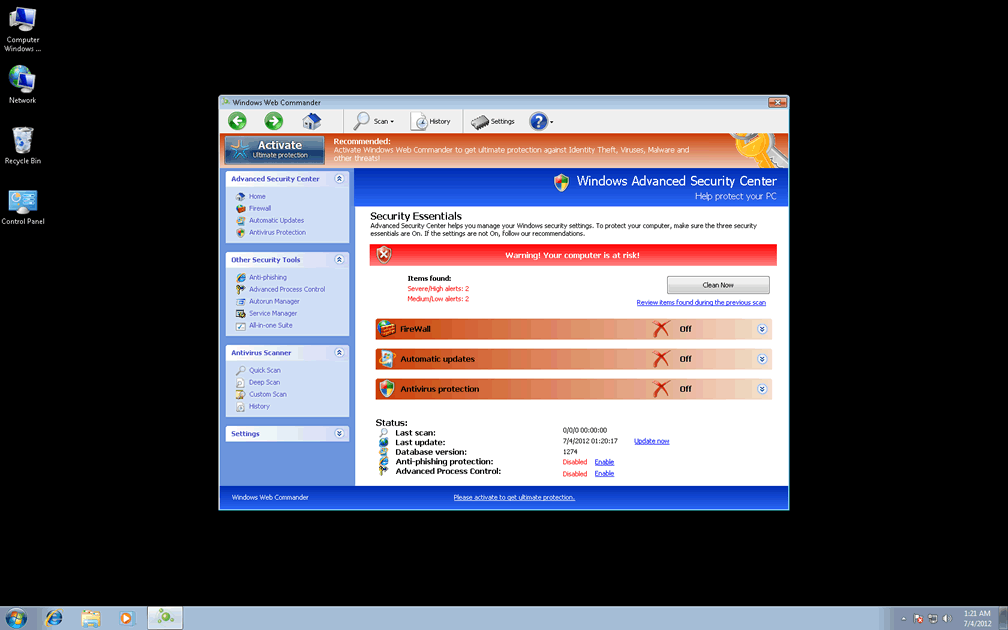
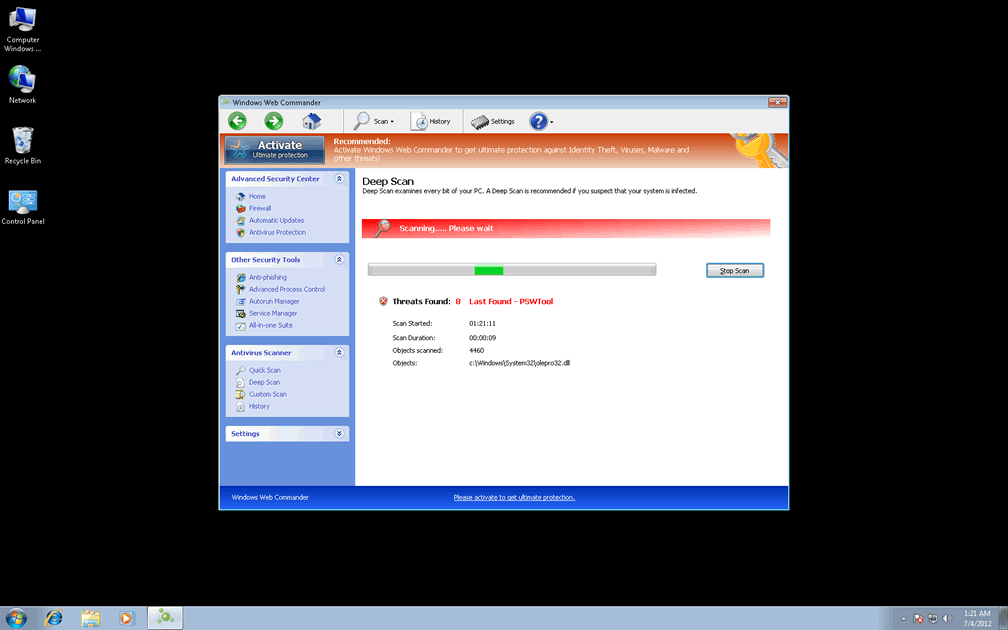
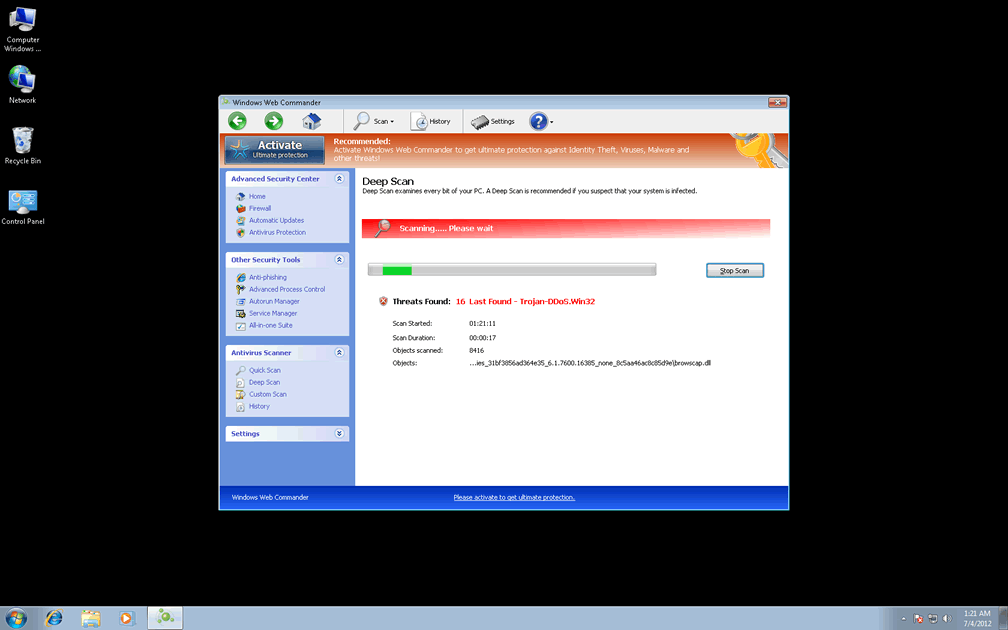
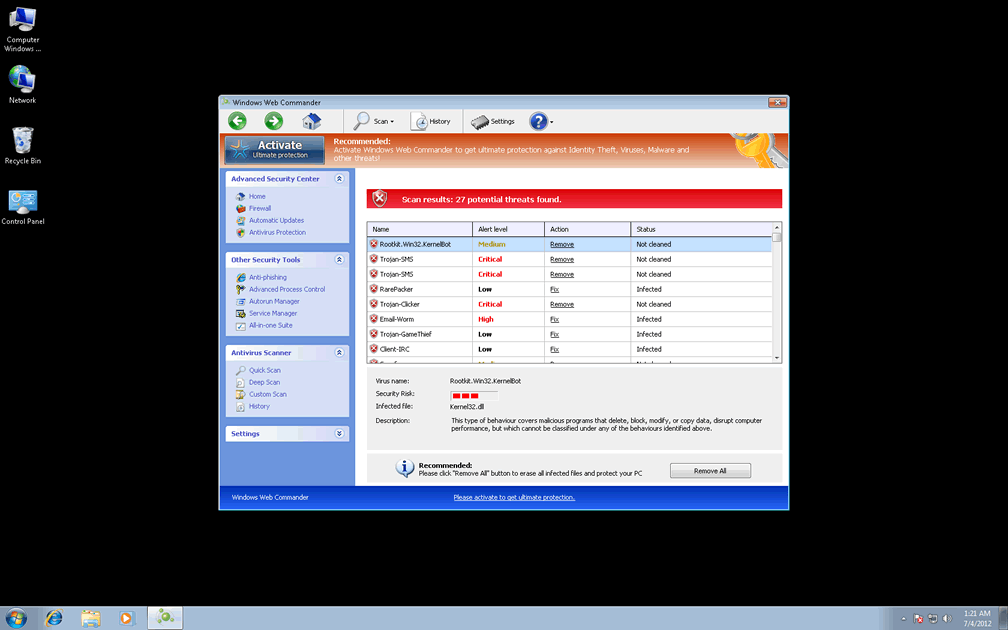
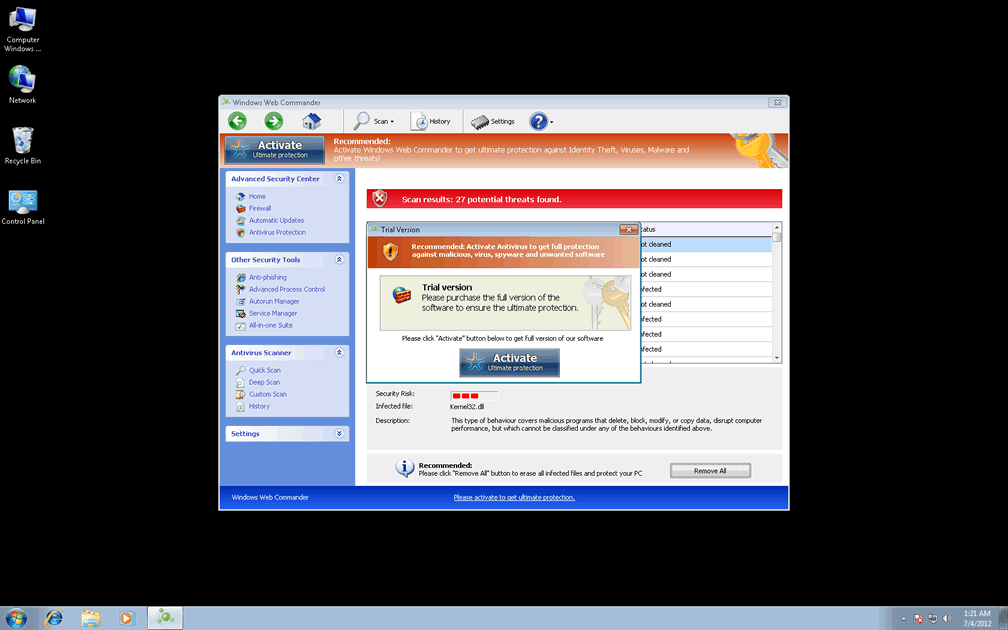
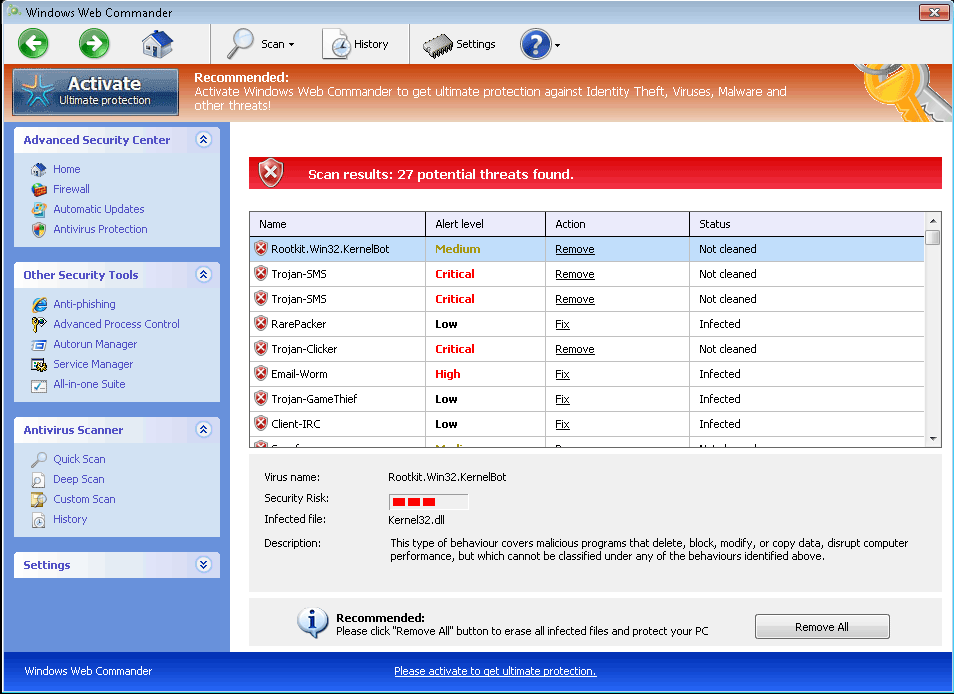 Windows Web Commander is a modest retooling of older variants of FakeVimes-based PC threats, a widespread classification of rogue anti-malware programs. While Windows Web Commander distracts you with inaccurate system scans and pop-up warnings without any basis in reality, other attacks will also be occurring that can redirect your web browser to malicious sites, reduce your security settings or even block unrelated applications. SpywareRemove.com malware researchers recommend deleting Windows Web Commander as a matter of course, although removing Windows Web Commander by any means other than using anti-malware software can allow related PC threats to remain on your hard drive.
Windows Web Commander: Leading the Charge in Fake PC Security
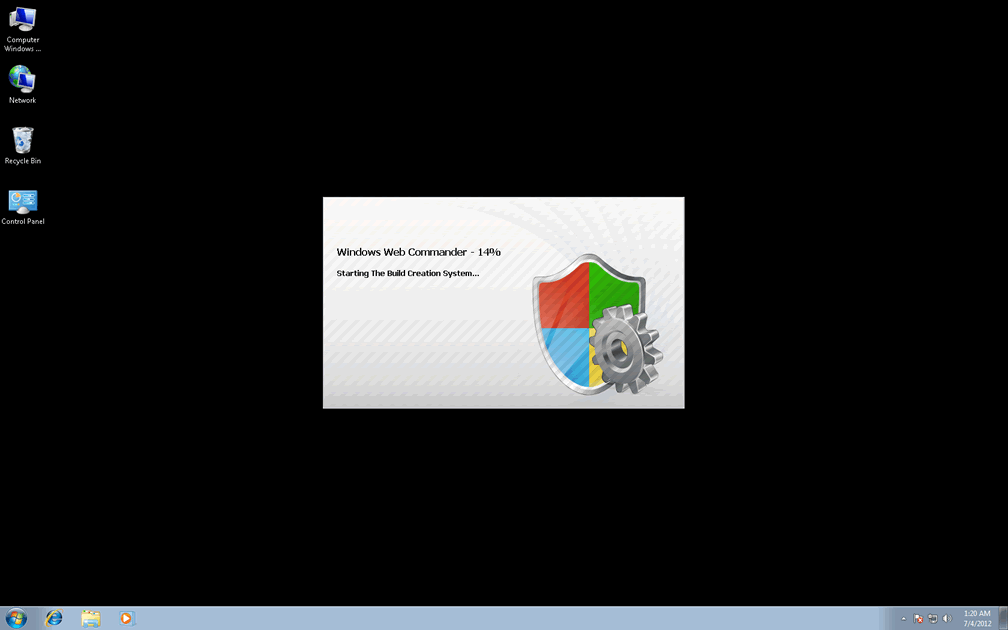
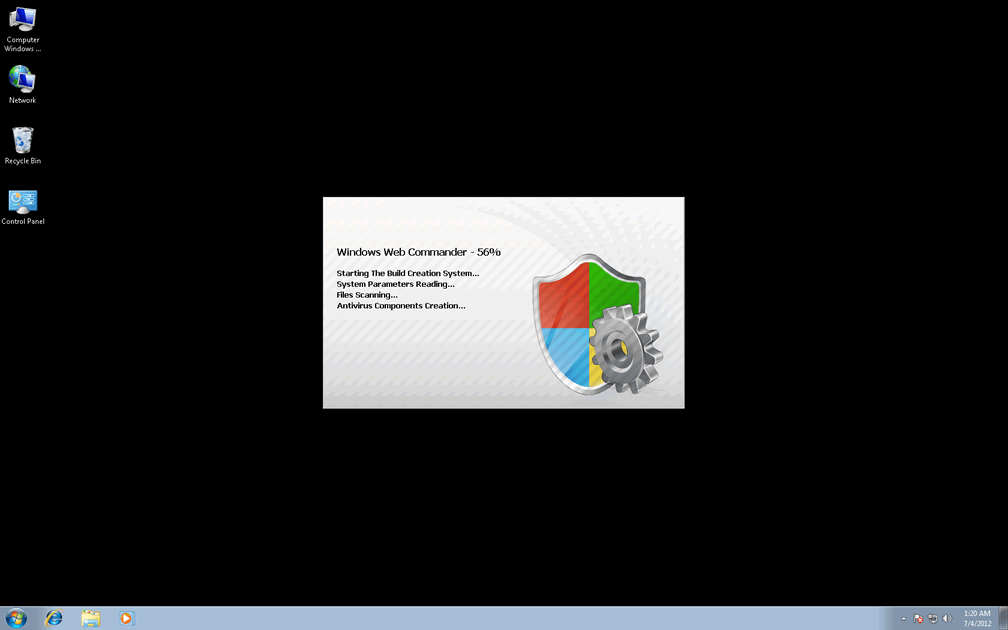
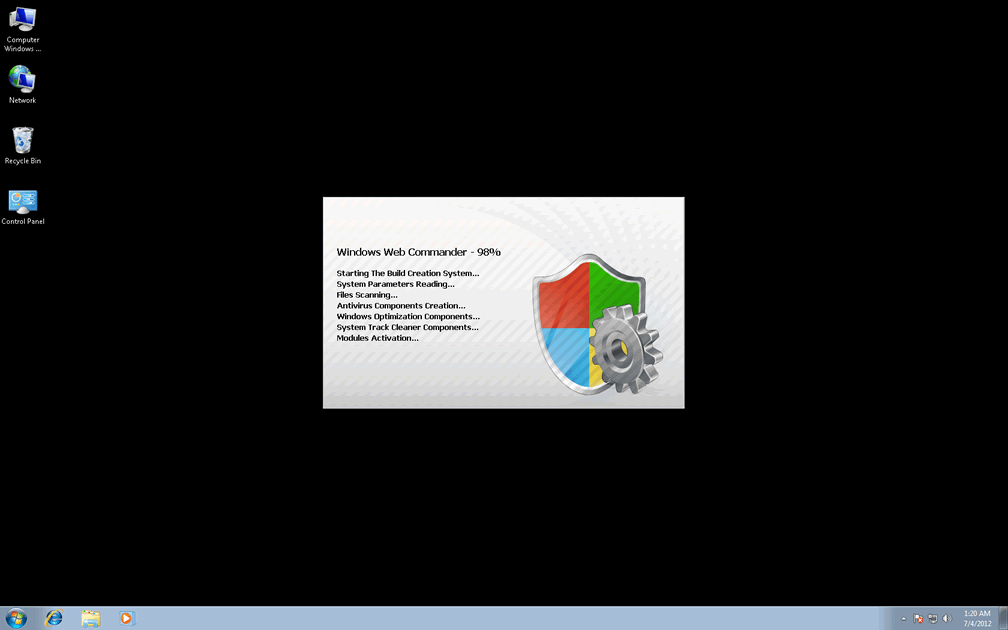
Members of FakeVimes have been in distribution for long before now, but its rotating series of brand names appears to have cycled onto Windows Web Commander as of this month. Infection by Windows Web Commander can occur as a result of visiting scamware-promoting sites that install Windows Web Commander automatically or installing software from fake online scanners. In some cases, related PC threats, such as Zlob and similar Trojans with downloaded capabilities, should be disabled (if possible) prior to attempting to remove Windows Web Commander. Trojans linked to Windows Web Commander have also been recognized to cause a loss of Internet connectivity with their system changes.
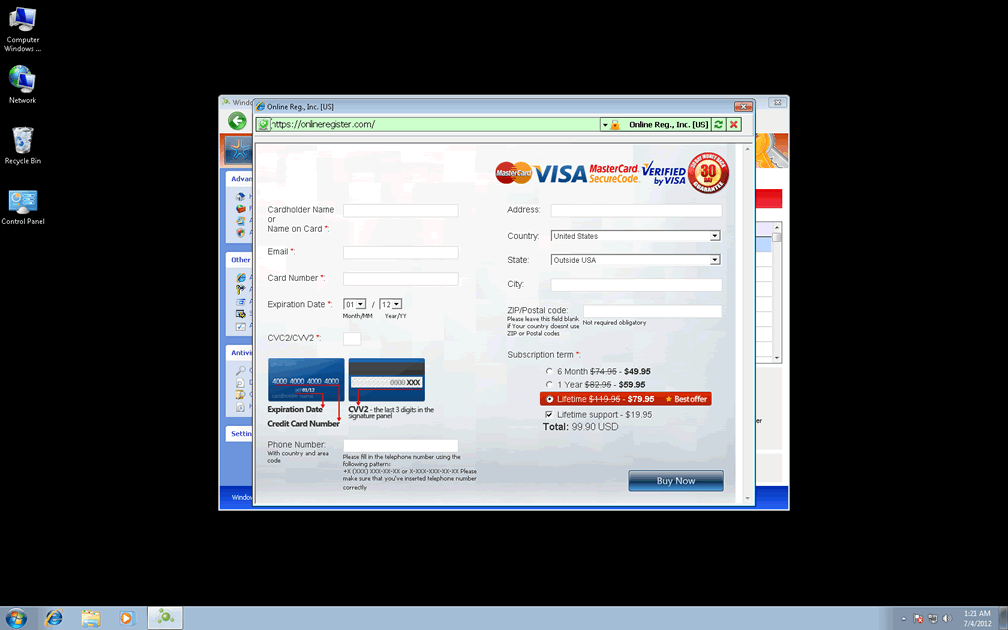
Windows Web Commander is marketed as a security program and presents itself as such, but all of Windows Web Commander's security features are hoaxes that are designed to make you believe that an innumerable swarm of PC threats is directly attacking your computer. The long term goal for Windows Web Commander is to bamboozle you into spending money on a software registration key, which SpywareRemove.com malware experts discourage as an utter waste of your money. However, you may want to fake registering Windows Web Commander by using the free key '0W000-000B0-00T00-E0020,' as an optional step in Windows Web Commander's removal.
Refusing Windows Web Commander's Order to Empty Your Wallet
Fake security features are the hallmarks of Windows Web Commander and identical FakeVimes-based scamware like Privacy Guard Pro, Extra Antivirus, Fast Antivirus 2009, Presto TuneUp, Windows Security Suite, Smart Virus Eliminator, Packed.Generic.245, Volcano Security Suite, Windows Enterprise Suite, Enterprise Suite, Additional Guard, Live PC Care, PC Live Guard, Live Enterprise Suite, Security Antivirus, My Security Wall, CleanUp Antivirus, Smart Security and PrivacyGuard Pro 2.0. Nonetheless, these aren't Windows Web Commander's only capabilities or even its most dangerous ones, and SpywareRemove.com malware researchers also recommend that you guard your PC against:
- Web browser hijacks that redirect you to scamware-promoting sites or other forms of hostile sites. Search engine redirects are especially probable, and you may also be exposed to drive-by-downloads for other PC threats.
- Changes to your Windows security settings, such as Registry values that enable Windows to warn you when you download files with improper signature-based IDs.
- Security-related software that's blocked or disabled by Windows Web Commander, including the Task Manager, the Windows UAC and popular AV products.
In spite of these issues, SpywareRemove.com malware analysts have experienced success in removing Windows Web Commander and other clones from the Win32/FakeVimes family by disabling them (via Safe Mode, removable media system boots, etc) and running a standard anti-malware scan.
Technical Details
File System Modifications
Tutorials: If you wish to learn how to remove malware components manually, you can read the tutorials on how to find malware, kill unwanted processes, remove malicious DLLs and delete other harmful files. Always be sure to back up your PC before making any changes.
The following files were created in the system:C:\rogueware samples\WintionalityChecker samples\283226ff4af322a010ff821a9ba7e9b2e7658a0e7ea0f5f9d4f6e06cb6be7f14.exe
File name: 283226ff4af322a010ff821a9ba7e9b2e7658a0e7ea0f5f9d4f6e06cb6be7f14.exeSize: 1.81 MB (1811456 bytes)
MD5: dd1db077adec6ae6de3c9639efc03b7e
Detection count: 9
File type: Executable File
Mime Type: unknown/exe
Path: C:\rogueware samples\WintionalityChecker samples\283226ff4af322a010ff821a9ba7e9b2e7658a0e7ea0f5f9d4f6e06cb6be7f14.exe
Group: Malware file
Last Updated: May 6, 2024
%AppData%\Windows Web Commander\Instructions.ini
File name: %AppData%\Windows Web Commander\Instructions.iniMime Type: unknown/ini
Group: Malware file
%AppData%\Windows Web Commander\ScanDisk_.exe
File name: %AppData%\Windows Web Commander\ScanDisk_.exeFile type: Executable File
Mime Type: unknown/exe
Group: Malware file
%AppData%\Microsoft\Internet Explorer\Quick Launch\Windows Web Commander.lnk
File name: %AppData%\Microsoft\Internet Explorer\Quick Launch\Windows Web Commander.lnkFile type: Shortcut
Mime Type: unknown/lnk
Group: Malware file
%Programs%\Windows Web Commander.lnk
File name: %Programs%\Windows Web Commander.lnkFile type: Shortcut
Mime Type: unknown/lnk
Group: Malware file
%StartMenu%\Windows Web Commander.lnk
File name: %StartMenu%\Windows Web Commander.lnkFile type: Shortcut
Mime Type: unknown/lnk
Group: Malware file
%Desktop%\Windows Web Commander.lnk
File name: %Desktop%\Windows Web Commander.lnkFile type: Shortcut
Mime Type: unknown/lnk
Group: Malware file
%CommonAppData%\58ef5\SPT.ico
File name: %CommonAppData%\58ef5\SPT.icoMime Type: unknown/ico
Group: Malware file
%CommonAppData%\58ef5\SP98c.exe
File name: %CommonAppData%\58ef5\SP98c.exeFile type: Executable File
Mime Type: unknown/exe
Group: Malware file
%CommonAppData%\SPUPCZPDET\SPABOIJT.cfg
File name: %CommonAppData%\SPUPCZPDET\SPABOIJT.cfgMime Type: unknown/cfg
Group: Malware file
%AppData%\NPSWF32.dll
File name: %AppData%\NPSWF32.dllFile type: Dynamic link library
Mime Type: unknown/dll
Group: Malware file
%AppData%\result.db
File name: %AppData%\result.dbMime Type: unknown/db
Group: Malware file
%AppData%\1st$0l3th1s.cnf
File name: %AppData%\1st$0l3th1s.cnfMime Type: unknown/cnf
Group: Malware file
Protector-[RANDOM 3 CHARACTERS].exe
File name: Protector-[RANDOM 3 CHARACTERS].exeFile type: Executable File
Mime Type: unknown/exe
Group: Malware file
Protector-[RANDOM 4 CHARACTERS].exe
File name: Protector-[RANDOM 4 CHARACTERS].exeFile type: Executable File
Mime Type: unknown/exe
Group: Malware file
Registry Modifications
HKEY..\..\{CLSID Path}HKEY_LOCAL_MACHINE\SOFTWARE\Classes\CLSID\{3F2BBC05-40DF-11D2-9455-00104BC936FF}\LocalServer32HKEY_LOCAL_MACHINE\SOFTWARE\Classes\Dumped_.DocHostUIHandler\ClsidHKEY_LOCAL_MACHINE\SOFTWARE\Classes\Dumped_.DocHostUIHandler\Clsid\{3F2BBC05-40DF-11D2-9455-00104BC936FF}HKEY..\..\{Value}HKEY_CURRENT_USER\Software\Microsoft\Windows\CurrentVersion\Internet Settings "WarnOnHTTPSToHTTPRedirect" = 0HKEY_CURRENT_USER\Software\Microsoft\Windows\CurrentVersion\Policies\System "DisableRegedit" = 0HKEY_CURRENT_USER\Software\Microsoft\Windows\CurrentVersion\Policies\System "DisableRegistryTools" = 0HKEY_CURRENT_USER\Software\Microsoft\Windows\CurrentVersion\Policies\System "DisableTaskMgr" = 0HKEY_CURRENT_USER\Software\Microsoft\Windows\CurrentVersion\Settings "net" = "2012-7-3_8"HKEY_CURRENT_USER\Software\Microsoft\Windows\CurrentVersion\Settings "UID" = "hycdnkxijp"HKEY_LOCAL_MACHINE\Software\Microsoft\Windows NT\CurrentVersion\Image File Execution Options\AAWTray.exe\"Debugger" = "svchost.exe"HKEY_LOCAL_MACHINE\Software\Microsoft\Windows NT\CurrentVersion\Image File Execution Options\About.exe\"Debugger" = "svchost.exe"HKEY_LOCAL_MACHINE\Software\Microsoft\Windows NT\CurrentVersion\Image File Execution Options\Ad-Aware.exe\"Debugger" = "svchost.exe"HKEY_LOCAL_MACHINE\Software\Microsoft\Windows NT\CurrentVersion\Image File Execution Options\AdwarePrj.exe\"Debugger" = "svchost.exe"HKEY_LOCAL_MACHINE\Software\Microsoft\Windows NT\CurrentVersion\Image File Execution Options\AlphaAV.exe\"Debugger" = "svchost.exe"HKEY_LOCAL_MACHINE\Software\Microsoft\Windows NT\CurrentVersion\Image File Execution Options\AlphaAV\"Debugger" = "svchost.exe"HKEY_LOCAL_MACHINE\Software\Microsoft\Windows NT\CurrentVersion\Image File Execution Options\AluSchedulerSvc.exe\"Debugger" = "svchost.exe"HKEY_LOCAL_MACHINE\Software\Microsoft\Windows NT\CurrentVersion\Image File Execution Options\AVCare.exe\"Debugger" = "svchost.exe"HKEY_LOCAL_MACHINE\Software\Microsoft\Windows NT\CurrentVersion\Image File Execution Options\AVENGINE.EXE\"Debugger" = "svchost.exe"HKEY_LOCAL_MACHINE\Software\Microsoft\Windows NT\CurrentVersion\Image File Execution Options\AVWEBGRD.EXE\"Debugger" = "svchost.exe"HKEY_LOCAL_MACHINE\SOFTWARE\Microsoft\Windows\CurrentVersion\policies\system "ConsentPromptBehaviorAdmin" = 0HKEY_LOCAL_MACHINE\SOFTWARE\Microsoft\Windows\CurrentVersion\policies\system "ConsentPromptBehaviorUser" = 0HKEY_LOCAL_MACHINE\SOFTWARE\Microsoft\Windows\CurrentVersion\policies\system "EnableLUA" = 0HKEY..\..\..\..{Subkeys}HKEY_CURRENT_USER\Software\ASProtectHKEY_LOCAL_MACHINE\SOFTWARE\Classes\CLSID\{3F2BBC05-40DF-11D2-9455-00104BC936FF}HKEY_LOCAL_MACHINE\SOFTWARE\Classes\CLSID\{3F2BBC05-40DF-11D2-9455-00104BC936FF}\Implements DocHostUIHandlerHKEY_LOCAL_MACHINE\SOFTWARE\Classes\CLSID\{3F2BBC05-40DF-11D2-9455-00104BC936FF}\LocalServer32\[UNKNOWN DIRECTORY]\[UNKNOWN FILE NAME].exeHKEY_LOCAL_MACHINE\SOFTWARE\Classes\CLSID\{3F2BBC05-40DF-11D2-9455-00104BC936FF}\ProgIDHKEY_LOCAL_MACHINE\SOFTWARE\Classes\CLSID\{3F2BBC05-40DF-11D2-9455-00104BC936FF}\ProgID\[UNKNOWN FILE NAME].DocHostUIHandlerHKEY_LOCAL_MACHINE\SOFTWARE\Classes\Dumped_.DocHostUIHandlerHKEY_LOCAL_MACHINE\SOFTWARE\Classes\Dumped_.DocHostUIHandler\Implements DocHostUIHandlerHKEY_LOCAL_MACHINE\SOFTWARE\Microsoft\Tracing\FWCFGHKEY_LOCAL_MACHINE\SOFTWARE\Microsoft\Tracing\FWCFG\ConsoleTracingMask -65536HKEY_LOCAL_MACHINE\SOFTWARE\Microsoft\Tracing\FWCFG\EnableConsoleTracing 0HKEY_LOCAL_MACHINE\SOFTWARE\Microsoft\Tracing\FWCFG\EnableFileTracing 0HKEY_LOCAL_MACHINE\SOFTWARE\Microsoft\Tracing\FWCFG\FileDirectory %windir%\tracingHKEY_LOCAL_MACHINE\SOFTWARE\Microsoft\Tracing\FWCFG\FileTracingMask -65536HKEY_LOCAL_MACHINE\SOFTWARE\Microsoft\Tracing\FWCFG\MaxFileSize 1048576HKEY_LOCAL_MACHINE\SOFTWARE\Microsoft\Windows NT\CurrentVersion\Image File Execution Options\AAWTray.exeHKEY_LOCAL_MACHINE\SOFTWARE\Microsoft\Windows NT\CurrentVersion\Image File Execution Options\About.exeHKEY_LOCAL_MACHINE\SOFTWARE\Microsoft\Windows NT\CurrentVersion\Image File Execution Options\Ad-Aware.exeHKEY_LOCAL_MACHINE\SOFTWARE\Microsoft\Windows NT\CurrentVersion\Image File Execution Options\AdwarePrj.exeHKEY_LOCAL_MACHINE\SOFTWARE\Microsoft\Windows NT\CurrentVersion\Image File Execution Options\AlphaAVHKEY_LOCAL_MACHINE\SOFTWARE\Microsoft\Windows NT\CurrentVersion\Image File Execution Options\AluSchedulerSvc.exeHKEY_LOCAL_MACHINE\SOFTWARE\Microsoft\Windows NT\CurrentVersion\Image File Execution Options\AVCare.exeHKEY_LOCAL_MACHINE\SOFTWARE\Microsoft\Windows NT\CurrentVersion\Image File Execution Options\AVENGINE.EXEHKEY_LOCAL_MACHINE\SOFTWARE\Microsoft\Windows NT\CurrentVersion\Image File Execution Options\AVWEBGRD.EXEHKEY_LOCAL_MACHINE\SOFTWARE\Microsoft\Windows NT\CurrentVersion\Image File Execution Options\avxmonitornt.exeHKEY_LOCAL_MACHINE\SOFTWARE\Microsoft\Windows NT\CurrentVersion\Image File Execution Options\iamserv.exeHKEY_LOCAL_MACHINE\SOFTWARE\Microsoft\Windows NT\CurrentVersion\Image File Execution Options\navnt.exeHKEY_LOCAL_MACHINE\SOFTWARE\Microsoft\Windows NT\CurrentVersion\Image File Execution Options\rapapp.exeHKEY_LOCAL_MACHINE\SOFTWARE\Microsoft\Windows NT\CurrentVersion\Image File Execution Options\vbwinntw.exeHKEY_LOCAL_MACHINE\SOFTWARE\Microsoft\Windows NT\CurrentVersion\Image File Execution Options\zapsetup3001.exeHKEY_LOCAL_MACHINE\SOFTWARE\Microsoft\Windows NT\CurrentVersion\Image File Execution Options\~2.exeHKEY_LOCAL_MACHINE\SOFTWARE\Microsoft\..{RunKeys}HKEY_CURRENT_USER\Software\Microsoft\Windows\CurrentVersion\Run "Inspector"HKEY_CURRENT_USER\Software\Microsoft\Windows\CurrentVersion\Run\Windows Web Commander "%CommonAppData%\58ef5\SP98c.exe" /s /dHKEY_LOCAL_MACHINE\Software\[APPLICATION]\Microsoft\Windows\CurrentVersion\Uninstall..{Uninstaller}HKEY_CURRENT_USER\Software\Microsoft\Windows\CurrentVersion\Uninstall\Windows Web CommanderHKEY_CURRENT_USER\Software\Microsoft\Windows\CurrentVersion\Uninstall\Windows Web Commander\DisplayIcon = [UNKNOWN DIRECTORY]\[UNKNOWN FILE NAME].exe,0HKEY_CURRENT_USER\Software\Microsoft\Windows\CurrentVersion\Uninstall\Windows Web Commander\DisplayName = Windows Malware FirewallHKEY_CURRENT_USER\Software\Microsoft\Windows\CurrentVersion\Uninstall\Windows Web Commander\DisplayVersion = 1.1.0.1010HKEY_CURRENT_USER\Software\Microsoft\Windows\CurrentVersion\Uninstall\Windows Web Commander\InstallLocation = [UNKNOWN DIRECTORY]HKEY_CURRENT_USER\Software\Microsoft\Windows\CurrentVersion\Uninstall\Windows Web Commander\UninstallString = "[UNKNOWN DIRECTORY]\[UNKNOWN FILE NAME].exe" /del
Additional Information
| # | Message |
|---|---|
| 1 | Error
Attempt to modify Registry key entries detected. Registry entry analysis recommended. |
| 2 | Error
Trojan activity detected. System data security is at risk. It is recommended to activate protection and run a full system scan. |
| 3 | Warning
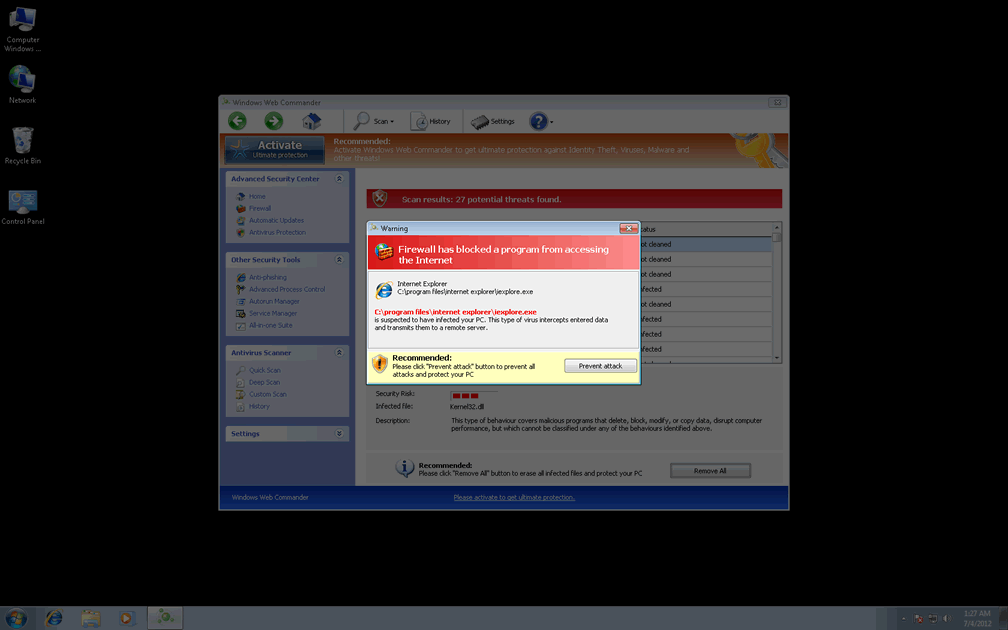
Firewall has blocked a program from accessing the Internet C:\program files\internet explorer\iexplore.exe is suspected to have infected your PC. This type of virus intercepts entered data and transmits them to a remote server. |
Leave a Reply
Please note that we are not able to assist with billing and support issues regarding SpyHunter or other products. If you're having issues with SpyHunter, please get in touch with SpyHunter customer support through your SpyHunter . If you have SpyHunter billing questions, we recommend you check the Billing FAQ. For general suggestions or feedback, contact us.