Windows Debug System
Posted: March 3, 2011
Threat Metric
The following fields listed on the Threat Meter containing a specific value, are explained in detail below:
Threat Level: The threat level scale goes from 1 to 10 where 10 is the highest level of severity and 1 is the lowest level of severity. Each specific level is relative to the threat's consistent assessed behaviors collected from SpyHunter's risk assessment model.
Detection Count: The collective number of confirmed and suspected cases of a particular malware threat. The detection count is calculated from infected PCs retrieved from diagnostic and scan log reports generated by SpyHunter.
Volume Count: Similar to the detection count, the Volume Count is specifically based on the number of confirmed and suspected threats infecting systems on a daily basis. High volume counts usually represent a popular threat but may or may not have infected a large number of systems. High detection count threats could lay dormant and have a low volume count. Criteria for Volume Count is relative to a daily detection count.
Trend Path: The Trend Path, utilizing an up arrow, down arrow or equal symbol, represents the level of recent movement of a particular threat. Up arrows represent an increase, down arrows represent a decline and the equal symbol represent no change to a threat's recent movement.
% Impact (Last 7 Days): This demonstrates a 7-day period change in the frequency of a malware threat infecting PCs. The percentage impact correlates directly to the current Trend Path to determine a rise or decline in the percentage.
| Threat Level: | 10/10 |
|---|---|
| Infected PCs: | 23 |
| First Seen: | March 3, 2011 |
|---|---|
| Last Seen: | May 6, 2024 |
| OS(es) Affected: | Windows |
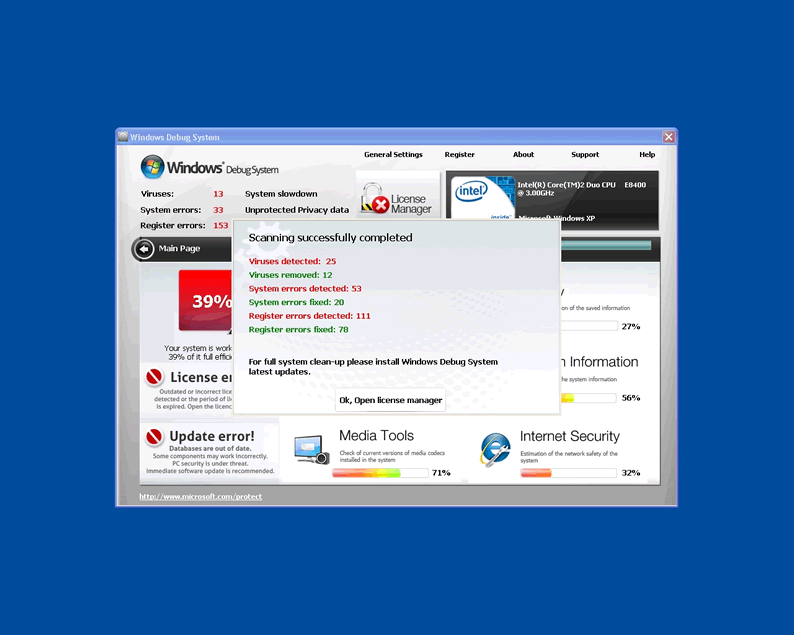
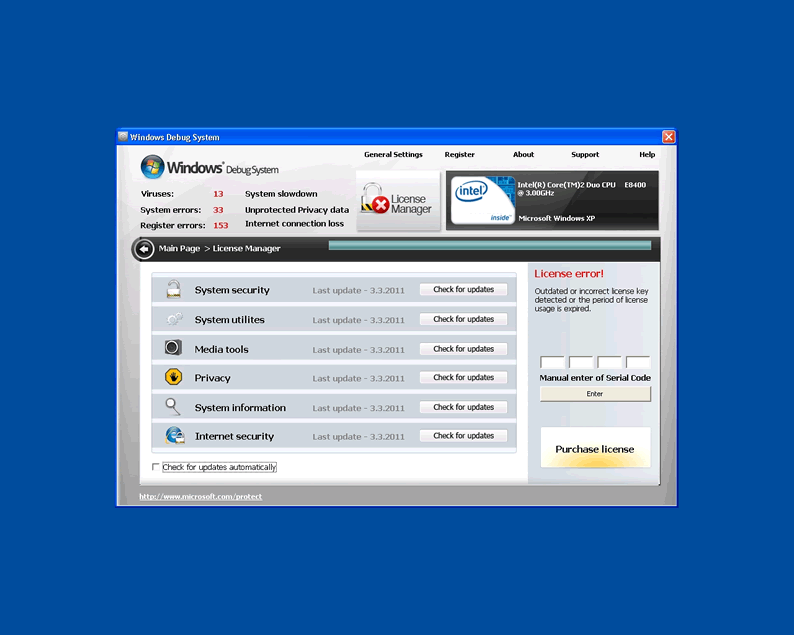
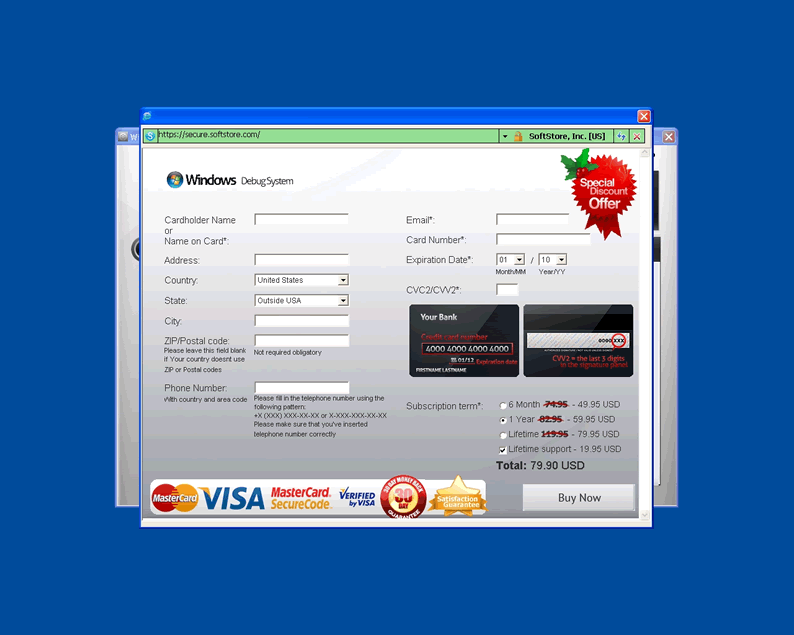
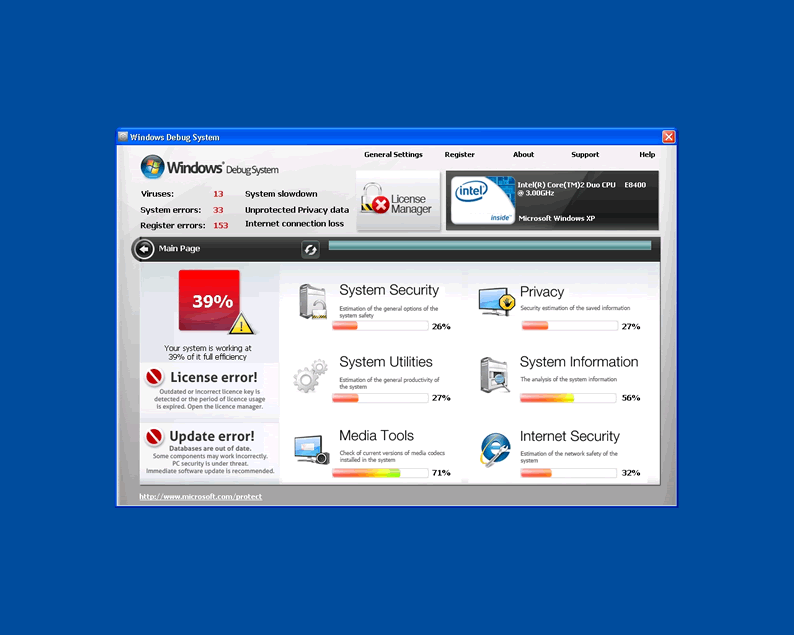
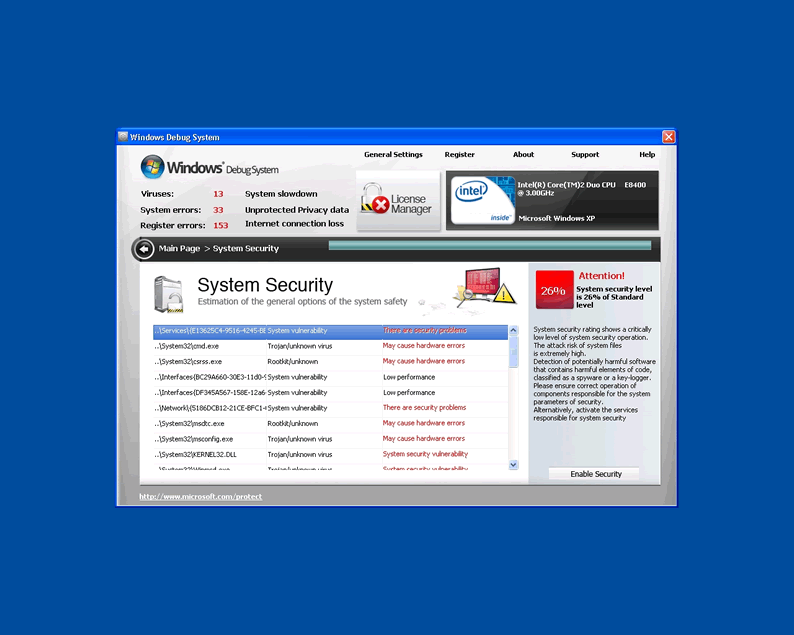
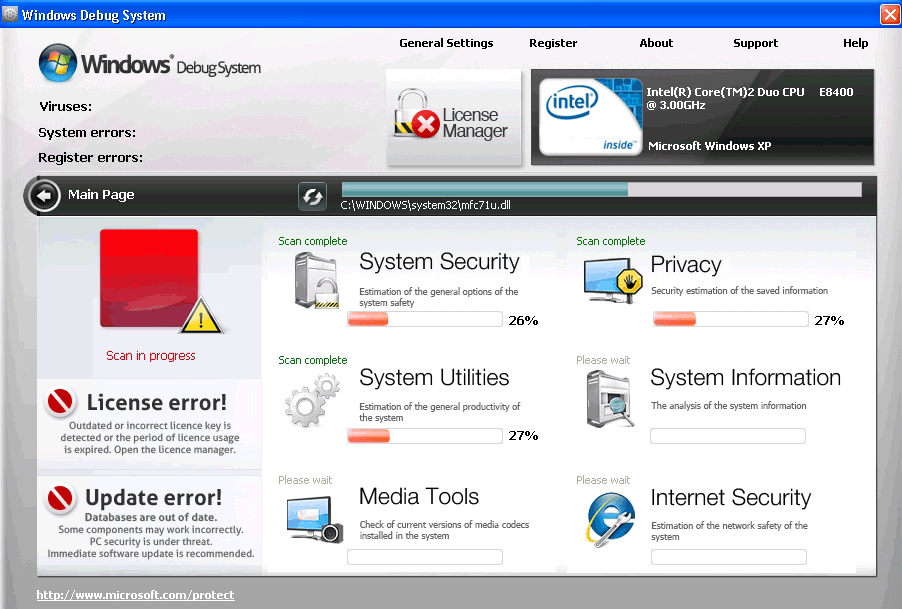 Windows Debug System is a straight copy of older rogue anti-virus scanners and uses the same inaccurate error messages, bad scan results and overall interface that its ancestors used. All rogue anti-virus programs like Windows Debug System will pretend to be helpful security tools, but all their infection alerts are false alarms to bully you into shelling out money for their fake services. This family of rogue PC threats can also block necessary security programs in addition to being annoying, and in light of this one should delete Windows Debug System instead of suffering through its useless functions.
Windows Debug System is not Terribly Original But Still a Potent Danger to Your PC
As one of the freshest faces in a rotating cycle of rogue anti-virus programs, Windows Debug System looks and acts identically to Windows System Optimizator, Windows Care Tool and other malware based on the same template. The main screen of Windows Debug System grades certain areas of your computer: Internet Security, System Utilities, System Security, Media Tools, and System Information. You don't need to be worried when Windows Debug System tells you that your 'grades' in all these categories are very low - it gives the same grade to every single computer!
Windows Debug System will also threaten you over inadequate system updates and licenses, but the real proof of poor updates on your computer is the simple fact that Windows Debug System is on it. Since Windows Debug System is based on such a basic mold that anti-malware scanners can easily detect, only a lack of recent malware definitions updated on your scanner programs will normally allow Windows Debug System to get through without being caught.
General unprompted for error messages are also prominent on any system with a Windows Debug System infection. Windows Debug System is likely to reuse the same messages similar rogue anti-virus programs have used - alerts that falsely report keylogger infections or failure of Windows processes like lsass.exe.
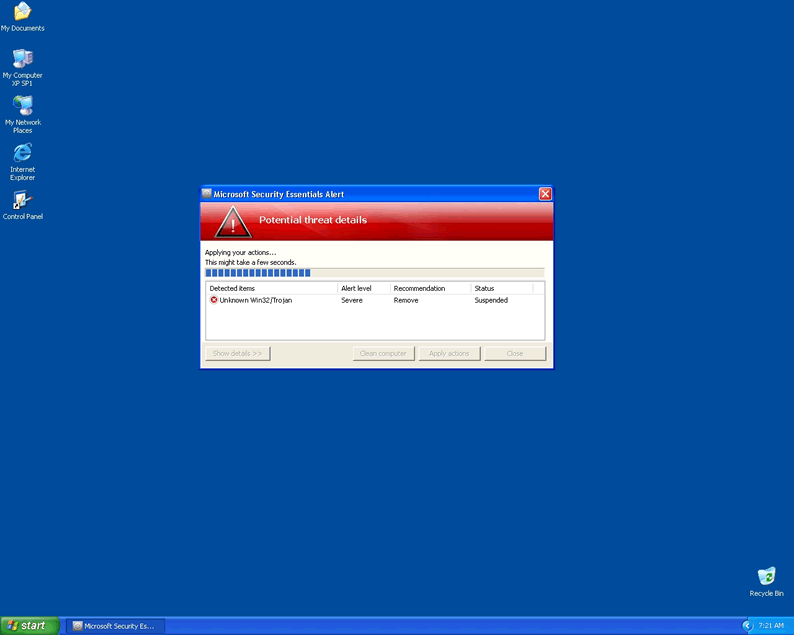
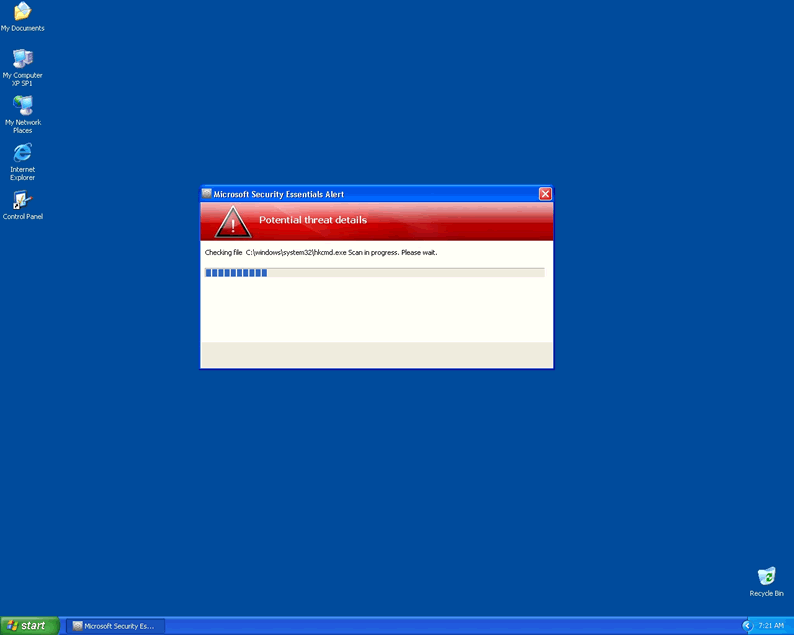
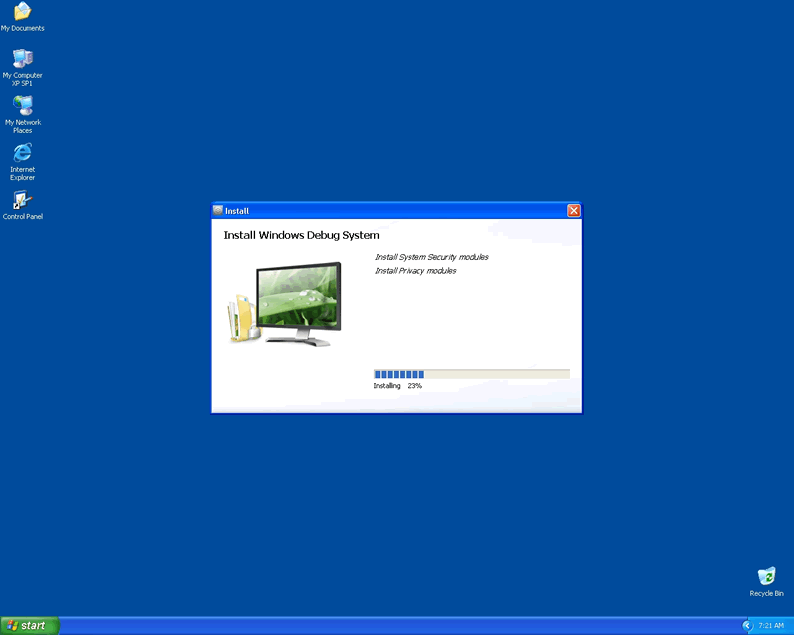
One typical way for Windows Debug System and related rogue anti-virus programs to infect your PC is via Microsoft Security Essentials Alert Malware. This Trojan works by using alerts of the Unknown Win32/Trojan infection to trick you into installing the malware willingly.
Getting the wool pulled over your eyes by this Trojan will drop Windows Debug System or worse malware on your system, and the results can be worse than simple error messages.
Windows Debug System is More Than Just a Faker
Rogue anti-virus programs like Windows Debug System could accomplish their goal of stealing your money with just the fake infection show, but instead they'll usually cause these other issues as well:
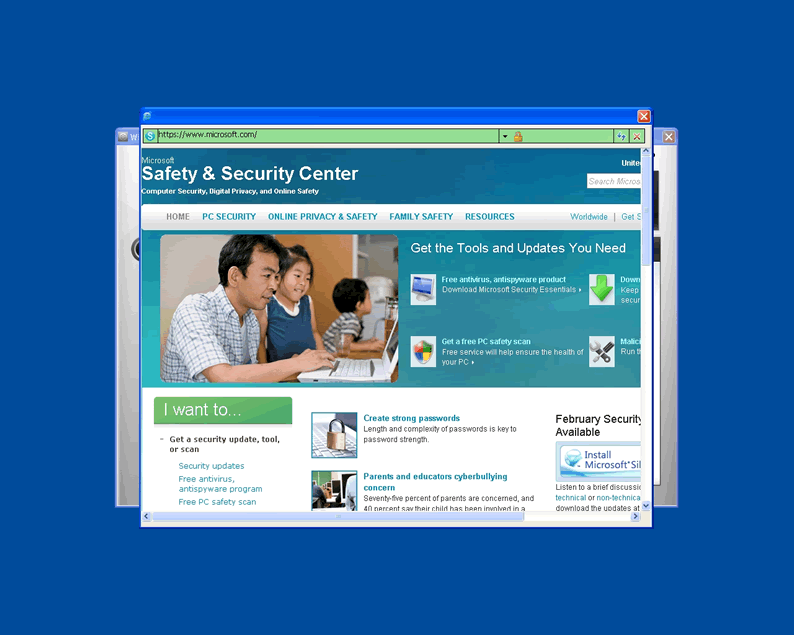
- Browser hijacks. This is when your web browser changes to an unfamiliar and usually dangerous website. Windows Debug System can hijack a browser by hiding links in content or simply forcing you to the site straight-out. It's also common for rogue anti-malware threats like Windows Debug System to block your access to security websites through imitation unsafe website warnings and advertising.
- Interrupted, hindered and entirely shut down security. Windows Debug System is almost certain to prevent popular anti-malware scanners from working right, because if they did, the rogue anti-malware program would be the first thing to be shooed out the door! More fake alerts are usually spawned to make a pretense of Windows Debug System not being responsible for these programs crashing, but don't be fooled.
- Increased vulnerability to other PC threats. Between Windows Debug System and the possible Trojan, your system will have a lot of infections to handle, but reduced security creates a high risk of even more malware getting inside the longer the status quo remains untouched.
Once you get past the appearance of friendliness covering this rogue anti-virus threat's true motives, you'll realize that the best thing to do is delete Windows Debug System and have nothing to do with it or sites that promote it. Until you do that, Windows Debug System will make sure your computer, your confidential information and even your money are all vulnerable to attack.
Technical Details
File System Modifications
Tutorials: If you wish to learn how to remove malware components manually, you can read the tutorials on how to find malware, kill unwanted processes, remove malicious DLLs and delete other harmful files. Always be sure to back up your PC before making any changes.
The following files were created in the system:C:\rogueware samples\fake movies 2\1aebb4455af04ce141beee0bf3d00e691b5af18469a843a766ca0db9209156fd.exe
File name: 1aebb4455af04ce141beee0bf3d00e691b5af18469a843a766ca0db9209156fd.exeSize: 2.31 MB (2314240 bytes)
MD5: d5808c879a01126b6ec1bd4e8fbd6e25
Detection count: 9
File type: Executable File
Mime Type: unknown/exe
Path: C:\rogueware samples\fake movies 2\1aebb4455af04ce141beee0bf3d00e691b5af18469a843a766ca0db9209156fd.exe
Group: Malware file
Last Updated: May 6, 2024
Leave a Reply
Please note that we are not able to assist with billing and support issues regarding SpyHunter or other products. If you're having issues with SpyHunter, please get in touch with SpyHunter customer support through your SpyHunter . If you have SpyHunter billing questions, we recommend you check the Billing FAQ. For general suggestions or feedback, contact us.