95p.com
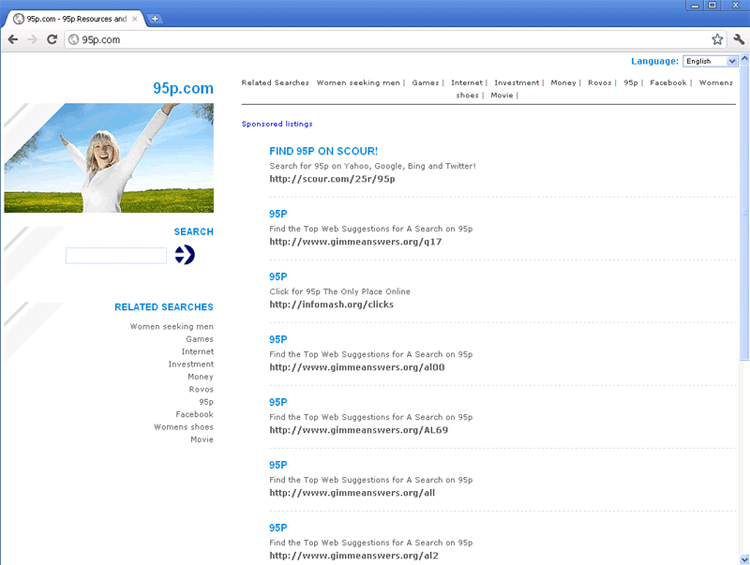 95p.com is a malicious site that has been confirmed to be a common destination for browser hijackers along with the equally-hostile Mediashifting.com. Browser hijackers that redirect your web browser to 95p.com can be installed in several ways, but SpywareRemove.com malware researchers note that install attacks via script-based browser vulnerabilities are common delivery methods. Although 95p.com pretends to offer information of general interest such as shopping info, its links will always redirect you to sites that profit 95p.com without regard for your computer's safety. If your web browser redirects itself to 95p.com at any time, it's recommended that you scan your PC to remove any browser redirect-capable PC threats that may be on your hard drive.
The Empty Content That Drives 95p.com's Revenue Scheme
Because 95p.com, despite its multitude of links to gaming, travel and lifestyle-related topics, lacks genuine content and shouldn't be considered a safe alternative to a search engine or other type of topical website. SpywareRemove.com malware experts have found that links from 95p.com are primarily-filled with advertisements and other such fluff, although 95p.com may also expose your PC to:
- Drive-by-download scripts which can install computer threats, including 95p.com's own browser hijacker, without your permission.
- Websites that market fraudulent software, AKA rogueware or scamware.
- Sites that attempt to harvest personal information by using a variety of phishing techniques, such as offering free prizes or pretending to be a popular website when, in actuality, they're an unrelated site.
Because 95p.com profits, however marginally, off of interaction with its links and advertisements, SpywareRemove.com malware researchers discourage any contact with 95p.com even if you feel that your browser's security settings are top-notch. Disabling scripts, installing software only from secure sources and avoiding downloads from unusual locations can help to protect your PC from exposure to 95p.com or infection by its browser hijacker.
95p.com – a Humble Hijacker-Affiliate for Profit
Browser hijackers that redirect to 95p.com typically-trigger when you attempt to navigate to another site via a link. 95p.com or an affiliate site like Mediashifting ends up as the ultimate result regardless of your wishes. Other symptoms – such as pop-ups, poor browser performance or blocked website access can also accompany these attacks. You should never attempt to cure 95p.com browser redirects by removing your browser or changing its settings, since browser hijackers for 95p.com are capable of attacking multiple brands of web browsers.
The appropriate way to force 95p.com redirects to a screeching halt is to scan your PC with anti-malware products that can detect and remove any Trojans, rootkits and other PC threats on your PC that are well-known for their browser redirect attacks. Failing to fully-disable the above malicious programs, typically by using Safe Mode, may result in a system scan failing to remove all infected components.
Technical Details
File System Modifications
Tutorials: If you wish to learn how to remove malware components manually, you can read the tutorials on how to find malware, kill unwanted processes, remove malicious DLLs and delete other harmful files. Always be sure to back up your PC before making any changes.
The following files were created in the system:{random}.exe
File name: {random}.exeFile type: Executable File
Mime Type: unknown/exe
%Windows%\system32\consrv.dll
File name: %Windows%\system32\consrv.dllFile type: Dynamic link library
Mime Type: unknown/dll
%Windows%\system32\DRIVERS\mrxsmb.sys
File name: %Windows%\system32\DRIVERS\mrxsmb.sysFile type: System file
Mime Type: unknown/sys
This site was loading everytime i open IE. what gives. so sick of this shi*. will be downloading your malware scanner for this mess. i cannot figure it out for the life of me. Will post update after i try it out.
Ok, manual removal instructions are great. everything was going swimmingly, I found a random process that ended in tssd, and killed it, I got up to the registry removal bit, this one wasn't there