Windows Protection Suite
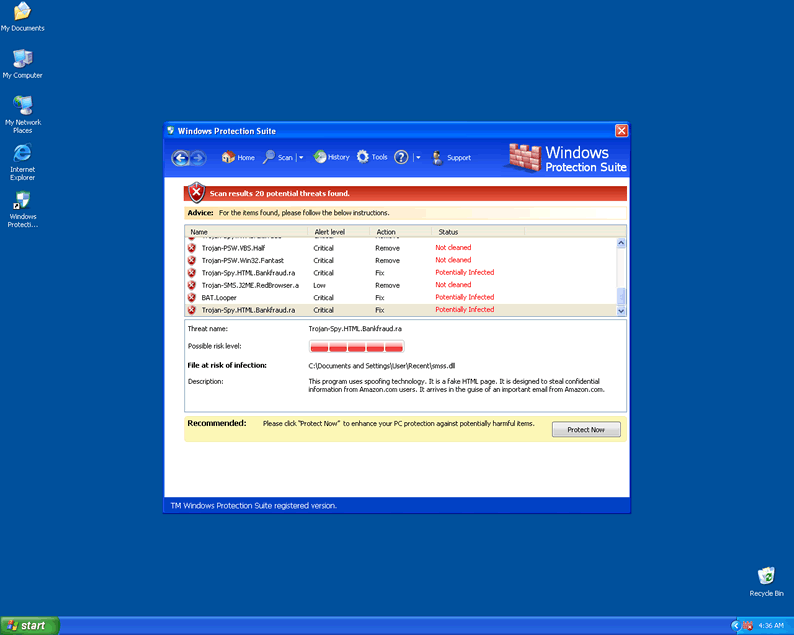 Windows Protection Suite is a new version of a rogue security program that pretends to detect viruses and other system threats as a cover for stealing your credit card information. As long as you have Windows Protection Suite on your PC, you'll suffer from fake errors that contain warnings about infection that don't exist, although Windows Protection Suite may create junk files as decoys. Other common symptoms related to rogue security programs like Windows Protection Suite include browser hijacks, unusual memory processes and being unable to access security-related program. It's recommended that you remove Windows Protection Suite by using high-quality and genuine anti-malware programs, since manual removal may cause undesired side effects.
A Malware Suite Cowering Under the Windows Brand Name
Windows Protection Suite has the streamlined appearance of a user-friendly system scanner and anti-malware program, but actually, Windows Protection Suite is a rogue security program that doesn't have any of the protective functions Windows Protection Suite advertises. Windows Protection Suite has many clones in the rogue scanner industry, including Virus Doctor, Antivirus 2009, Power Antivirus 2009, Windows System Suite, Windows Security Suite and Antivir64. Although their interfaces differ slightly from one version to the next one, they're identical in terms of how they attack your PC.
Most victims of Windows Protection Suite attacks report that they were infected after downloading a file from a fake online system scanner. Be wary of any system scan services from unfamiliar sources, especially if those scanners request that you download anything or indicate that your PC is infected by threats that your normal security application can't detect.
Windows Protection Suite can't detect real infections on your PC, but that will not stop Windows Protection Suite from displaying a broad range of inaccurate alerts. Some samples include:
Malicious applications which can contain Trojans found on your PC need to be immediately removed. Click here to remove these potentially harmful items immediately with Windows Protection Suite.
An unidentified program-potentially: %ThreatPath% #malicious and able to modify system files- has been prevented from getting installed on your PC.
An unauthorized program has been prevented from accessing your PC.#Port:433 from 92.11.127.10
9Process %Process%# attempted to change the address space.
An unidentified program tries to access your computer
Port scan detected at port %portnumber%.
These fake alerts contain no useful information and can be ignored. You should also avoid giving any credence to Windows Protection Suite's other supposed functions, such as Windows Protection Suite's malware protection, firewall, or automatic updating features.
Windows Protection Suite: More of a Trash Suite Than a Protection Suite
Windows Protection Suite will continue Windows Protection Suite's scam to make you believe in Windows Protection Suite's anti-malware properties by creating junk files on your computer. This gives Windows Protection Suite plausible targets to indicate as being infected, but these files are harmless nuisances. Some possible trash files include:
ANTIGEN.tmp
cb.exe
cid.dll
CLSV.dll
CLSV.tmp
DBOLE.sys
ddv.dll
eb.drv
eb.exe
eb.sys
energy.sys
exec.tmp
fan.drv
FS.drv
hijackthis.log.lnk
kernel32.drv
PE.drv
PE.tmp
ppal.exe
runddlkey.drv
tempdoc.tmp
snl2w.sys
There's no danger in trying to delete these files, although Windows Protection Suite will just create more of them afterwards. Never attempt to activate or register Windows Protection Suite by giving away your credit card information – this will only place you in danger of fraud, while Windows Protection Suite continues Windows Protection Suite's more dangerous attacks.
While Windows Protection Suite is on your computer, your web browser may also be hijacked, and various security applications may be inaccessible. Since these attacks are particularly considered a serious security risk, you should remove Windows Protection Suite by switching to Safe Mode and scanning your computer with the best available anti-malware application. Safe Mode will prevent Windows Protection Suite from starting, which will place you in an excellent position to use whatever utilities are necessary to delete Windows Protection Suite.
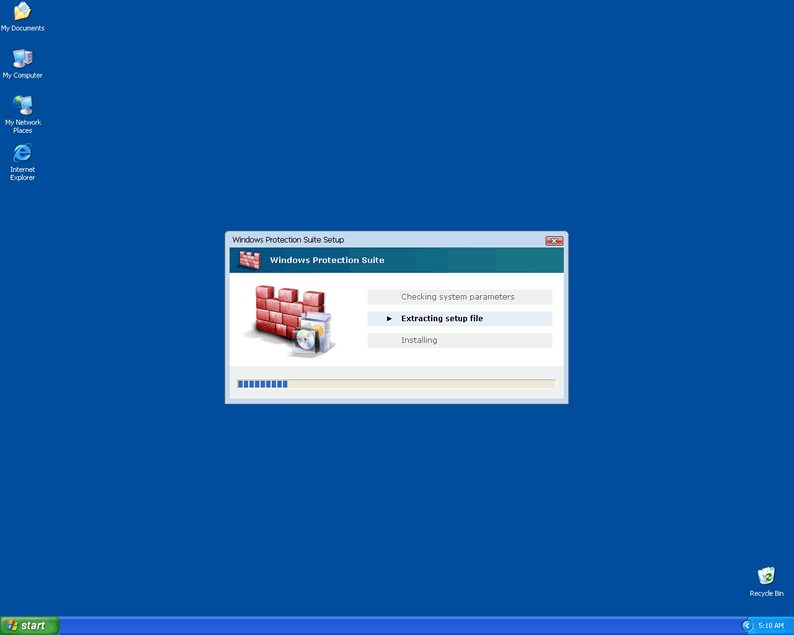
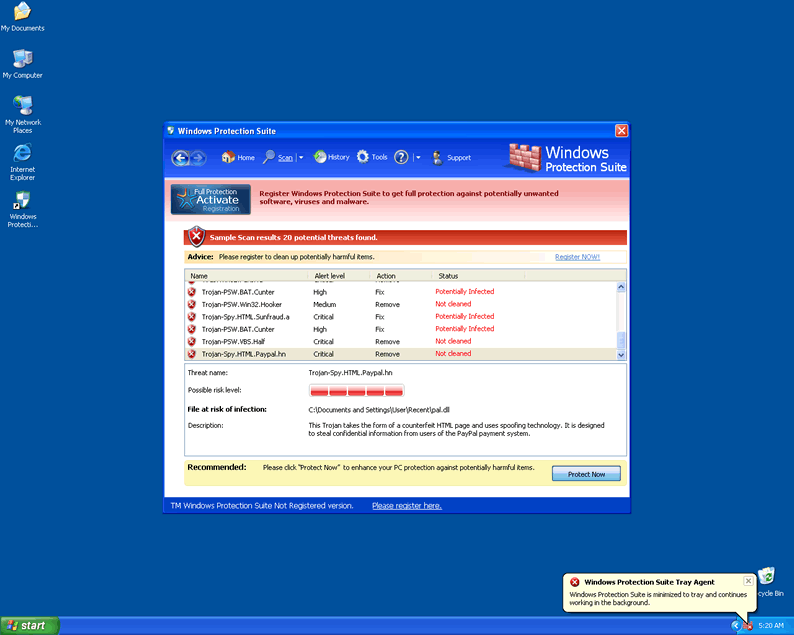
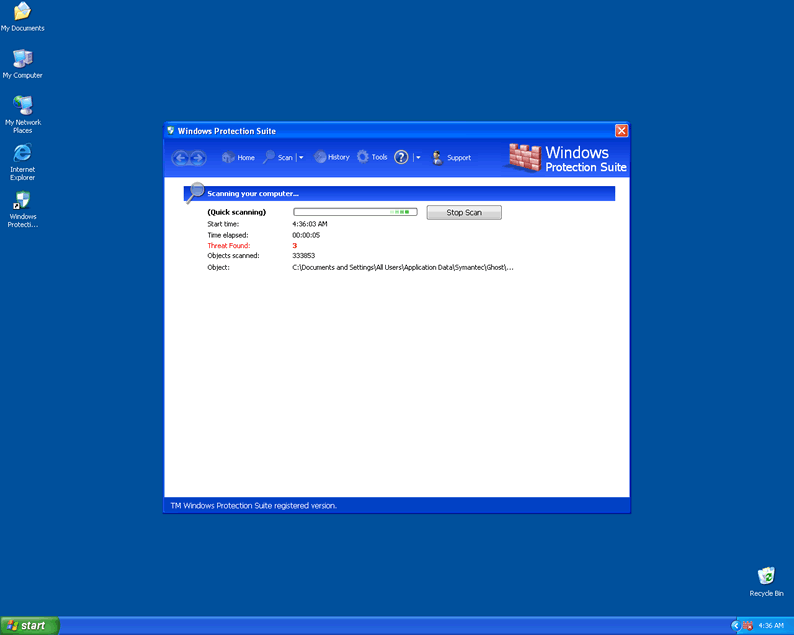
File System Modifications
- The following files were created in the system:
# File Name File Size (bytes) File Hash 1 %AppData%\Microsoft\Internet Explorer\Quick Launch\Windows Protection Suite.lnk N/A N/A 2 %CommonAppData\56a10a26-dc02-40f3-a4da-8fa92d06b367_.mkv N/A N/A 3 %CommonPrograms%\Startup\56a10a26-dc02-40f3-a4da-8fa92d06b367_33.lnk N/A N/A 4 %Desktop%\Windows Protection Suite.lnk N/A N/A 5 %Documents and Settings%\All Users\Application Data\345d567 N/A N/A 6 %Documents and Settings%\All Users\Application Data\345d567\26.mof N/A N/A 7 %Documents and Settings%\All Users\Application Data\345d567\mozcrt19.dll N/A N/A 8 %Documents and Settings%\All Users\Application Data\345d567\sqlite3.dll N/A N/A 9 %Documents and Settings%\All Users\Application Data\345d567\WI345d.exe N/A N/A 10 %Documents and Settings%\All Users\Application Data\345d567\WINSS.ico N/A N/A 11 %Documents and Settings%\All Users\Application Data\345d567\WINSSSys N/A N/A 12 %Documents and Settings%\All Users\Application Data\345d567\WINSSSys\vd952342.bd N/A N/A 13 %Documents and Settings%\All Users\Application Data\345d567\working.log N/A N/A 14 %Documents and Settings%\All Users\Application Data\WINSSSys N/A N/A 15 %Documents and Settings%\All Users\Application Data\WINSSSys\winss.cfg N/A N/A 16 %Program Files%\Mozilla Firefox\searchplugins\search.xml N/A N/A 17 %Program Files%\WindowsProtectionSuite\WindowsProtectionSuite.exe N/A N/A 18 %Program Files%\WindowsProtectionSuite\WindowsProtectionSuite.url N/A N/A 19 %ProgramFiles%\Windows Protection Suite N/A N/A 20 %ProgramFiles%\Windows Protection Suite\Windows Protection Suite.dll N/A N/A 21 %Programs%\Startup\56a10a26-dc02-40f3-a4da-8fa92d06b367_33.lnk N/A N/A 22 %TempDir%\[RANDOM CHARACTERS].dll N/A N/A 23 %UserProfile%\Application Data\Microsoft\Internet Explorer\Quick Launch\Windows Protection Suite 2009.lnk N/A N/A 24 %UserProfile%\Application Data\Microsoft\Internet Explorer\Quick Launch\Windows Protection Suite.lnk N/A N/A 25 %UserProfile%\Application Data\Windows Protection Suite N/A N/A 26 %UserProfile%\Application Data\Windows Protection Suite 2009 N/A N/A 27 %UserProfile%\Application Data\Windows Protection Suite 2009\Instructions.ini N/A N/A 28 %UserProfile%\Application Data\Windows Protection Suite\cookies.sqlite N/A N/A 29 %UserProfile%\Application Data\Windows Protection Suite\Instructions.ini N/A N/A 30 %UserProfile%\Desktop\Windows Protection Suite 2009.lnk N/A N/A 31 %UserProfile%\Desktop\Windows Protection Suite.lnk N/A N/A 32 %UserProfile%\Desktop\WindowsProtectionSuite.exe N/A N/A 33 %UserProfile%\Recent\ANTIGEN.drv N/A N/A 34 %UserProfile%\Recent\CLSV.exe N/A N/A 35 %UserProfile%\Recent\DBOLE.drv N/A N/A 36 %UserProfile%\Recent\dudl.sys N/A N/A 37 %UserProfile%\Recent\energy.dll N/A N/A 38 %UserProfile%\Recent\grid.dll N/A N/A 39 %UserProfile%\Recent\grid.sys N/A N/A 40 %UserProfile%\Recent\kernel32.dll N/A N/A 41 %UserProfile%\Recent\PE.dll N/A N/A 42 %UserProfile%\Recent\PE.tmp N/A N/A 43 %UserProfile%\Recent\runddl.dll N/A N/A 44 %UserProfile%\Recent\SM.dll N/A N/A 45 %UserProfile%\Recent\snl2w.exe N/A N/A 46 %UserProfile%\Recent\std.exe N/A N/A 47 %UserProfile%\Recent\tempdoc.dll N/A N/A 48 %UserProfile%\Start Menu\Programs\Windows Protection Suite 2009.lnk N/A N/A 49 %UserProfile%\Start Menu\Programs\Windows Protection Suite.lnk N/A N/A 50 %UserProfile%\Start Menu\Programs\WindowsProtectionSuite N/A N/A 51 %UserProfile%\Start Menu\Programs\WindowsProtectionSuite\WindowsProtectionSuite Website.lnk N/A N/A 52 %UserProfile%\Start Menu\Programs\WindowsProtectionSuite\WindowsProtectionSuite.lnk N/A N/A 53 %UserProfile%\Start Menu\Windows Protection Suite 2009.lnk N/A N/A 54 %UserProfile%\Start Menu\WindowsProtectionSuite.lnk N/A N/A 55 ActivatedSetup[1].exe 210,432 4661101706083c24676642226051fdbd 56 ReleaseXP[1].exe 2,397,184 4fb10d7bb7169f0a66dbb48f8963e0fb 57 WI15af.exe 2,174,976 1a6b142bc316034f5a20402665a7ad40 58 WI2106.exe 2,400,256 734ba2ce099e740c590507c97c0f623f 59 WI2703.exe 2,264,064 f09168f9f1b4a547b567867888acd999 60 WI2e12.exe 2,105,344 6f1d2d86dc08c2ed7b34aed11de78b47 61 WI3db3.exe 2,357,248 e30fedc6bf53a805ec586ed1cba517fc 62 WI3e45.exe 2,342,912 48b04d0a88974836cb2bb33381d0c83e 63 WI4ae8.exe 2,109,440 8e483d6c01c404506309b04cfa77b0d1 64 WI577a.exe 2,191,872 49aa8e92c3eb273fd04c116b48d1b7ad 65 WI60ed.exe 2,187,776 4af0d55f23586d1d0adb82fff218958e 66 WI7418.exe 2,179,072 ffcf6eb75fabd8613cb1de4011131229 67 WI7a8f.exe 2,360,320 c49fad15feec77235373553d4fef99b3 68 WI7f24.exe 2,108,928 8713db1bd1a63855e53309fd3c5fde4f 69 WI81c9.exe 2,234,368 cc351cec273339cf100fafcd1f3bc7eb 70 WIa744.exe 2,207,232 a574f606b9f985dc88ca61d03d90f863 71 WIac55.exe 2,357,760 93b7a38ff4c3a56077f0c2c8bc67d53c 72 WIb33d.exe 2,195,456 57618a38c9a1b53e53a706eda74bdc44 73 WIb87c.exe 2,202,112 741376ecccb187f4bffdcec701081daa 74 WIc182.exe 2,341,376 9deeecedfd5ac77d5ce83769ac2612f6 75 WId1c0.exe 2,340,352 003ddeeb380e33646d94ace75ac89b91 76 WId2ba.exe 2,193,408 1e07f21d12f37814ff85d69a1c23e17a 77 WId747.exe 2,175,488 3b1fd82d731620f60f2e75579037c658 78 WIe9e2.exe 2,265,088 0db269fa1ddae6e0fda30d4f424924f8 79 WIfe7a.exe 2,104,832 e74a44e6b33cdcfb6c14e55501764d1d 80 Windows Protection Suite N/A N/A 81 Windows Protection Suite.lnk N/A N/A
Registry Modifications
- The following newly produced Registry Values are:
HKEY..\..\..\..{Subkeys}HKCU\Software\Microsoft\Windows\CurrentVersion\Run "56a10a26-dc02-40f3-a4da-8fa92d06b367_33"HKEY_CURRENT_USER\Software\Microsoft\Windows\CurrentVersion\Run "WindowsProtectionSuite"HKLM\SOFTWARE\Microsoft\Windows\CurrentVersion\Explorer\Browser Helper Objects\{56a10a26-dc02-40f1-a4da-8fa92d06b367}HKLM\SOFTWARE\Microsoft\Windows\CurrentVersion\Run "56a10a26-dc02-40f3-a4da-8fa92d06b367_33"HKEY..\..\..\..{RegistryKeys}HKCR\CLSID\{56a10a26-dc02-40f1-a4da-8fa92d06b367}
Additional Information on Windows Protection Suite
- The following messages's were detected:
# Message 1 "System Alert! Malicious applications, which can contain trojans, were found on your PC and need to be immediately removed. Click here to remove these potentially harmful items using Windows Protection Suite".
- The following paths were detected:
# Path 1 %AppData%\Windows Protection Suite
Found the issue with taskmgr and any spybot/adaware/AV software not running…..
Regedit for key:
HKEY_LOCAL_MACHINE\SOFTWARE\Microsoft\Windows NT\CurrentVersion\Image File Execution Options. Browse for any stuff that is not working. (The key path may not be 100% correct, but the last bit is ‘Image File Execution Options’. This allows to attach a debugger to a program to trouble shoot by redirecting the execution to a ‘debugger’ before the process starts.). I found my Taskmgr.ext being redirected to svchost.exe. This would cause it not to launch at all. EXPORT YOUR KEYS BEFORE DOING THE FOLLOWING!!!! Remove the key then test to see if it works. If it does not work, import (or merge) the key back to the registry!
I removed the taskmgr key from the Image File Execution Options (which pointed taskmgr to svchost.exe) and task manager came up with no issues!