AntiVira Av
Posted: February 8, 2011
Threat Metric
The following fields listed on the Threat Meter containing a specific value, are explained in detail below:
Threat Level: The threat level scale goes from 1 to 10 where 10 is the highest level of severity and 1 is the lowest level of severity. Each specific level is relative to the threat's consistent assessed behaviors collected from SpyHunter's risk assessment model.
Detection Count: The collective number of confirmed and suspected cases of a particular malware threat. The detection count is calculated from infected PCs retrieved from diagnostic and scan log reports generated by SpyHunter.
Volume Count: Similar to the detection count, the Volume Count is specifically based on the number of confirmed and suspected threats infecting systems on a daily basis. High volume counts usually represent a popular threat but may or may not have infected a large number of systems. High detection count threats could lay dormant and have a low volume count. Criteria for Volume Count is relative to a daily detection count.
Trend Path: The Trend Path, utilizing an up arrow, down arrow or equal symbol, represents the level of recent movement of a particular threat. Up arrows represent an increase, down arrows represent a decline and the equal symbol represent no change to a threat's recent movement.
% Impact (Last 7 Days): This demonstrates a 7-day period change in the frequency of a malware threat infecting PCs. The percentage impact correlates directly to the current Trend Path to determine a rise or decline in the percentage.
| Threat Level: | 10/10 |
|---|---|
| Infected PCs: | 19 |
| First Seen: | February 9, 2011 |
|---|---|
| Last Seen: | April 19, 2021 |
| OS(es) Affected: | Windows |
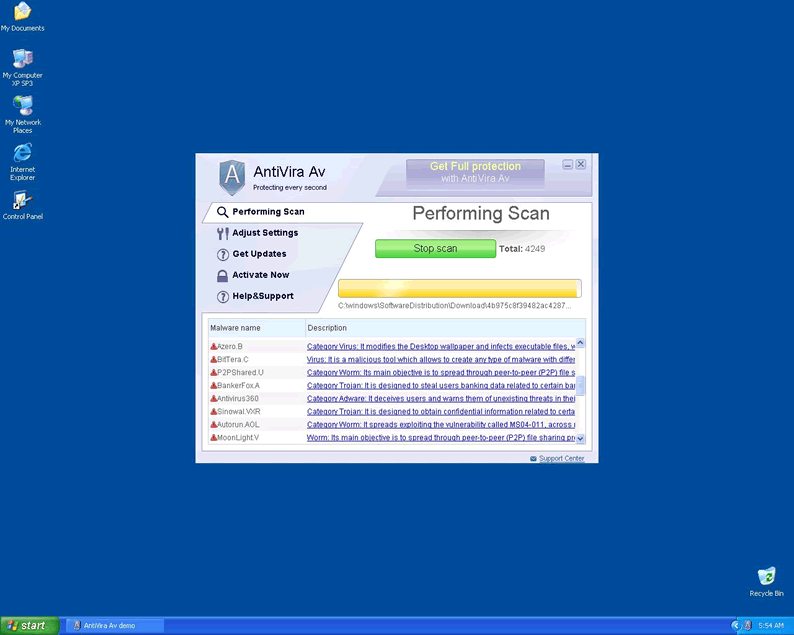
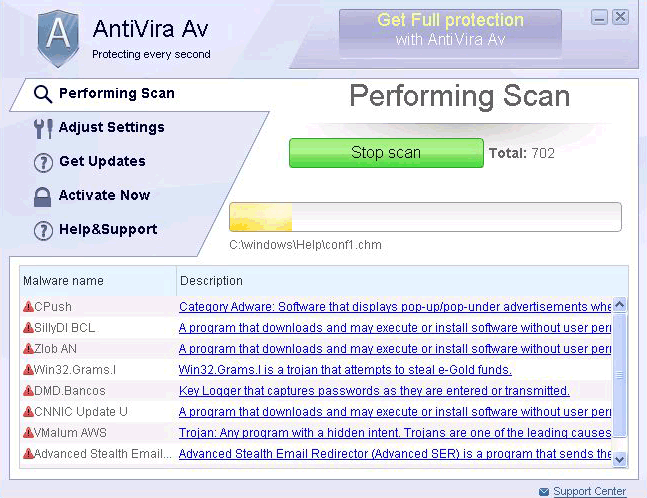 AntiVira Av is a new member of the fake anti-spyware programs family. This bouncing bundle of ugly will pretend to be handy security software, when all it delivers to your doorstep is a parcel of error messages about problems it made itself! Although superficially benign, the true purpose driving AntiVira Av is no less malignant than cancerous tissue, and it should never be tolerated on any computer system.
A Look into the Eyes of Software-Based Evil
AntiVira Av is closely linked to preexisting rogue programs such as Security Shield, differing primarily in name and outer appearance than in actual function. It's been reported to take the place of the Antivirus .NET threat as the latest spin on the old Fake.SpyPro rogue infection.
AntiVira Av is wickedly ingenious in its reproduction methods, using the latest and most efficient Black Hat techniques to spread throughout the web. Black Hat strategies attempt to force websites to the top ranks in Google and other high-visibility search engines on the web – regardless of how relevant the actual content is. This can include tactics as crude as high-density keyword stuffing and as sophisticated as intricately-built social network link webs. If you want to avoid the AntiVira Av infection, you'll have to take care at all times to be wary about social networking content, since AntiVira Av will usually try to infect systems without directly informing the user.
What Should You Do if AntiVira Av Lurks on Your Hard Drive
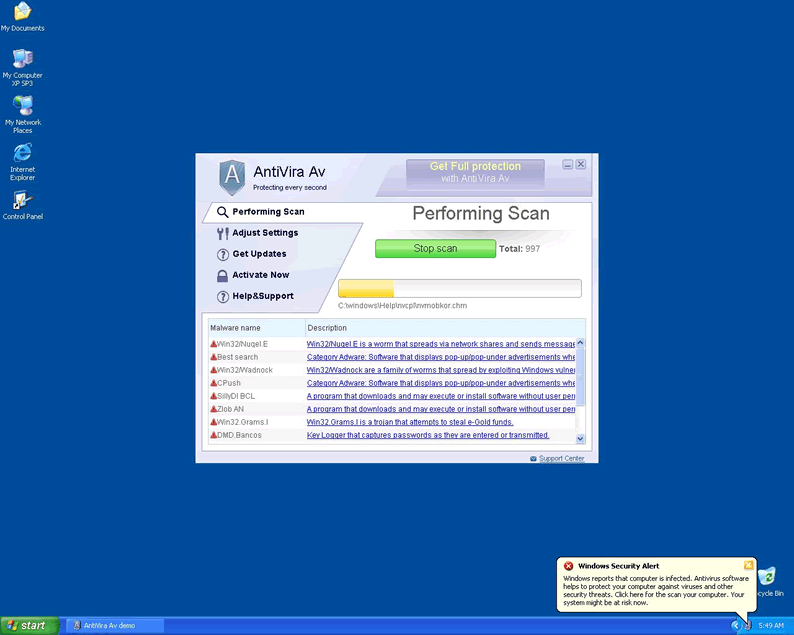
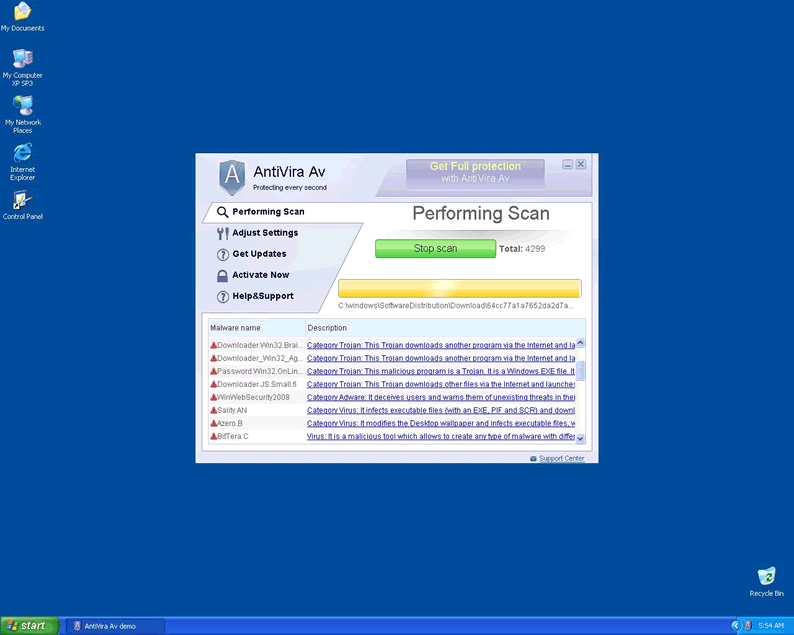
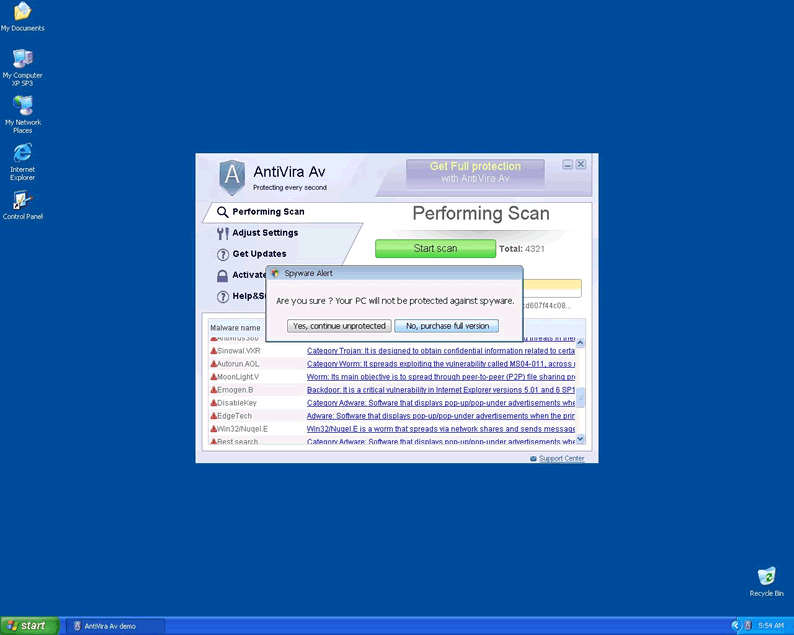
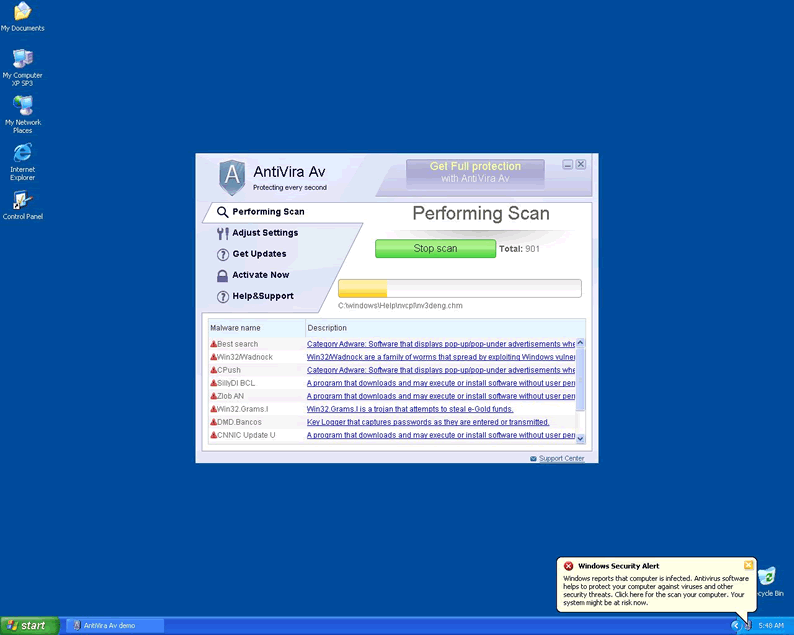
AntiVira Av will at first try to tell you that your computer is at severe risk, and then secondly offer itself as the best possible solution. AntiVira AV will open up with a salvo of error messages that deliver warnings of highly dangerous threats. These messages often superficially mimic the appearance of legitimate warnings and alerts from the operating system. AntiVira Av fabricates all these threats to give it an excuse for existing. These fake warnings may actually obscure true error messages from legitimate software.
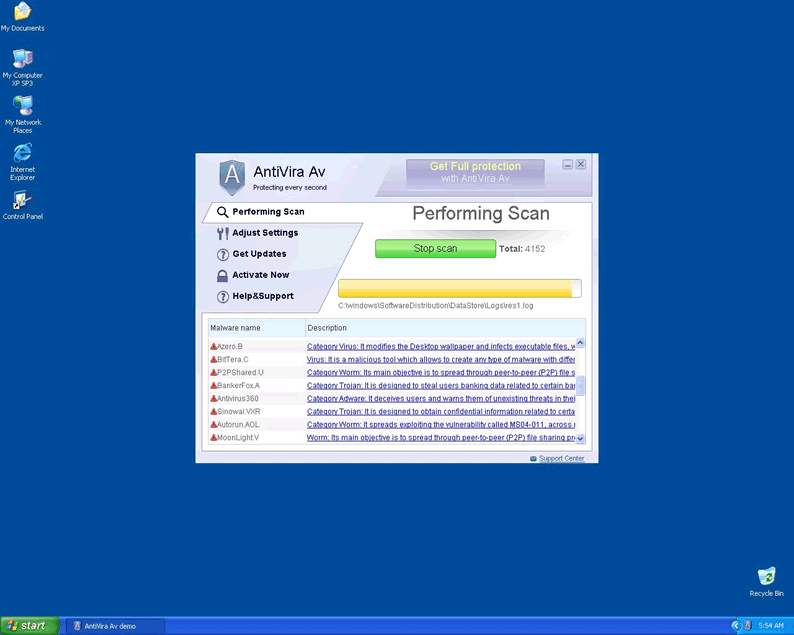
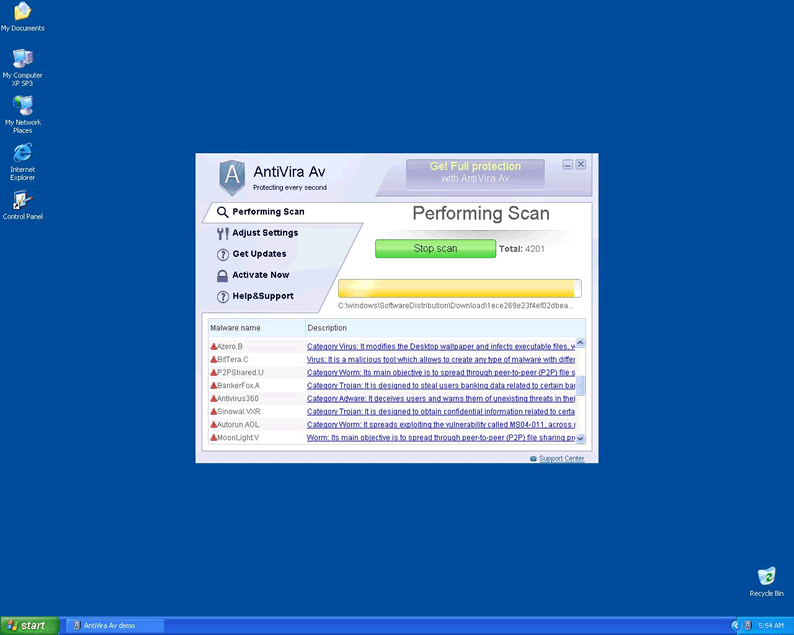
Along with the errors, AntiVira Av will prompt you to allow it to scan. Since AntiVira Av follows standard rogue procedures by having no anti-malware capabilities, these scans are pointless. The result, regardless of the actual state of your computer, will always be that AntiVira Av will announce that some infections could not be removed. This method is intended to give the user incentive to purchase the program, which has no more anti-malware features than the original infection.
Regardless of how difficult it becomes to use your computer or what information is at risk, giving AntiVira Av your money will not solve anything! In fact, it's highly likely that you'll open yourself up to identity theft and other abuses of your personal information. Besides that, leaving even the full version of AntiVira Av on your system will only make it more vulnerable and hamper your computer's performance. The answer is clear: you have to take AntiVira Av out before it takes your computer out.
The Fix for Your Foe
The greatest risk with a new rogue program like AntiVira Av is when a user tries to scan for it with an outdated real anti-spyware software that can't detect it, and the user assumes everything is fine. Security software that isn't completely up to date may not even see malware as recent as AntiVira Av or may only see an inadequate portion of it.
Another common mistake users may make when trying to delete AntiVira Av is running the scans with AntiVira Av still active. Most malware such as AntiVira Av will try to save themselves from imminent destruction, and can often do so easily if still running while a scan is ongoing. To get rid of it properly, one must first prevent it from initializing in the first place. This is usually done by rebooting into Safe Mode, which allows only a bare minimum of programs to start up. If you need access to the Internet to download software updates or other necessary tools to remove AntiVira Av, Safe Mode with Networking should be your choice. Either one can be accessed by hitting F8 while the system boots, before Windows starts. This will get you into a Windows Advanced Options menu that will allow you to sidestep AntiVira Av's automatic startup.
Don't underestimate the potential threat AntiVira Av presents to your system. It may seem friendly, but the only friendliness it has to offer is that of a smiling thug holding you at gunpoint!
Technical Details
File System Modifications
Tutorials: If you wish to learn how to remove malware components manually, you can read the tutorials on how to find malware, kill unwanted processes, remove malicious DLLs and delete other harmful files. Always be sure to back up your PC before making any changes.
The following files were created in the system:%TEMP%\pqpmrjkwq\wsnablnsika.exe
File name: wsnablnsika.exeSize: 334.84 KB (334848 bytes)
MD5: 0d7ec3a7d0a275c4a624d228101634e7
Detection count: 7
File type: Executable File
Mime Type: unknown/exe
Path: %TEMP%\pqpmrjkwq
Group: Malware file
Last Updated: August 17, 2022
If you cant start task manager and the virus file in %TEMP% cant be removed because its being used. Set the security permissions for the .exe to full deny on system and deny on everything else for all the other users except full. Log off then log back on and the virus should not have started (you should only need to deny execute). From there follow the procedure above.
Ok, this sucks I was playing Minecraft and then I randomly had this spamed on to my computer now I would do what you are telling me but everytime I open a file it closes it out tells me its a Virus and tells me to pay to get rid of it Ive tryed and tryed again to get rid of this I won't buy it cause I know its fake what do I do?
Hi i cant get rid of this antivira av off my computer i have tried the steps above but cant access a lot of the options could some one help me with this thanks ryde
Hey, thanks. How can I "set the security permissions for the .exe to full deny on system and deny on everything else for all the other users except full"? It blocks all programmes
How do you get to the security settings on .exe ???
Very easy to remove. On startup, immediately launch taskmgr.exe by right clicking your taskbar and selecting Start Task Manager. On the Processes list, look for a process with a lot of random characters ending in ira.exe and end that process. Try to remember a portion of the process name and search for it in all users temp folders. Delete the file. In my case, the last 3 letters of the process were IKA using the command prompt I searched
dir \*ika.exe /b /s
I found the file listed in a users temp folder and then deleted it.
Resetting IE via the IE Internet Options Advanced Tab Reset is a better fix than modifying registry keys.
Good luck.
System Restore in safe mode worked amazing! Thank you for sharing F8 to get to safe mode.
I ran system restore - and it seems to have fixed the problem... I can't find any of the files still on my PC...
AntiVira Av has been kicking my butt for the past week. finally i found your site and was able to boot into safe mode and remove this junk. Thanks to you guys for the information. To others, you must use your spyware removing program in safe mode to keep antivira av from loading. WOrked for me! 🙂
What do I do if I purchased AntiVira AV? I thought that by just buying it I would make it stop with the pop-ups and scans. It said it found infections on my computer but you say it is a BAD program? How do I refund my money? I want this Antivira Av crap off of my computer now!
You guys are awesome. Was frustrated with antivra av and could not surf the net on my infected computer. So I used your spyhunter and it immediately found antivira av. so so happy now that i used spyhunter. thanks a millions guys!
Thanks SO Much guys! I just got that shit on my laptop, and boy...was I PISSED at it. now It's gone for good, and I cleaned up the mess, now I'm just going to make sure none of my other files were infected, cause now I'm aware of this Rogue Spyware Virus....thanks Spyhunter!
Good God, I just got infected by this shitty ass virus, and now I managed to kill it dead. Hopefully it NEVER comes back.
Thank you very much. ;D
seriously cant see how anyone fixed this problem, and not sure if my virus is the same.. bcoz i tried everyfing above and no luck, i cant access the net in normal mode or safe mode for starters...
Ended up doing a system restore. took me 2 hours but worth it for me! I hope antivira av does not come back. Does anyone know where antivira av comes from? Porn sites is my guess. Never letting my kids use my pc again.
Thanks a lot for this - It has removed the virus perfectly.
Cheers,
Dave
When I try to press F8 during startup my PC beeps. I tried it about 4 times and each time F8 key will cause my PC to beep and it just boots normally and I see AntiVira Av popup again each time. What am I doing wrong to get my PC into safe mode? I really need help. I am typing from my neighbors computer because I cannot surf the web using mine because of this stupid AntiVira Av. Please Help!!!
Thanks to you guys for helping me understand what AntiVira Av is. I was ready to enter my credit card for purchasing AntiVira Av just to get rid of those darned popup messages. So frustrating! Thanks 😀
RYDE, open Task Manager, and go to the processes tab. Once there, find the one that is just a bunch of random letters and delete it. This should stop all the error messages (it did for me) and make it easier to remove.
how can you remove the files in %TEMP%? I am not understanding. If i cannot figure this out i will be purchasing something or paying someone to just remove this antiviraav mess.
Figured out the F8 safe mode boot but i cannot still find those files. I think I may mess up the registry if I look for those TEMP files. Any advice on how to find them in the registry so I can stop this horrific AntiVira Av?
I was able to start in the safe mode but I cannot get my computer to do a system restore?? Any suggestions
You guys are awesome! Never knew about the F8 safe mode until visiting this site! Good information you have here! Keep up the excellent work spywareremove guys!
so sick of this antivira av bs! cant someone explain how the hell you boot into safe mode with f8? i tried it and my computer just beeps. i am going to do a system restore if i cannot figure this out. any help much appreciated because i am about to throw this pc out of my appt window if i see one more antivira av popup!!!
Went inside task manager and ended a bunch of processes. Still, Antivira AV is poping up alerts over and over. I think I ended my norton, which is worthless for detecting Antivira AV, and started using SpyHunter. Found it after my 1st reboot! Thanks a million guys! A+ help!
I AM PISSED TO THE HIGHEST LEVEL OF PISSTIVITY... THIS STUPID ANTIVIRA AV HAS ROYALLY F UP MY COMPUTER. I CANNOT EVEN PAY MY EMPLOYEES BECAUSE ONE OF MY PAYROLL INTRANET SITES IS NOT ACCESSIBLE. SYSTEM RESTORE IS NOT AN OPTION FOR ME. LOOKS LIKE MY TRUST IS IN YOUR SPYHUNTER DOWNLOAD. WILL SEE IF IT WORKS.
wow guys - thanks - you saved my from reinstalling windows - major kudos for this information and software to remove antivirua av
magnificent!. presto! Antivira AV gone bye bye! THX X10000000!
My friend\'s computer got flogged by this virus 2 weeks ago, took it in to a PRO who *partially* cleared it enough for him to backup his files. Computer has since been reformatted and is now buggy as hell.
Now I get home from a weekend away to find my Wife has stubled across the save thing! Damn annoying, My real Virus scanner can\'t find it at all.
I\'ve just tried the advice above tactic of Safemode (via F8, thankyou!) -> System Restore to previous version of windows....
when I logged into windows it initially went to a Black screen 🙁
After a couple of Re-Login attempts it worked... no signs of the virus so far...
thanks all
THANKS Killedit!! I followed your instructions and found that little bugger and it appears to be gone!! it had ikk.exe at the end in my situation. you guys rock!!!
Thank you everybody you saved my bacon
Thx
I successfully killed it by following Killedit\'s instructions (above). I had to access the Task Manager ASAP after booting so the virus didn\'t have time to block me from doing so. I found it in Task Manager...it was a bunch of random characters that ended with ika.exe. I was able to stop the process and shut it down. I also had to go into IE Connections (LAN settings) and un-check the proxy server commands. (This virus checks the proxy server fields to divert you to malicious sites). I found the file containing the virus in an APP Data file under Users. You cannot see this file in Windows, you have to get to it & delete it in DOS through the Command Prompt. Fortunately I have a DOS savy friend who helped me in this endeavor. We killed it & it didn\'t come back.
NIKKI, call your credit card company ASAP about this. The scam artists have your info now.
The booting into Safe Mode via the F8 key was a useful tip but when I checked my Registery for the entries listed above they didn\'t match the example.
I got rid of the infection by restoring Windows to a set point that pre-dated the infection. Spyware Hunter was useful for finding the files that carried the infection (I found two infected files) and once I had the file names I used Windows\' search feature to find them and delete them.
FYI, if you\'re using Microsoft\'s security tools for Windows: they don\'t work against this virus. If anyone is using an anti-virus program that successfully defended against it I\'d love to know which one you use, I\'m in the market for new AV software!
Almost messed up my PC with editing the registry. Holy Cow, the Registry is nothing to play with. Instead, just followed the instructions for Safe mode by Killedit. WIN!!! Thx a bunch. AntiVira Av is no more.
I seriously cannot stop antivira av from popuping up when i startup my pc. what gives? For now I am running in safe mode only. I tried my norton but it is worthless, does not detect antivira av. I guess I will try spyhunter and see what happens. Wish me luck!
wowzers! Safe Mode works with my anti-virus program. Antivira Av aint popuping up no more right now. I will restart two more times to see if this worked. If so, thanks to you all!
oh gosh, i have purchased antivirua av and i am in panic mode now. what do i do??????? i called my bank and they said i need to call visa asap. they notated my account. how do i get my money back for purchasing antivirua av. i thought it was going to clean my pc from those trojans it found. major mistake. i should have googled it before then.
My computer completing froze last night and the only website I could get on was the AntiVira AV. I tried everything!! I restarted my computer and tried to delete what I thought would make it go away. It never did. I had NO choice but to purchase the AntiVira AV and I cannot find anything about how to get my refund back. This was a huge mistake! I am going to purchase a well known security system and pray that I will not ever have to deal with this again.
SpyHunter - 1
AntiVira Av - 0
THX 4 Ur Help!
I am about one second way from reformatting my hard drive to get rid of this annoying AntiVira Av. It wont leave me alone. I would rather lose some of my files than put up with this crap for another minute. If your solution does not work I will be formating!
Two points about this annoying malware: If AntiVira AV is asking people to use their credit cards to pay to clean their computers, any payments made to them would have to be processed through some bank account which should help to identify who is behind this scam. Also it seems somewhat suspicious to me that certain others are offering (for a fee) to help remove this malware. Could the makers of the anti-spyware programs also be involved with spread of the malware itself? The motive is there..
On my friends laptop because AntiVira Av keeps blocking my internet. How do I download spyhunter to remove AntiVira Av when I cannot even go to the website? What is this safe mode F8 and when do I press F8?
Killedit--- You my friend, are a life saver. How did you know to do that and where did you find the file originally? what Site?
Hi All,
I\'ve just got this Antivira AV thing today and judging by these posts it must be very new. Knew something was fishy when this anti-virus software popped up that I didn\'t download. It\'s the biggest pain in the a hole. I\'m going to be trying this method to kill it tomorrow and will let you know how it goes.
I have run into this insidious virus twice now, and both times have successfully removed it without incident. The first time, it blocked me from browsing any internet sites except its own.
This problem is FIXED by entering your internet options and turning off the proxy server settings the program installs if it runs for too long before getting caught. Remember if you use firefox or google chrome to do this on IE as well or you will have issues with other programs that run off the internet having connections issues (games, chat programs, etc).
The way I found the files was by accessing msconfig and finding the gibberish .exe files located in the startup tab. to access msconfig open the start menu and type msconfig into the search area or on older systems by selecting run then typing msconfig.
Once you have the name of the file, it is simple to run a search or you can mouse right and find the file location inside the msconfig startup tab next to the file name. deleting this file and unchecking the startup bux will fix the issue of the program starting up again on its own and will remove the file itself from your computer. the names of the files that I found on my system, as a reference for those who aren't sure what to look for were:
ixwjjnoq associated with the file C:\Users\\AppData\Local\Temp\utopgldni\aogcvkgsika.exe
fiktmgxe associated with the file C:\Users\\AppData\Local\Temp\fccyjangt\fgunrjjhmof.exe
In both cases as seen above, the file took up residence inside the user appdata temp folder and both times used a different name when trying to hide inside the startup.
For those people who try the F8 trick, note that the file will still be listed in the msconfig startup list but since you began in safe mode, will not be running on your system at the time so removing it will be much simpler.
"http=127.0.0.1:33921"
HKEY_CURRENT_USER\Software\Microsoft\Windows\CurrentVersion\Internet Settings "ProxyServer" =
HKEY_CURRENT_USER\Software\Microsoft\Windows\CurrentVersion\Internet Settings "ProxyEnable” = "1"
HKEY_CURRENT_USER\Software\Microsoft\Windows\CurrentVersion\Run "[RANDOM CHARACTERS].exe"
HKEY_CURRENT_USER\Software\Microsoft\Internet Explorer\PhishingFilter "Enabled" = "0"
HKEY_CURRENT_USER\Software\[RANDOM CHARACTERS]
Kkilledit--i followed your advice but did not find the files ending in ira.exe, did i do somthing wrong??? and if anyone else knows away PLZZZ tell this shit is starting to piss me off
Thanks guys, what a relief, That's one of the worst virus I've encountered. I was nearly ready to reformat like a few others here.
I found success using 'killedit' method of immediately going into task manager/ processes at start up then stopping the program that had the random letters (mine ended in mof.exe)
.that gave back control of the computer again so could then go into system restore and restore the system back to the last system save spot that was a time before I got the virus.
seems to have worked to a treat
Um, you press f8 when you see a black screen with the command prompt white line.
F8 can be pressed during the time the screen is black with a small white line at the upper left. (Command prompt line.)
anthony:
KilledIt earlier said the the file ended in ira.exe. I think that was a typo as the file ends in iKa.exe, not iRa.exe!
Try IKA to see if that helps.
You would press F8 right after you see the BIOS screens for your PC booting up. It would be a few seconds before the actual Windows welcome splash screen comes up if you can judge the time frame. Trust me, I have perfected F8 safe-mode now after getting rid of AntiVira Av! Good bit of information on this page. Maybe you guys should sticky this somewhere to your site!
Would you believe that KilledIt is right about removing AntiVira Av? You are the bomb my friend. Mucho amor!
It took me 4 restarts and the installation of SpyHunter to get rid of AntiVira Av. Somehow, anyone using an anti-spyware program will need to boot into safe mode and then run a system scan. Then, and only then, will AntiVira Av be removed totally. Atleast that is what for me. Good luck everyone!
Bless you people! You kept me from going to Best Buy Geek Squad to pay them almost $200 for running me around trying to reinstall Windows. SpyHunt was able to destroy this Antivira Av. My Son showed me how to use it and it is all history after that. THANKS A MILL!
Mistakenly clicked on the little windows alert box at in the task manager for antivira av... what do I do? Have I infected my computer. It keeps popping up on my screen and I cannot view some websites. This is so frustrating. I think I will just pay geek squad to fix it. Don't have time for this BS!
Followed KilledIt but it is still loading on my taskbar. I think I have one more process running but I cannot find it. Is it normal to have like 10 svchost.exe running at once?
The trick with that F8 Safe Mode startup works! That was the key to me being able to remove AntiVira Av without it coming back. Everything else I tried in the manual process had it coming back over and over until you did Safe Mode. Thanks guys!
Seriously? This Antivira Av keeps on alerting me for nothing? You mean I almost purchased this CRAP Antivira AV program and it is a fake? Holy cow balls! Thanks for this information because you just saved me like $80 and my computer is now free from Antivirua Av due to your Spyhunter!
Bottom line, this spyhunter worked! Antivira AV is long gone. thx guys!
This is a special site because you just saved my life. My life is my PC and without it working right I cannot make my money. So, many thanks to you guys and the commenters for helping me remove AntiVira Av!
KilledIt ur da best! Mad respect to you ma man! Now I can go bk to playin my games on ma PC!
So what is the issue with safe mode? I can remove it with spyhunter without going into safe mode. it worked so I not sure what killit is talking in regards to. oh well. My AntiVira Av is gone. Thanks for wonderful support!
How come I didn't hear about you guys sooner. You all are the best and saved me from reformatting my Windows PC! God Bless you all who created SpyHunter!
I thought AntiVira Av was gone after my McAfee removed some viruses it found but nope, after reboot AntiVira Av was still around. McAfee was useless. Thanks for offering SpyHunter. It detected it and removed it right away.
F8 Safe mode aint workin for me. Press it when? before bootup screen? No, does not work, Antivira av pissing me the hell off. Fix my computer now please!
You guys are WINNING! HA! Yes, I mean it just like Charlie Sheen does, you saved my work PC from destruction by offering that spyhunter program... it found Antivira AV and destroyed it.
i swear i was about to take my pc back to best buy where i purchased it for a full refund. thanks you all and killedit, you saved a trip and a cussing out to those geek squad dorks.
How in the world did you guys find the files to remove for getting rid of AntiVira AV? I searched 4 other sites and did not see the list. Hats off to you all for this. No more popup from AntiVira AV. All gone!
Works all too well, like you guys are a savior or something. Thanks for the input and help removing AntiVira Av.
deleting all registry keys and finding those few files did it for me. Not sure what exactly i had and if it was antivira av or this antivira program. Anywho, it worked and thanks for the info.
your spyhunters program worked good. it found antivira av on the first scan although it took like 15 minutes to complete. no complaints though.
First, thought AnviVira Av was a video playing app. Second, for the life in me, I could not remove AntiVira Av because after each boot it would load into memory. Third, safe mode with F8 seemed not to work for me to remove it manually. I cannot find all of the registry entries on my own. Lastly, I downloaded, installed and purchased your recommended program SpyHunter and it somehow immediatly found it going 4 minutes into the scan. I just stopped the scan and had it remove AntiVira Av. Rebooted twice and now no more alerts from AntiVira Av. Thanks to you guys many times over. God bless and may you all prosper in the near future. - Bill Parker
having trouble finding the registry entries to remove. how do you delete them so they wont come back after restart? Can't seem to get into safe mode.
Can't remove AntiVira Av. Please Help. Get this BS off of my computer Now!