BrowserQuery.com
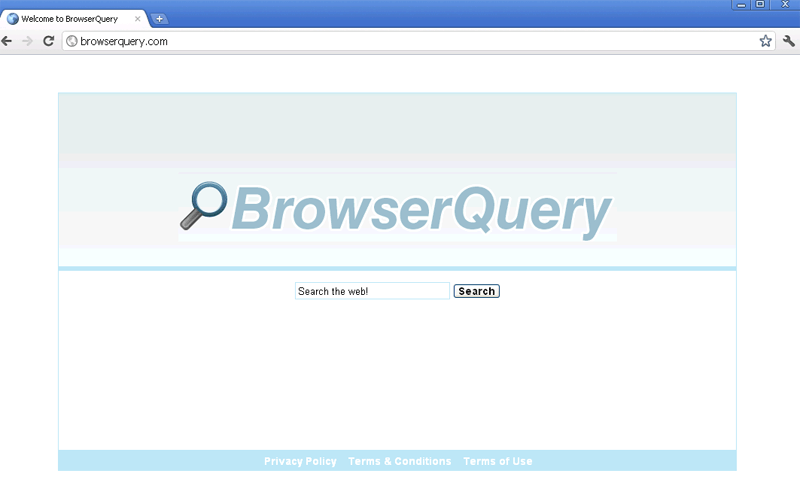 BrowserQuery.com is a fake search engine that's from the same ring of fraudulent search sites as SeekDNS.com, BrowserSeek.com, BarQuery.com, ZwankySearch.com, ZinkWink.com and WinkZink.com. These websites use identical templates to make it look as though they can dish up useful search results, but BrowserQuery.com and its relatives can only provide you with links to irrelevant sites that give kickbacks to BrowserQuery.com's web masters. SpywareRemove.com malware researchers also strongly encourage you to avoid BrowserQuery.com and similar sites due to their confirmed history of propagating malicious software – especially PC threats that are capable of redirecting your browser to BrowserQuery.com without your permission. If your web browser starts to load BrowserQuery.com without your consent, you should treat your PC as infected and apply your preference of anti-malware software to remove BrowserQuery.com's browser hijacker.
Making Inquiries into BrowserQuery.com's Shifty Past
In spite of its appearance in the form of a sleek and minimalist search engine, BrowserQuery.com doesn't have the ability to deliver relevant or safe content that's derived from your search terms. In fact, SpywareRemove.com malware researcher team has found that BrowserQuery.com doesn't truly bother to do much with your search terms at all – instead, BrowserQuery.com prefers to use its supposed search engine function as an excuse to display links for a variety of affiliate websites. These sites pay a small amount of money back to BrowserQuery.com for the traffic that BrowserQuery.com provides and may even be hosts for drive-by-download attacks, phishing scams and other forms of malicious content.
However, this behavior isn't a new thing for BrowserQuery.com, which is a direct copy of other types of fraudulent search engines. SpywareRemove.com malware researchers are quite familiar with BrowserQuery.com's clones, including (but not restricted to) SeekDNS.com, BrowserSeek.com, BarQuery.com, ZwankySearch.com, ZinkWink.com and WinkZink.com. Contact with any of these sites or with their affiliates should be considered just as dangerous for your PC as contact with BrowserQuery.com.
The Top Danger to BrowserQuery.com – and It Goes Straight to Your Browser
BrowserQuery.com and related sites are especially-known for their distribution and profit from browser hijackers. Browser hijackers can be found in both Trojan and rootkit formats and may also cause other forms of damage to your PC (such as blocking software or changing your firewall settings). However, the foremost symptom of an infection by a BrowserQuery.com-affiliated browser hijacker is a series of browser redirect that force you away from other search engines and towards BrowserQuery.com. Browser hijackers may also redirect you to sites that are partnered with BrowserQuery.com, create pop-ups or change your browser's settings without your permission.
Since these attacks force your web browser to load malicious content, SpywareRemove.com malware analysts recommend that you remove any BrowserQuery.com-aligned browser hijacker ASAP. However, since manual methods for doing this are prone to failure, in cases where PC security software or anti-malware software is available, you should use it to scan your computer and detect concealed components (such as Registry entries and files that are hidden in operating system directories).
Technical Details
File System Modifications
Tutorials: If you wish to learn how to remove malware components manually, you can read the tutorials on how to find malware, kill unwanted processes, remove malicious DLLs and delete other harmful files. Always be sure to back up your PC before making any changes.
The following files were created in the system:%Temp%BrowserQuerytoolbar-manifest.xml
File name: %Temp%BrowserQuerytoolbar-manifest.xmlMime Type: unknown/xml
%AppData%BrowserQuerytoolbarcouponsmerchants2.xml
File name: %AppData%BrowserQuerytoolbarcouponsmerchants2.xmlMime Type: unknown/xml
%AppData%BrowserQuerytoolbarcouponscategories.xml
File name: %AppData%BrowserQuerytoolbarcouponscategories.xmlMime Type: unknown/xml
%AppData%BrowserQuerytoolbarcouponsmerchants.xml
File name: %AppData%BrowserQuerytoolbarcouponsmerchants.xmlMime Type: unknown/xml
%AppData%BrowserQuerytoolbaruninstallIE.dat
File name: %AppData%BrowserQuerytoolbaruninstallIE.datFile type: Data file
Mime Type: unknown/dat
%AppData%BrowserQuerytoolbaruninstallStatIE.dat
File name: %AppData%BrowserQuerytoolbaruninstallStatIE.datFile type: Data file
Mime Type: unknown/dat
%AppData%BrowserQuerytoolbarlog.txt
File name: %AppData%BrowserQuerytoolbarlog.txtMime Type: unknown/txt
%AppData%BrowserQuerytoolbarpreferences.dat
File name: %AppData%BrowserQuerytoolbarpreferences.datFile type: Data file
Mime Type: unknown/dat
%AppData%BrowserQuerytoolbardtx.ini
File name: %AppData%BrowserQuerytoolbardtx.iniMime Type: unknown/ini
%AppData%BrowserQuerytoolbarguid.dat
File name: %AppData%BrowserQuerytoolbarguid.datFile type: Data file
Mime Type: unknown/dat
%AppData%BrowserQuerytoolbarstat.log
File name: %AppData%BrowserQuerytoolbarstat.logMime Type: unknown/log
%AppData%BrowserQuerytoolbarstats.dat
File name: %AppData%BrowserQuerytoolbarstats.datFile type: Data file
Mime Type: unknown/dat
%AppData%BrowserQuerytoolbarversion.xml
File name: %AppData%BrowserQuerytoolbarversion.xmlMime Type: unknown/xml
Registry Modifications
HKEY..\..\..\..{Subkeys}HKEY_LOCAL_MACHINESOFTWAREClassesCLSID{99079a25-328f-4bd4-be04-00955acaa0a7} "BrowserQuery Toolbar"HKEY_LOCAL_MACHINESOFTWAREClassesCLSID{A40DC6C5-79D0-4ca8-A185-8FF989AF1115}VersionIndependentProgID "BrowserQueryIEHelper.UrlHelper"HKEY_LOCAL_MACHINESOFTWAREClassesCLSID{99079a25-328f-4bd4-be04-00955acaa0a7}InprocServer32 "C:PROGRA~1WINDOW~4ToolBarBrowserQuerydtx.dll"HKEY_LOCAL_MACHINESOFTWAREClassesCLSID{A40DC6C5-79D0-4ca8-A185-8FF989AF1115}ProgID "BrowserQueryIEHelper.UrlHelper.1"HKEY_LOCAL_MACHINESOFTWAREClassesCLSID{A40DC6C5-79D0-4ca8-A185-8FF989AF1115} "UrlHelper Class"HKEY_LOCAL_MACHINESOFTWAREClassesBrowserQueryIEHelper.DNSGuardCurVerHKEY_LOCAL_MACHINESOFTWAREClassesBrowserQueryIEHelper.DNSGuardCLSIDHKEY_LOCAL_MACHINESOFTWAREMicrosoftWindowsCurrentVersionExplorerBrowser Helper Objects{99079a25-328f-4bd4-be04-00955acaa0a7} "BrowserQuery BrowserQuery Toolbar"HKEY_LOCAL_MACHINESOFTWAREClassesBrowserQueryIEHelper.DNSGuardHKEY_LOCAL_MACHINESOFTWAREClassesBrowserQueryIEHelper.DNSGuard.1HKEY_LOCAL_MACHINESOFTWAREMicrosoftInternet ExplorerToolbar "BrowserQuery Toolbar"
Leave a Reply
Please note that we are not able to assist with billing and support issues regarding SpyHunter or other products. If you're having issues with SpyHunter, please get in touch with SpyHunter customer support through your SpyHunter . If you have SpyHunter billing questions, we recommend you check the Billing FAQ. For general suggestions or feedback, contact us.