Master Utilities
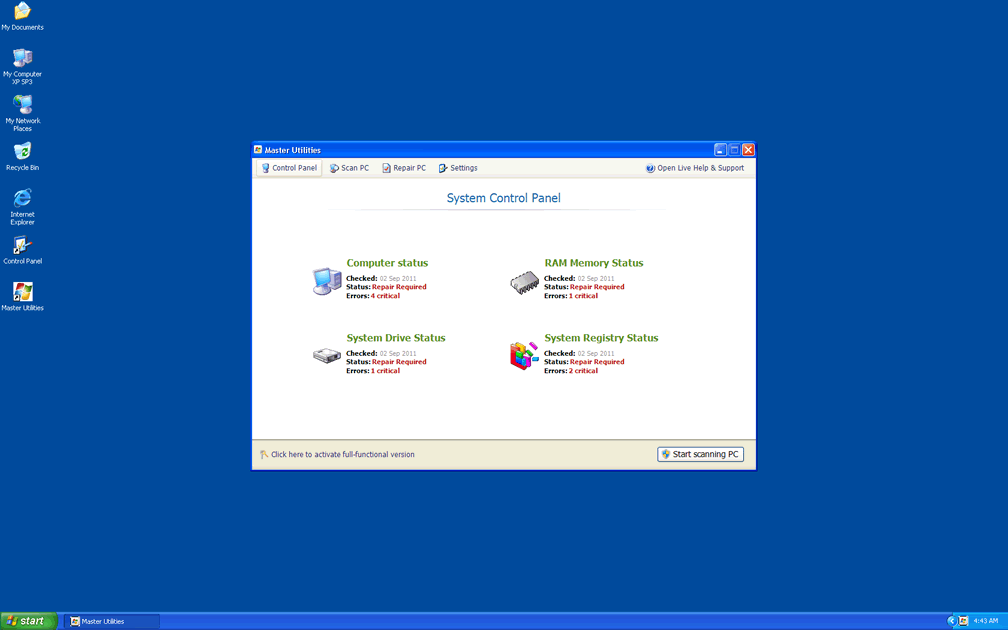
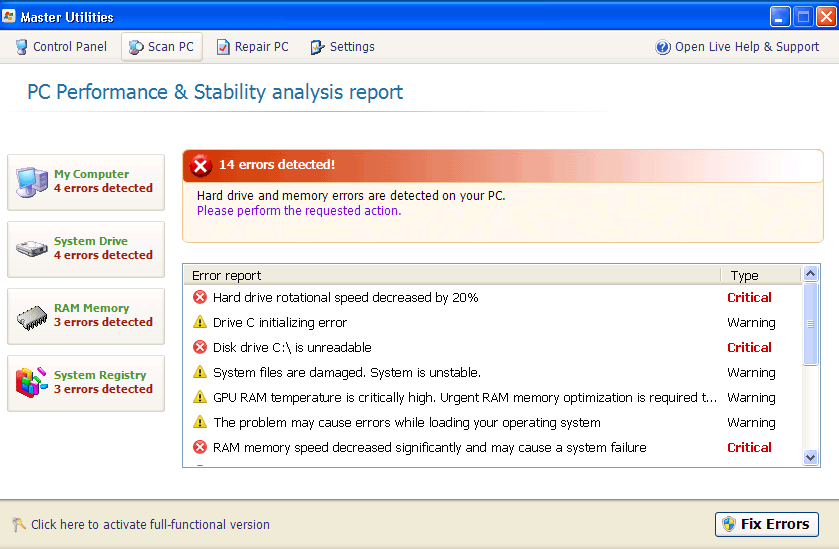 Master Utilities is a new variant from the Fake HDD or fake defragger family of scamware products. Although Master Utilities' name may lead you to think that Master Utilities is unrelated to such notorious rogue defragmenters as HDD Plus, HDD Doctor or HDD Repair, Master Utilities is no better than any of these other rogue defraggers and will use similar tactics, including fake system errors and trying to prevent you from accessing your security applications. Since Master Utilities can't offer any real security, error-removal or defragmenting functions, deleting Master Utilities is the only sensible course of action, and SpywareRemove.com malware researchers strongly caution against ever spending any money on Master Utilities. Until you do remove Master Utilities, browser hijacks, invisible files, locked desktop images and other attacks against your PC will be regular occurrences.
Master Utilities – Truly a Master of Making Your PC Highly Unpleasant
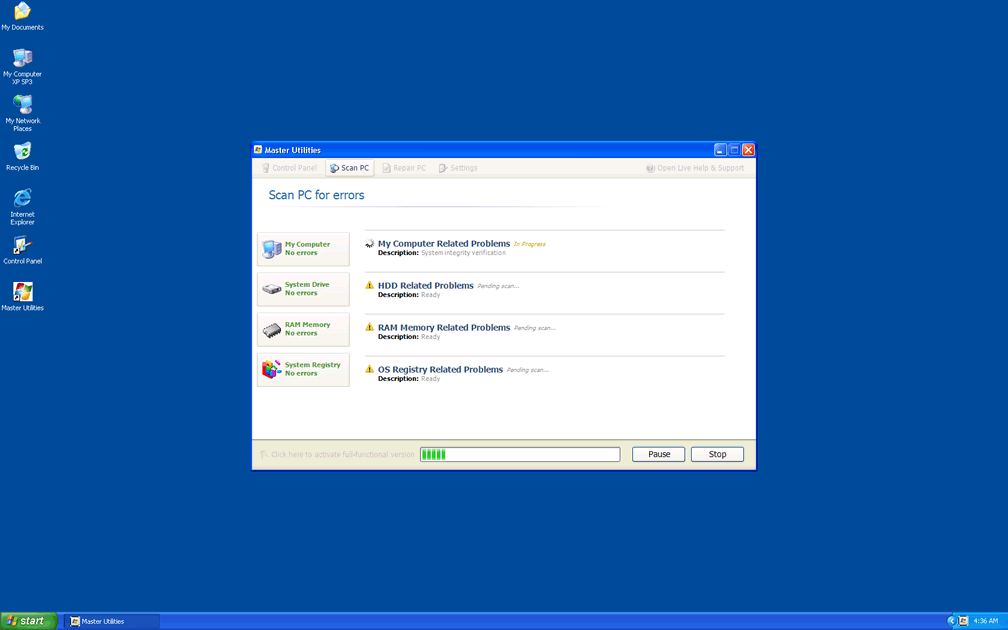
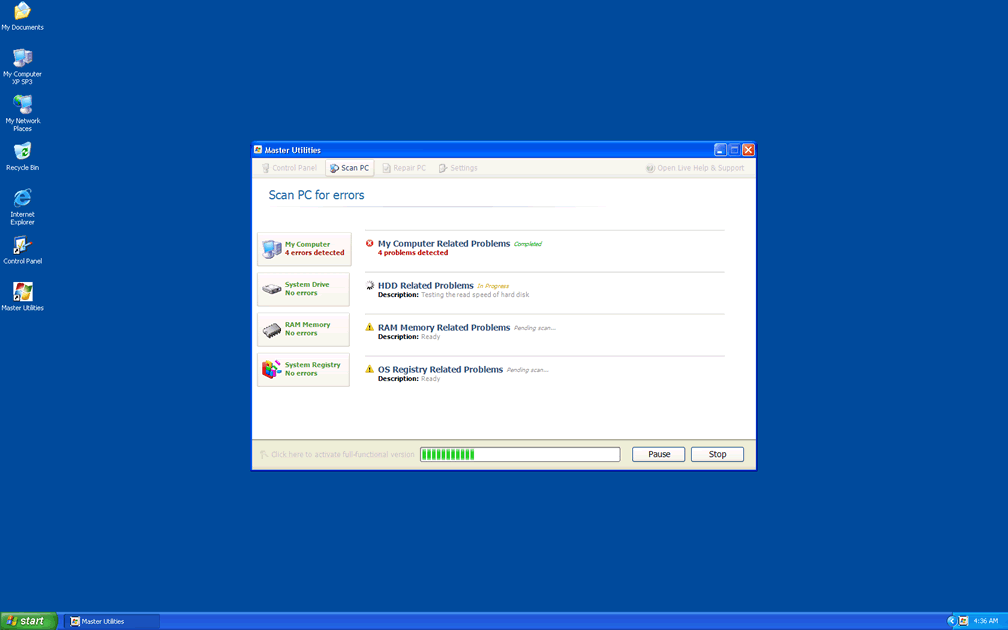
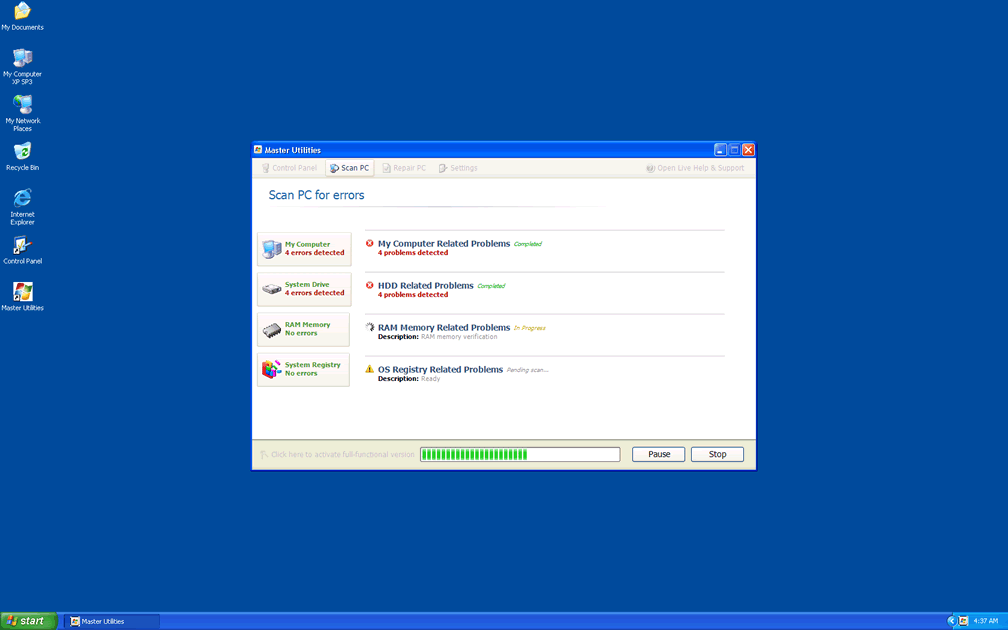
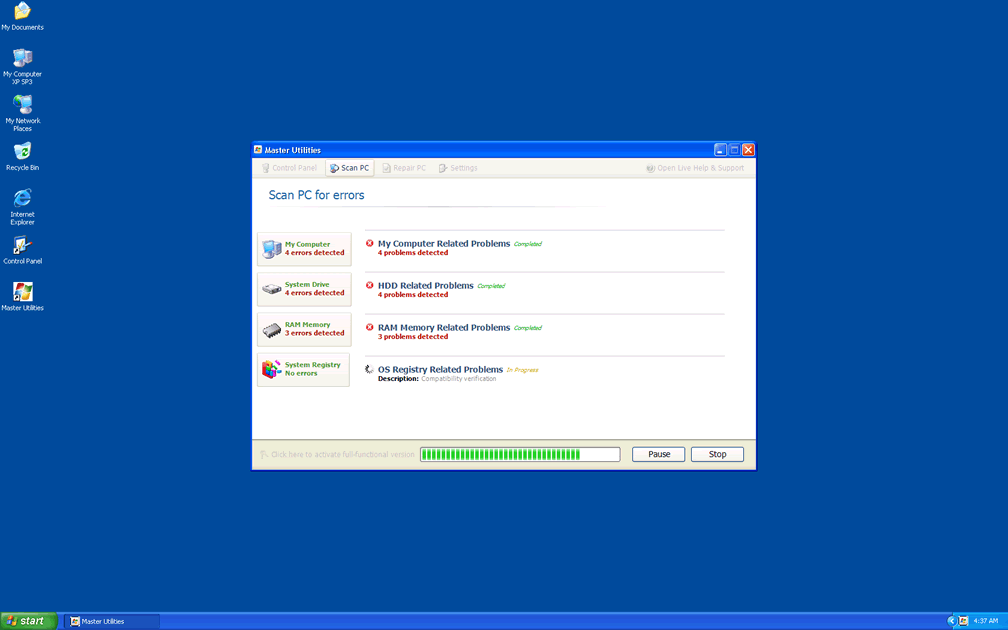
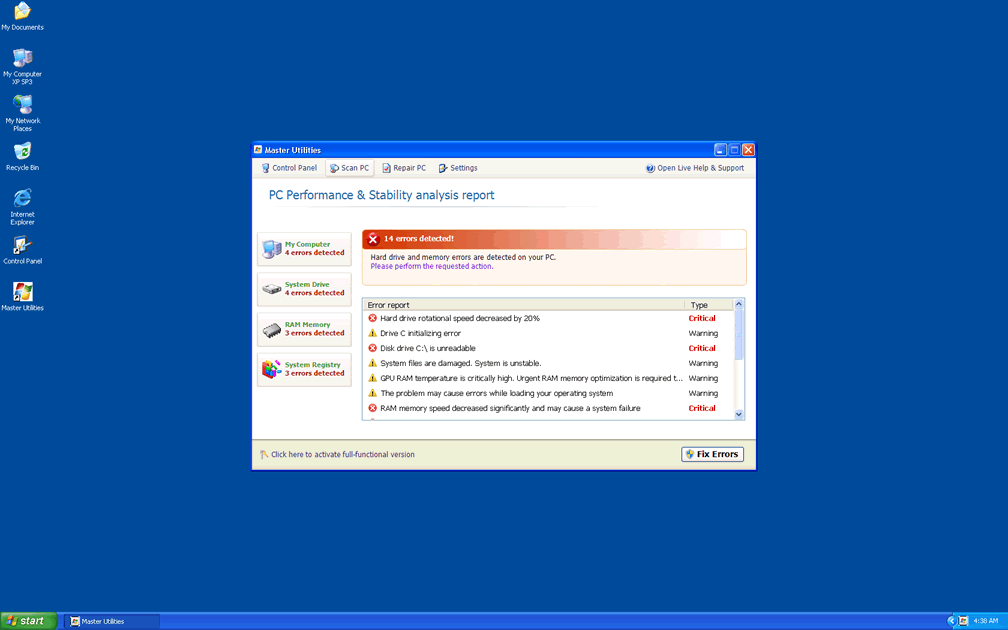
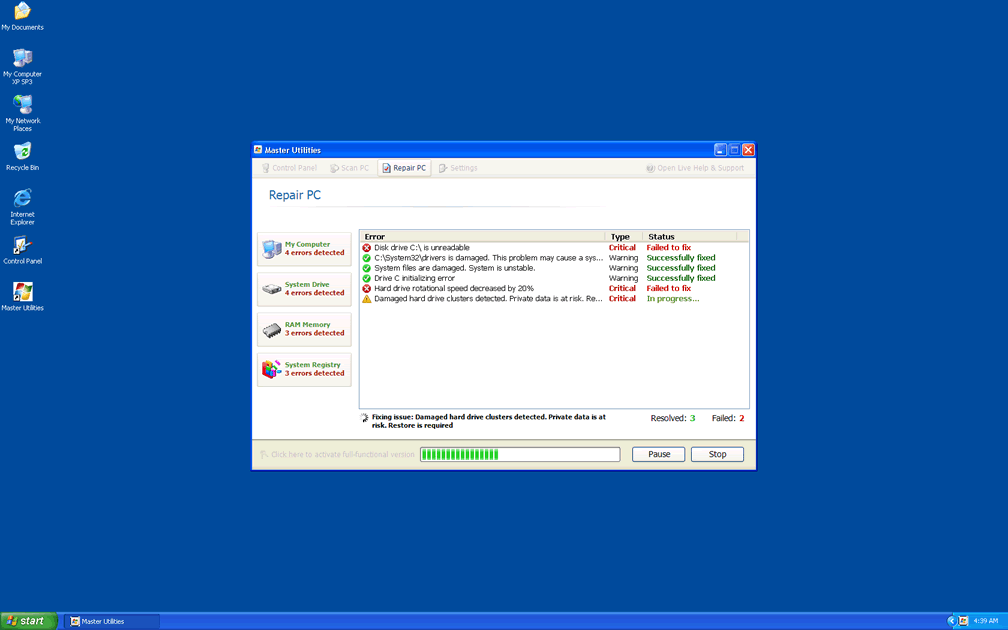
Master Utilities sells itself in the form of a hard disk-optimizing and defragmenting utility, but SpywareRemove.com malware researchers haven't found any real utility in Master Utilities except for malicious functions. The most common Master Utilities attack is a series of warning messages that Master Utilities uses to make your hard drive appear to be heavily-damaged. In other cases, Master Utilities may create errors specifically to make it seem like you shouldn't use a particular security program – but the truth behind this 'helpful' message is that your security programs are being blocked to stop you from removing Master Utilities itself.
Samples of some common Master Utilities error messages can include the following but aren't limited to them:
Bad sectors on hard drive or damaged file allocation table – Critical Error
28% of HDD space is unreadable – Critical Error
Critical Error
A critical error has occurred while indexing data stored on hard drive. System restart required.
A problem detected while reading boot operation system files
System Restore
The system has been restored after a critical error. Data integrity and hard drive integrity verification required.
Boot sector of the hard drive disk is damaged – Critical Error – Limited Edition
Windows – No Disk
Exception Processing Message 0×0000013
Read time of hard drive cluster less than 500 ms – Critical Error
Serious system error
The system will reboot in 30 seconds
Windows can not continue operating due to fatal system error.
Windows was forced to restart.
All unsaved data will be lost.
Confirmation
Master Utilities detected an error on your hard drive when trying to access a file
C:\Program Files\Internet Explorer\iexplore.exe
Perform data recovery now?
Disk Error
Can not find file: C:\Program Files\Messenger\msmsgs.exe
File may be deleted or corrupt.
It is strongly recommended to check the disk for errors.
Confirmation
Your hard drive contains a lot of critical errors!
All your data including installed programs, documents, email, etc. are at risk of irreversible corrupt.
The trial version does not have low-level access module needed to fix the errors found.
It is strongly recommended to activate the full version software with necessary modules. Activate full version now?
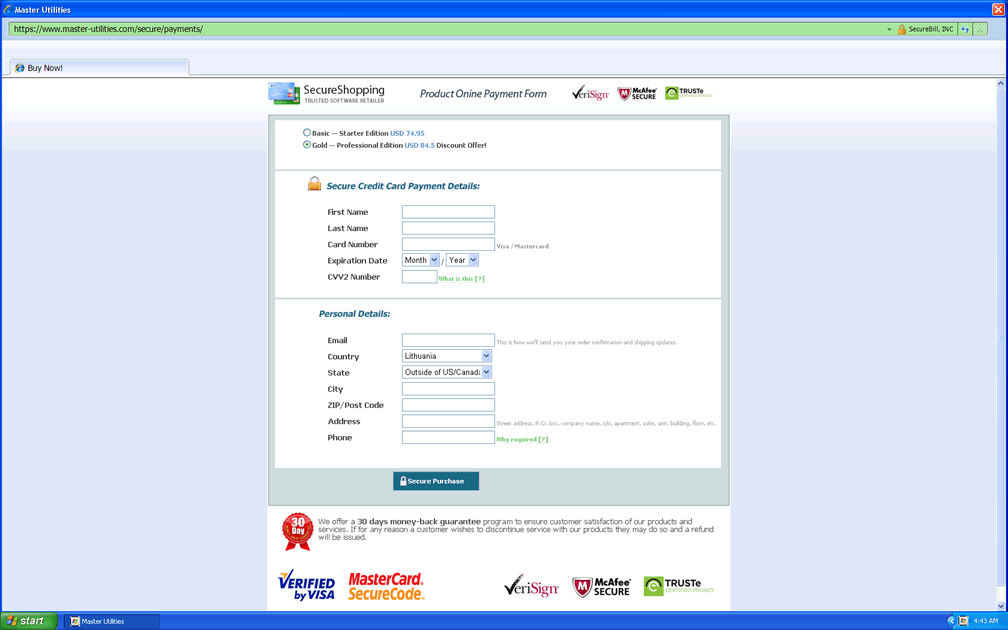
Since SpywareRemove.com malware researchers have found that many of these errors may try to redirect you to a Master Utilities website, you should be especially careful to avoid purchasing a Master Utilities activation code or other forms of fraudulent software, such as Memory Optimizer, Memory Scan, HDD Tools, HDD Scan, Windows 7 Restore or Windows Tool, all of which are clones of Master Utilities.
Pushing Master Utilities Back into the Broom Closet Where It Belongs
Deleting Master Utilities can be complicated by Master Utilities' ability to block programs, as well as Master Utilities' tendency to hijack web browsers and force them away from PC security websites. In many cases, Safe Mode or rebooting from a portable hard drive will let you access Windows without triggering the startup entries for Master Utilities, hence disabling these interferences.
Other problems that SpywareRemove.com malware research team have linked to Master Utilities infections include disabled system settings, altered web browser security settings and desktop image changes, most of which can create additional security weaknesses for your PC.
Any Master Utilities deletion attempt should utilize a general and up-to-date anti-malware product that's capable of deleting Trojans as well as scamware like Master Utilities, since many fake defraggers and other scamware programs like Master Utilities have been distributed by Trojan infections that can reinstall their payloads with ease.
If necessary, you can use the freely-available code '1203978628012489708290478989147' to activate Master Utilities and make Master Utilities shut down its attacks under the assumption that you've 'purchased' Master Utilities. An actual purchase of Master Utilities and its fake services is, of course, never recommended.
Technical Details
File System Modifications
Tutorials: If you wish to learn how to remove malware components manually, you can read the tutorials on how to find malware, kill unwanted processes, remove malicious DLLs and delete other harmful files. Always be sure to back up your PC before making any changes.
The following files were created in the system:%LocalAppData%\
File name: %LocalAppData%\%LocalAppData%\.exe
File name: %LocalAppData%\.exeFile type: Executable File
Mime Type: unknown/exe
%StartMenu%\Programs\Master Utilities\
File name: %StartMenu%\Programs\Master Utilities\%StartMenu%\Programs\Master Utilities\Master Utilities.lnk
File name: %StartMenu%\Programs\Master Utilities\Master Utilities.lnkFile type: Shortcut
Mime Type: unknown/lnk
%StartMenu%\Programs\Master Utilities\Uninstall Master Utilities.lnk
File name: %StartMenu%\Programs\Master Utilities\Uninstall Master Utilities.lnkFile type: Shortcut
Mime Type: unknown/lnk
%Temp%\smtmp\
File name: %Temp%\smtmp\%Temp%\smtmp\1
File name: %Temp%\smtmp\1%Temp%\smtmp\2
File name: %Temp%\smtmp\2%Temp%\smtmp\3
File name: %Temp%\smtmp\3%Temp%\smtmp\4
File name: %Temp%\smtmp\4%UserProfile%\Desktop\Master Utilities.lnk
File name: %UserProfile%\Desktop\Master Utilities.lnkFile type: Shortcut
Mime Type: unknown/lnk
Registry Modifications
HKEY..\..\..\..{Subkeys}HKEY_CURRENT_USER\Software\Microsoft\Internet Explorer\Main "Use FormSuggest" = 'Yes'HKEY_CURRENT_USER\Software\Microsoft\Windows\CurrentVersion\Internet Settings "CertificateRevocation" = '0'HKEY_CURRENT_USER\Software\Microsoft\Windows\CurrentVersion\Internet Settings "WarnonBadCertRecving" = '0'HKEY_CURRENT_USER\Software\Microsoft\Windows\CurrentVersion\Policies\Attachments "SaveZoneInformation" = '1'HKEY_CURRENT_USER\Software\Microsoft\Windows\CurrentVersion\Policies\Explorer "NoDesktop" = '1'HKEY_CURRENT_USER\Software\Microsoft\Windows\CurrentVersion\Policies\System "DisableTaskMgr" = '1'HKEY_CURRENT_USER\Software\Microsoft\Windows\CurrentVersion\Run "
Additional Information
| # | Message |
|---|---|
| 1 | Activation Reminder Master Utilities Activation Advanced module activation required to fix detected errors and performance issues. Please purchase Advanced Module license to activate this software and enable all features. |
| 2 | Critical Error A critical error has occurred while indexing data stored on hard drive. System restart required. |
| 3 | Critical Error Hard Drive not found. Missing hard drive. |
| 4 | Critical Error RAM memory usage is critically high. RAM memory failure. |
| 5 | Critical Error Windows can't find hard disk space. Hard drive error |
| 6 | Critical Error! Damaged hard drive clusters detected. Private data is at risk. |
| 7 | Critical Error! Windows was unable to save all the data for the file \System32\496A8300. The data has been lost. This error may be caused by a failure of your computer hardware. |
| 8 | Low Disk Space You are running very low disk space on Local Disk (C:). |
| 9 | System Restore The system has been restored after a critical error. Data integrity and hard drive integrity verification required. |
| 10 | Windows - No Disk Exception Processing Message 0x0000013 |
Leave a Reply
Please note that we are not able to assist with billing and support issues regarding SpyHunter or other products. If you're having issues with SpyHunter, please get in touch with SpyHunter customer support through your SpyHunter . If you have SpyHunter billing questions, we recommend you check the Billing FAQ. For general suggestions or feedback, contact us.