Microsoft Security Essentials Alert Virus
Posted: August 21, 2012
Threat Metric
The following fields listed on the Threat Meter containing a specific value, are explained in detail below:
Threat Level: The threat level scale goes from 1 to 10 where 10 is the highest level of severity and 1 is the lowest level of severity. Each specific level is relative to the threat's consistent assessed behaviors collected from SpyHunter's risk assessment model.
Detection Count: The collective number of confirmed and suspected cases of a particular malware threat. The detection count is calculated from infected PCs retrieved from diagnostic and scan log reports generated by SpyHunter.
Volume Count: Similar to the detection count, the Volume Count is specifically based on the number of confirmed and suspected threats infecting systems on a daily basis. High volume counts usually represent a popular threat but may or may not have infected a large number of systems. High detection count threats could lay dormant and have a low volume count. Criteria for Volume Count is relative to a daily detection count.
Trend Path: The Trend Path, utilizing an up arrow, down arrow or equal symbol, represents the level of recent movement of a particular threat. Up arrows represent an increase, down arrows represent a decline and the equal symbol represent no change to a threat's recent movement.
% Impact (Last 7 Days): This demonstrates a 7-day period change in the frequency of a malware threat infecting PCs. The percentage impact correlates directly to the current Trend Path to determine a rise or decline in the percentage.
| Threat Level: | 10/10 |
|---|---|
| Infected PCs: | 26 |
| First Seen: | May 11, 2010 |
|---|---|
| Last Seen: | May 6, 2024 |
| OS(es) Affected: | Windows |
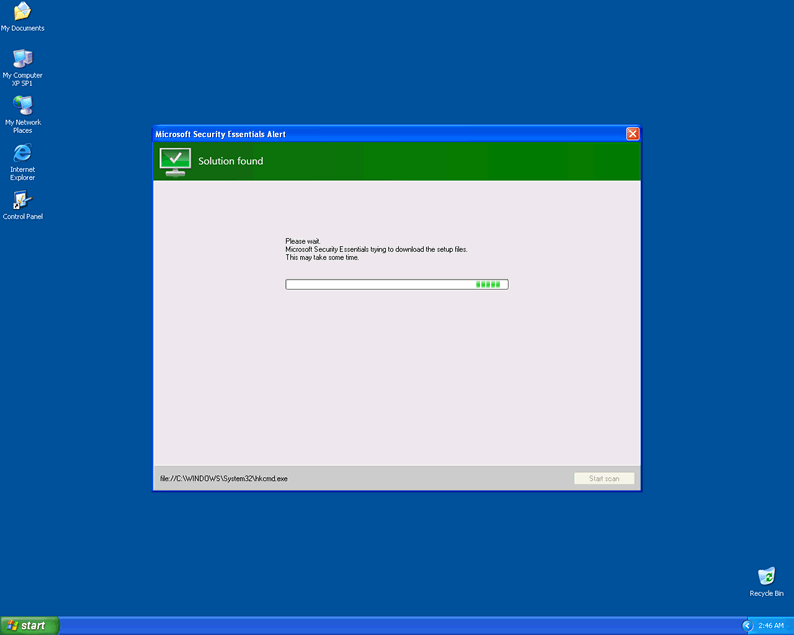
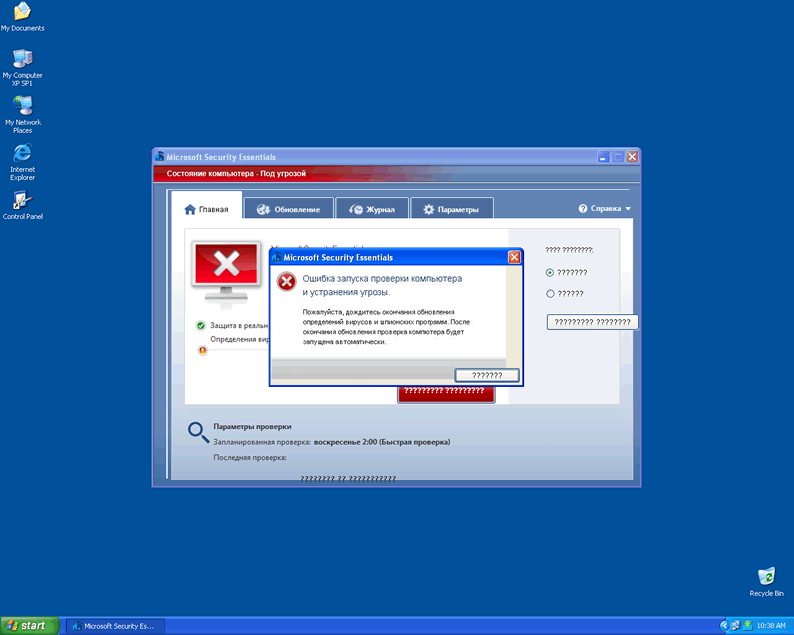
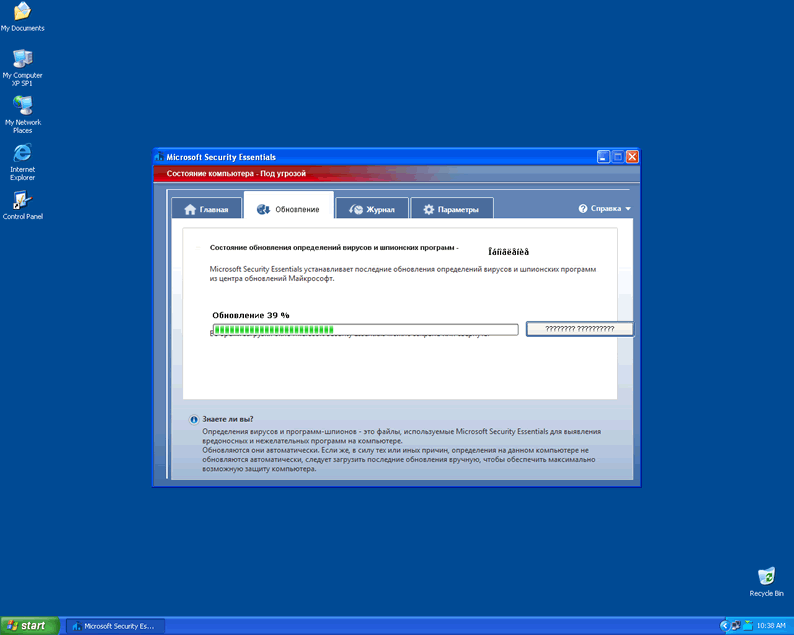
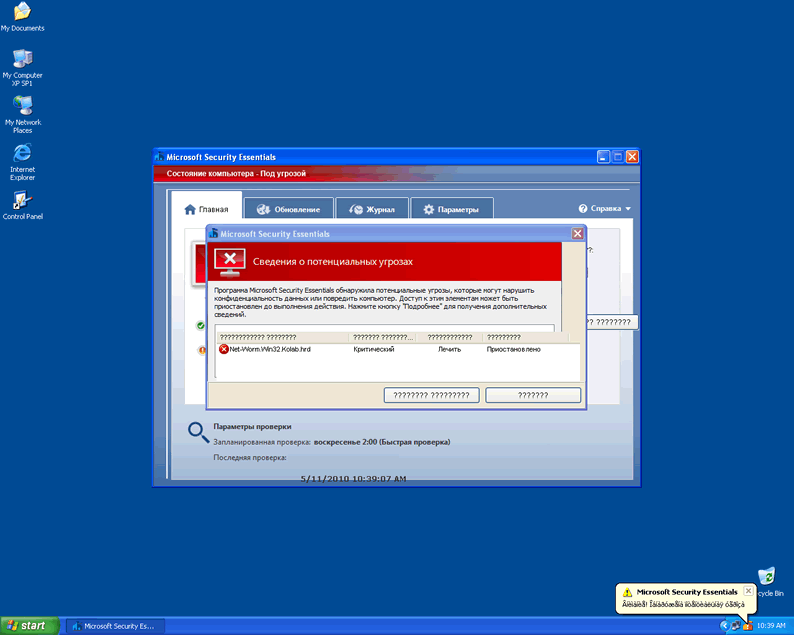
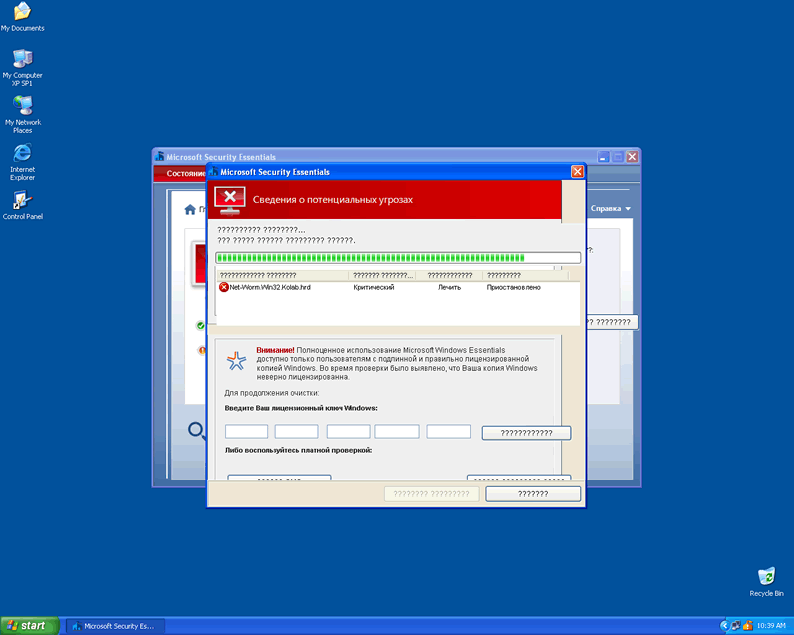
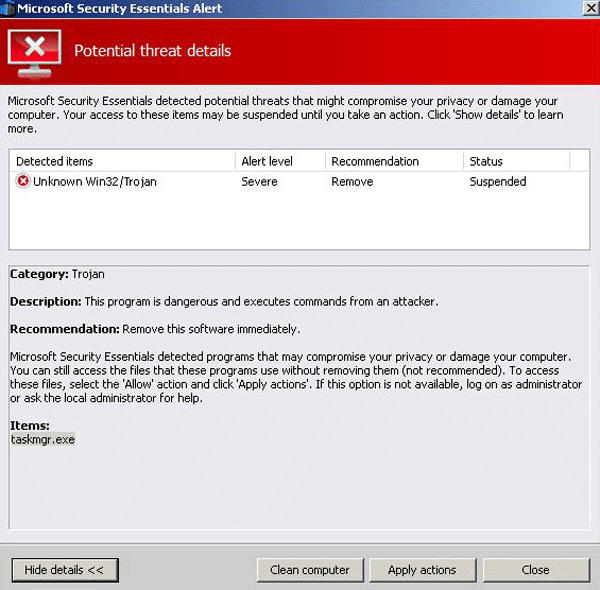 The Microsoft Security Essentials Alert Virus is a ransomware Trojan that imitates the pop-up alerts of Microsoft Security Essentials to encourage you to pay an illegal fine through one of several methods. Because Microsoft Security Essentials Alert Virus may block other programs to prevent you from removing Microsoft Security Essentials Alert Virus and its pop-up, SpywareRemove.com malware analysts recommend disabling Microsoft Security Essentials Alert Virus's startup exploits prior to any anti-malware scans that could delete Microsoft Security Essentials Alert Virus safely. Contrary to appearances, the Microsoft Security Essentials Alert Virus isn't affiliated with Microsoft, isn't capable of protecting your PC and should never be trusted with your money by any means of transferal.
How Microsoft Security Essentials Alert Virus Offers 'Proactive Protection' for Your Wallet's Destruction
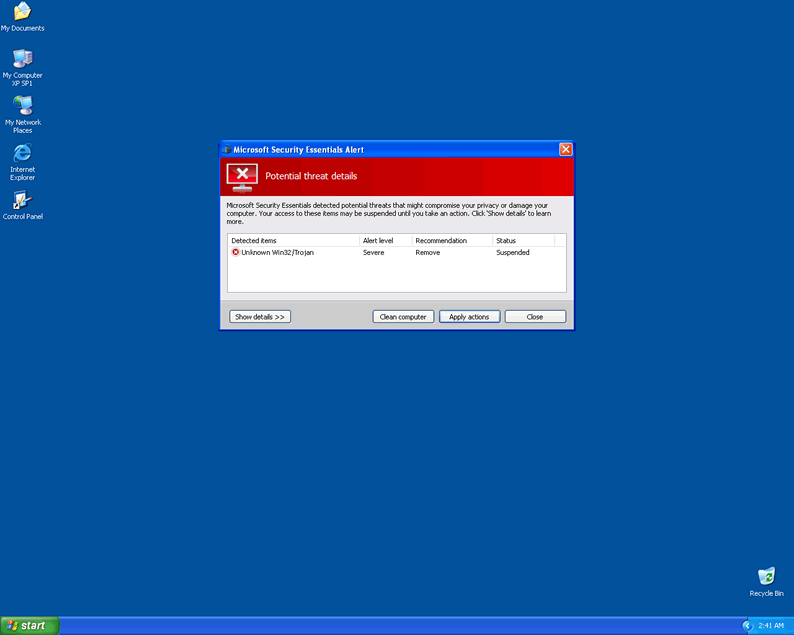
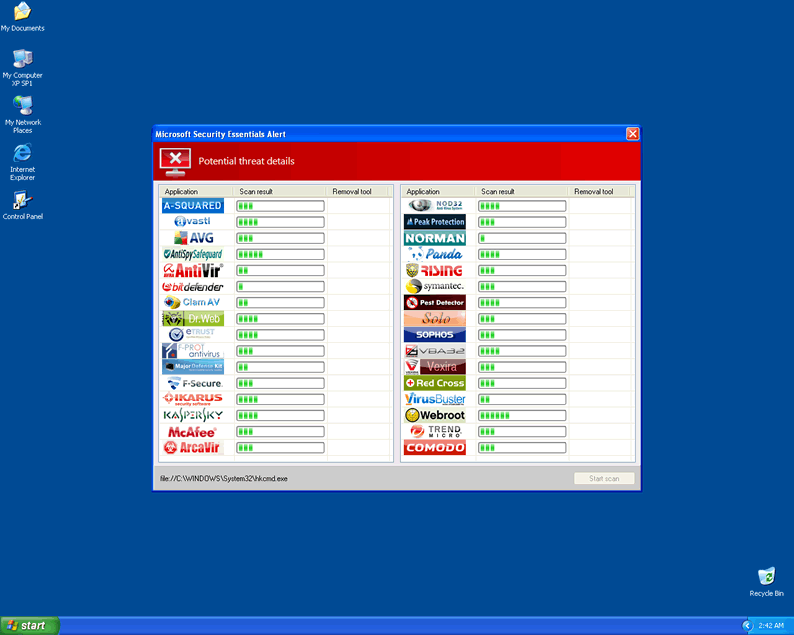
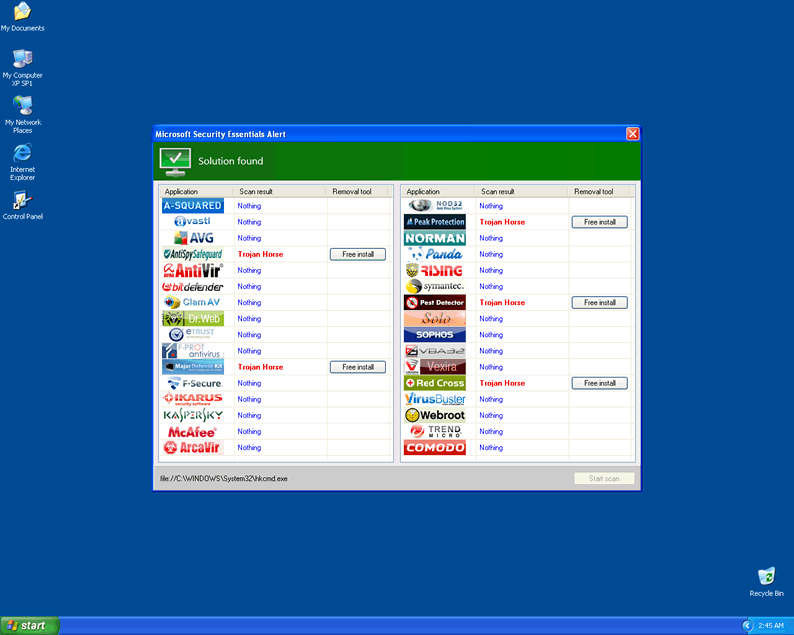
Microsoft Security Essentials Alert Virus uses similar tactics to many families of rogue security software in that, instead of displaying itself as a separate program, Microsoft Security Essentials Alert Virus tries to make it looks like the Microsoft Security Essentials Alert Virus is a natural part of Microsoft's Security Essentials application. To achieve this, Microsoft Security Essentials Alert Virus uses pop-up alerts that strongly resemble the red-on-white looks of the real thing while claiming that your computer is infected by numerous PC threats that may cause imminent 'system collapse and 'complete loss of information.' SpywareRemove.com malware experts have confirmed that Microsoft Security Essentials Alert Virus doesn't have any genuine malware detection or removal functions; all these alerts are completely fake.
While Microsoft Security Essentials Alert Virus's pop-up alerts are reminiscent of common types of scamware products, its preferred means of payment bears more similarity to ransomware such as the infamous Ukash Virus family. Microsoft Security Essentials Alert Virus offers Paysafecard and Ukash-based payment options to acquire its fraudulent security update, although Microsoft Security Essentials Alert Virus also pretends to offer other payment methods that are disabled temporarily, supposedly for 'security reasons.' Naturally, purchasing the Microsoft Security Essentials Alert Virus's update is utterly unnecessary to protecting your PC, and SpywareRemove.com malware experts recommend that you spend your money on practically anything else.
The Rest of Microsoft Security Essentials Alert Virus's Story
Microsoft Security Essentials Alert Virus displays its fraudulent security warning automatically during Windows startup and may also:
- Slow down your PC's performance to make it appear as though other PC threats are interfering with your OS.
- Block other applications, especially anti-malware programs capable of removing Microsoft Security Essentials Alert Virus.
To prevent Microsoft Security Essentials Alert Virus from blocking anti-malware products that could help your PC with Microsoft Security Essentials Alert Virus's removal, SpywareRemove.com malware researchers recommend that you disable Microsoft Security Essentials Alert Virus's startup function first. Booting your computer into Safe Mode or booting from a USB flash drive should allow you to access an OS without Microsoft Security Essentials Alert Virus's pop-up and other attacks getting in the way.

Technical Details
File System Modifications
Tutorials: If you wish to learn how to remove malware components manually, you can read the tutorials on how to find malware, kill unwanted processes, remove malicious DLLs and delete other harmful files. Always be sure to back up your PC before making any changes.
The following files were created in the system:C:\rogues\win8securitysystem\ime_new.exe
File name: ime_new.exeSize: 3.18 MB (3189702 bytes)
MD5: 4ec107d24d7df6710678f8f4d66585dd
Detection count: 12
File type: Executable File
Mime Type: unknown/exe
Path: C:\rogues\win8securitysystem\ime_new.exe
Group: Malware file
Last Updated: May 6, 2024
msseces.exe
File name: msseces.exeFile type: Executable File
Mime Type: unknown/exe
Group: Malware file
%UserProfile%\Application Data\PAV\
File name: %UserProfile%\Application Data\PAV\Group: Malware file
%UserProfile%\Application Data\tmp.exe
File name: %UserProfile%\Application Data\tmp.exeFile type: Executable File
Mime Type: unknown/exe
Group: Malware file
%UserProfile%\Application Data\defender.exe
File name: %UserProfile%\Application Data\defender.exeFile type: Executable File
Mime Type: unknown/exe
Group: Malware file
%UserProfile%\Application Data\antispy.exe
File name: %UserProfile%\Application Data\antispy.exeFile type: Executable File
Mime Type: unknown/exe
Group: Malware file
%UserProfile%\Local Settings\Temp\kjkkklklj.bat
File name: %UserProfile%\Local Settings\Temp\kjkkklklj.batFile type: Batch file
Mime Type: unknown/bat
Group: Malware file
Registry Modifications
HKEY..\..\{Value}HKEY_CURRENT_USER\Software\Microsoft\Windows\CurrentVersion\Internet Settings "WarnonBadCertRecving" = "0"HKEY_CURRENT_USER\Software\Microsoft\Windows\CurrentVersion\Internet Settings "WarnOnPostRedirect" = "0"HKEY_CURRENT_USER\Software\Microsoft\Windows NT\CurrentVersion\Winlogon "Shell" = "%UserProfile%\Application Data\antispy.exe"HKEY..\..\..\..{Subkeys}HKEY_CURRENT_USER\Software\PAVHKEY_LOCAL_MACHINE\SOFTWARE\Microsoft\..{RunKeys}HKEY_CURRENT_USER\Software\Microsoft\Windows\CurrentVersion\Run "tmp"HKEY_CURRENT_USER\Software\Microsoft\Windows\CurrentVersion\RunOnce "SelfdelNT"
Additional Information
| # | Message |
|---|---|
| 1 | Microsoft Security Essentials Alert Your system has been blocked for security reason. Microsoft Security Essentials detected potential threats! Your system has reached the critical security level, because of visiting sites with infected and pornographic contents. Its further use may lead to the system collapse and complete loss of information. To restore Your Windows system performance, you need to download and install an additional module of the dynamic proactive protection. This module is an optional paid update for especially infected Windows systems. It eliminates the causes of system slowdown, associated with the presence of difficult-found malicious software, prevents the system crash and stabilize its operation. Recommendation: Download and install proactive protection module. Computer status - At risk To install this update please insert below Ukash or Paysafecard voucher pin-code. You can buy this voucher at the nearest press salon Inmedio, Inmedio Cafe, Relay and 1-Minute. After your payment is done, Your computer will be immediately updated and protected, all Trojans and viruses will be removed. |
| 2 | Microsoft Security Essentials Alert Microsoft Security Essentials detected potential threats that might compromise your privacy or damage your computer. Your access to these items may be suspended until you take an action. Click 'Show details' to learn more. |
| 3 | Warning! Database updated failed! Database update failed! Outdated viruses database are not effective can't guarantee adequate protection and security for your PC! Click here to get the full version of the product and update the database! |
| 4 | Warning! Running trial version! The security of your computer has been compromised! Now running trial version of the software! Click here to purchase the full version of the software and get full protection for your PC! |
| 5 | The application taskmgr.exe was launched successfully but it was forced to shut down due to security reasons. This happened because the application was infected by a malicious program which might pose a threat for the OS. It is highly recommended to install the necessary heuristic module and perform a full scan of your computer to exterminate malicious programs from it. |
need security and your site was recommended
I have a pop up blocker that claims to be from the dept of justice and all internet access has been blocked. If I send them 300 dollars US they will tell me how to unblock my computer. I smell a rat!
on ce moque du monde il faut prendre des antis virus et il ne font rien j'ai des antivirus et mon pc est infecter hors il vient d'etre reparer par un professionel mais sweetpage c'est reinstaler comme s'il etait cher lui ça sufit y'een a marre