System Protector
Posted: March 30, 2009
Threat Metric
The following fields listed on the Threat Meter containing a specific value, are explained in detail below:
Threat Level: The threat level scale goes from 1 to 10 where 10 is the highest level of severity and 1 is the lowest level of severity. Each specific level is relative to the threat's consistent assessed behaviors collected from SpyHunter's risk assessment model.
Detection Count: The collective number of confirmed and suspected cases of a particular malware threat. The detection count is calculated from infected PCs retrieved from diagnostic and scan log reports generated by SpyHunter.
Volume Count: Similar to the detection count, the Volume Count is specifically based on the number of confirmed and suspected threats infecting systems on a daily basis. High volume counts usually represent a popular threat but may or may not have infected a large number of systems. High detection count threats could lay dormant and have a low volume count. Criteria for Volume Count is relative to a daily detection count.
Trend Path: The Trend Path, utilizing an up arrow, down arrow or equal symbol, represents the level of recent movement of a particular threat. Up arrows represent an increase, down arrows represent a decline and the equal symbol represent no change to a threat's recent movement.
% Impact (Last 7 Days): This demonstrates a 7-day period change in the frequency of a malware threat infecting PCs. The percentage impact correlates directly to the current Trend Path to determine a rise or decline in the percentage.
| Threat Level: | 10/10 |
|---|---|
| Infected PCs: | 89 |
| First Seen: | July 24, 2009 |
|---|---|
| Last Seen: | May 15, 2022 |
| OS(es) Affected: | Windows |
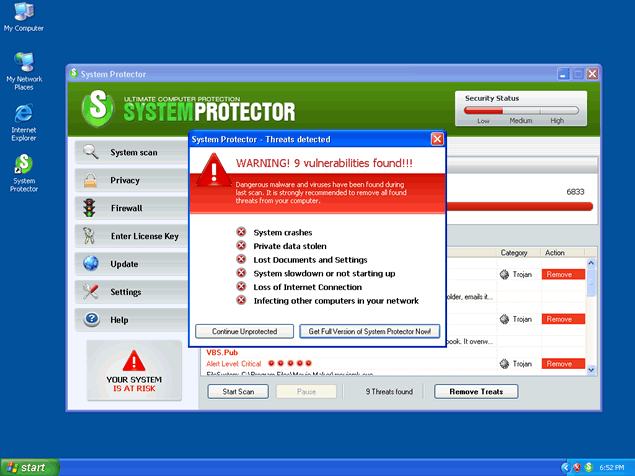
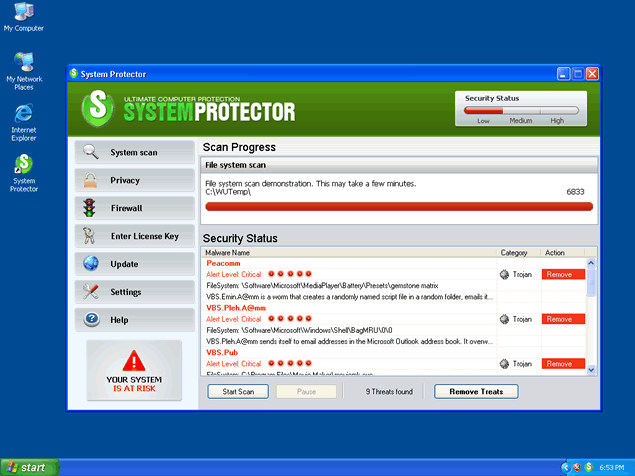
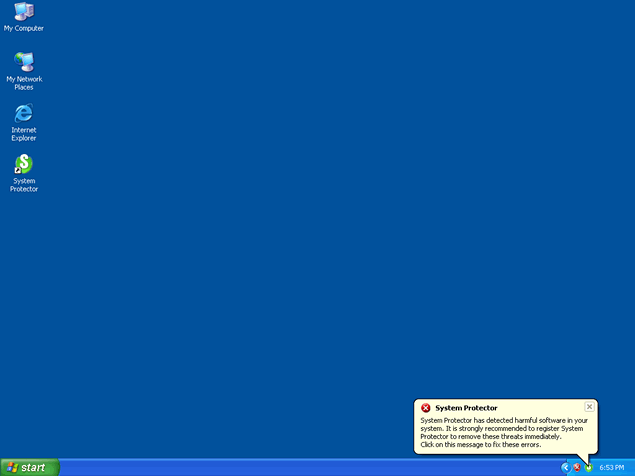
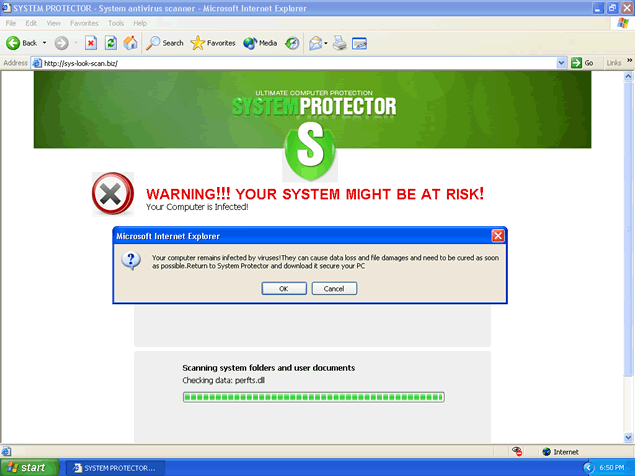 System Protector is a fake anti-spyware program that is designed to trick the user into buying their full version of the program by displaying misleading pop-ups and "system alerts," claiming that your machine is infected with malicious software. System Protector may use its system scanner to display false positives which work as an incentive to make unsuspecting users purchase System Protector's commercial version.
Do not click on any link provided by System Protector. Once you click on the link provided, you'll be redirected to System Protector's website to download and purchase System Protector's rogue anti-spyware program. System Protector has the ability to recreate itself after reboot and its "System scan" messages may continue to pop up on your task manager. It is advised to run a scan with a reliable anti-spyware program to check for the presence of System Protector on your computer.
Aliases
More aliases (69)
Technical Details
File System Modifications
Tutorials: If you wish to learn how to remove malware components manually, you can read the tutorials on how to find malware, kill unwanted processes, remove malicious DLLs and delete other harmful files. Always be sure to back up your PC before making any changes.
The following files were created in the system:shellex.dll
File name: shellex.dllSize: 159.74 KB (159744 bytes)
MD5: 32b18b7832ab674cb0f5ce64c808706c
Detection count: 90
File type: Dynamic link library
Mime Type: unknown/dll
Group: Malware file
Last Updated: December 11, 2009
sysprotector_install[1].exe
File name: sysprotector_install[1].exeSize: 26.62 KB (26624 bytes)
MD5: 3818a6ca4e8912c077c527e63c814c7d
Detection count: 83
File type: Executable File
Mime Type: unknown/exe
Group: Malware file
Last Updated: December 11, 2009
sysprotector_install[1].exe
File name: sysprotector_install[1].exeSize: 40.96 KB (40960 bytes)
MD5: b53da5469558504015005dd31dc2fb78
Detection count: 72
File type: Executable File
Mime Type: unknown/exe
Group: Malware file
Last Updated: December 11, 2009
sysprotector_install_71174136[1].exe
File name: sysprotector_install_71174136[1].exeSize: 26.62 KB (26624 bytes)
MD5: f3550430259981ac278c00c920e24943
Detection count: 42
File type: Executable File
Mime Type: unknown/exe
Group: Malware file
Last Updated: December 11, 2009
sys-protector.exe
File name: sys-protector.exeFile type: Executable File
Mime Type: unknown/exe
Group: Malware file
System Protector.lnk
File name: System Protector.lnkFile type: Shortcut
Mime Type: unknown/lnk
Group: Malware file
dfgfgh.ini
File name: dfgfgh.iniMime Type: unknown/ini
Group: Malware file
C:\WINDOWS\system32\spyprotector.cpl
File name: C:\WINDOWS\system32\spyprotector.cplMime Type: unknown/cpl
Group: Malware file
C:\Program Files\System Protector
File name: C:\Program Files\System ProtectorGroup: Malware file
%UserProfile%\Application Data\lsascs.exe
File name: %UserProfile%\Application Data\lsascs.exeFile type: Executable File
Mime Type: unknown/exe
Group: Malware file
%UserProfile%\Application Data\install.exe
File name: %UserProfile%\Application Data\install.exeFile type: Executable File
Mime Type: unknown/exe
Group: Malware file
%UserProfile%\Application Data\Microsoft\windll32.exe
File name: %UserProfile%\Application Data\Microsoft\windll32.exeFile type: Executable File
Mime Type: unknown/exe
Group: Malware file
%UserProfile%\Application Data\shellex.dll
File name: %UserProfile%\Application Data\shellex.dllFile type: Dynamic link library
Mime Type: unknown/dll
Group: Malware file
%UserProfile%\Desktop\System Protector.lnk
File name: %UserProfile%\Desktop\System Protector.lnkFile type: Shortcut
Mime Type: unknown/lnk
Group: Malware file
%UserProfile%\Application Data\SpyProtectorSC_Config.ini
File name: %UserProfile%\Application Data\SpyProtectorSC_Config.iniMime Type: unknown/ini
Group: Malware file
%UserProfile%\Application Data\SpyProtectorSC_Base_new.dat
File name: %UserProfile%\Application Data\SpyProtectorSC_Base_new.datFile type: Data file
Mime Type: unknown/dat
Group: Malware file
%UserProfile%\Start Menu\Programs\System Protector\System Protector.lnk
File name: %UserProfile%\Start Menu\Programs\System Protector\System Protector.lnkFile type: Shortcut
Mime Type: unknown/lnk
Group: Malware file
%UserProfile%\Start Menu\Programs\System Protector\Support Page.url
File name: %UserProfile%\Start Menu\Programs\System Protector\Support Page.urlMime Type: unknown/url
Group: Malware file
%UserProfile%\Start Menu\Programs\System Protector\Purchase License.url
File name: %UserProfile%\Start Menu\Programs\System Protector\Purchase License.urlMime Type: unknown/url
Group: Malware file
Registry Modifications
HKEY..\..\{CLSID Path}HKEY_LOCAL_MACHINE\SOFTWARE\Classes\CLSID\{107A1D63-2EAA-4694-8ABA-EC209C630D83}HKEY..\..\{Value}HKEY_CURRENT_USER\Software\Microsoft\Windows\CurrentVersion\Policies\System "DisableTaskMgr" => 1HKEY..\..\..\..{Subkeys}HKEY_CURRENT_USER\Software\Microsoft\Windows\CurrentVersion\Uninstall\System Protector HKEY_CURRENT_USER\Software\Microsoft\Windows\CurrentVersion\Run "System Protector"HKEY_LOCAL_MACHINE\SOFTWARE\Classes\*\shellex\ContextMenuHandlers\System ProtectorHKEY_LOCAL_MACHINE\SOFTWARE\Classes\Directory\shellex\ContextMenuHandlers\System ProtectorHKEY_LOCAL_MACHINE\SOFTWARE\Classes\Drive\shellex\ContextMenuHandlers\System ProtectorHKEY_LOCAL_MACHINE\SOFTWARE\Classes\Drive\shellexHKEY_LOCAL_MACHINE\SOFTWARE\Microsoft\Windows\CurrentVersion\Run "System Protector"HKEY_LOCAL_MACHINE\SOFTWARE\Microsoft\Windows\CurrentVersion\App Paths\lsascs.exe
I wish to remove Advanced System Protector from Systweak as I am NOT a registered user but as it runs in background from boot-up I cannot use Start or the Control Panel. Any ideas?
I want to remove Advanced System Protector
Honestly, I didn't know you interact with non human!
I really need to delete this Advanced Systen Protector. Help!
how do i remove advance system protector
tell me how to get advanced system protector off my computer
Please remove advanced system protector...
cant remove systems protector