AV Protection Online
Posted: October 18, 2011
Threat Metric
The following fields listed on the Threat Meter containing a specific value, are explained in detail below:
Threat Level: The threat level scale goes from 1 to 10 where 10 is the highest level of severity and 1 is the lowest level of severity. Each specific level is relative to the threat's consistent assessed behaviors collected from SpyHunter's risk assessment model.
Detection Count: The collective number of confirmed and suspected cases of a particular malware threat. The detection count is calculated from infected PCs retrieved from diagnostic and scan log reports generated by SpyHunter.
Volume Count: Similar to the detection count, the Volume Count is specifically based on the number of confirmed and suspected threats infecting systems on a daily basis. High volume counts usually represent a popular threat but may or may not have infected a large number of systems. High detection count threats could lay dormant and have a low volume count. Criteria for Volume Count is relative to a daily detection count.
Trend Path: The Trend Path, utilizing an up arrow, down arrow or equal symbol, represents the level of recent movement of a particular threat. Up arrows represent an increase, down arrows represent a decline and the equal symbol represent no change to a threat's recent movement.
% Impact (Last 7 Days): This demonstrates a 7-day period change in the frequency of a malware threat infecting PCs. The percentage impact correlates directly to the current Trend Path to determine a rise or decline in the percentage.
| Threat Level: | 10/10 |
|---|---|
| Infected PCs: | 42 |
| First Seen: | October 18, 2011 |
|---|---|
| Last Seen: | August 17, 2022 |
| OS(es) Affected: | Windows |
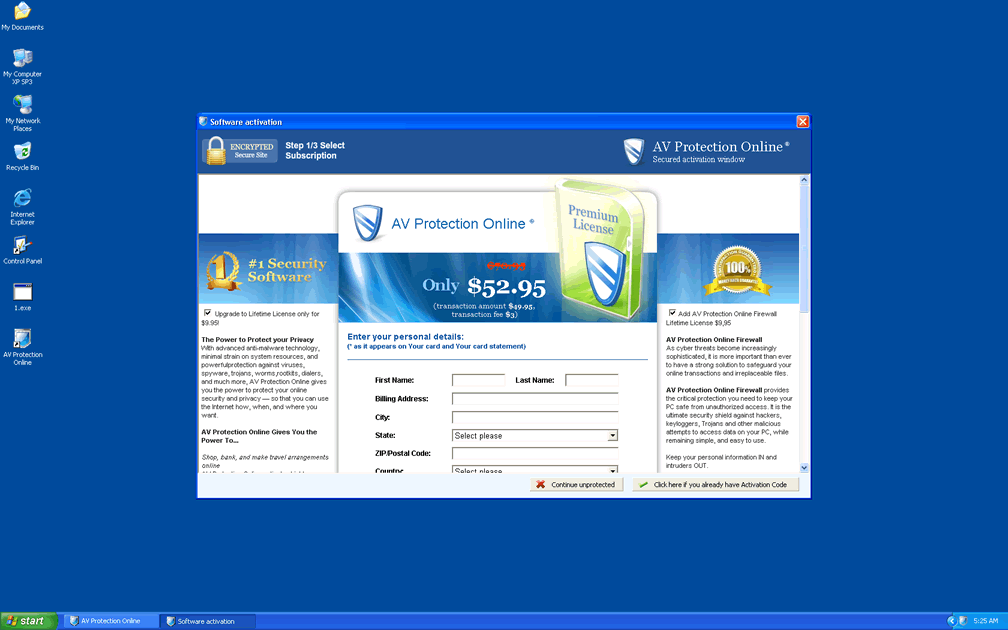
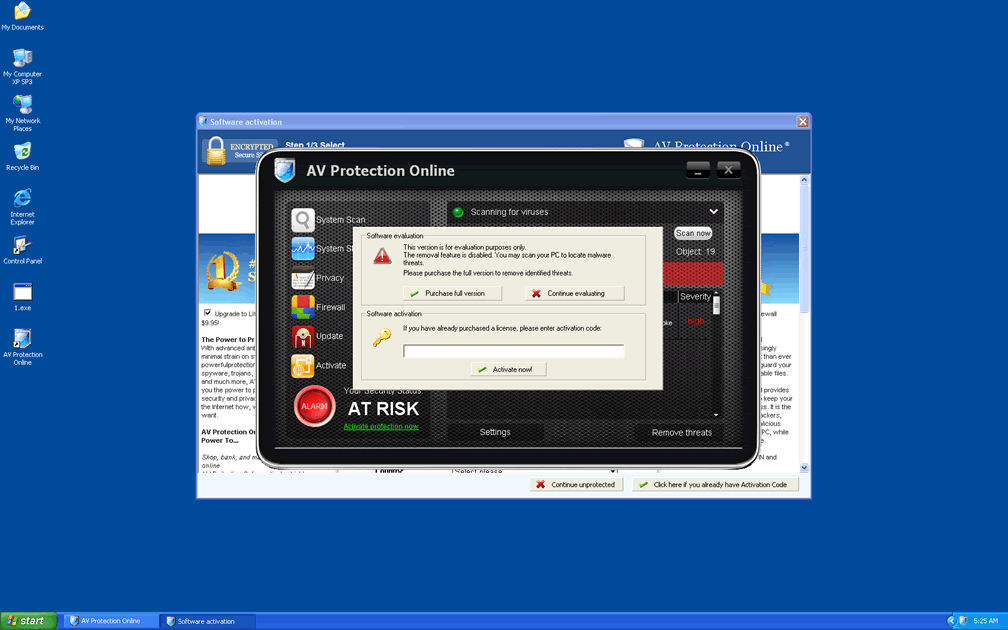
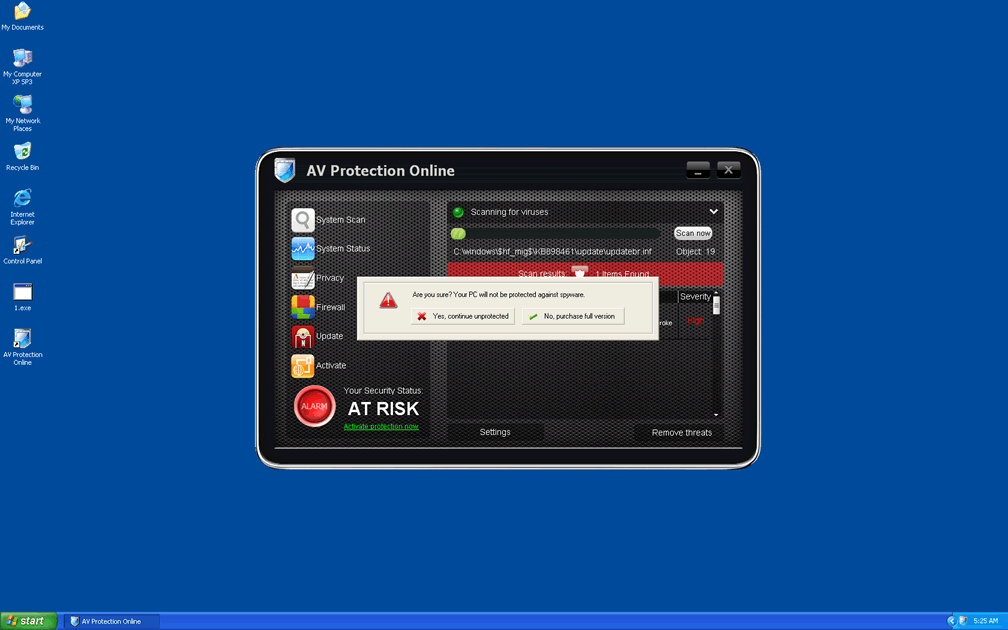
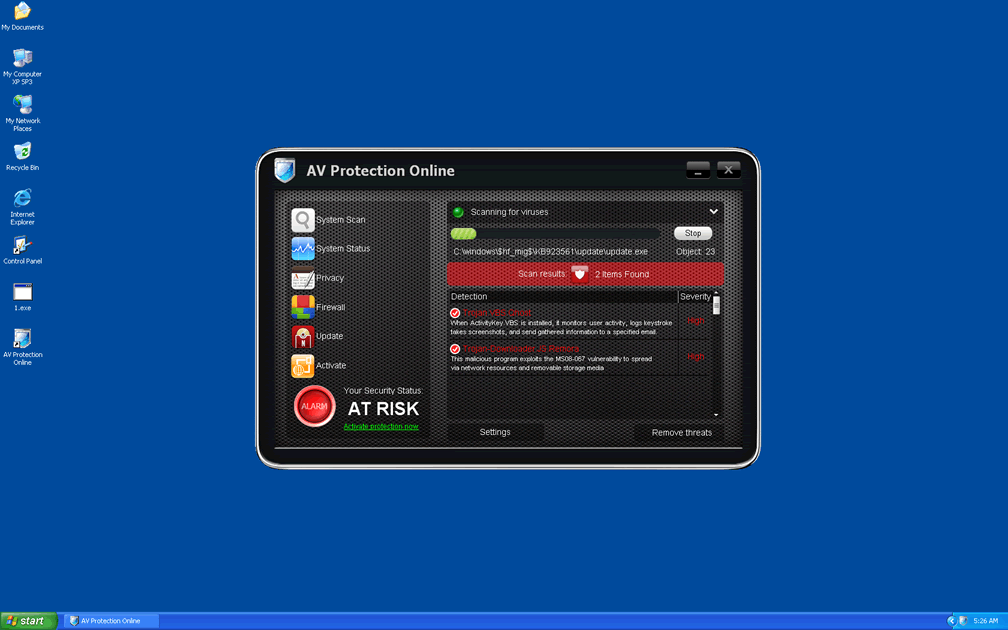
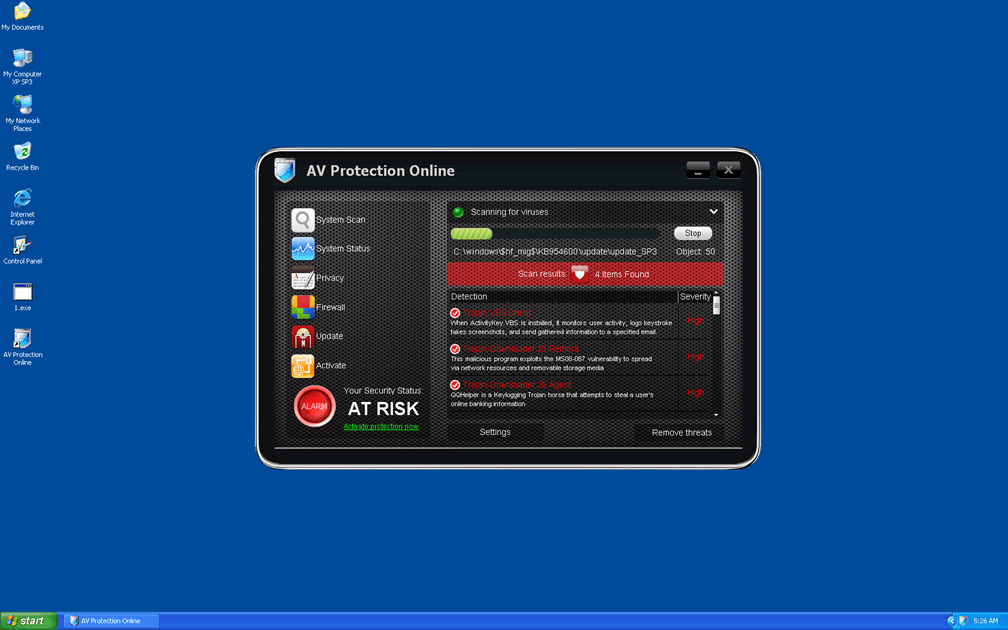
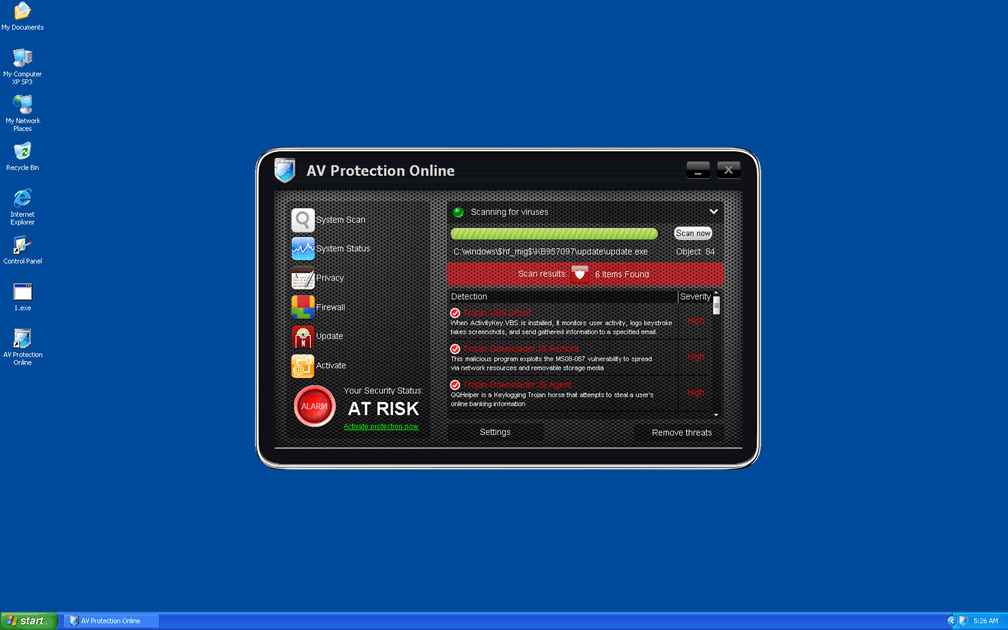
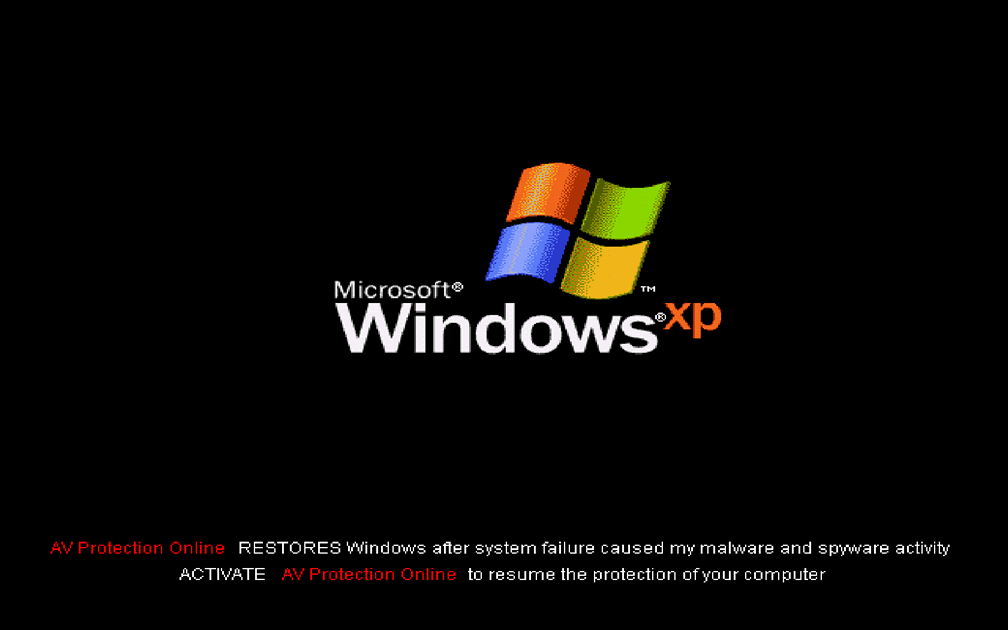
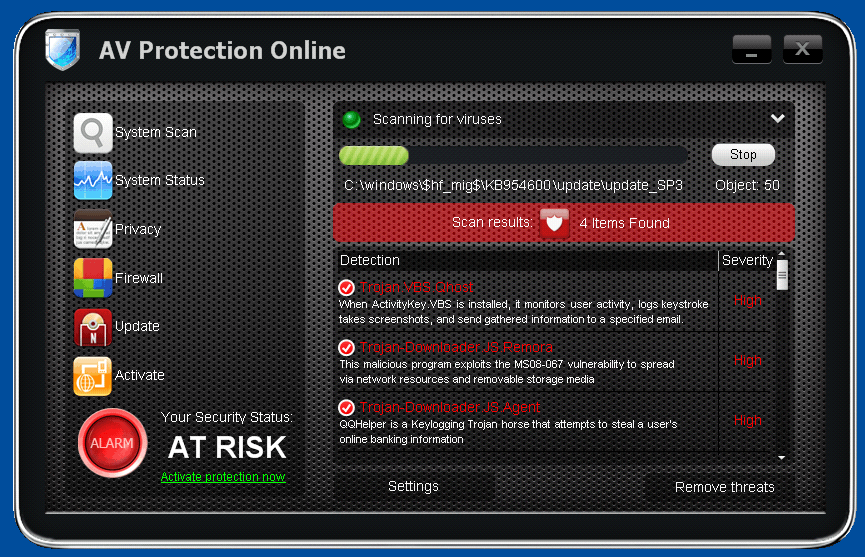 AV Protection Online is an AV scamware program that slaps fake alerts and infection warnings onto your screen to incite a furor, before AV Protection Online tries to lull you with promises of normalcy if you'll only purchase AV Protection Online's full-registered and activated version. Despite AV Protection Online's claims, however, AV Protection Online doesn't have any real anti-virus features and can't do more than create inaccurate pop-ups and cripple your real security programs. While AV Protection Online or related infections are active, SpywareRemove.com malware experts warn against potential browser hijacks that can force your browser towards an AV Protection Online-affiliated website. Instead of spending money at such fraudulent sites, it's suggested that you remove AV Protection Online with a good anti-malware program and, in doing so, put a halt to all of AV Protection Online's symptoms.
AV Protection Online: the Charade of Security That It Dishes Up in Lieu of Real AV Protection
AV Protection Online looks exactly like a real anti-virus program and markets itself as such, but SpywareRemove.com malware researchers have tied AV Protection Online to other rogue AV programs that are equally well-known for fraudulent tactics. AV Protection Online can be considered functionally identical to other members of the FakeScanti family such as Security Guard, Sysinternals Antivirus, WireShark Antivirus, Milestone Antivirus, BlueFlare Antivirus, Wolfram Antivirus, OpenCloud Antivirus, OpenCloud Security, Data Restore, OpenCloud AV, Security Guard 2012, AV Guard Online, Cloud Protection, System Protection 2012, AV Security 2012, Sphere Security 2012, AV Protection 2011 and Super AV 2013. Like them, AV Protection Online has been confirmed to create a variety of rather non-protective problems for any PC that AV Protection Online infects, including (but not limited to):
- Browser hijacks that redirect your web browser to AV Protection Online's own website or the website of a related fake anti-virus program. Any contact with these sites may cause other infections, such as Trojans, rootkits or spyware to be installed without your consent.
- AV Protection Online may try to block your real security and anti-virus programs to stop you from removing AV Protection Online. Renaming the executable files into generic names (such as 'explorer.exe) or rebooting and launching Safe Mode, will let you get past AV Protection Online's little blacklist so that you can use appropriate software.
- You may also experience changes in your browser settings, desktop settings or proxy server settings that make your PC appear to be infected by a wide range of PC threats, but AV Protection Online is, in fact, almost certain to be the direct source of any other system problems experienced, even if AV Protection Online creates error messages to make it appear as though another program is at fault.
Good Information – Your Best Defense Against AV Protection Online Attacks
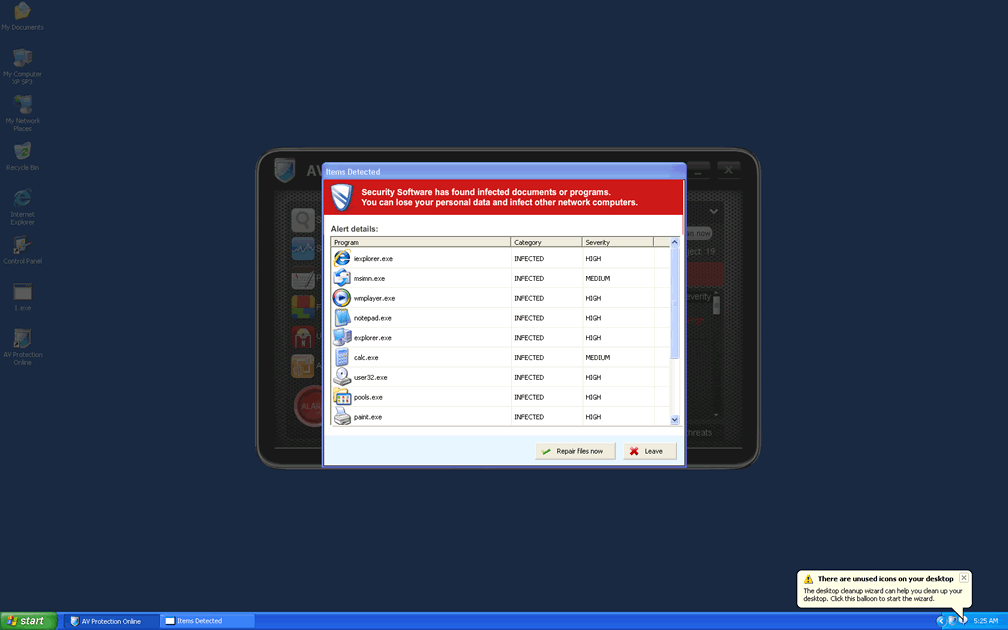
Along with the serious problems described earlier, AV Protection Online is also capable of creating less serious but equally irritating error messages that mislead you about your computer's health. SpywareRemove.com malware research team has found the following series of errors to be common among other members of the AV Protection Online family besides AV Protection Online itself, although AV Protection Online may also create additional variants of these fake alerts:
svchost.exe
svchost.exe was replaced with unauthorized program.
It has encountered a problem and needs to close.
If you were in the middle of something, the information you were working on might be lost.
Please tell Microsoft about this problem.
We have created an error report that you can send to us. We will treat this report as confidential and anonymous.
Windows Security Alert
To help protect your computer, Windows Firewall has blocked some features of this program.
Do you want to keep blocking this program?
Name: Zeus Trojan
Publisher: Unauthorized
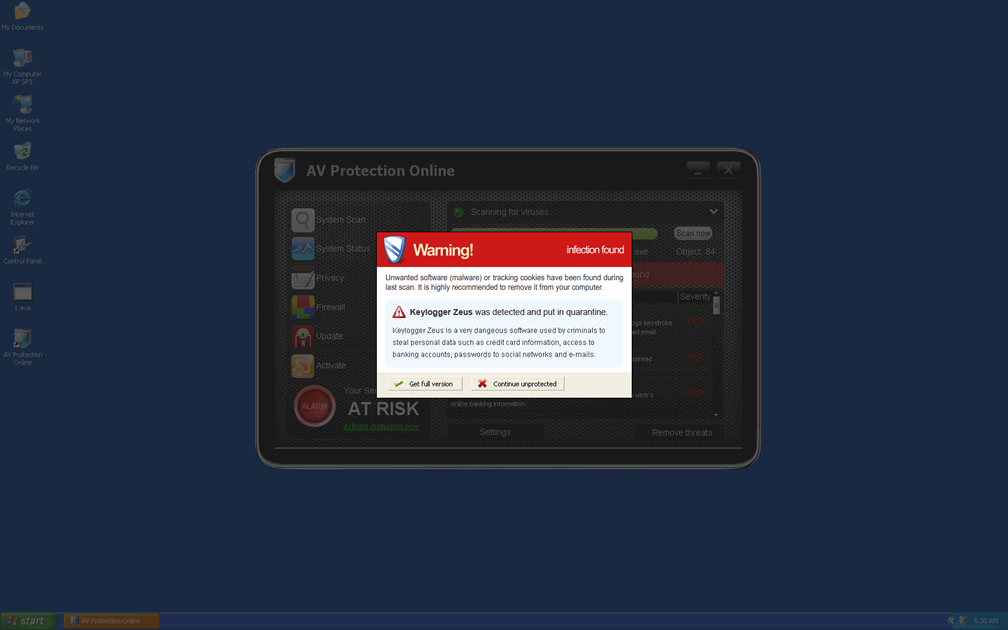
Warning! Infection found
Unauthorized sending E-MAIL with subject "RE:" to [FAKE EMAIL] was CANCELLED.
Warning! Infection found
Unwanted software (malware) or tracking cookies have been found during last scan. It is highly recommended to remove it from your computer.
Keylogger Zeus was detected and put in quarantine.
Keylogger Zeus is a very dangerous software used by criminals to steal personal data such as credit card information, access to banking accounts, passwords to social networks and e-mails.
Security Warning
Your computer continues to be infected with harmful viruses. In order to prevent permanent loss of your information and credit card data theft please activate your antivirus software. Click here to enable protection.
Security Warning
Malicious programs that may steal your private information and prevent your system from working properly are detected on your computer.
Click here to clean your PC immediately.
Security Warning
There are critical system files on your computer that were modified by malicious software.
It may cause permanent data loss.
Click here to remove malicious software.
Warning: Infection is Detected
Windows has found spyware infection on your computer!
Click here to update your Windows antivirus software
Warning: Spyware Detected
Windows has found spy programs running on your computer!
Click here to update your Windows antivirus software
Windows Security Center
Serious security vulnerabilities were detected on this computer. Your privacy and personal data may be unsafe. Do you want to protect your PC?
The safest thing for your PC is for you to ignore these errors and get back to deleting AV Protection Online with a robust anti-malware application, since following their advice risks causing additional harm to your computer.
Technical Details
File System Modifications
Tutorials: If you wish to learn how to remove malware components manually, you can read the tutorials on how to find malware, kill unwanted processes, remove malicious DLLs and delete other harmful files. Always be sure to back up your PC before making any changes.
The following files were created in the system:%AppData%\svhostu.exe
File name: svhostu.exeSize: 103.93 KB (103936 bytes)
MD5: b30db04a303ca1c54964a37f23a0ed37
Detection count: 54
File type: Executable File
Mime Type: unknown/exe
Path: %AppData%
Group: Malware file
Last Updated: October 20, 2011
%WINDIR%\system32\atxP0ycS1b3n4.exe
File name: atxP0ycS1b3n4.exeSize: 1.68 MB (1687040 bytes)
MD5: b3ed62012255aed5b965449e921ab4df
Detection count: 7
File type: Executable File
Mime Type: unknown/exe
Path: %WINDIR%\system32
Group: Malware file
Last Updated: August 17, 2022
%Documents and Settings%\[UserName]\Start Menu\Programs\AV Protection Online\AV Protection Online.lnk
File name: %Documents and Settings%\[UserName]\Start Menu\Programs\AV Protection Online\AV Protection Online.lnkFile type: Shortcut
Mime Type: unknown/lnk
Group: Malware file
%Documents and Settings%\[UserName]\Desktop\AV Protection Online.lnk
File name: %Documents and Settings%\[UserName]\Desktop\AV Protection Online.lnkFile type: Shortcut
Mime Type: unknown/lnk
Group: Malware file
%Documents and Settings%\[UserName]\Local Settings\Temp\[RANDOM CHARACTERS].tmp
File name: %Documents and Settings%\[UserName]\Local Settings\Temp\[RANDOM CHARACTERS].tmpFile type: Temporary File
Mime Type: unknown/tmp
Group: Malware file
%Documents and Settings%\[UserName]\Application Data\ldr.ini
File name: %Documents and Settings%\[UserName]\Application Data\ldr.iniMime Type: unknown/ini
Group: Malware file
%Documents and Settings%\[UserName]\Application Data\[RANDOM CHARACTERS]\
File name: %Documents and Settings%\[UserName]\Application Data\[RANDOM CHARACTERS]\Group: Malware file
%Documents and Settings%\[UserName]\Start Menu\Programs\AV Protection Online\
File name: %Documents and Settings%\[UserName]\Start Menu\Programs\AV Protection Online\Group: Malware file
%Windows%\system32\[RANDOM CHARACTERS].exe
File name: %Windows%\system32\[RANDOM CHARACTERS].exeFile type: Executable File
Mime Type: unknown/exe
Group: Malware file
%AppData%\dvS2obF4pGsJdKg\AV Protection Online.ico
File name: %AppData%\dvS2obF4pGsJdKg\AV Protection Online.icoMime Type: unknown/ico
Group: Malware file
Registry Modifications
HKEY..\..\..\..{Subkeys}HKEY_CURRENT_USER\software\Microsoft\Windows\CurrentVersion\Internet Settings "ProxyServer=http=127.0.0.1:53717"HKEY_CURRENT_USER\software\Microsoft\Windows\CurrentVersion\Internet Settings\Connections "DefaultConnectionSettings=3C0000000B0000000…"HKEY_CURRENT_USER\software\Microsoft\Windows\CurrentVersion\Internet Settings\Connections "SavedLegacySettings=3C0000006B0000000…”HKEY_LOCAL_MACHINE\system\CurrentControlSet\Hardware Profiles\0001\Software\Microsoft\Windows\CurrentVersion\Internet Settings "ProxyEnable=00000001?HKEY_CURRENT_USER\software\Microsoft\Windows\CurrentVersion\Internet Settings "ProxyEnable=00000001?
Thank you very much for microsoft's excellent service to all PC users, and for the free anti virus!
Need help hope I do not have a virus!!!