Live Security Platinum
Posted: June 1, 2012
Threat Metric
The following fields listed on the Threat Meter containing a specific value, are explained in detail below:
Threat Level: The threat level scale goes from 1 to 10 where 10 is the highest level of severity and 1 is the lowest level of severity. Each specific level is relative to the threat's consistent assessed behaviors collected from SpyHunter's risk assessment model.
Detection Count: The collective number of confirmed and suspected cases of a particular malware threat. The detection count is calculated from infected PCs retrieved from diagnostic and scan log reports generated by SpyHunter.
Volume Count: Similar to the detection count, the Volume Count is specifically based on the number of confirmed and suspected threats infecting systems on a daily basis. High volume counts usually represent a popular threat but may or may not have infected a large number of systems. High detection count threats could lay dormant and have a low volume count. Criteria for Volume Count is relative to a daily detection count.
Trend Path: The Trend Path, utilizing an up arrow, down arrow or equal symbol, represents the level of recent movement of a particular threat. Up arrows represent an increase, down arrows represent a decline and the equal symbol represent no change to a threat's recent movement.
% Impact (Last 7 Days): This demonstrates a 7-day period change in the frequency of a malware threat infecting PCs. The percentage impact correlates directly to the current Trend Path to determine a rise or decline in the percentage.
| Threat Level: | 10/10 |
|---|---|
| Infected PCs: | 279 |
| First Seen: | June 1, 2012 |
|---|---|
| Last Seen: | March 2, 2023 |
| OS(es) Affected: | Windows |
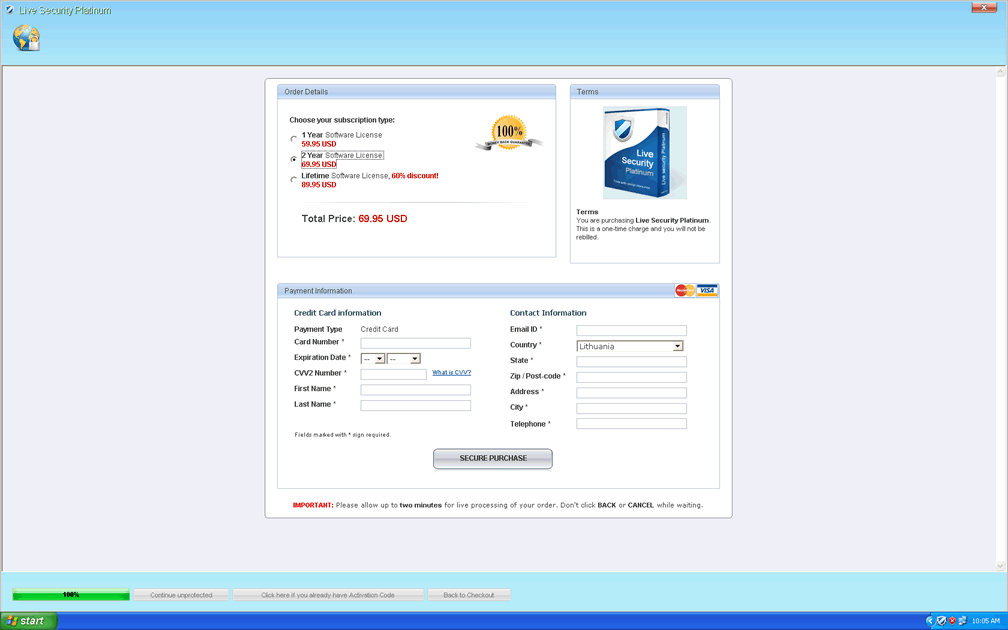
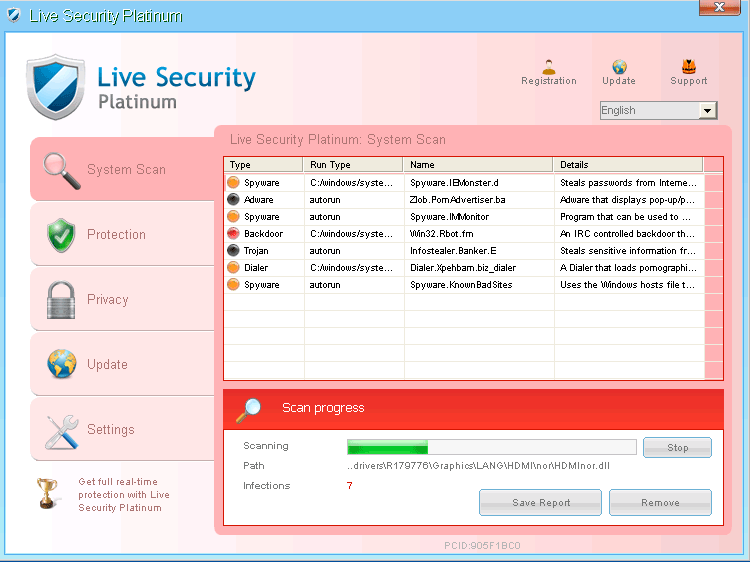 Live Security Platinum is a variant of rogue anti-malware software from Win32/Winwebsec. While WinWeb Security-derived scamware products have been in distribution for quite some time, Live Security Platinum was only identified relatively recently, and SpywareRemove.com malware researchers suggest that you keep your anti-malware programs updated if you want the best chance of detecting or removing Live Security Platinum. Like almost every other type of fake security software, Live Security Platinum's goal is to make you spend money on its fraudulent software while Live Security Platinum feeds you broken system scan results and fake pop-up warnings, some of which may even resemble notifications from Windows Security Center and equivalent types of legitimate security programs. Although members of Winwebsec like Live Security Platinum are typically rated as low-level PC threats due to limited functionality and distribution, Live Security Platinum may still impede your PC by blocking a wide range of unrelated programs until you delete Live Security Platinum with a respectable anti-malware product.
Live Security Platinum – Slightly Ridiculous but Far From Harmless
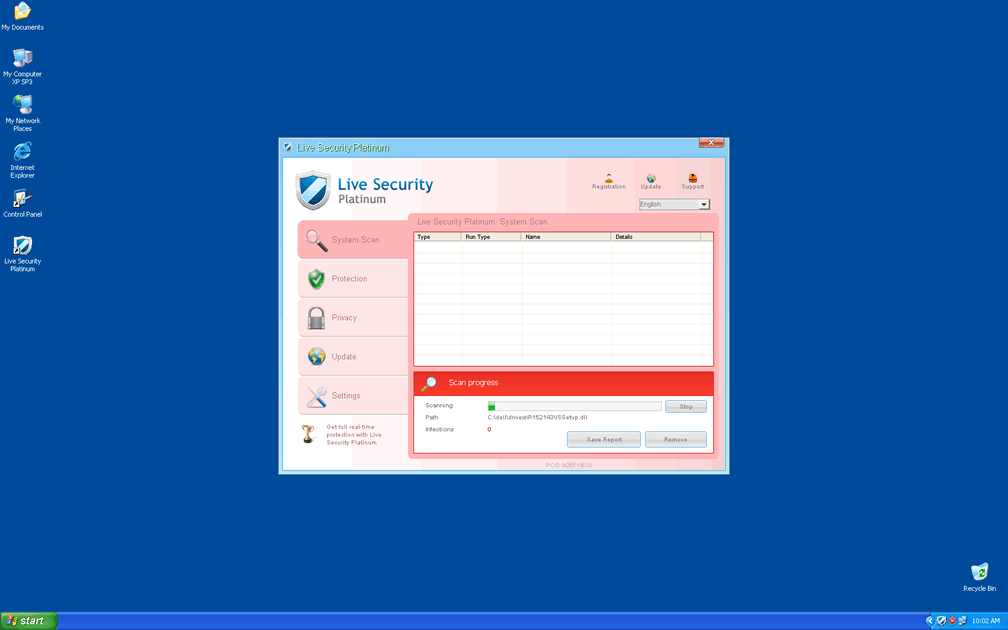
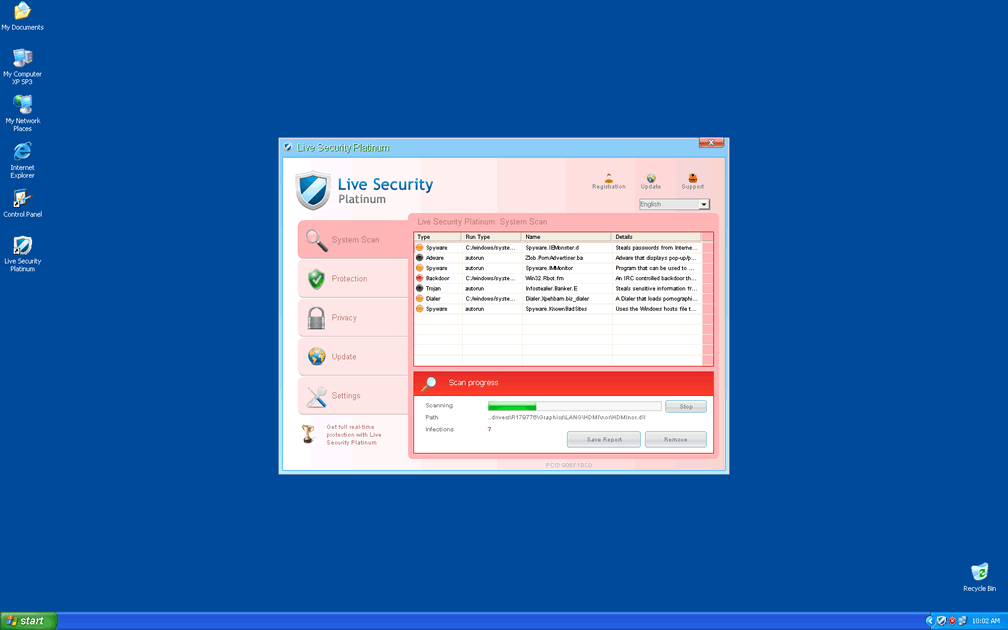
Live Security Platinum uses the same unusual light-pink interface that's common to other branches of WinWeb Security such as Antivirus Security, System Security, AntiSpyware Pro 2009, Total Security, Total Security 2009, Security Tool, Trojan.RogueAV.a.gen, System Adware Scanner 2010, FakeAlert-KW.e, Advanced Security Tool 2010, System Tool 2011, Security Shield, MS Removal Tool, Personal Shield Pro, Advanced PC Shield 2012, Security Sphere 2012, Futurro Antivirus and Antivirus Center. Other variants of Winwebsec continue to portray a similar template that's identifiable as a clone of the one that Live Security Platinum uses, albeit with a different color scheme. As a rogue anti-malware scanner, Live Security Platinum isn't designed to display accurate threat alerts or protect your PC, and Live Security Platinum's pop-ups and other system alerts are all just leverage to make spending money on Live Security Platinum's software seem attractive. SpywareRemove.com malware research team doesn't see any benefit to be had from spending money on Live Security Platinum, and also notes that the fraudulent 'companies' that distribute PC threats like Live Security Platinum are known for exploiting credit card data and other fiscal information ruthlessly.
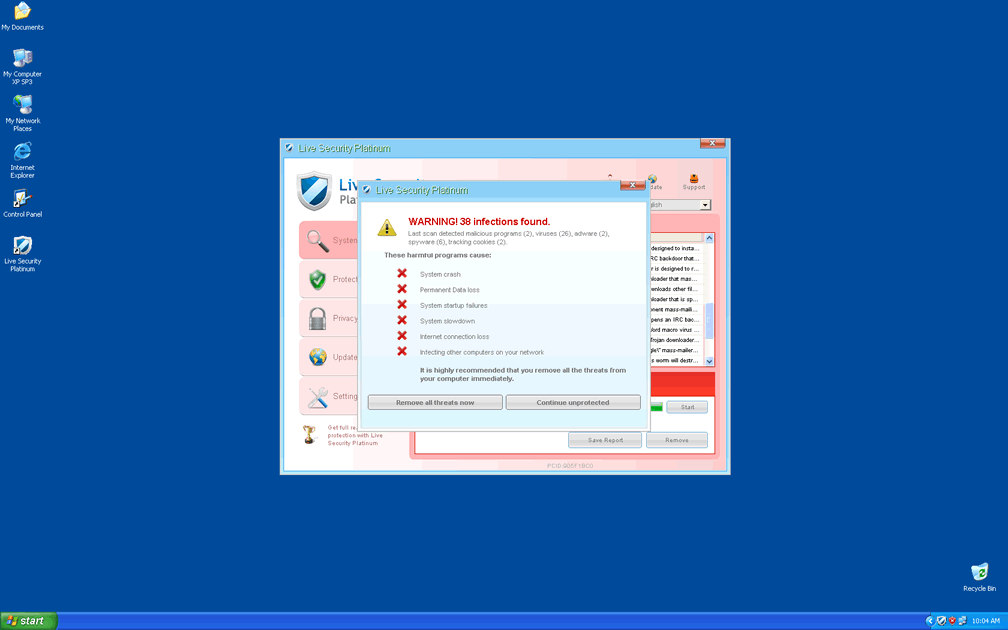
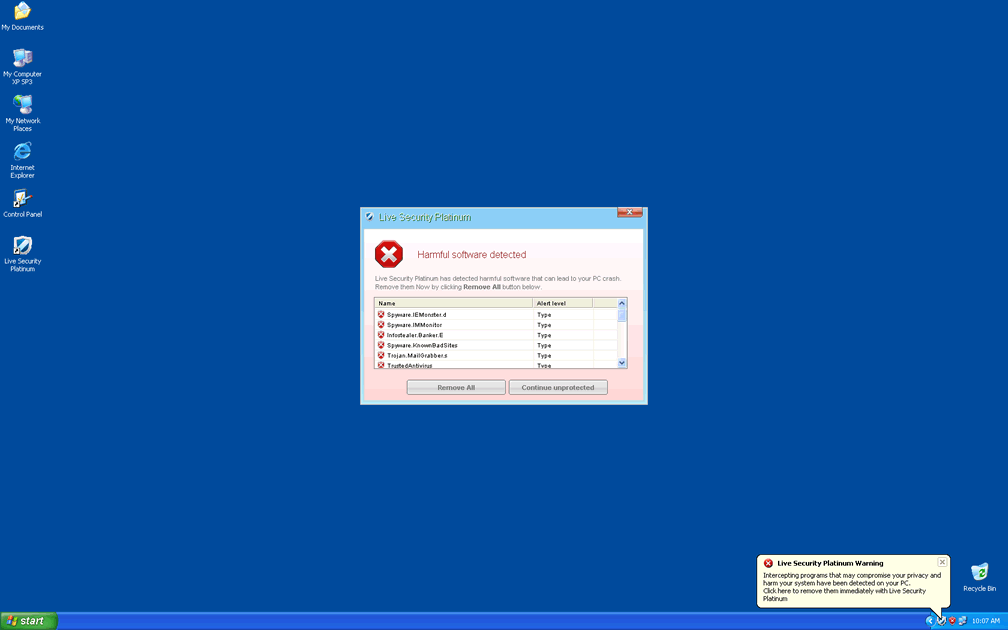
Live Security Platinum's fraudulent security information can include fake infection warnings and taskbar updates, and since Live Security Platinum is designed to launch automatically, you can anticipate seeing these pop-ups on a regular basis. However, Live Security Platinum's start up routine and other attacks are all designed for Windows, and SpywareRemove.com malware researchers consider non-Windows operating systems safe from standard Winwebsec-based attacks.
Live Security Platinum: 'Old Testament Style' Jealous Software
Live Security Platinum's most dangerous behavior arguably is its ability to monitor your PC's memory and disable processes that Live Security Platinum dislikes – including actual anti-malware and security programs. In fact, Live Security Platinum's list of programs that Live Security Platinum blocks without just cause is so broad that it's easier to list the programs that Live Security Platinum doesn't block, such as Internet Explorer and various processes that are critical for the Windows OS.
As a counterbalance, SpywareRemove.com malware research team notes that this program-blocking function doesn't harm the applications in question. Since Live Security Platinum uses randomly-named files and alters the Windows Registry during its infection, you should use appropriate anti-malware software to remove Live Security Platinum. With Live Security Platinum out of the way, your other programs should resume normal functionality.
Technical Details
File System Modifications
Tutorials: If you wish to learn how to remove malware components manually, you can read the tutorials on how to find malware, kill unwanted processes, remove malicious DLLs and delete other harmful files. Always be sure to back up your PC before making any changes.
The following files were created in the system:c5826.exe
File name: c5826.exeSize: 335.87 KB (335872 bytes)
MD5: e6cc102925ffdca462c902a4d065b6db
Detection count: 92
File type: Executable File
Mime Type: unknown/exe
Group: Malware file
Last Updated: June 1, 2012
f424f.exe
File name: f424f.exeSize: 335.87 KB (335872 bytes)
MD5: 184fce4b47332eae76ed18b1905b0951
Detection count: 90
File type: Executable File
Mime Type: unknown/exe
Group: Malware file
Last Updated: June 1, 2012
a2e1a.exe
File name: a2e1a.exeSize: 335.87 KB (335872 bytes)
MD5: 3db4009ba568811087332374e1aef6c2
Detection count: 88
File type: Executable File
Mime Type: unknown/exe
Group: Malware file
Last Updated: August 17, 2022
%AppData%\[RANDOM CHARACTERS]\[RANDOM CHARACTERS].exe
File name: %AppData%\[RANDOM CHARACTERS]\[RANDOM CHARACTERS].exeFile type: Executable File
Mime Type: unknown/exe
Group: Malware file
%Desktopdir%\Live Security Platinum.lnk
File name: %Desktopdir%\Live Security Platinum.lnkFile type: Shortcut
Mime Type: unknown/lnk
Group: Malware file
%Programs%\Live Security Platinum\Live Security Platinum.lnk
File name: %Programs%\Live Security Platinum\Live Security Platinum.lnkFile type: Shortcut
Mime Type: unknown/lnk
Group: Malware file
Ticket_Delta_Airlines_IN2139.zip
File name: Ticket_Delta_Airlines_IN2139.zipMime Type: unknown/zip
Group: Malware file
Registry Modifications
File name without pathLive Security Platinum.lnkHKEY..\..\..\..{Subkeys}HKEY_CURRENT_USER\Software\Microsoft\Windows\CurrentVersion\Uninstall\Live Security Platinum\DisplayName "Live Security Platinum"HKEY_CURRENT_USER\Software\Microsoft\Windows\CurrentVersion\Uninstall\Live Security Platinum\ShortcutPath "%AppData%\[RANDOM CHARACTERS]\[RANDOM CHARACTERS].exe" -uHKEY_CURRENT_USER\Software\Microsoft\Windows\CurrentVersion\Uninstall\Live Security Platinum\DisplayIcon "%AppData%\[RANDOM CHARACTERS]\[RANDOM CHARACTERS].exe",0HKEY_CURRENT_USER\Software\Microsoft\Windows\CurrentVersion\RunOnce\[RANDOM CHARACTERS] "%AppData%\[RANDOM CHARACTERS]\[RANDOM CHARACTERS].exe"HKEY_CURRENT_USER\Software\Microsoft\Windows\CurrentVersion\Uninstall\Live Security PlatinumHKEY_CURRENT_USER\Software\Microsoft\Windows\CurrentVersion\Uninstall\Live Security Platinum\UninstallString “%AppData%\[RANDOM CHARACTERS]\[RANDOM CHARACTERS].exe” -u
Additional Information
| # | Message |
|---|---|
| 1 | Live Security Platinum Warning
Spyware.IEMonster process is found. This is virus that is trying to send your passwords from Internet browser (Explorer, Mozilla Firefox, Outlook & others) for the third-parties. Click here to protect your data with Live Security Platinum. |
In the section File System Modifications, how do I find them? For the Registry Modifications, how do I do the deletion. Do I go into regedit?
I found an even simpler way to remove it.
Turn computer off, then on. Keep hitting f8 key while computer is on until you get the safe mode. This gives you the option of computer restore.
I simply had it restore the computer to 2 days ago-- before the virus appeared-- and it was gone !
I am using Windows XP Home edition.
I'm using XP on the Windows side of my Mac via Parallels and have been infected with Live Security Platinum. How do I go about getting rid of it? I tried quitting, restarding and hitting the F8 key and the program still comes up. I can't backdate to an earlier date. Does anyone know how to go about this on a Mac via Parallels using Windows XP?
I'm using Windows XP home edition but I have Safari as well. I'm definitely not very well informed re. restoring the computer to, for example, 2 days ago as Bill did. i
Is this regedit, where you record a time when everything is fine and can return to it? If so, I might be screwed. I'm reluctant to leave this page as I found you guys via Internet Explorer and the safe button is on my AVG search just below Windows Internet Explorer. I guess I'll just make a note of your url and give it a shot.
tengo el pc infectado y necesito activar el antivirus como lo hago????
I am useing win 7 will that work with it aswell?
I am totally computer illiterate. What is the simplist way to get rid of the pop-ups from Live Security Platinum which started popping up this morning.
you got it bill, embarrassed me i never thought of it.
Thanks a lot Bill - very useful - it worked with my computer.
Bill-thanks so much -(fingers x'd) it worked. Here's what I did. Shut computer off-maually so it asks re-"restart in safe mode" then promt -yes-and then 3 days back when asked re system restore -and it was gone. Again-thank you.
I am using firefox and I have this live security platinum just got it today please help
i just got this virus today and it wont let me connect to internet, and doesnt let me open internet...everytime i press "uninstall' it doesnt let me..so now i am on another account using the internet on my computer, because for somereason it only affected the administraters account (mine) so please help!
i can't even get the mouse or the arrow keys to move to get it to go into safe mode so it starts up as normal. Will not allow me to start malwarebytes or get into remove software - any advice?
Thanks Bill your solution worked like a charm. I suggest everyone try this first.
:Nice one cud you pls. uploade suocre code ? if is not to much to ask ? Ill see If I can find it, It old and im now working on new ExeLock encrypter
Aug 7th,2012 at 10.15pm
Thanks Bill, Hitting the f8 button and going to safe mode then restoring to an earlier date worked for me, i'm using windows 7.
cheers mate your a star ........ :0
Thank to Bill got rid of Live Security platinum
Bill -- Thanks so much!! Your technique of going into Safe Mode and then restoring to a previous date did the trick for us as well. I was then able to access our Microsoft Security Essentials, do a complete scan, and purge our computer of all (11) Trogan/virus files. You saved us a lot of grief -- and $$$.
Bill saves the day. What a simple solution, the best ones usually are. F8-Safe Mode-System Restore. Thanks!
Thanks Bill !!
Simple and worked a treat. Took 5 minutes to do and now back to normal. Excellent.
Windows XP.
hi my computer will not boot up its just dead at a black screen and i cant do anything i only hear beeps please help me.
Bill solution worked for me, cheers mate! windows 7, f8 on start up, repair computer, system restore - legend!
Thanks for sharing Bill your simple solution POSTED JUNE 20, 2012..... Very much appreciated.
Step 1: manually turn off computer.
Step 2: keep pressing PF8 simultaneously as you turn ON computer.
Step 3: choose SAFE MODE
Step 4: choose RESTORE option
Step 5: choose date from past to restore from
IT WORKED FOR MY WINDOWS XP..... Thanks again Bill
I am trying to remove this anti virus bull crap i have anitvirus and tried to purchures yours but u keep rejecting my credit card and now i can't do anything on my laptop because your antivirus will not allow me i have avg and your stupid thing is telling me it is a risk. I don't want your anti virus please tell me how to remove it!
Thanks Bill this worked fine. Restored 6 days in safe mode. Fingers crossed it doesnt come back!!
It's fortunate to find this forum. Follow the 5 steps listed by Olu to restore the laptop to a week ago, the Live Security Platinum was gone!!!
Many thanks to Bill, the original provider of the solution.
XP Window Professional
Many many thanks - a simple solution that worked first time. I wonder if I could sue Visa (proud sponsor of the Olympics and partner in crime with the purveyors of this nasty little trick)?? I think I'll write to them and see what they have to say for themselves 🙂
Has anybody actually paid for the Live Security Platinum? I followed Bill's instructions and removed the infection (thanks Bill!) but I think the people who put out this kind of stuff should be hunted down and stopped. If they are making money out of it they can only do so with the support of the credit card companies........
Thanks Bill & Olu! Your help just saved my night.
Coming up in SAFE MODE and doing a RESTORE from two weeks ago did the trick. Thanks.
worked for me. now how cab we prevent this from hiting again?
System restore did the trick for me too, using windows 7
using win xp home and it tells me restore is turned off...now what?
Bill -Thanks a heap. Saved the day. You are one smart cookie
Bill - thank you thank you thank you. . This worked for me as well on windows Vista
so this virus is uite annoying, booting up in safe mode and removing it from startup menu will allow your computer to boot without activating it then you can go in and remove the files/program from your system without having to restore your computer to a earlier date
Dear Bill,
Thank you SO much for this solution. I cannot even explain how happy you have made me. I have never posted on a site before but I really, really, REALLY appreciate your help with this. I have XP Professional. Worked like a charm. I'm the happiest girl.
This HAS PUT viruses on my computer 3 times now and keeps showing up. I have spent a total of 15 hours having to go thru different channels to the viruses. Requests have been made to the company to remove my name from the list, yet I still get notices which I will not open any more because it of infecting my computer. I am glad for all who are satisfied and have had no trouble, but it also needs to be said that it can be a malicious program.
This sounds very useful, but since I have a new computer and I haven't set up Windows Backup prior to getting this malware I can't back up my computer before attempting this, so I'm very hesitant on what to do.