Security Scanner
Posted: February 12, 2012
Threat Metric
The following fields listed on the Threat Meter containing a specific value, are explained in detail below:
Threat Level: The threat level scale goes from 1 to 10 where 10 is the highest level of severity and 1 is the lowest level of severity. Each specific level is relative to the threat's consistent assessed behaviors collected from SpyHunter's risk assessment model.
Detection Count: The collective number of confirmed and suspected cases of a particular malware threat. The detection count is calculated from infected PCs retrieved from diagnostic and scan log reports generated by SpyHunter.
Volume Count: Similar to the detection count, the Volume Count is specifically based on the number of confirmed and suspected threats infecting systems on a daily basis. High volume counts usually represent a popular threat but may or may not have infected a large number of systems. High detection count threats could lay dormant and have a low volume count. Criteria for Volume Count is relative to a daily detection count.
Trend Path: The Trend Path, utilizing an up arrow, down arrow or equal symbol, represents the level of recent movement of a particular threat. Up arrows represent an increase, down arrows represent a decline and the equal symbol represent no change to a threat's recent movement.
% Impact (Last 7 Days): This demonstrates a 7-day period change in the frequency of a malware threat infecting PCs. The percentage impact correlates directly to the current Trend Path to determine a rise or decline in the percentage.
| Threat Level: | 10/10 |
|---|---|
| Infected PCs: | 59 |
| First Seen: | February 12, 2012 |
|---|---|
| Last Seen: | November 29, 2023 |
| OS(es) Affected: | Windows |
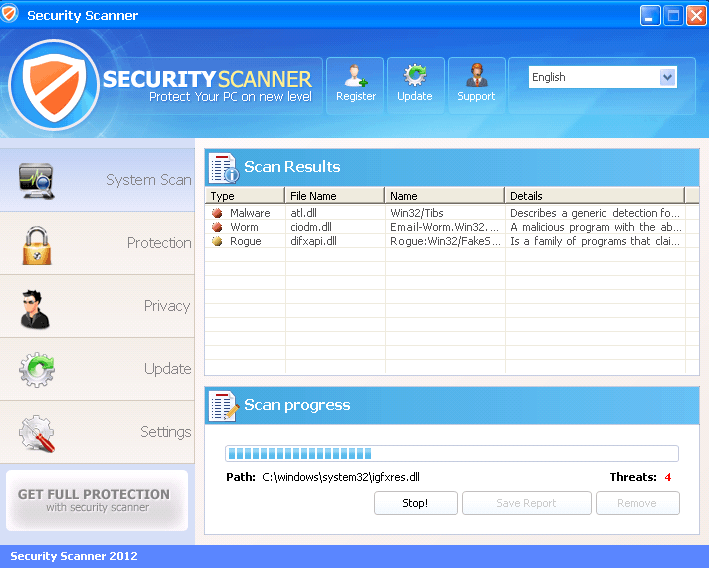 Security Scanner is a member of the Win32/Winwebsec group of rogue security and anti-spyware scanners, and like others in its group, attempts to swindle victims of their money by creating fake alerts and then requesting you to spend money on its full version as a solution. Due to its focus on web browser redirects to its website, fraudulent system scans and other forms of misinformation, Security Scanner is a threat to your PC, but rogue security programs from its family have also been known to install or be installed by other Trojans that can include more damaging functions than Security Scanner's own feature set. However, no matter whether Security Scanner is by itself or accompanied by other PC threats, SpywareRemove.com malware experts recommend that you delete Security Scanner by analyzing your computer with an anti-malware product, preferably one that's been given all available updates to insure the maximum chance of identifying Security Scanner and related Trojans.
The Urgency of Catching Security Scanner in Your Real Anti-Malware Scans
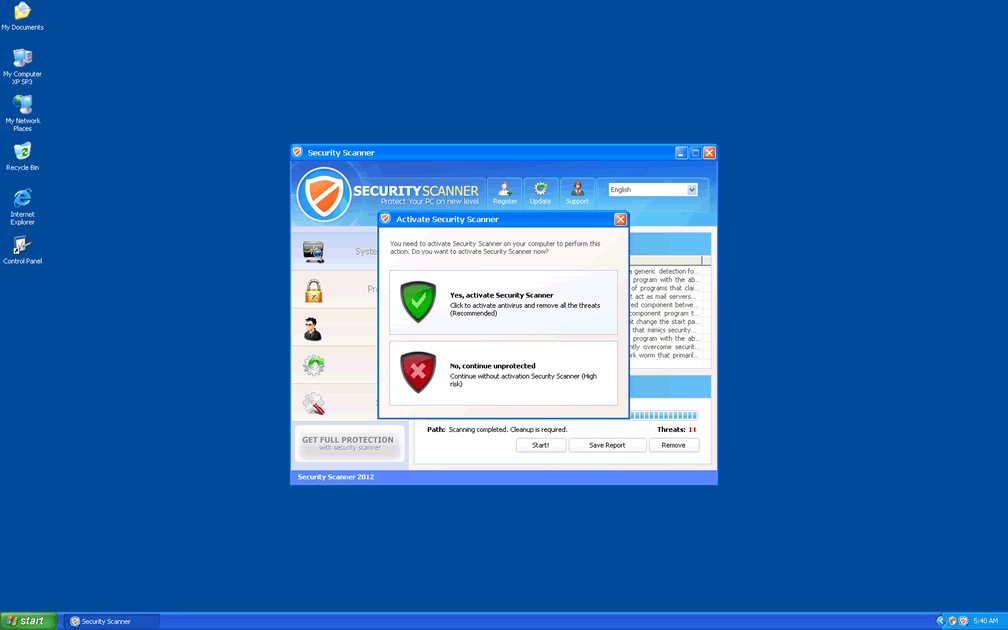
Although its appearance has had minor changes to increase its level of polish, Security Scanner can still be identified as a questionable product due to its grammatically incorrect tag line of 'Protect your PC on new level'. Security Scanner belongs to the WinWeb Security subgroup of scamware and is a copy of Antivirus Security, System Security, AntiSpyware Pro 2009, Total Security, Total Security 2009, Security Tool, Trojan.RogueAV.a.gen, System Adware Scanner 2010, FakeAlert-KW.e, Advanced Security Tool 2010, System Tool 2011, Security Shield, MS Removal Tool, Personal Shield Pro, Advanced PC Shield 2012, Security Sphere 2012, Futurro Antivirus and Antivirus Center. This minor slip in Security Scanner's aesthetics is only scratching the surface of Security Scanner's fraudulent nature; however, as SpywareRemove.com malware researchers have also noted Security Scanner's tendencies to launch fake system scans, enable its own startup without permission and create fraudulent warning messages.
Along with browser redirects to Security Scanner's site, these features are used to promote Security Scanner's fake security features in the hope that you'll spend money to remove these errors. However, since errors from Security Scanner are fake and unlinked to your computer's real health, it's not recommended that you buy a registered version of Security Scanner. Web browser redirects may be preventable by altering your LAN settings to avoid usage of proxy servers, but this should be considered to be just a stopgap measure prior to proper removal of Security Scanner.
Walking Through the Links of a Security Scanner Infection Attack
Rogue security scanners from Security Scanner's family, such as Security Shield, Windows Secure Kit 2011, Security Tool, Personal Shield Pro, Security Sphere 2012> and Essential Cleaner occasionally may include the ability to download and install other PC threats, including Trojans or worms. More often than this, however, Security Scanner and its cousins are themselves installed by Trojans (such as TROJ_DOFOIL.GE) that infect new computers via spam e-mail messages or via web redirects. Other PC threats that have been associated with Security Scanner's family include Mal/FakeAV-PY, Mal/SEORed-A, Trojan.Win32.FraudST.at and the ''FDIC notification' phishing email.
Accordingly, SpywareRemove.com malware analysts recommend the following means of avoid infection by Security Scanner:
- Using a secure web browser with high safety settings to minimize malicious redirects and drive-by-downloads.
- Avoiding links and file attachments from unusual e-mail messages, especially messages that appear to be similar to known types of mass-mailed e-mail hoaxes.
- Keeping anti-malware software accessible and updated for detection and prevention of Security Scanner-related attacks as they happen.
Why Can't I Open Any Program Including SpyHunter?
Security Scanner blocks legitimate Windows programs from executing and Internet access. Here are two ways to download and install SpyHunter:
Option #1
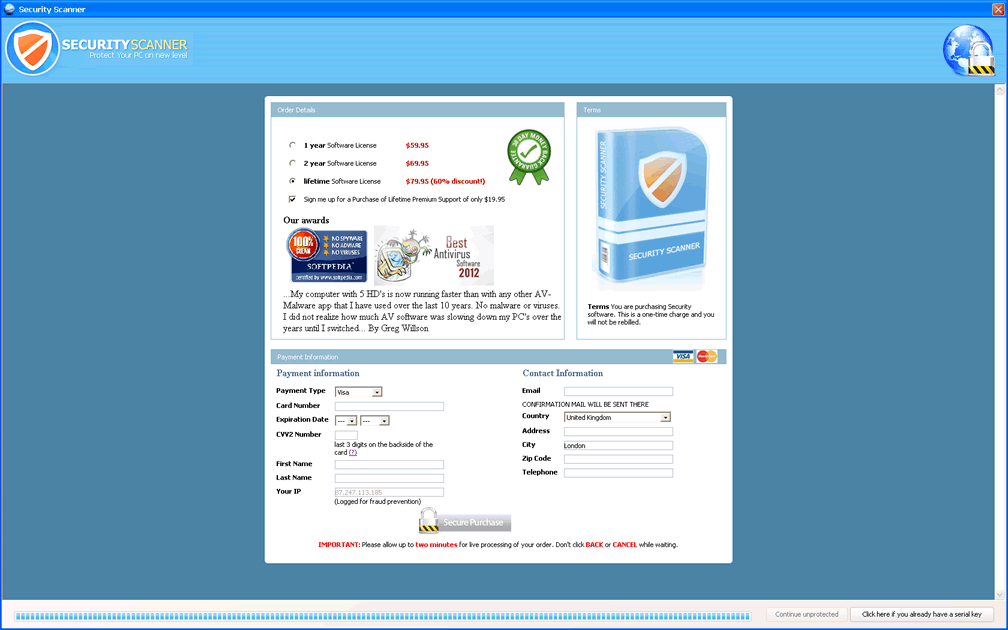
- Once Security Scanner's fake scan is complete, click the 'Remove' link, then click 'Yes, activate Security Scanner' and Security Scanner's purchase page will load.
- On Security Scanner's purchase page, click anywhere on the page to make it active, press Ctrl+N, a new browser window will open and you'll gain access to the Internet.
- Then, click here to download SpyHunter's malware scanner.
Option #2
- Download SpyHunter's malware scanner from a clean computer, copy it to a USB thumb drive, DVD or CD.
- Then, use the SpyHunter copied version to install SpyHunter on the infected PC and run SpyHunter's malware scanner.
Security Scanner Automatic Detection Tool (Recommended)
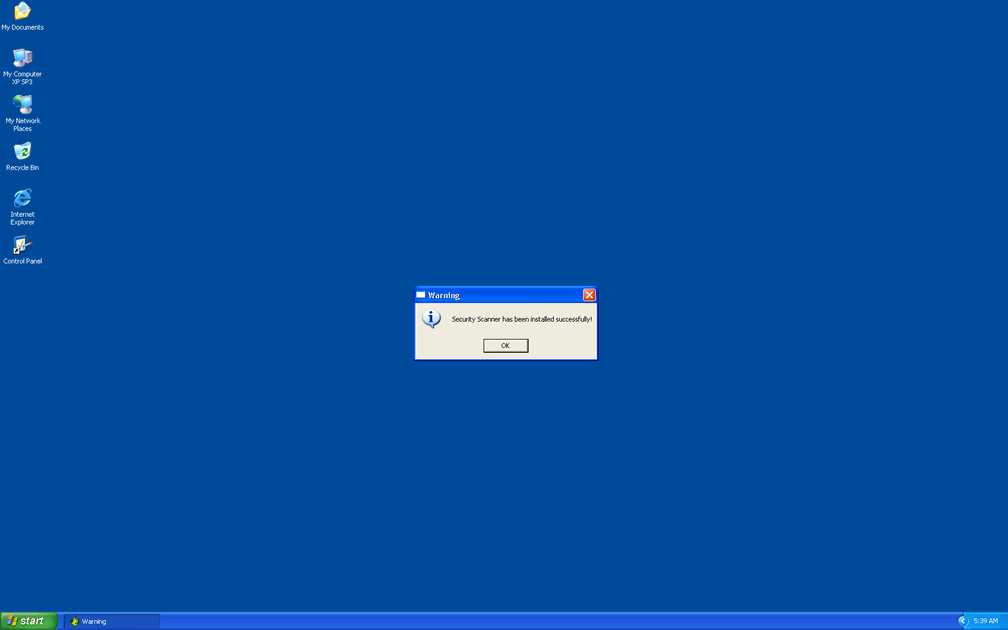
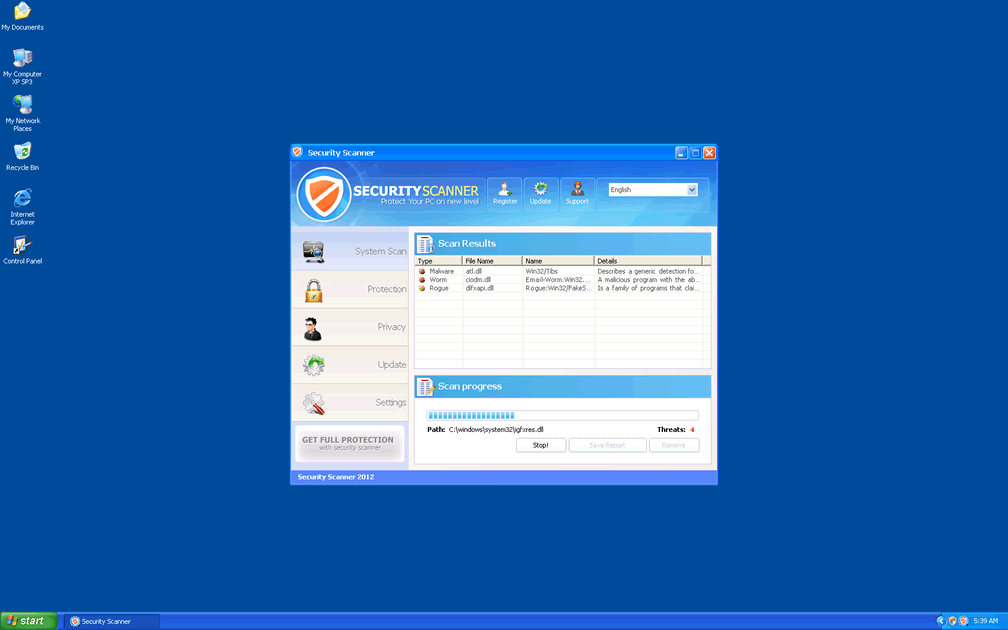
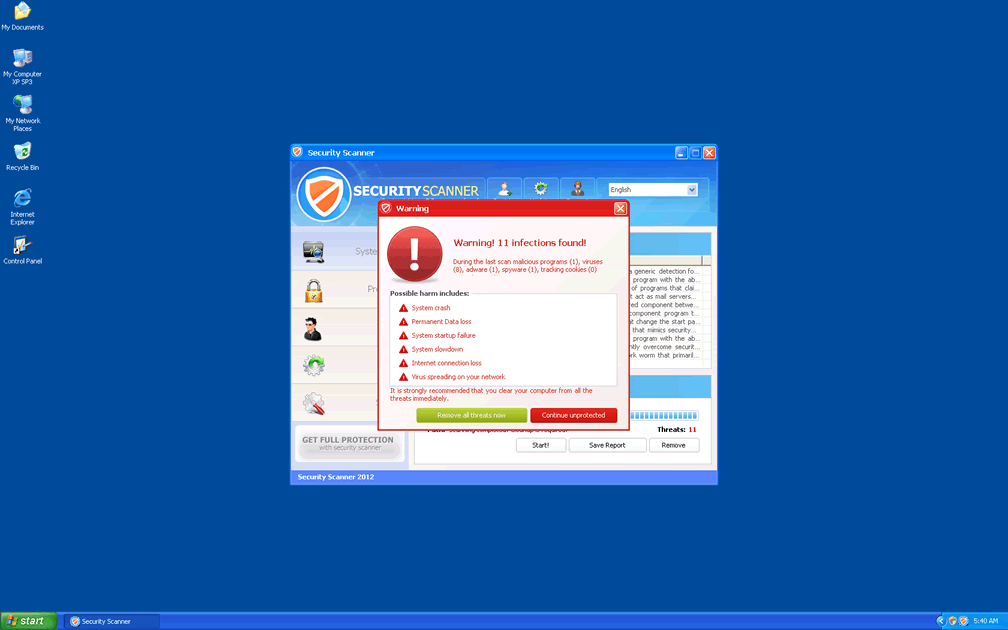
Technical Details
File System Modifications
Tutorials: If you wish to learn how to remove malware components manually, you can read the tutorials on how to find malware, kill unwanted processes, remove malicious DLLs and delete other harmful files. Always be sure to back up your PC before making any changes.
The following files were created in the system:%SYSTEMDRIVE%\Users\<username>\Downloads\Nueva carpeta\MalwareDatabase-master\rogues\Endermanch@Movie.mpeg.exe
File name: Endermanch@Movie.mpeg.exeSize: 424.44 KB (424448 bytes)
MD5: d0deb2644c9435ea701e88537787ea6e
Detection count: 26
File type: Executable File
Mime Type: unknown/exe
Path: %SYSTEMDRIVE%\Users\<username>\Downloads\Nueva carpeta\MalwareDatabase-master\rogues\Endermanch@Movie.mpeg.exe
Group: Malware file
Last Updated: November 29, 2023
%LocalAppData%\[RANDOM CHARACTERS].exe
File name: %LocalAppData%\[RANDOM CHARACTERS].exeFile type: Executable File
Mime Type: unknown/exe
Group: Malware file
Registry Modifications
HKEY_LOCAL_MACHINE\SOFTWARE\Microsoft\..{RunKeys}HKEY_CURRENT_USER\Software\Microsoft\Windows\CurrentVersion\RunOnce "[RANDOM CHARACTERS]"
Additional Information
| # | Message |
|---|---|
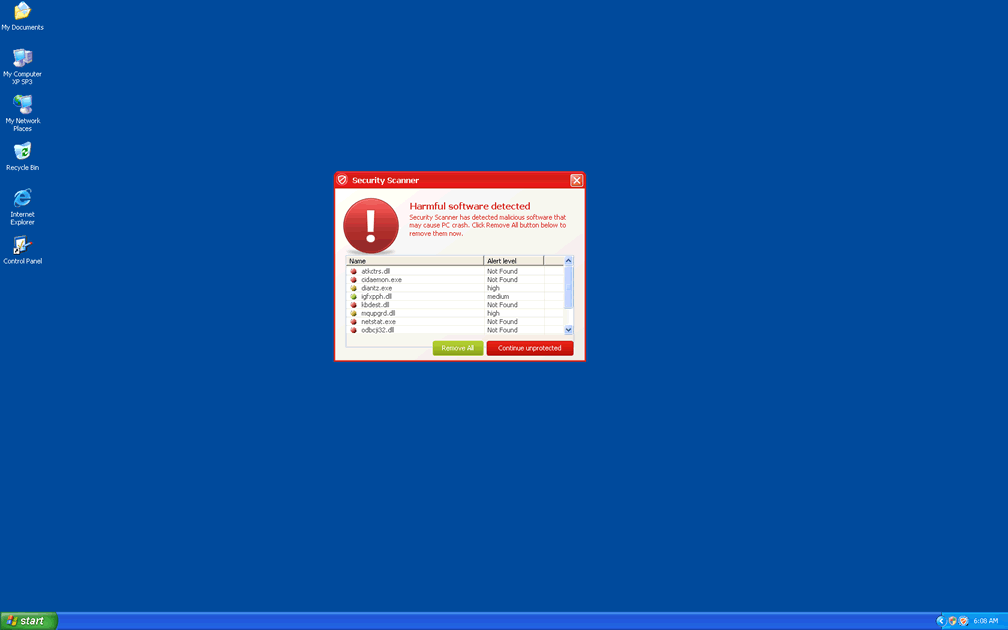
| 1 | Security Scanner Warning Harmful software have been detected at your PC. Click here to deactivate it. |
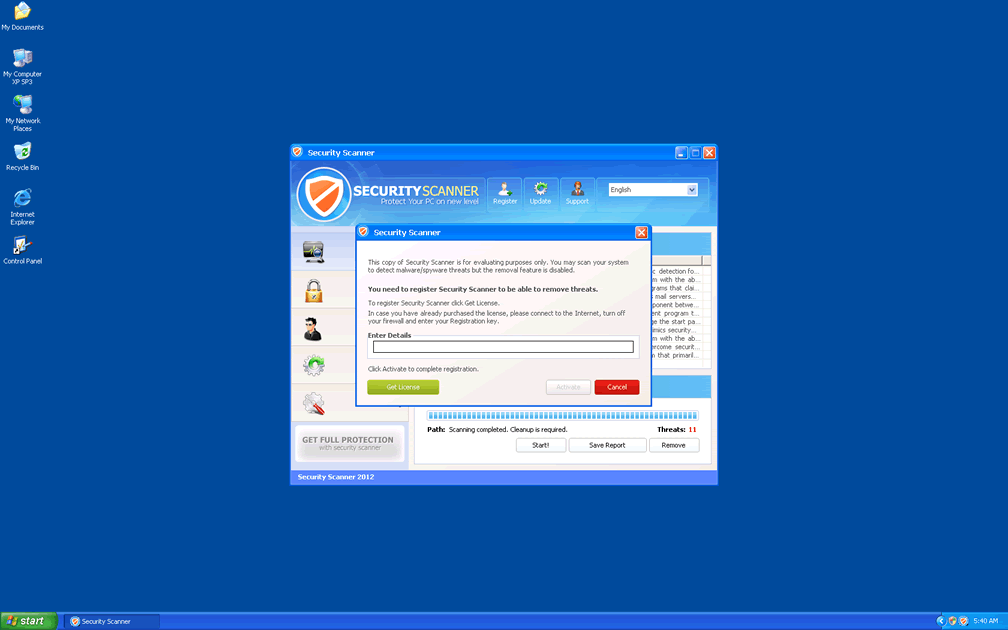
| 2 | Security Scanner Warning Security Scanner has found viruses at your system. We highly recommend to get license for Security Scanner to remove harmful software now. |
| 3 | Security Scanner Warning Spyware.IEMonster process is found. This is virus that is trying to send your passwords from Internet browser (Explorer, Mozilla Firefox, Outlook & others) for the third-parties. Click here to protect your data with Security Scanner. |
| 4 | Warning message from Internet browser. This page under virus attack. This may crash your system. This may be caused by: <ul> <li>Virus content founded at this site trying to install its components.</li> <li>Malicious & unknown network processes are determined.</li> <li>Your system is under virus attack.</li> <li>Negative references from other citizens concerning this web page.</li> <li>Your system ports and backdoors have been checked by visited page for external access.</li></ul> Recommendations: <ul> <li>Obtain a license of "Security Scanner" to protect your PC for the safest browsing Internet pages (desirable)</li> <li>Launch spyware, virus and malware scanning process.</li> <li>Keep browsing</li></ul> |
| 5 | winword.exe is infected with Backdoor:Win32/Samsteal.A.dr. Do you want to register your copy and remove all threats now? |
Related Posts
- Ultimate Guide to Removing Unwanted Network Ads and Enhancing Network Security
- Securitysoft.site
- Enhancesecurity.co.in
- Securitysoft.website
- Device-security.co.in
no longer on my pc
programm not useful