Security Shield 2012
Posted: February 21, 2012
Threat Metric
The following fields listed on the Threat Meter containing a specific value, are explained in detail below:
Threat Level: The threat level scale goes from 1 to 10 where 10 is the highest level of severity and 1 is the lowest level of severity. Each specific level is relative to the threat's consistent assessed behaviors collected from SpyHunter's risk assessment model.
Detection Count: The collective number of confirmed and suspected cases of a particular malware threat. The detection count is calculated from infected PCs retrieved from diagnostic and scan log reports generated by SpyHunter.
Volume Count: Similar to the detection count, the Volume Count is specifically based on the number of confirmed and suspected threats infecting systems on a daily basis. High volume counts usually represent a popular threat but may or may not have infected a large number of systems. High detection count threats could lay dormant and have a low volume count. Criteria for Volume Count is relative to a daily detection count.
Trend Path: The Trend Path, utilizing an up arrow, down arrow or equal symbol, represents the level of recent movement of a particular threat. Up arrows represent an increase, down arrows represent a decline and the equal symbol represent no change to a threat's recent movement.
% Impact (Last 7 Days): This demonstrates a 7-day period change in the frequency of a malware threat infecting PCs. The percentage impact correlates directly to the current Trend Path to determine a rise or decline in the percentage.
| Threat Level: | 2/10 |
|---|---|
| Infected PCs: | 17 |
| First Seen: | February 21, 2012 |
|---|---|
| OS(es) Affected: | Windows |
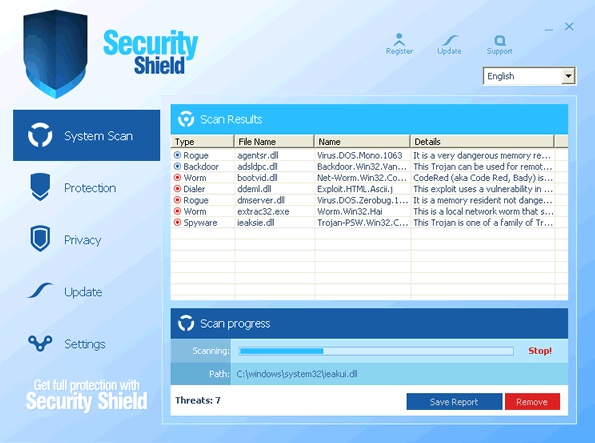 Security Shield 2012 is the latest variant of Security Shield, a fake anti-malware program from the WinWeb Security group of rogue security products. This family and its Security Shield branch in particular has been noted, not just for fake security warnings and fake scans, but also for blocking unrelated programs and denying access to common brands of web browsers by displaying fraudulent firewall alerts. Security Shield 2012 should be considered just as harmful as the rest of its ilk, and SpywareRemove.com malware experts recommend the utilization of standard anti-malware strategies to disable Security Shield 2012 from its automatic startup so that you can remove Security Shield 2012 with appropriate anti-malware software. As a threat to your computer's ability to run anything other than Security Shield 2012 itself, Security Shield 2012 should never be tolerated on your PC or purchased (as Security Shield 2012 will so often request that you do).
Security Shield 2012 – the So-Called Shield That Saves All of Its Defensive Qualities for Itself
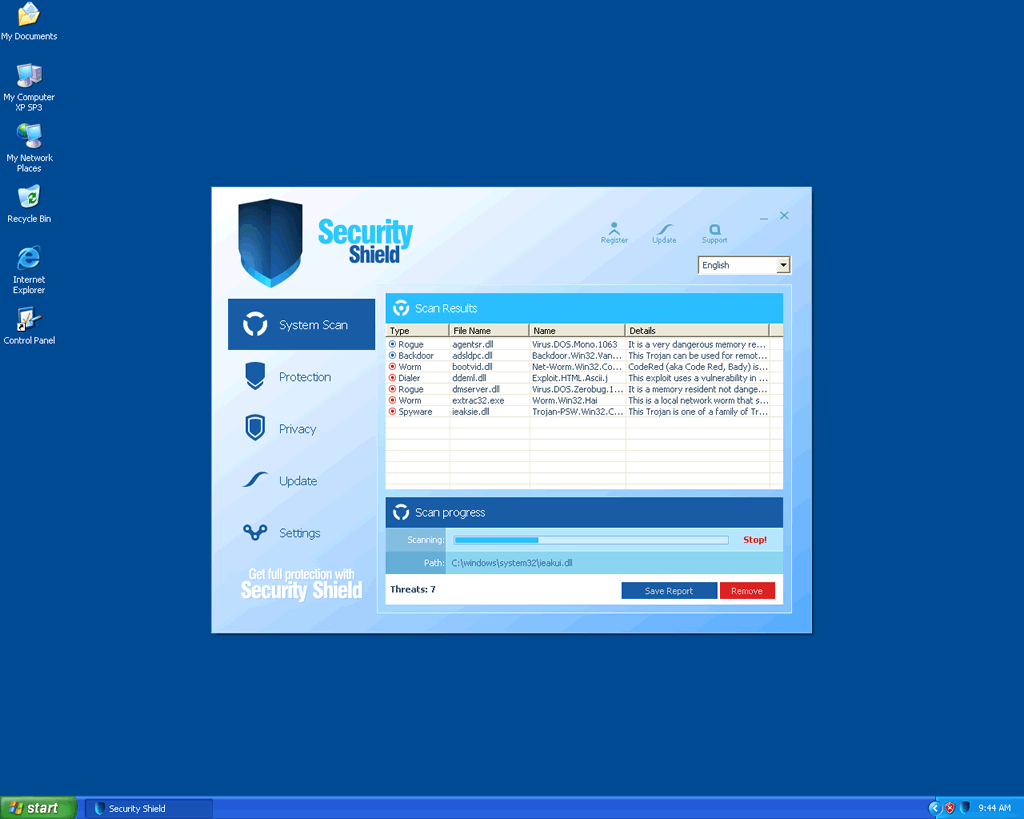
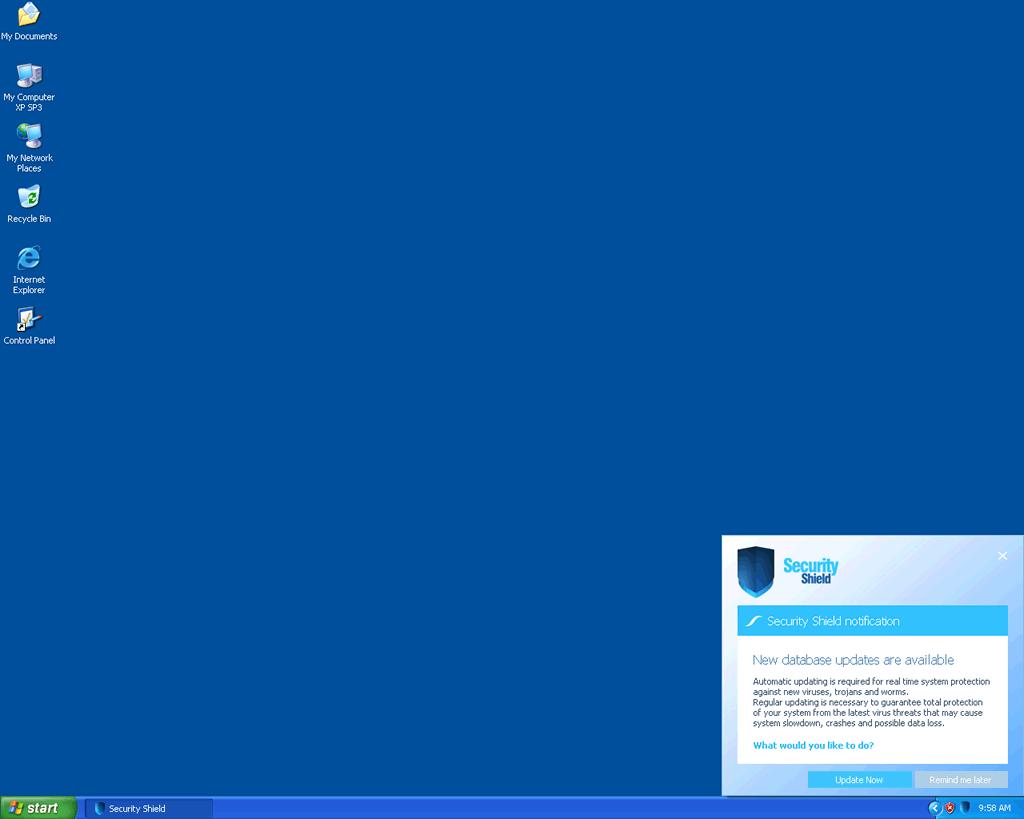
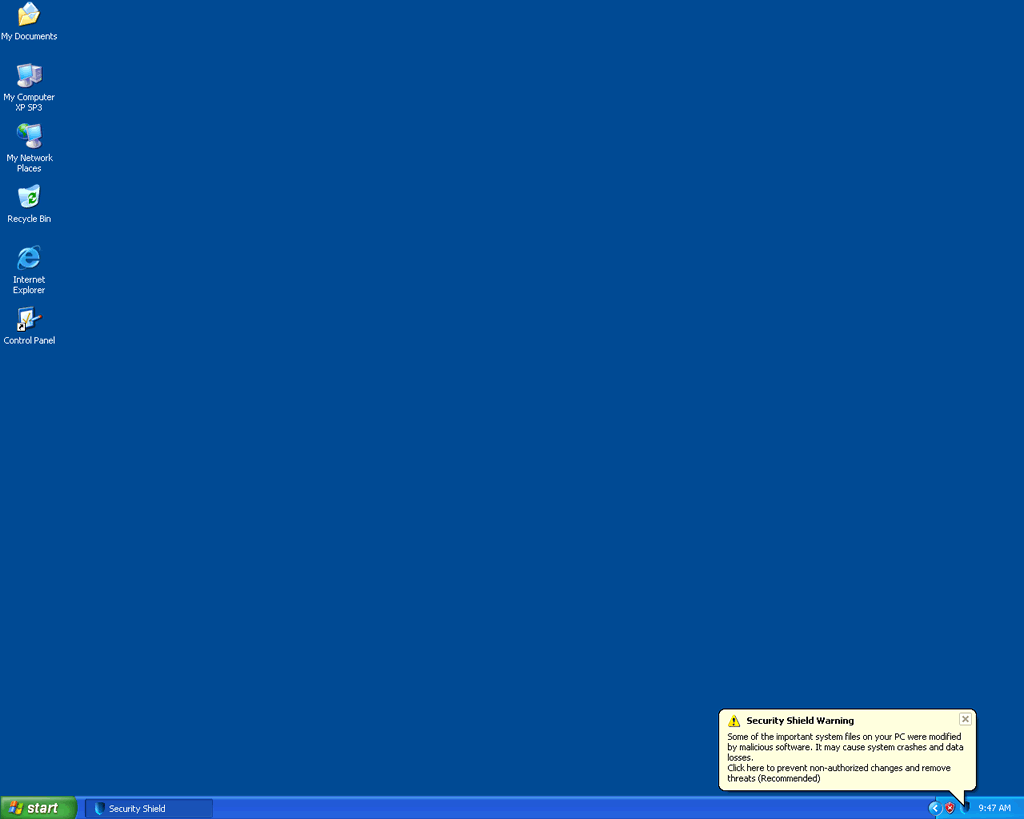
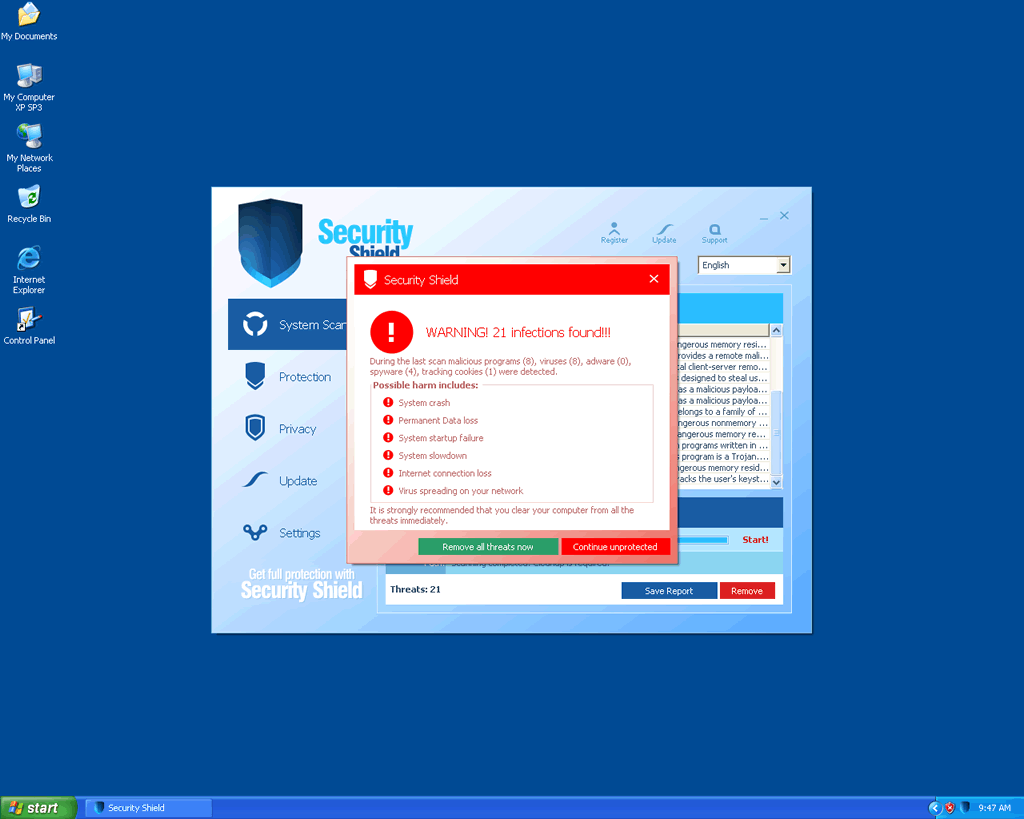
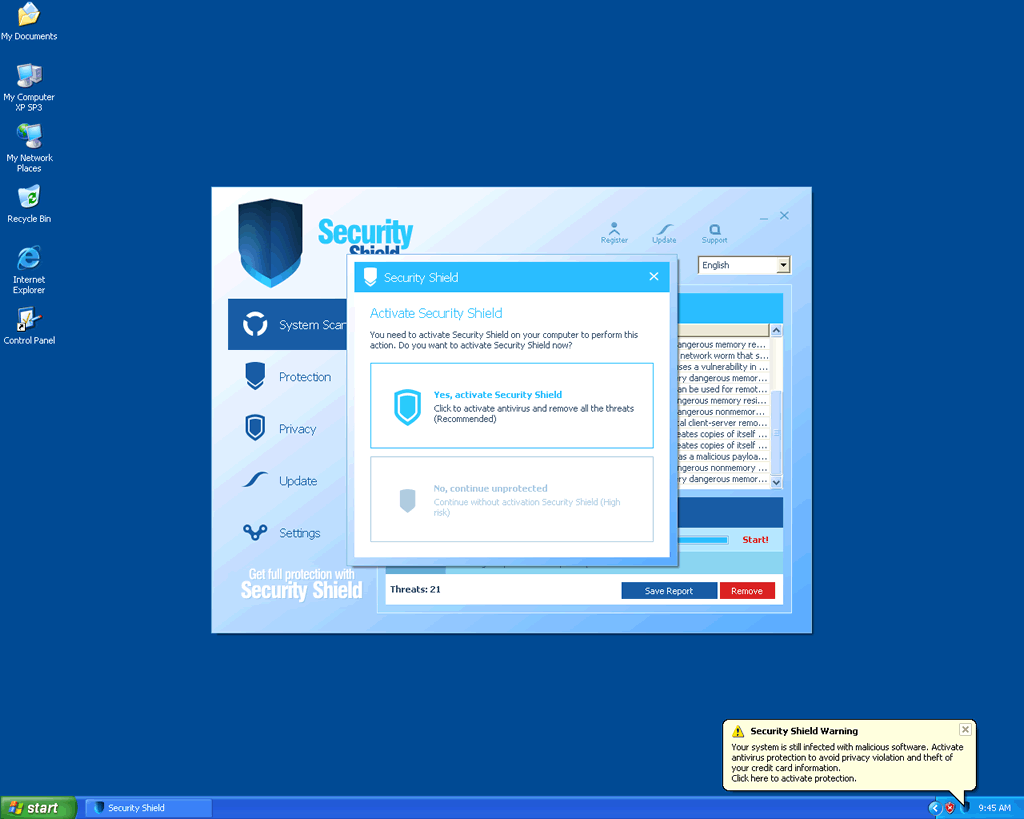
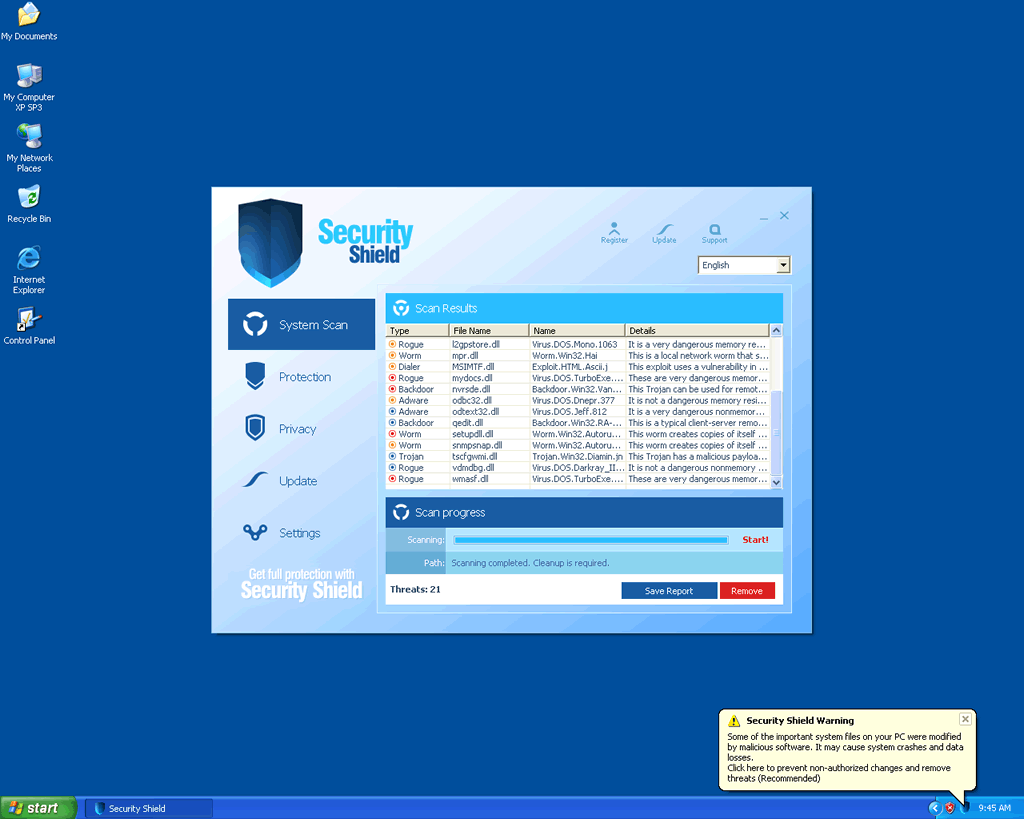
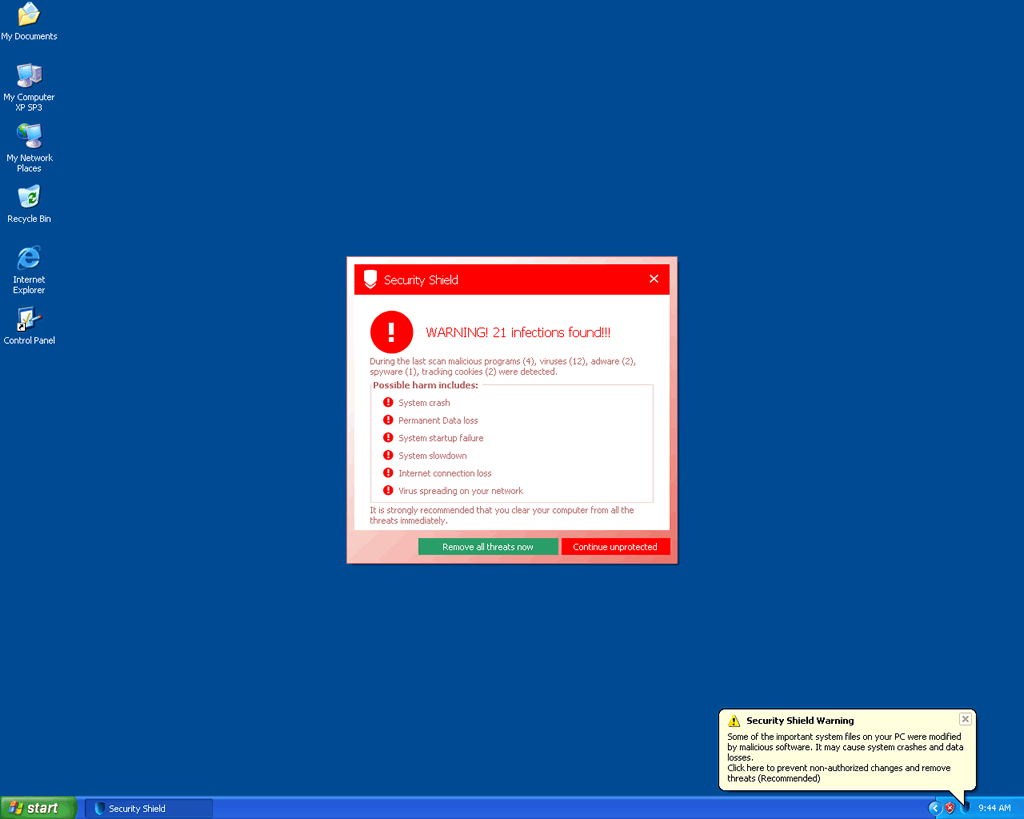
Like any good scam, Security Shield 2012 closely resembles that which Security Shield 2012 is trying to imitate and provides outwardly-convincing imitations of system scans and a variety of pop-ups, including firewall alerts and other types of error messages. While these warnings may look real, SpywareRemove.com malware experts have confirmed that Security Shield 2012 can't detect real PC threats with any more competency than the original Security Shield could do – which is to say that Security Shield 2012 can't do so at all. It's recommended that you completely ignore any warning messages that may originate from Security Shield 2012 while effecting Security Shield 2012's removal with appropriate anti-malware software, since information from Security Shield 2012 can only, at best, cause you to go on a wild goose chase after nonexistent types of malicious software. Examples of these errors include:
Warning: Your computer is infected
Windows has detected spyware infection!
Click this message to install the last update of Windows security software...
[Winwebsec variant's name] Warning
Intercepting programs that may compromise your private and harm your system have been detected on your PC.
Click here to remove them immediately with [Winwebsec variant's name].
Security Monitor: WARNING!
Attention: System detected a potential hazard (TrojanSPM/LX) on your computer that may infect executable files. Your private information and PC safety is at risk. To get rid of unwanted spyware and keep your computer safe you need to update your current security software.
CLick [sic] Yes to download official intrusion detection system (IDS software).
[Winwebsec variant's name] Warning
Your PC is infected with dangerous viruses. Activate antivirus protection to prevent data loss and avoid the theft of your credit card details.
Click here to activate protection.
Security Shield 2012, like other members of its WinWeb Security family, may also block unrelated programs, especially programs that relate to system analysis or PC security. Web browsers can also be targeted by Security Shield 2012 in related attacks that use misleading 'firewall' alerts to imply that your web browser was blocked for your own protection. Some other applications, such as Notepad, may also trigger their own specific types of error messages that falsely indicate that they're infected.
Dispelling the Self-Serving Protection That Security Shield 2012 Uses Against Your Computer
Since Security Shield 2012 may block the anti-malware scanners that should, preferably, be used in the process of deleting Security Shield 2012 (due to the inclusion of Windows Registry changes, random file names and other issues that make manual removal of Security Shield 2012 difficult), you should try to disable Security Shield 2012 before you attempt to uninstall Security Shield 2012. Safe Mode or booting from a USB drive may work to this end, although, in extreme cases, SpywareRemove.com malware analysts note that renaming blocked program files to unblocked ones (such as shutdown.exe, explorer.exe or soft_cleaner.exe) may allow you to run an anti-malware program while Security Shield 2012 is still active. You can also fake registration of Security Shield 2012 with the code '64C665BE-4DE7-423B-A6B6-BC0172B25DF2.'
Other members of Security Shield 2012's family, although less likely than Security Shield 2012 to be distributed widely in 2012, should also be contemplated just as adverse to your PC as Security Shield 2012 could be. Security Shield 2012's predecessors include Antivirus Security, System Security, AntiSpyware Pro 2009, Total Security, Total Security 2009, Security Tool, Trojan.RogueAV.a.gen, System Adware Scanner 2010, FakeAlert-KW.e, Advanced Security Tool 2010, System Tool 2011, Security Shield, MS Removal Tool, Personal Shield Pro, Advanced PC Shield 2012, Security Sphere 2012, Futurro Antivirus and Antivirus Center.
Technical Details
File System Modifications
Tutorials: If you wish to learn how to remove malware components manually, you can read the tutorials on how to find malware, kill unwanted processes, remove malicious DLLs and delete other harmful files. Always be sure to back up your PC before making any changes.
The following files were created in the system:%UserProfile%\Start Menu\Programs\SecurityShield 2012.lnk
File name: %UserProfile%\Start Menu\Programs\SecurityShield 2012.lnkFile type: Shortcut
Mime Type: unknown/lnk
Group: Malware file
%AppData%\Microsoft\Internet Explorer\Quick Launch\SecurityShield 2012.lnk
File name: %AppData%\Microsoft\Internet Explorer\Quick Launch\SecurityShield 2012.lnkFile type: Shortcut
Mime Type: unknown/lnk
Group: Malware file
%AppData%\SecurityShield 2012
File name: %AppData%\SecurityShield 2012Group: Malware file
%AppData%\SecurityShield 2012\IcoActivate.ico
File name: %AppData%\SecurityShield 2012\IcoActivate.icoMime Type: unknown/ico
Group: Malware file
%StartMenu\%Programs\SecurityShield 2012\How to Activate SecurityShield 2012.lnk
File name: %StartMenu\%Programs\SecurityShield 2012\How to Activate SecurityShield 2012.lnkFile type: Shortcut
Mime Type: unknown/lnk
Group: Malware file
%StartMenu\%Programs\SecurityShield 2012\SecurityShield 2012.lnk
File name: %StartMenu\%Programs\SecurityShield 2012\SecurityShield 2012.lnkFile type: Shortcut
Mime Type: unknown/lnk
Group: Malware file
%StartMenu%\ProgramsSecurityShield 2012\Help SecurityShield 2012.lnk
File name: %StartMenu%\ProgramsSecurityShield 2012\Help SecurityShield 2012.lnkFile type: Shortcut
Mime Type: unknown/lnk
Group: Malware file
%StartMenu\%Programs\SecurityShield 2012
File name: %StartMenu\%Programs\SecurityShield 2012Group: Malware file
Registry Modifications
HKEY..\..\..\..{Subkeys}HKEY_CURRENT_USER\Software\Microsoft\Windows\CurrentVersion\Run "[RANDOM CHARACTERS]"HKEY_CURRENT_USER\Software\Microsoft\Windows\CurrentVersion\Run "SecurityShield 2012"HKEY_CURRENT_USER\Software\Microsoft\Windows\CurrentVersion\Uninstall\SecurityShield 2012HKEY_CURRENT_USER\Software\SecurityShield 2012
The secuirity shield virus had got itself onto my laptop and infected internet explorer and showing fake threats.I opened this site on google chrome and was about to carry out the first of you steps when I realised I hadn't recieved any new fake secuirity warning pestering me to buy.When I checked secuirity shield was no longer there and I could access Internet explorer.Is it possible that the virus simply removed itself, if not is there way I can check?
please i have one of my computers has ur spy ware on it and wont allow me to use the computer because of ur virus of ur anti virus please!!!!!!!!!!!! remove now!!!!!!!!!!!! i dont think its good busnise to do that! for the way the virus is on one of my computer i will never use ur product & tell everyone how awful it is to lose a computer to a virus from someone that says they r trying to protect u please help thanks!