Smart Fortress 2012
Posted: February 28, 2012
Threat Metric
The following fields listed on the Threat Meter containing a specific value, are explained in detail below:
Threat Level: The threat level scale goes from 1 to 10 where 10 is the highest level of severity and 1 is the lowest level of severity. Each specific level is relative to the threat's consistent assessed behaviors collected from SpyHunter's risk assessment model.
Detection Count: The collective number of confirmed and suspected cases of a particular malware threat. The detection count is calculated from infected PCs retrieved from diagnostic and scan log reports generated by SpyHunter.
Volume Count: Similar to the detection count, the Volume Count is specifically based on the number of confirmed and suspected threats infecting systems on a daily basis. High volume counts usually represent a popular threat but may or may not have infected a large number of systems. High detection count threats could lay dormant and have a low volume count. Criteria for Volume Count is relative to a daily detection count.
Trend Path: The Trend Path, utilizing an up arrow, down arrow or equal symbol, represents the level of recent movement of a particular threat. Up arrows represent an increase, down arrows represent a decline and the equal symbol represent no change to a threat's recent movement.
% Impact (Last 7 Days): This demonstrates a 7-day period change in the frequency of a malware threat infecting PCs. The percentage impact correlates directly to the current Trend Path to determine a rise or decline in the percentage.
| Ranking: | 19,198 |
|---|---|
| Threat Level: | 10/10 |
| Infected PCs: | 902 |
| First Seen: | February 28, 2012 |
|---|---|
| Last Seen: | February 7, 2025 |
| OS(es) Affected: | Windows |
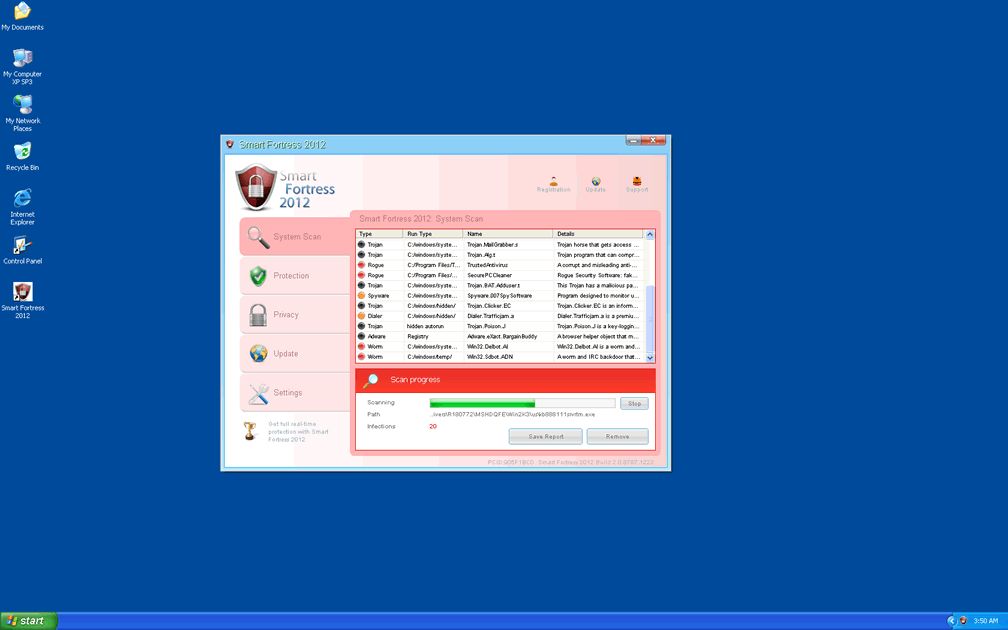
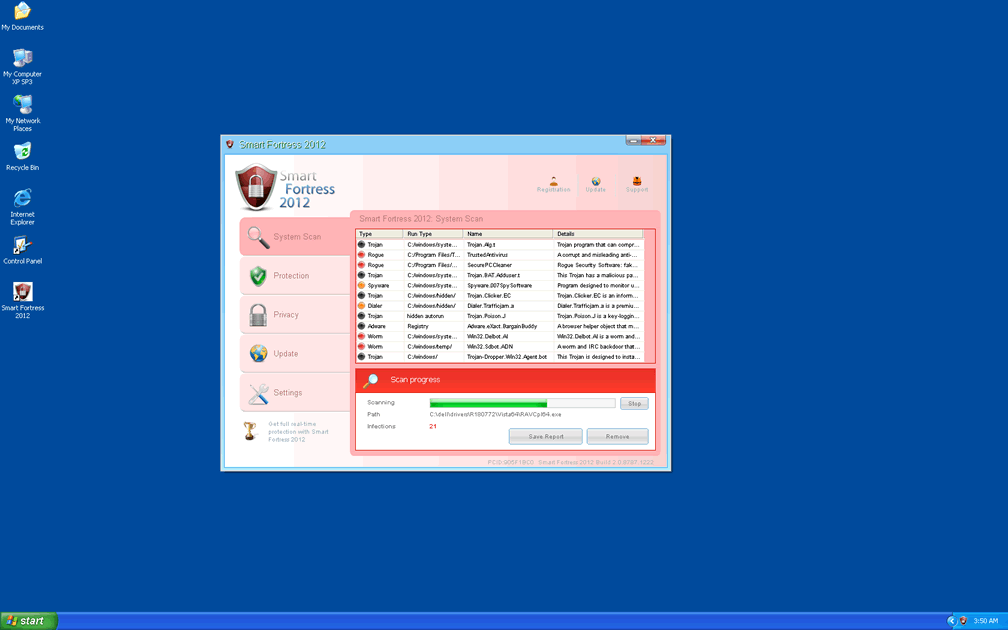
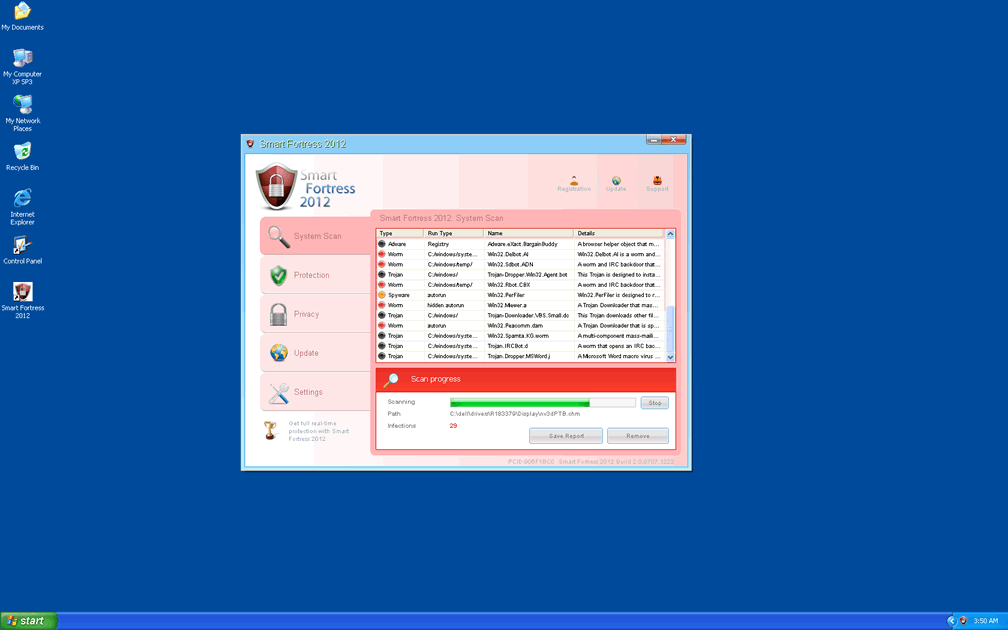
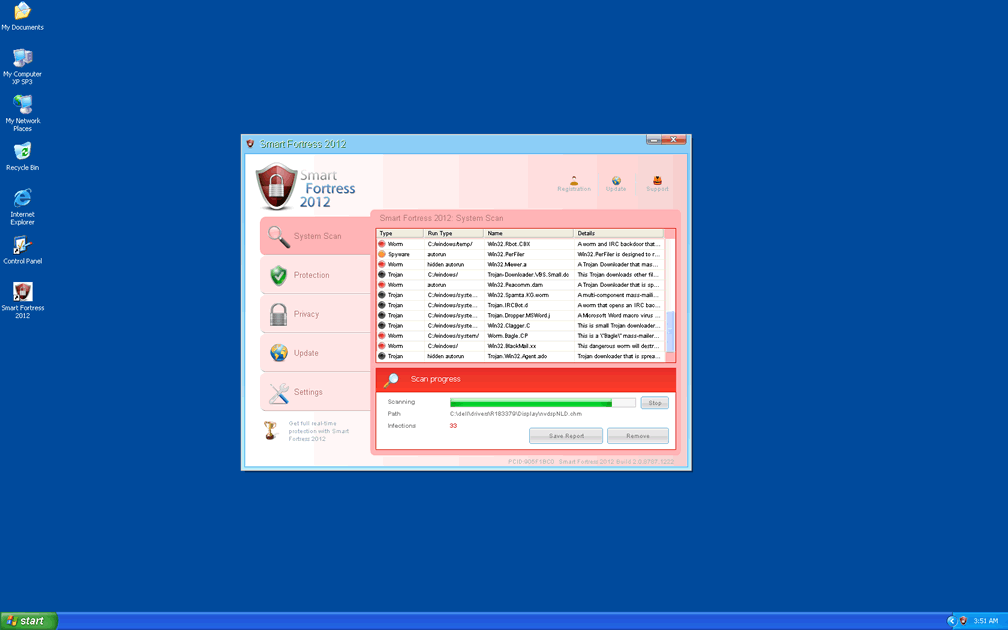
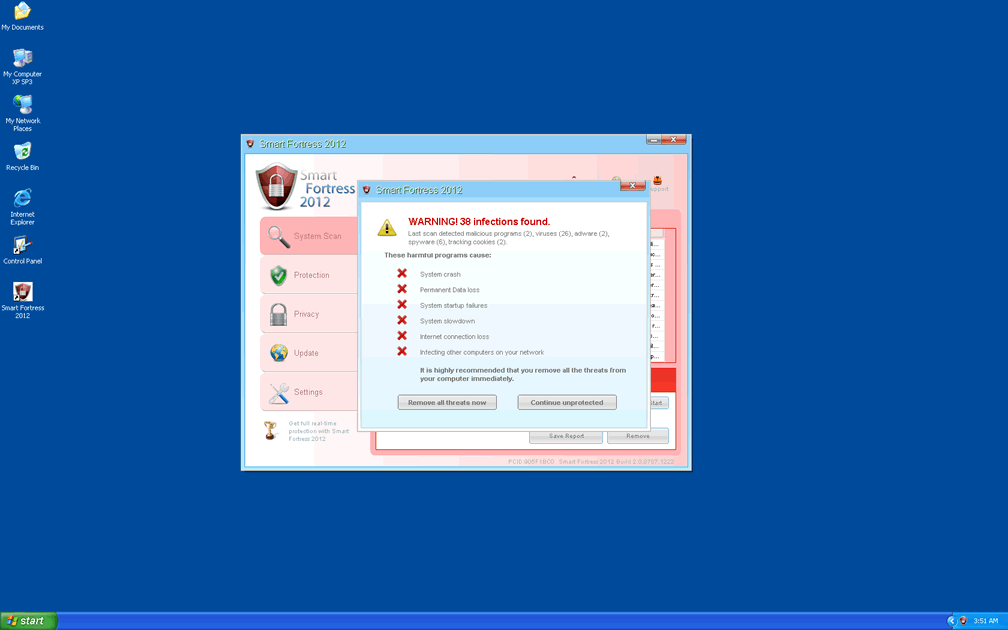
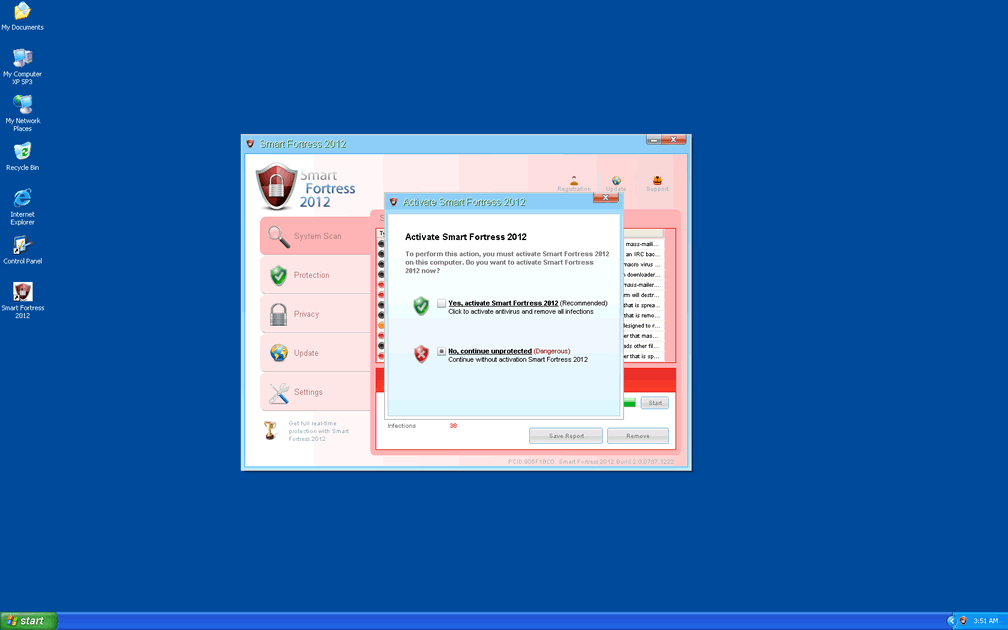
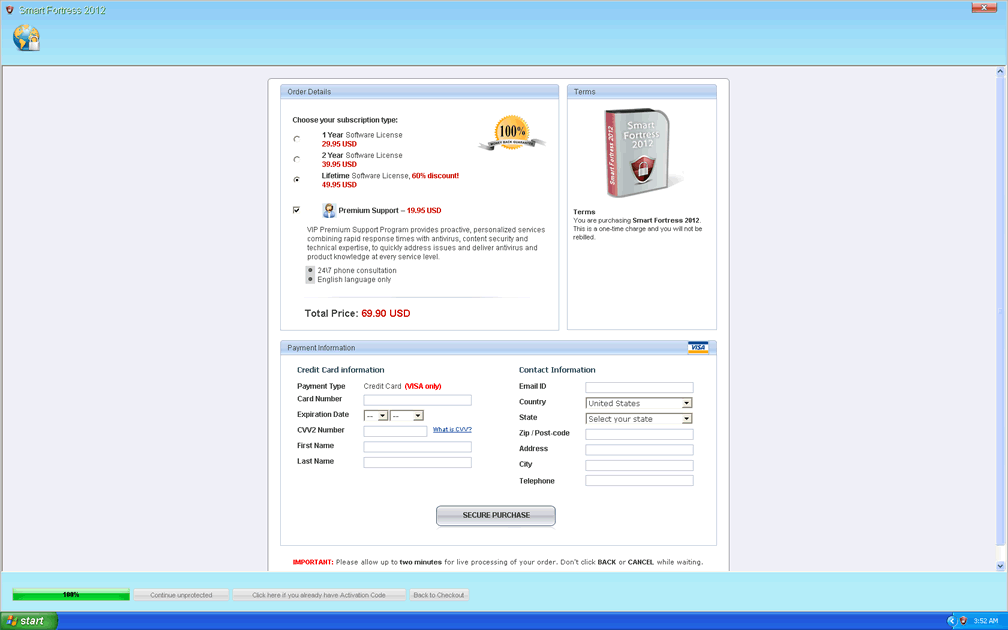
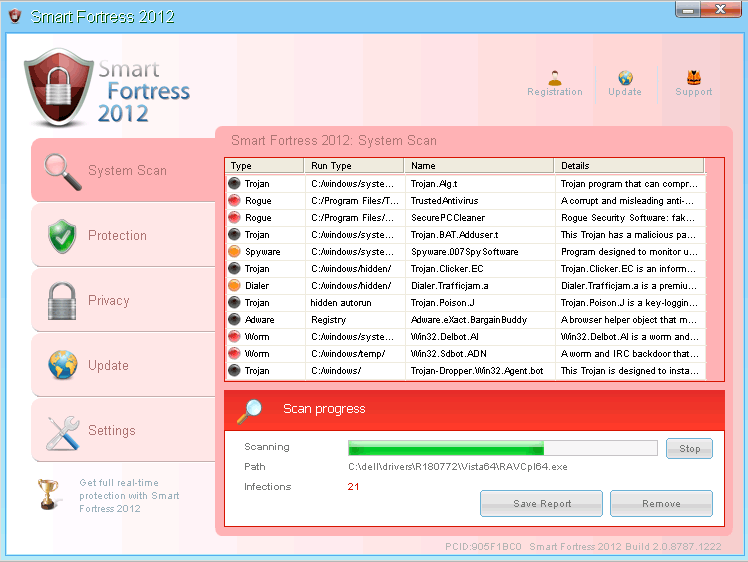 Smart Fortress 2012 is a recent clone of System Tool, a rogue anti-malware program that's noted for its characteristic pink-hued interface. Like other members of the WinWeb Security family, Smart Fortress 2012 will create fake warning messages and simulated scans that contain dire results to make you believe that your PC is severely infected by multiple types of PC threats. Although Smart Fortress 2012 will offer its purchasable anti-malware services to fix this situation, SpywareRemove.com malware researchers emphasize the fact that Smart Fortress 2012 isn't able to detect or remove any type of malicious software. Accordingly, the best thing to do with your funds is to save it or spend it on a genuine anti-malware product that can remove Smart Fortress 2012, which should not, under normal circumstances, be removed by manual means that can risk damaging your PC.
Being Smarter Than Smart Fortress 2012's Fake Features
Smart Fortress 2012 is distributed via drive-by-download attacks and deceptive websites that may be identified by their own labels, such as Rogue:JS/Winwebsec. Smart Fortress 2012's presence also may be facilitated by Trojans or other PC threats that install Smart Fortress 2012 without your consent, and it's recommended that you scan your entire PC after you've found any signs of Smart Fortress 2012's existence. SpywareRemove.com malware researchers have noted that Smart Fortress 2012 can be recognized with ease due to its trademark System Tool clone appearance and other symptoms that are extremely visible such as:
- Changes to your desktop wallpaper that replace it with a threatening message.
- All non-essential programs being blocked, along with accompanying warning messages.
- Fake alerts that come in a range of formats, including toolbar pop-ups and firewall warnings.
Samples of some of the dizzying array of Smart Fortress 2012's warning messages are shown below for reference:
Smart Fortress 2012 Warning
Your PC is infected with dangerous viruses. Activate antivirus protection to prevent data loss and avoid the theft of your credit card details.
Click here to activate protection.
Warning: Your computer is infected
Windows has detected spyware infection!
Click this message to install the last update of Windows security software...
Security Monitor: WARNING!
Attention: System detected a potential hazard (TrojanSPM/LX) on your computer that may infect executable files. Your private information and PC safety is at risk. To get rid of unwanted spyware and keep your computer safe you need to update your current security software.
CLick Yes to download official intrusion detection system (IDS software).
Smart Fortress 2012 Warning
Intercepting programs that may compromise your private and harm your system have been detected on your PC.
Click here to remove them immediately with System Tool.
Warning!
Application cannot be executed. The file cmd.exe is infected.
Please activate your antivirus software.
Breaking Out of Smart Fortress 2012's Software Fraud Scheme
Smart Fortress 2012's only goal is to badger you into spending money on its fake software, but buying Smart Fortress 2012 is utterly unnecessary to remove Smart Fortress 2012 (and its related problems) from your PC. SpywareRemove.com malware experts also recommend against trusting other rogue anti-malware applications from Smart Fortress 2012's family, which spans a wide range of fake brand names, such as Antivirus Security, System Security, AntiSpyware Pro 2009, Total Security, Total Security 2009, Security Tool, Trojan.RogueAV.a.gen, System Adware Scanner 2010, FakeAlert-KW.e, Advanced Security Tool 2010, System Tool 2011, Security Shield, MS Removal Tool, Personal Shield Pro, Advanced PC Shield 2012, Security Sphere 2012, Futurro Antivirus and Antivirus Center.
Because Smart Fortress 2012 will try to shut down unrelated programs, including anti-malware programs that could safely delete Smart Fortress 2012, SpywareRemove.com malware analysts recommend that you use Safe Mode or similar alternatives to prevent Smart Fortress 2012 from being launched. Safe Mode can be accessed on most Windows computers by tapping F8 during the system boot but prior to the Windows loading screen. This will give you the environment that you need to remove Smart Fortress 2012 and other PC threats via system scans without being attacked.
Technical Details
File System Modifications
Tutorials: If you wish to learn how to remove malware components manually, you can read the tutorials on how to find malware, kill unwanted processes, remove malicious DLLs and delete other harmful files. Always be sure to back up your PC before making any changes.
The following files were created in the system:%ALLUSERSPROFILE%\Application Data\F4D55F3B000083BB000405A5D151FC4E\F4D55F3B000083BB000405A5D151FC4E.exe
File name: F4D55F3B000083BB000405A5D151FC4E.exeSize: 360.44 KB (360448 bytes)
MD5: 6379eba67e654d595ec2aeeb7c9c87be
Detection count: 22
File type: Executable File
Mime Type: unknown/exe
Path: %ALLUSERSPROFILE%\Application Data\F4D55F3B000083BB000405A5D151FC4E
Group: Malware file
Last Updated: February 28, 2012
%UserProfile%\Application Data\[RANDOM DIGITS]\[RANDOM DIGITS].exe
File name: %UserProfile%\Application Data\[RANDOM DIGITS]\[RANDOM DIGITS].exeFile type: Executable File
Mime Type: unknown/exe
Group: Malware file
%StartMenu%\Programs\Smart Fortress 2012.lnk
File name: %StartMenu%\Programs\Smart Fortress 2012.lnkFile type: Shortcut
Mime Type: unknown/lnk
Group: Malware file
%CommonAppData%\[RANDOM 33 CHARACTERS]
File name: %CommonAppData%\[RANDOM 33 CHARACTERS]Group: Malware file
%CommonAppData%\[RANDOM 33 CHARACTERS]\[RANDOM 33 CHARACTERS]
File name: %CommonAppData%\[RANDOM 33 CHARACTERS]\[RANDOM 33 CHARACTERS]Group: Malware file
%CommonAppData%\[RANDOM 33 CHARACTERS]\[RANDOM 33 CHARACTERS].exe
File name: %CommonAppData%\[RANDOM 33 CHARACTERS]\[RANDOM 33 CHARACTERS].exeFile type: Executable File
Mime Type: unknown/exe
Group: Malware file
Registry Modifications
HKEY..\..\{CLSID Path}HKEY_CLASSES_ROOT\*\shellex\ContextMenuHandlers\{a2a9545d-a0c2-42b4-9708-a0b2badd77c8}File name without pathSmart Fortress 2012.lnkHKEY..\..\..\..{Subkeys}HKEY_CURRENT_USER\Software\Microsoft\Windows\CurrentVersion\RunOnce "[RANDOM DIGITS]".exeHKEY_USERS\S-1-5-21-861567501-152049171-1708537768-1003_Classes\
Additional Information
| # | Message |
|---|---|
| 1 | Security Monitor: WARNING! Attention! System detected a potential hazard (TrojanSPM/LX) on your computer that may infect executable files. Your private information and PC safety is at risk. To get rid of unwanted spyware and keep your computer safe you need to update your current security software. Click Yes to download official intrusion detection system (IDS software). |
| 2 | Smart Fortress 2012 Warning Intercepting programs that may compromise your privacy and harm your system have been detected on your PC. Click here to remove them immediately with Smart Fortress 2012 |
| 3 | Warning! Application cannot be executed. The file notepad.exe is infected. Please activate your antivirus software. |
| 4 | Warning: Your computer is infected Detected spyware infection! Click this message to install the last update of security software... |
| 5 | Security Monitor: WARNING!
Attention! System detected a potential hazard (TrojanSPM/LX) on your computer that may infect executable files. Your private information and PC safety is at risk. To get rid of unwanted spyware and keep your computer safe you need to update your current security software. Click Yes to download official intrusion detection system (IDS software). |
| 6 | Smart Fortress 2012 Warning
Intercepting programs that may compromise your privacy and harm your system have been detected on your PC. Click here to remove them immediately with Smart Fortress 2012 |
| 7 | Warning!
Application cannot be executed. The file notepad.exe is infected. Please activate your antivirus software. |
| 8 | Warning: Your computer is infected
Detected spyware infection! Click this message to install the last update of security software... |
Get this shi* off MY computer!
hey can anyone tell me how to get this bull shi* off my computer if i don't have a clean computer
my PC functioning with Vesta has been severely infected with Smart Fortress ...my words program will not open and I hv many years of work and writting on this format . I can not run any antivirus programs on my PC due to S.Fortress interventions .
Can you pls kindly help me out to eliminate this virus ?
I can not run and install any anti-virus programs on my PC due to Smart Fortress intervention .
Pls assist me to defect thie virus .
i just selected "change/remove programs"; selected and removed "smart fortress" and after a restart things went back to normal.
I did what Pieter suggested and it worked.
Thank you. I did what you suggested, it worked.
First step i scan with SPYHUNTER .
Just selected "change/remove programs"; selected and removed "smart fortress" and after a restart things went back to normal.
Just clicked on a link on FB and got this virus. Annoying ! Finally was able to get it off. I clicked the START button and clicked COMPUTER. (only program smart fortress allows you to click on). On the left side you will see where it says CONTROL PANEL, Click it. Click on PROGRAMS, and Uninstall a program. Find the smart fortress 2012, click uninstall, then restart your computer after it shows that it has been deleted. This worked for me so I hope it works for the next person.
Start up in safe mode. ( F8 ) on load. Make necessary changes to the registry keys above in this mode. Reboot in normal mode and get a good virus scanner program. I recommend AVG free
If is blished thany one knows where to find the people that published this that would be great.
Take my thankfulness for your review! I really like what you’re posting here.
I'm grateful for your report! I’ve just subscribed to your news feed.
letter of thanks for your report! I really enjoyed reading it.
Thank you, it worked, you made my day!
Removing this program was easy in safe mode by going to my programs list and uninstalling the program from it. This stopped the f*****g thing from bothering my PC any longer However, a few files were left over. The list of files on here really helped me and gave me peace of mind 🙂
I've just been affceted by this rubbish...
Having read the above it's clear that it's now been 'beefed up'. As well as installing Smart Fortress it now drops all kinds of Trojans, virus and keylogger as well. So far I've had to remove 11 bits of malware.
I'd advise anyone that just used control panel to remove SF to run a full check as well.
There's also a programm in my Startup folder called 'Puykarci' which hijack a Host process so can be delted in normal mode. It can be removed in Safe mode, but once the systems rebooted it's back again!
MSE doesn't remove this prog nither will Malware Bytes! So I'm guressing it's new (very new).
There's also a command line process that keeps trying to change something, but so far I haven't been able to ID it!
I was infected on the 25/05/12. If you've got this after that date double check your system...
Thanks a million. Solution worked: Just go to Control panel, bring up "smartfortress" in programs, remove, restart computer. Imagine, even a computer illiterate like me could fix it, it's so easy.
don't stress me any longer with this sh
I had my laptop infected with smart fortress virus. I had removed the virus. All my data files like image, text, vedio etc got changed to unknown extension with prefixing the file name as 'locked'. If I change the extension back to original, then the content of the files are in non readable format. can anyone help how to restore my files...