System Progressive Protection
Posted: September 22, 2012
Threat Metric
The following fields listed on the Threat Meter containing a specific value, are explained in detail below:
Threat Level: The threat level scale goes from 1 to 10 where 10 is the highest level of severity and 1 is the lowest level of severity. Each specific level is relative to the threat's consistent assessed behaviors collected from SpyHunter's risk assessment model.
Detection Count: The collective number of confirmed and suspected cases of a particular malware threat. The detection count is calculated from infected PCs retrieved from diagnostic and scan log reports generated by SpyHunter.
Volume Count: Similar to the detection count, the Volume Count is specifically based on the number of confirmed and suspected threats infecting systems on a daily basis. High volume counts usually represent a popular threat but may or may not have infected a large number of systems. High detection count threats could lay dormant and have a low volume count. Criteria for Volume Count is relative to a daily detection count.
Trend Path: The Trend Path, utilizing an up arrow, down arrow or equal symbol, represents the level of recent movement of a particular threat. Up arrows represent an increase, down arrows represent a decline and the equal symbol represent no change to a threat's recent movement.
% Impact (Last 7 Days): This demonstrates a 7-day period change in the frequency of a malware threat infecting PCs. The percentage impact correlates directly to the current Trend Path to determine a rise or decline in the percentage.
| Threat Level: | 10/10 |
|---|---|
| Infected PCs: | 536 |
| First Seen: | September 22, 2012 |
|---|---|
| Last Seen: | November 6, 2023 |
| OS(es) Affected: | Windows |
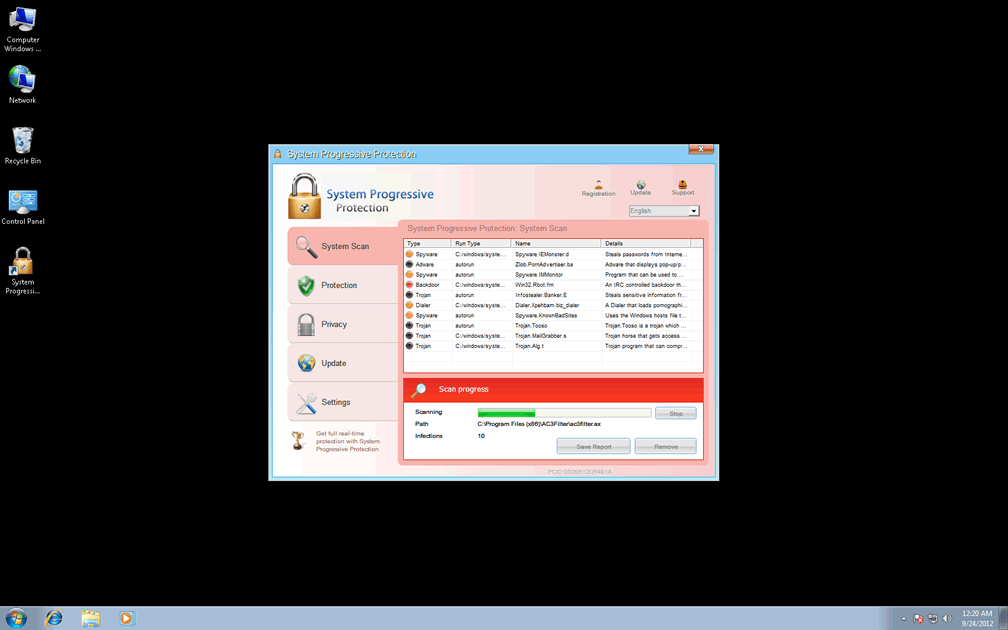
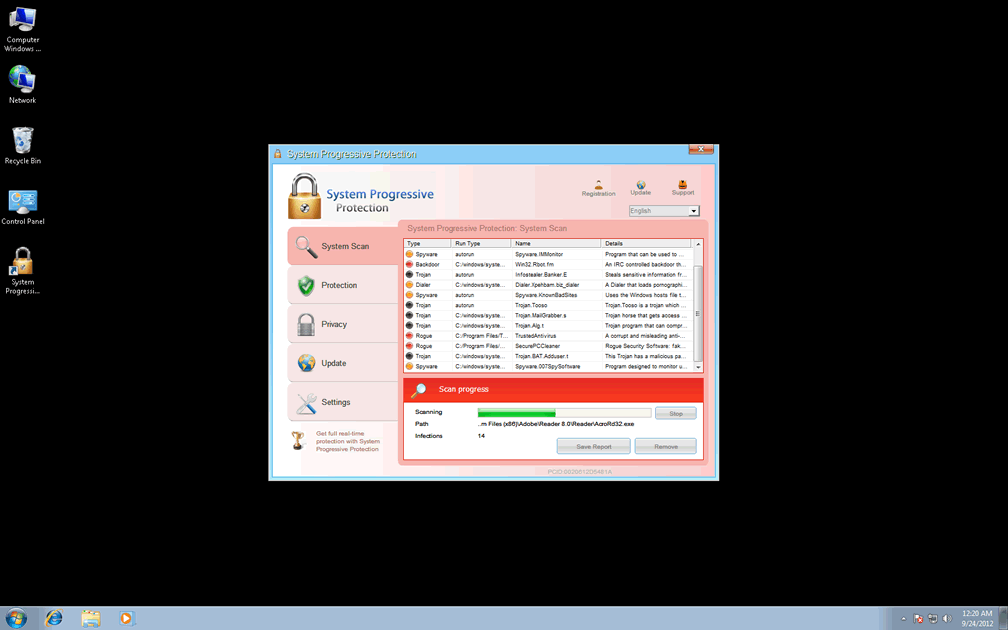
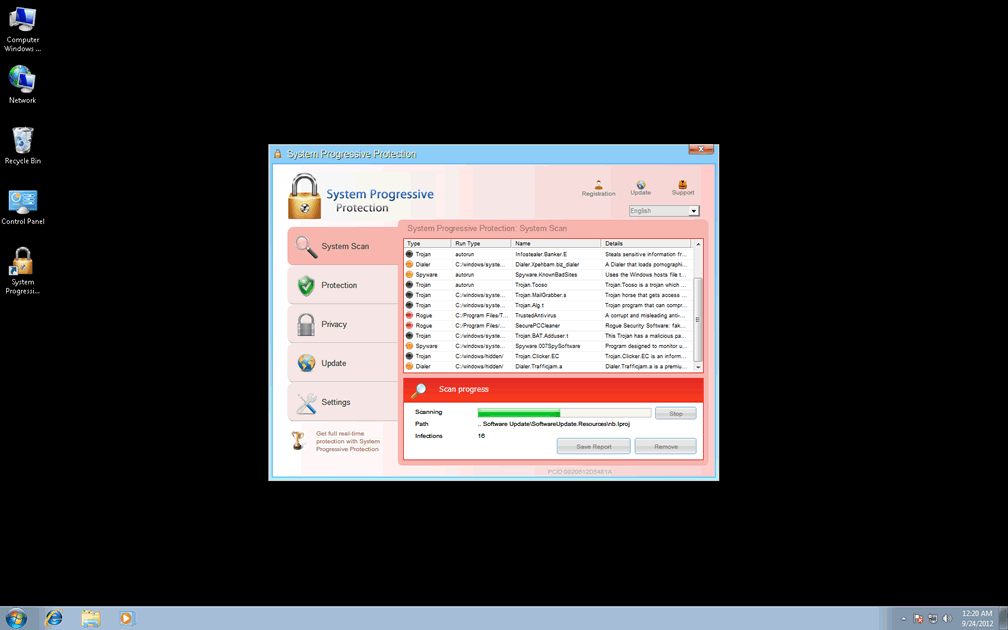
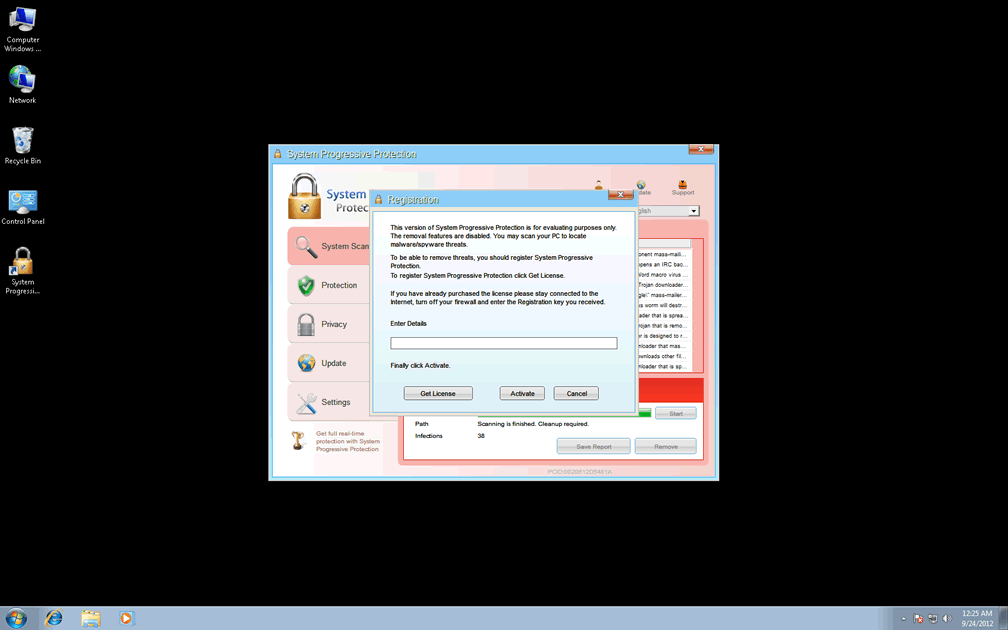
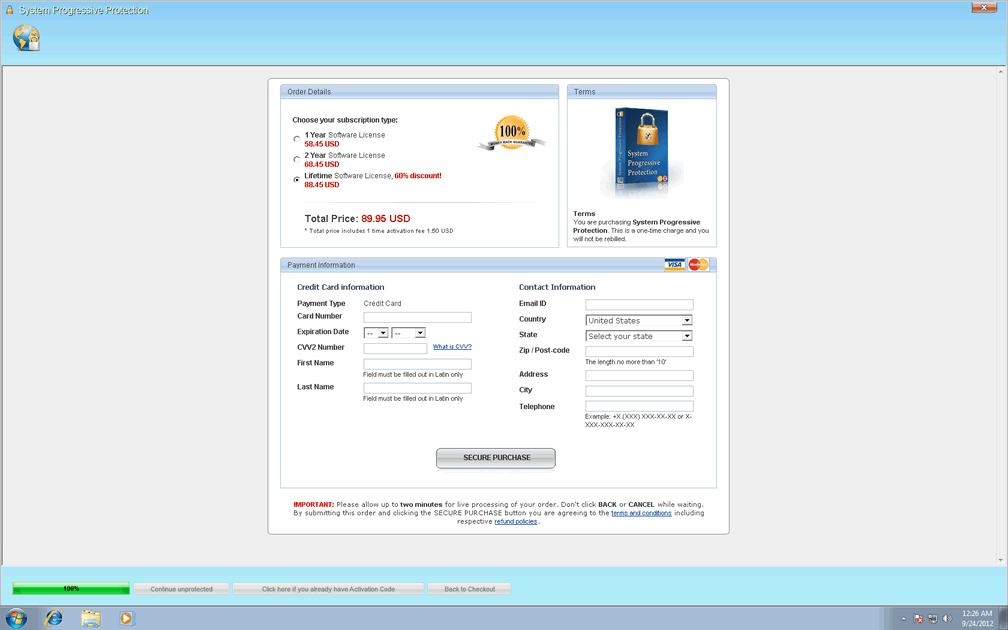
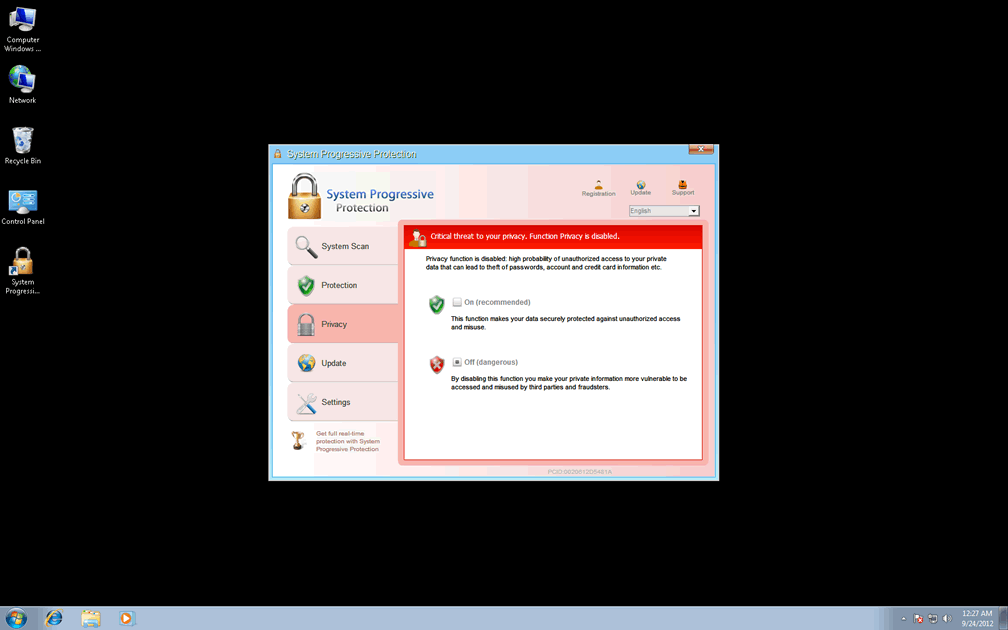
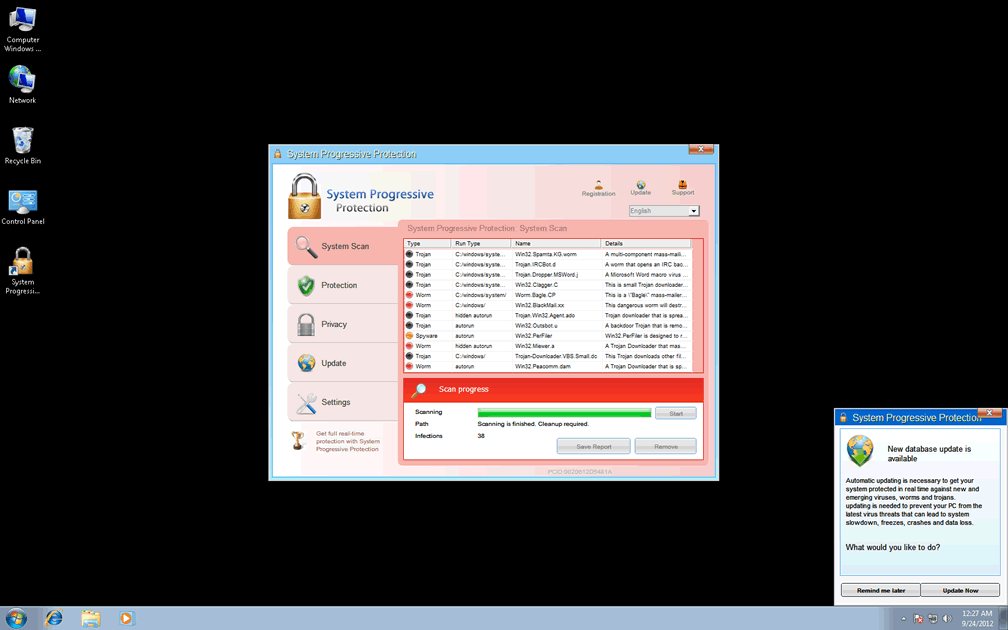
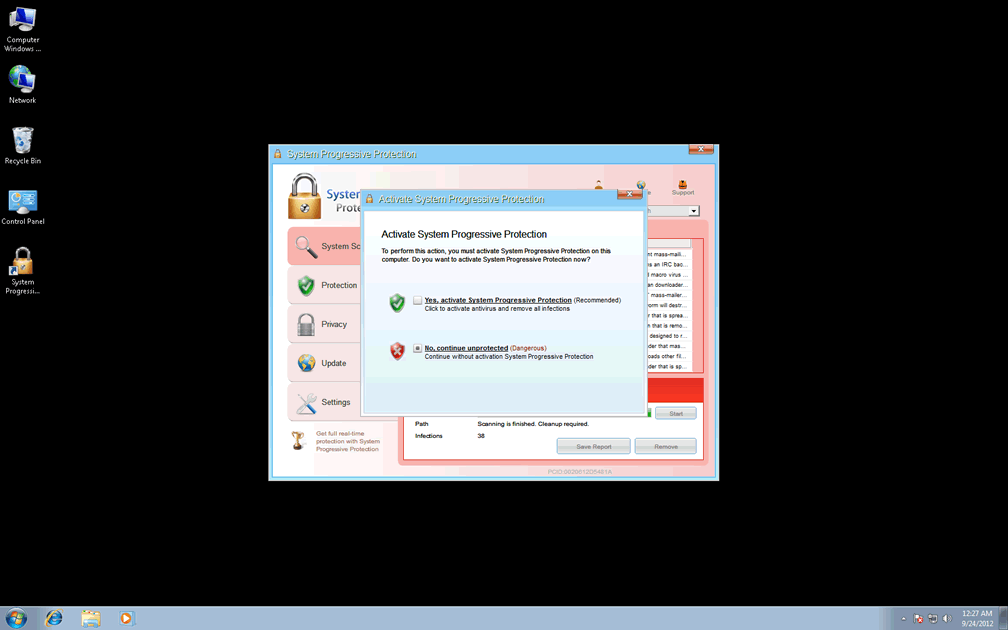
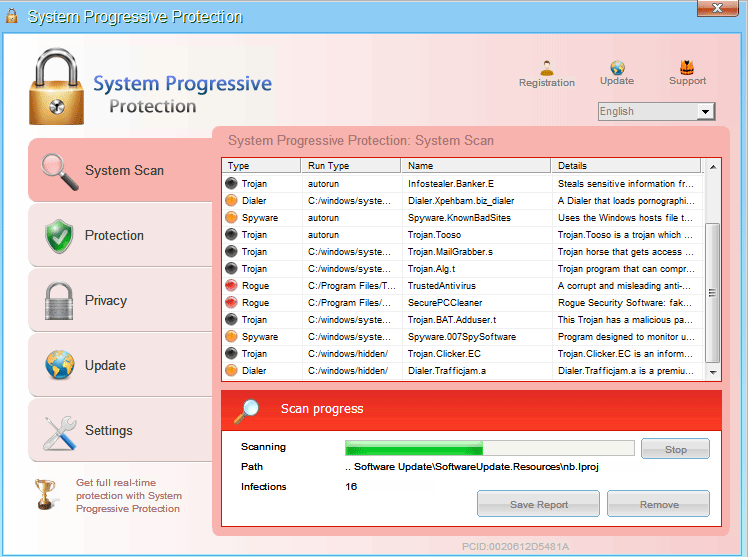 System Progressive Protection is a rogue anti-malware application from the Winwebsec family, a group of scamware programs that display fraudulent security alerts. In addition to System Progressive Protection's pop-ups, which display inaccurate system information, System Progressive Protection will also use system scans with fake results to make you contemplate spending money on System Progressive Protection to cleanse your system of nonexistent infections. Because SpywareRemove.com malware experts have verified that members of System Progressive Protection's family engage in broad program-blocking behavior, they recommend treating System Progressive Protection as a security hazard to be deleted as soon as possible. Disabling System Progressive Protection by the methods described in this article should allow you to remove System Progressive Protection with any preferred anti-malware scanner.
How Being 'Progressive' with System Progressive Protection Will Burn Your PC
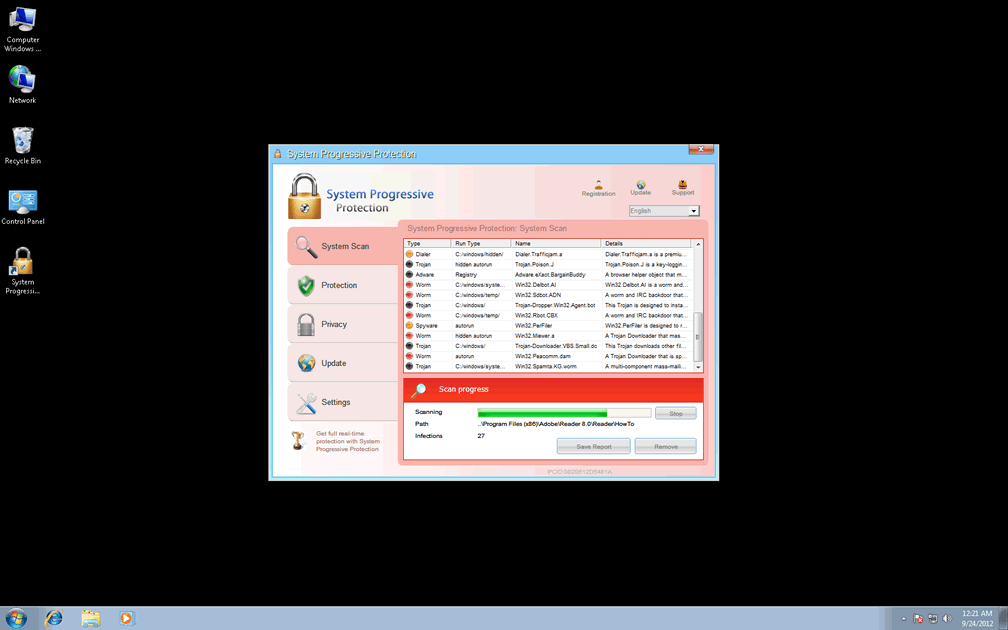
System Progressive Protection may look like a program that can detect and remove Trojans and other malware from your hard drive, but as an obvious clone of past members of the WinWeb Security family, System Progressive Protection doesn't have any security features that aren't fraudulent. Scans by System Progressive Protection always will detect nonexistent infections in a wide range of locations, including technical identifications for Trojan droppers, keyloggers, worms and other PC threats as a means of making the detections appear realistic.
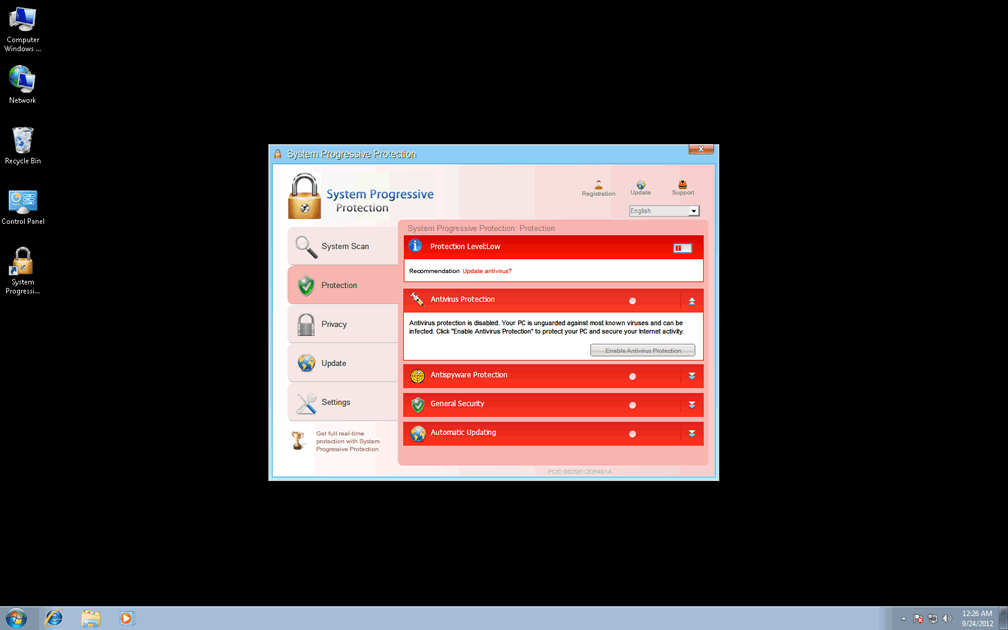
SpywareRemove.com malware experts have also found that System Progressive Protection and other members of Winwebsec display equally-inaccurate security pop-ups regularly. These pop-ups can include taskbar alerts that notify you about fake spyware infections, fraudulent software update notifications and warnings that programs that you attempt to launch are infected. In particular, SpywareRemove.com malware researchers emphasize the importance of ignoring all alerts from System Progressive Protection and related PC threats, since attempting to delete the 'infected' files has a high chance of damaging harmless or even OS-critical files.
Progressing Your Way Through the End of System Progressive Protection's Attacks
Spending money on System Progressive Protection is, obviously, unnecessary, regardless of how often System Progressive Protection recommends that course of action as a way to disinfect your PC. Unfortunately, SpywareRemove.com malware analysts have noted that System Progressive Protection, much like other Winwebsec-based scamware programs, has a high chance of blocking the biggest part of other programs on your computer, including your security software. Therefore, disabling System Progressive Protection becomes part and parcel of the most straightforward means of deleting System Progressive Protection from your PC.
Even though System Progressive Protection changes the Registry to ensure its own automatic startup, SpywareRemove.com malware researchers are familiar with several means of circumventing that common exploit. For Windows users, Safe Mode may allow you to disable System Progressive Protection, and can be accessed during a reboot by pressing F8 and selecting the Safe Mode option from the corresponding menu.
If System Progressive Protection or other PC threats continue to interfere with your PC's disinfection from Safe Mode, you should consider loading an uninfected OS from a removable drive device. USB flash drives often are used for this purpose and can guarantee a safe environment for System Progressive Protection's removal.
Modern members of System Progress Protection's family include Antivirus Security, System Security, AntiSpyware Pro 2009, Total Security, Total Security 2009, Security Tool, Trojan.RogueAV.a.gen, System Adware Scanner 2010, FakeAlert-KW.e, Advanced Security Tool 2010, System Tool 2011, Security Shield, MS Removal Tool, Personal Shield Pro, Advanced PC Shield 2012, Security Sphere 2012, Futurro Antivirus and Antivirus Center.
Technical Details
File System Modifications
Tutorials: If you wish to learn how to remove malware components manually, you can read the tutorials on how to find malware, kill unwanted processes, remove malicious DLLs and delete other harmful files. Always be sure to back up your PC before making any changes.
The following files were created in the system:%ALLUSERSPROFILE%\E81D9A99EB23481A0012E81D87C49034\E81D9A99EB23481A0012E81D87C49034.exe
File name: E81D9A99EB23481A0012E81D87C49034.exeSize: 522.75 KB (522752 bytes)
MD5: 9c436269f996b0d30abc079baa6236b9
Detection count: 21
File type: Executable File
Mime Type: unknown/exe
Path: %ALLUSERSPROFILE%\E81D9A99EB23481A0012E81D87C49034
Group: Malware file
Last Updated: September 24, 2012
%CommonAppData%\[RANDOM NUMBERS AND CHARACTERS]\
File name: %CommonAppData%\[RANDOM NUMBERS AND CHARACTERS]\Group: Malware file
%CommonAppData%\[RANDOM NUMBERS AND CHARACTERS]\[RANDOM NUMBERS AND CHARACTERS]
File name: %CommonAppData%\[RANDOM NUMBERS AND CHARACTERS]\[RANDOM NUMBERS AND CHARACTERS]Group: Malware file
%CommonAppData%\[RANDOM NUMBERS AND CHARACTERS]\[RANDOM NUMBERS AND CHARACTERS].exe
File name: %CommonAppData%\[RANDOM NUMBERS AND CHARACTERS]\[RANDOM NUMBERS AND CHARACTERS].exeFile type: Executable File
Mime Type: unknown/exe
Group: Malware file
%CommonAppData%\[RANDOM NUMBERS AND CHARACTERS]\[RANDOM NUMBERS AND CHARACTERS].ico
File name: %CommonAppData%\[RANDOM NUMBERS AND CHARACTERS]\[RANDOM NUMBERS AND CHARACTERS].icoMime Type: unknown/ico
Group: Malware file
%Desktopdir%\System Progressive Protection.lnk
File name: %Desktopdir%\System Progressive Protection.lnkFile type: Shortcut
Mime Type: unknown/lnk
Group: Malware file
%Programs%\System Progressive Protection\System Progressive Protection.lnk
File name: %Programs%\System Progressive Protection\System Progressive Protection.lnkFile type: Shortcut
Mime Type: unknown/lnk
Group: Malware file
Registry Modifications
File name without pathSystem Progressive Protection.lnkHKEY..\..\..\..{Subkeys}HKEY_CURRENT_USER\Software\Microsoft\Windows\CurrentVersion\Uninstall\System Progressive Protection\ShortcutPath “%AppData%\[RANDOM CHARACTERS]\[RANDOM CHARACTERS].exe” -uHKEY_CURRENT_USER\Software\Microsoft\Windows\CurrentVersion\Uninstall\System Progressive Protection\UninstallString “%AppData%\[RANDOM CHARACTERS]\[RANDOM CHARACTERS].exe” -uHKEY_CURRENT_USER\Software\Microsoft\Windows\CurrentVersion\RunOnce\[RANDOM CHARACTERS] %AppData%\[RANDOM CHARACTERS]\[RANDOM CHARACTERS].exeHKEY_CURRENT_USER\Software\Microsoft\Windows\CurrentVersion\Uninstall\System Progressive ProtectionHKEY_CURRENT_USER\Software\Microsoft\Windows\CurrentVersion\Uninstall\System Progressive Protection\DisplayIcon %AppData%\[RANDOM CHARACTERS]\[RANDOM CHARACTERS].exe,0HKEY_CURRENT_USER\Software\Microsoft\Windows\CurrentVersion\Uninstall\System Progressive Protection\DisplayName System Progressive ProtectionHKEY_LOCAL_MACHINE\Software\[APPLICATION]\Microsoft\Windows\CurrentVersion\Uninstall..{Uninstaller}System Progressive Protection
Additional Information
| # | Message |
|---|---|
| 1 | Spyware.IEMonster activity detected. This is spyware that attempts to steal passwords from Internet Explorer, Mozilla Firefox, Outlook and other programs.
Click here to remove it immediately with System Progressive Protection. |
| 2 | System Progressive Protection Firewall Alert This is spyware that attempts to steal passwords from Internet Explorer, Mozilla Firefox, Outlook and other programs. Click here to remove it immediately with System Progressive Protection. |
| 3 | System Progressive Protection Warning
Your PC is still infected with dangerous viruses. Activate antivirus protection to prevent data loss and avoid the theft of your credit card details. |
| 4 | Warning!
Application cannot be executed. The file GoogleUpdate.exe infected. Please activate your antivirus software. |
| 5 | Warning! The site you are trying to visit may harm your computer. Your security setting level puts your computer at risk! Activate System Progressive Protection and enable safe web surfing (recommended). Ignore warnings and visit that site in the current state (not recommended). |
| 6 | Warning! The site you are trying visit may harm your computer!
Your security setting level puts your computer at risk! Activate System Progressive Protection, and enable safe web surfing (recommended). Ignore warnings and visit that site in the current stat (not recommended). |
| 7 | Warning: Your computer is infected
Detected spyware infection! Click this message to install the last update of security software... |
Thanks for the info. A friend, still using XP managed to catch this bug, but your technical details helped me pinpoint the problem. Managed to delete it in SAFE MODE, and now everything works. Scanning with the regular virus protection now.
I want this program removed from my computer at once. It is making using my computer very hard. I have a good anti-virus program
please remove this crap off my PC NOW
Fuc you Progresive Sysstem
To the 3 guys under me you are all mentally retarded for blaming this site or others commenting here. There's no1 to blame here you guys shouldnt go watch p*rn with internet explorer. Its your own fault. And these guys are just so awesome to tell you how to fix this...
removed this program from my computer now