Internet Security 2012
Posted: January 20, 2012
Threat Metric
The following fields listed on the Threat Meter containing a specific value, are explained in detail below:
Threat Level: The threat level scale goes from 1 to 10 where 10 is the highest level of severity and 1 is the lowest level of severity. Each specific level is relative to the threat's consistent assessed behaviors collected from SpyHunter's risk assessment model.
Detection Count: The collective number of confirmed and suspected cases of a particular malware threat. The detection count is calculated from infected PCs retrieved from diagnostic and scan log reports generated by SpyHunter.
Volume Count: Similar to the detection count, the Volume Count is specifically based on the number of confirmed and suspected threats infecting systems on a daily basis. High volume counts usually represent a popular threat but may or may not have infected a large number of systems. High detection count threats could lay dormant and have a low volume count. Criteria for Volume Count is relative to a daily detection count.
Trend Path: The Trend Path, utilizing an up arrow, down arrow or equal symbol, represents the level of recent movement of a particular threat. Up arrows represent an increase, down arrows represent a decline and the equal symbol represent no change to a threat's recent movement.
% Impact (Last 7 Days): This demonstrates a 7-day period change in the frequency of a malware threat infecting PCs. The percentage impact correlates directly to the current Trend Path to determine a rise or decline in the percentage.
| Threat Level: | 2/10 |
|---|---|
| Infected PCs: | 25 |
| First Seen: | January 20, 2012 |
|---|---|
| OS(es) Affected: | Windows |
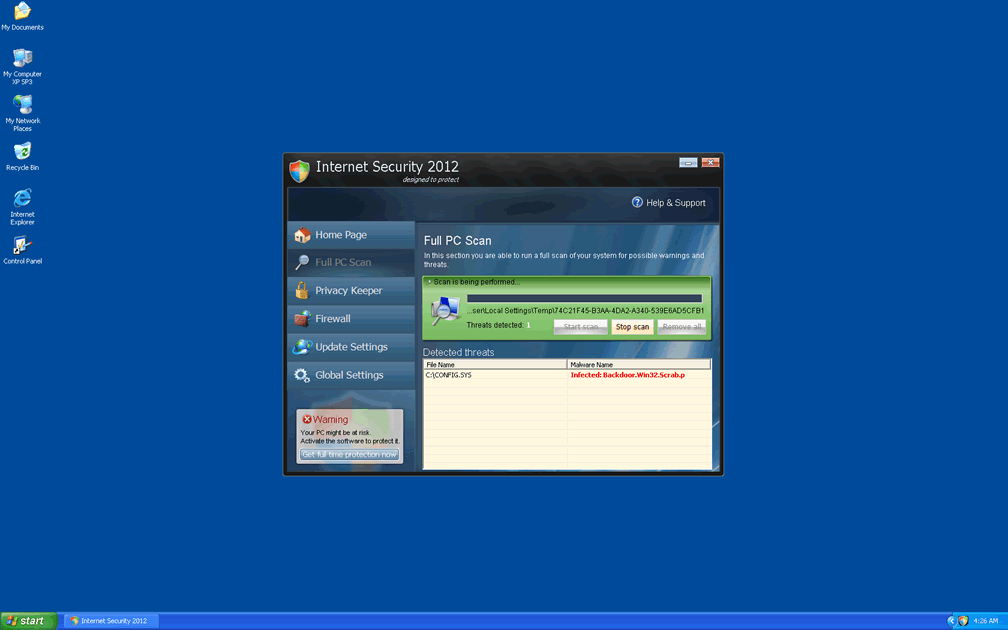
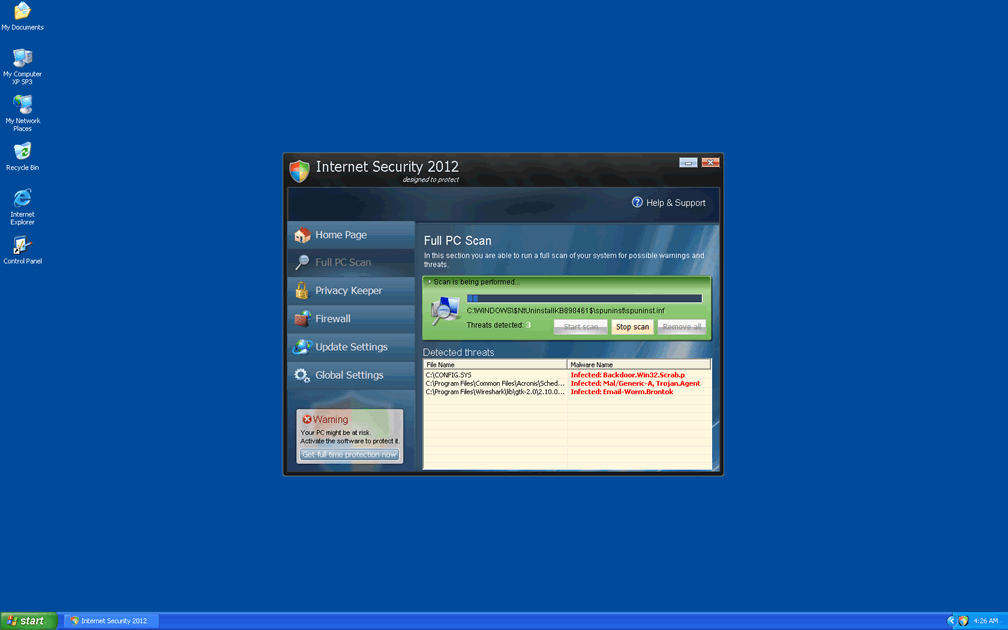
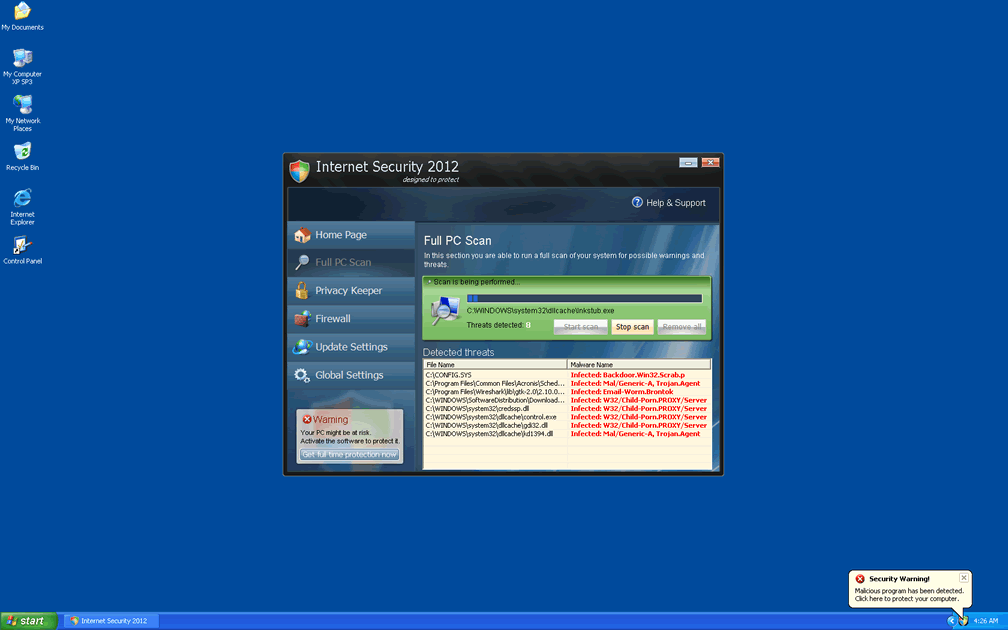
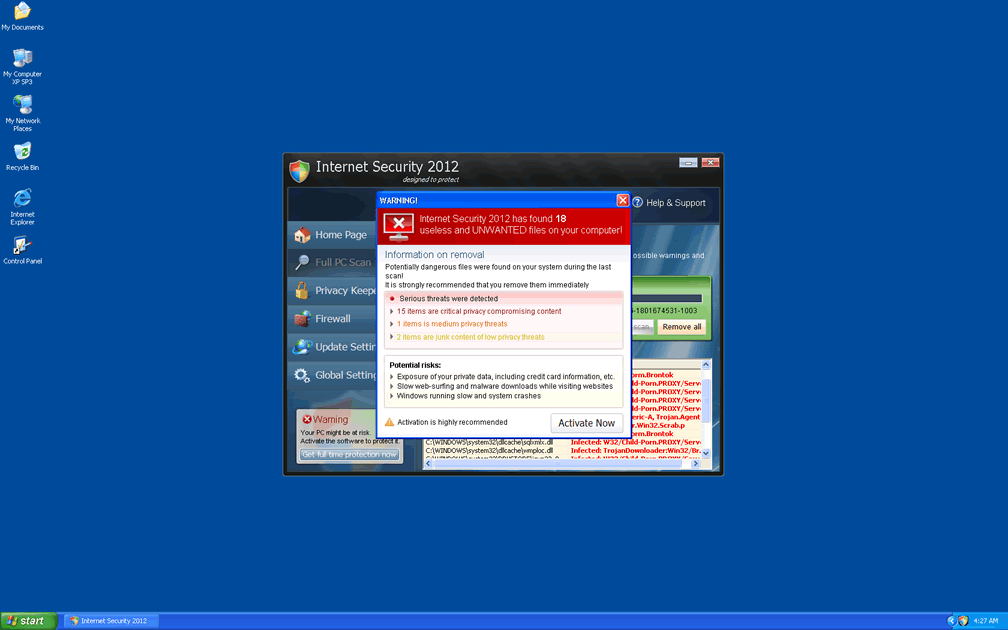
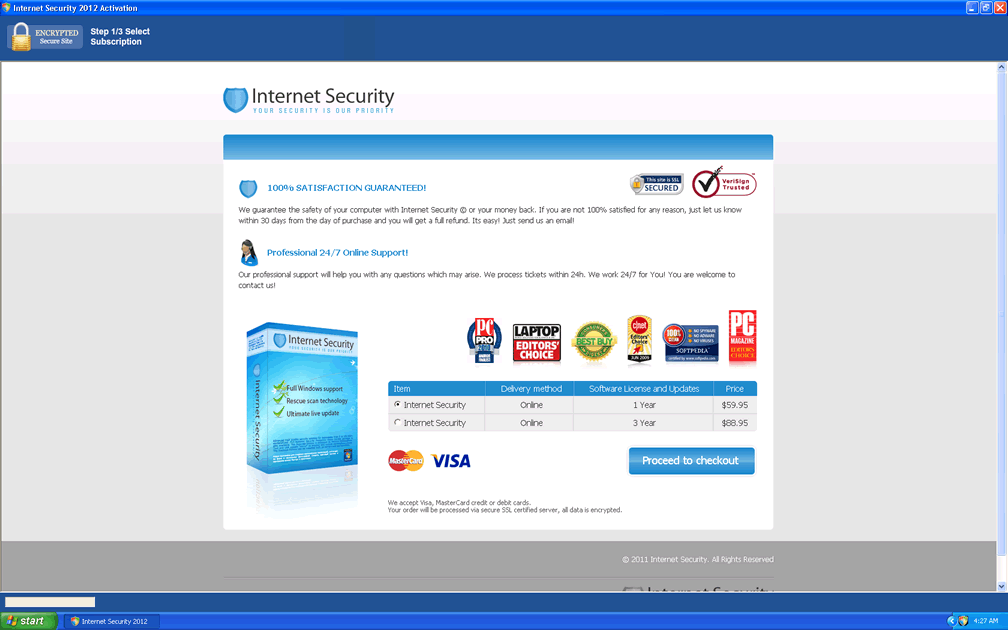
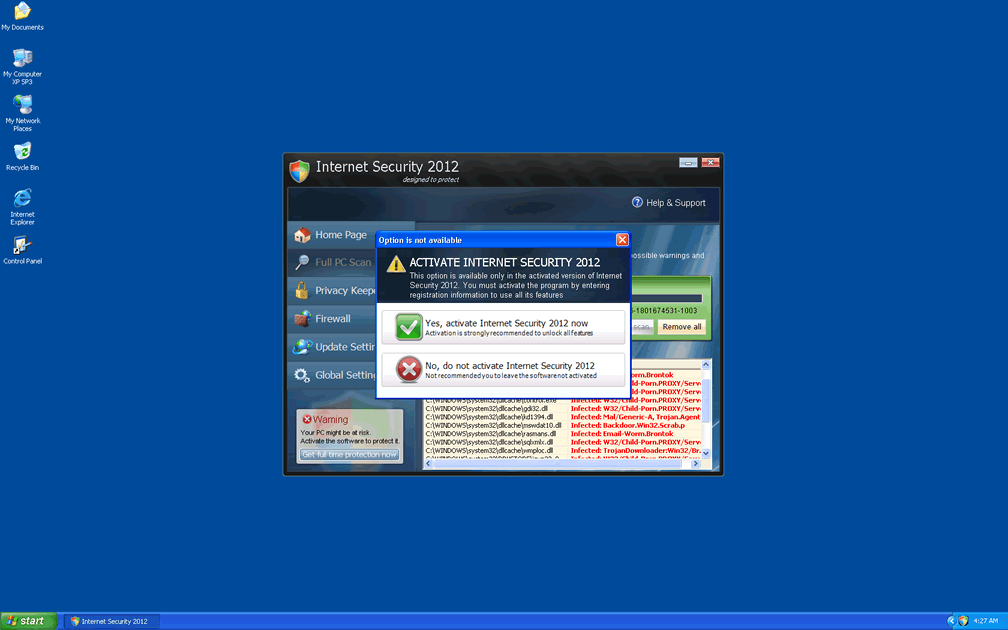
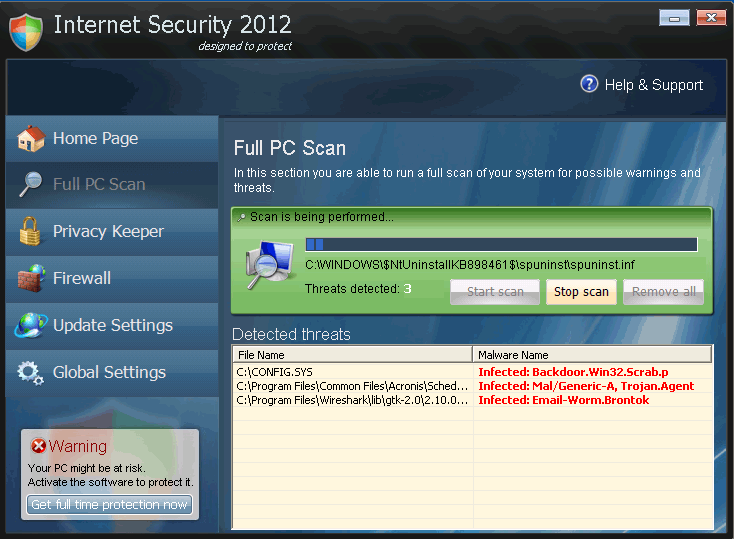 Internet Security 2012 is a rogue antispyware program from the FakeRean (or Rogue:Win32/FakeRean) family of scamware. Internet Security 2012, like other members of its family, uses fake warning messages to create a false appearance of your PC being under attack by multiple types of highly-invasive PC threats, and then requests that you buy Internet Security 2012 to remove all issues from your PC. However, SpywareRemove.com malware researchers have found that Internet Security 2012 isn't any better at removing trojans or viruses than any other member of the FakeRean group of rogue antispyware products. Until you delete Internet Security 2012 with a real antispyware program, in addition to having to deal with barrages of fake system alerts, you may also be attacked by browser redirects or malfunctions in PC security applications.
Internet Security 2012 – a Little Humbler Than Its Predecessors... but Just as Hostile to Your PC
Internet Security 2012, is a member of the same subgroup as Antivirus 2008 Pro, Windows Antivirus 2008, Vista Antivirus 2008, Antivirus XP 2008, PC Clean Pro, Antivirus Pro 2009, AntiSpy Safeguard, ThinkPoint, Spyware Protection 2010, Internet Antivirus 2011, Palladium Pro, XP Anti-Virus 2011, CleanThis, Rogue.Vista Antivirus 2008, XP Home Security 2012, XP Security 2012 and AntiVirus PRO 2015. Internet Security 201 may eschew the Windows-related acronyms that are often used by its kin, but the 'security' portion of Internet Security 2012's moniker is just as inaccurate as it is for any of the above examples. Although Internet Security 2012 can't detect actual problems with your PC, once installed (typically by a trojan such as Zlob), Internet Security 2012 will, nevertheless, spend a great deal of time generating inaccurate pop-ups about fake infections. SpywareRemove.com malware experts have noted a voluminous list of examples for these errors, including the following samples:
Spyware alarm!
Our scan has reported that pieces of malicious spyware code are present on your hard drive. To get rid of security threats, click here for a Internet Security 2012 scan.
Windows Security Center reports that Internet Security 2012 is enable. Internet Security 2012helps to protect your computer against viruses and other security threats. Click Recommendations for the suggested actions. Your system might be at risk now.
Note: Windows has detected an unregistered version of Internet Security 2012
Trojan detected!
A piece of malicious code was found in your system which can replicate itself if no action is taken. Clicked here to have your system cleaned by Internet Security 2012.
WARNING! Internet Security 2012 has found [random number] useless and UNWANTED files on your computer!
Because Internet Security 2012 can't actually-remove the PC threats that it claims to guard against, there's no reason to purchase Internet Security 2012's services, and this may actually endanger your financial information if you choose to do so. SpywareRemove.com malware analysts recommend that you treat any contact with Internet Security 2012 to be equivalent to a breach of your computer's security; however, the sooner an immediate scan of your PC by real anti-malware software is undergone, the less chance Internet Security 2012 will ever have to do any lasting damage.
A Peek at the Details That Internet Security 2012 Doesn't Want You to Find
Internet Security 2012, unlike benign software, will attempt to launch itself automatically and doesn't offer any way to turn this 'feature' off. Modern variants of FakeRean scamware like Internet Security 2012 may also hook their startup routines into .exe file behavior so that any launched executable file will also re-launch Internet Security 2012. Internet Security 2012 may also include browser-redirecting functions that force your browser to load Internet Security 2012's website. SpywareRemove.com malware experts recommend that you treat your PC as potentially reinfected after any visit to Internet Security 2012's site, particularly if it's due to a redirect.
Finally, Internet Security 2012 may also attempt to replace Windows Security Center with a fake applet that links to Internet Security 2012's site. You should avoid interaction with this applet and try to remove Internet Security 2012 with suitable anti-malware products to regain access to the real Security Center. As can be guessed from the above attack, Internet Security 2012 is specific to Windows, and, like all FakeRean-based types of rogue anti-malware programs, is unable to function in non-Windows environments to any significant degree.
Technical Details
File System Modifications
Tutorials: If you wish to learn how to remove malware components manually, you can read the tutorials on how to find malware, kill unwanted processes, remove malicious DLLs and delete other harmful files. Always be sure to back up your PC before making any changes.
The following files were created in the system:%CommonPrograms%\Internet Security 2012\Internet Security 2012.lnk
File name: %CommonPrograms%\Internet Security 2012\Internet Security 2012.lnkFile type: Shortcut
Mime Type: unknown/lnk
Group: Malware file
%ProgramFiles%\Internet Security 2012\Internet Security 2012.exe
File name: %ProgramFiles%\Internet Security 2012\Internet Security 2012.exeFile type: Executable File
Mime Type: unknown/exe
Group: Malware file
%UserProfile%\.Internet Security 2012
File name: %UserProfile%\.Internet Security 2012Mime Type: unknown/Internet Security 2012
Group: Malware file
%Documents and Settings%\All Users\Application Data\[RANDOM]\defender.exe
File name: %Documents and Settings%\All Users\Application Data\[RANDOM]\defender.exeFile type: Executable File
Mime Type: unknown/exe
Group: Malware file
%Documents and Settings%\All Users\Application Data\[RANDOM]\Internet Security 2012.exe
File name: %Documents and Settings%\All Users\Application Data\[RANDOM]\Internet Security 2012.exeFile type: Executable File
Mime Type: unknown/exe
Group: Malware file
%Documents and Settings%\All Users\Application Data\[RANDOM]\[RANDOM].exe
File name: %Documents and Settings%\All Users\Application Data\[RANDOM]\[RANDOM].exeFile type: Executable File
Mime Type: unknown/exe
Group: Malware file
%Documents and Settings%\[UserName]\asr.dat
File name: %Documents and Settings%\[UserName]\asr.datFile type: Data file
Mime Type: unknown/dat
Group: Malware file
%Documents and Settings%\[UserName]\Application Data\1tmp.bat
File name: %Documents and Settings%\[UserName]\Application Data\1tmp.batFile type: Batch file
Mime Type: unknown/bat
Group: Malware file
%WINDOWS%\Prefetch\ISECURITY.EXE-1824C86D.pf
File name: %WINDOWS%\Prefetch\ISECURITY.EXE-1824C86D.pfMime Type: unknown/pf
Group: Malware file
%AppData%\isecurity.exe
File name: %AppData%\isecurity.exeFile type: Executable File
Mime Type: unknown/exe
Group: Malware file
%TEMP%\winupd.exe
File name: %TEMP%\winupd.exeFile type: Executable File
Mime Type: unknown/exe
Group: Malware file
Registry Modifications
HKEY..\..\{CLSID Path}HKEY_CLASSES_ROOT\CLSID\{80c10400-59cb-4c79-97ce-cc693103afca}HKEY..\..\{Value}HKEY_LOCAL_MACHINE\SOFTWARE\Microsoft\Windows\CurrentVersion\policies\system "EnableLUA" = "0"HKEY_CURRENT_USER\Software\Microsoft "adver_id" = "29"HKEY_CURRENT_USER\Software\Microsoft\Windows NT\CurrentVersion\Winlogon "Shell" = "%UserProfile%\Application Data\Internet Security 2012.exe" /sn"HKEY..\..\..\..{Subkeys}HKEY_LOCAL_MACHINE\Software\Internet Security 2012.exeHKEY_CURRENT_USER\Software\Microsoft\Installer\Products\[RANDOM]HKEY_CLASSES_ROOT\BrcWizApp.BrcWizHKEY_CLASSES_ROOT\BrcWizApp.BrcWiz.1HKEY_CLASSES_ROOT\Interface\{9692BE2F-EB8F-49D9-A11C-C24C1EF734D5}HKEY_CLASSES_ROOT\Interface\{4B66E1DF-4DE3-4CDA-83B5-11673EADAB0B}HKEY_CLASSES_ROOT\TypeLib\{58B4E0F5-F122-4C02-B038-C482D998486A}HKEY_CURRENT_USER\Software\Internet Security 2012HKEY_LOCAL_MACHINE\SOFTWARE\Microsoft\Windows\CurrentVersion\Explorer\Browser Helper Objects\{80c10400-59cb-4c79-97ce-cc693103afca}HKEY_LOCAL_MACHINE\SOFTWARE\ISECURITY.EXEHKEY_LOCAL_MACHINE\SOFTWARE\Microsoft\..{RunKeys}HKEY_CURRENT_USER\SOFTWARE\Microsoft\Windows\CurrentVersion\Run "Internet Security 2012"HLEY_LOCAL_MACHINE\SOFTWARE\Microsoft\Windows\CurrentVersion\Run "[RANDOM]"HKEY_LOCAL_MACHINE\SOFTWARE\Microsoft\Windows\CurrentVersion\Run "ISECURITY.EXE"
Additional Information
| # | Message |
|---|---|
| 1 | Firewall Warning Hidden file transfers to remote host has been detected. has detected a leak of your files through the Internet. We strongly recommend that you block the attack immediately. |
| 2 | Security Warning Malicious program has been detected. Click here to protect your computer. |
| 3 | [filename] can not start File [filename] is infected by W32/Blaster.worm. Please activate Internet Security 2012 to protect your computer. |
| 4 | notepad.exe can not start File notepad.exe is infected by W32/Blaster.worm. Please activate Internet Security 2012 to protect your computer. |
Related Posts
- Windows 7 Internet Security 2012
- Windows XP Internet Security 2012
- Windows Vista Internet Security 2012
- XP Internet Security 2012
- Vista Internet Security 2012
damnnnn
can i go in and remove these additions manually from cdrive?
i unplged my interne and plug it back in and it was goon loged onf my pc loged back on and my anti vireus softwere let me remove it
Internet Security 2012 was a complete waste of my time. I hate these hackers and wish they would all die. Good to know there is help out of this mess.