Privacy Protection
Posted: November 4, 2011
Threat Metric
The following fields listed on the Threat Meter containing a specific value, are explained in detail below:
Threat Level: The threat level scale goes from 1 to 10 where 10 is the highest level of severity and 1 is the lowest level of severity. Each specific level is relative to the threat's consistent assessed behaviors collected from SpyHunter's risk assessment model.
Detection Count: The collective number of confirmed and suspected cases of a particular malware threat. The detection count is calculated from infected PCs retrieved from diagnostic and scan log reports generated by SpyHunter.
Volume Count: Similar to the detection count, the Volume Count is specifically based on the number of confirmed and suspected threats infecting systems on a daily basis. High volume counts usually represent a popular threat but may or may not have infected a large number of systems. High detection count threats could lay dormant and have a low volume count. Criteria for Volume Count is relative to a daily detection count.
Trend Path: The Trend Path, utilizing an up arrow, down arrow or equal symbol, represents the level of recent movement of a particular threat. Up arrows represent an increase, down arrows represent a decline and the equal symbol represent no change to a threat's recent movement.
% Impact (Last 7 Days): This demonstrates a 7-day period change in the frequency of a malware threat infecting PCs. The percentage impact correlates directly to the current Trend Path to determine a rise or decline in the percentage.
| Threat Level: | 10/10 |
|---|---|
| Infected PCs: | 77 |
| First Seen: | November 4, 2011 |
|---|---|
| OS(es) Affected: | Windows |
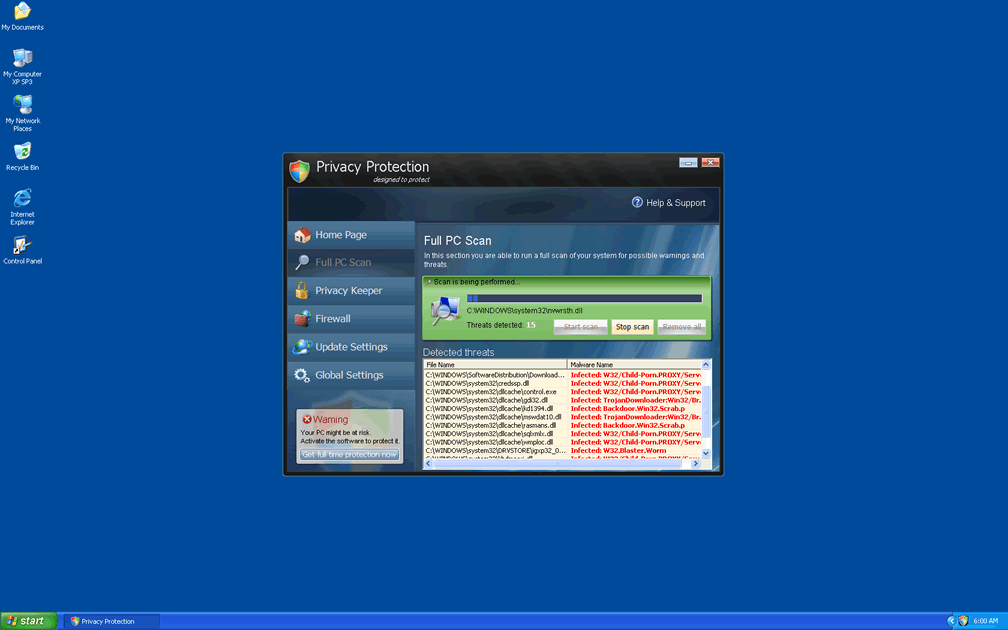
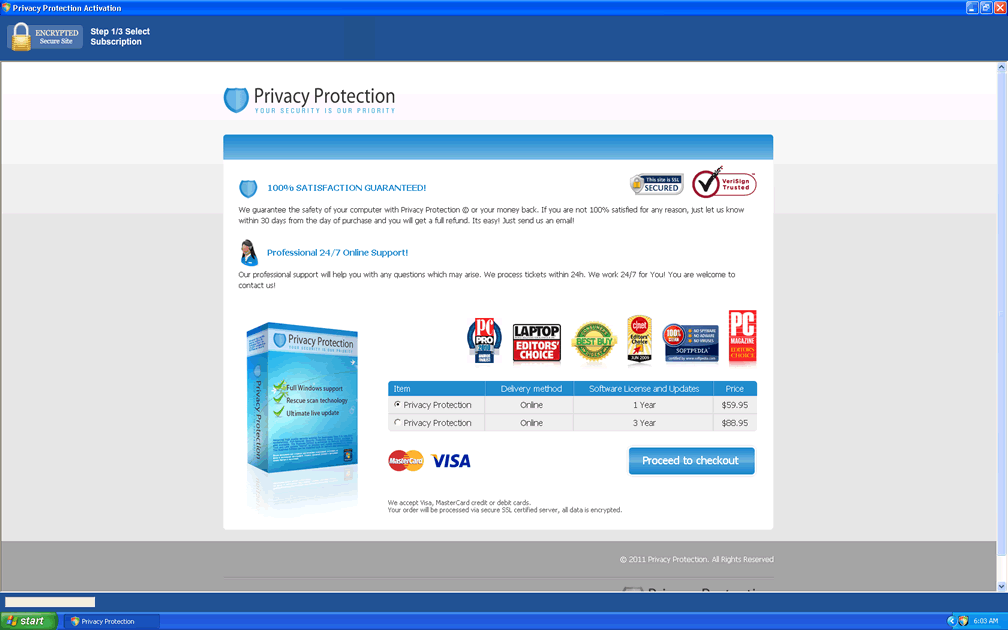
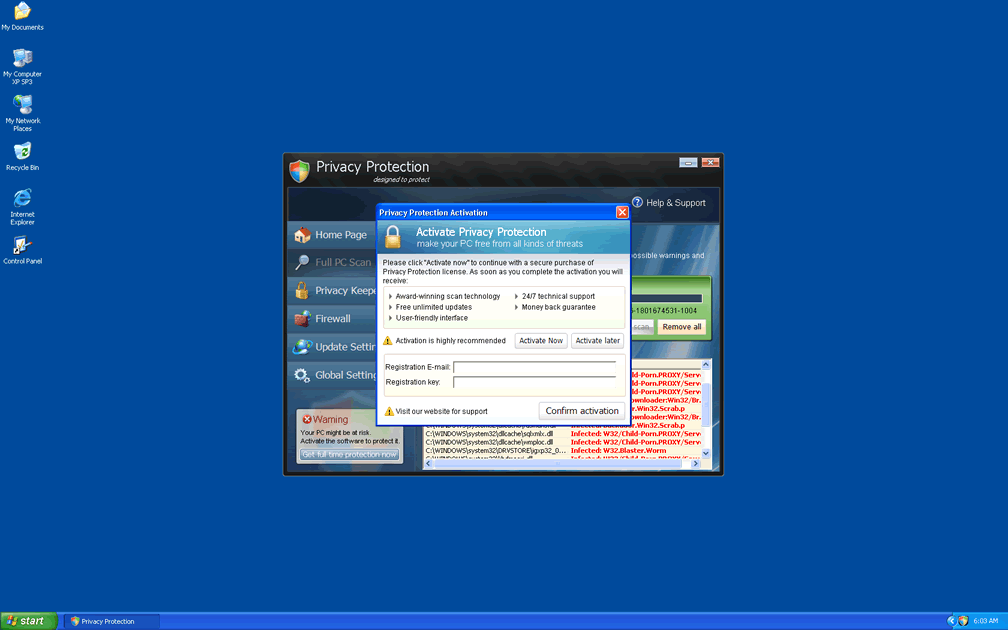
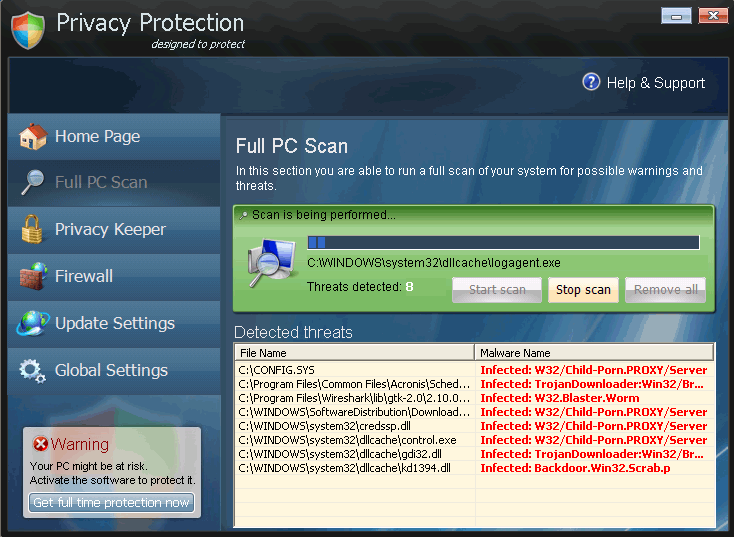 Privacy Protection is a copy of other types of fake anti-malware programs from the FakeRean family of rogue security programs. Although Privacy Protection claims to be able to protect your PC from spyware and even more dangerous types of malicious programs, SpywareRemove.com malware researchers have found that Privacy Protection lacks any genuine PC threat detection or removal features. Alerts and error messages from Privacy Protection are meant to induce you into spending money on a registered version of Privacy Protection, but this action is, naturally, inadvisable. Instead, if you find that Privacy Protection has infected your PC, you should remove Privacy Protection with a competent security program and, if necessary, a fake activation key.
Privacy Protection's Bad Pretense of Protection has Real Danger Inside
Privacy Protection is distributed by Trojans and malicious websites that specialize in installing rogue security programs. In many cases, you may be presented with an inaccurate warning message that tells computer users that their machine is infected and that they should install Privacy Protection or another type of scamware to remove the infection. To protect your PC from Privacy Protection-related attacks like the ones above, use strong security settings for your browser, avoid suspicious sites and have an active anti-malware to monitor potential drive-by-download intrusions.
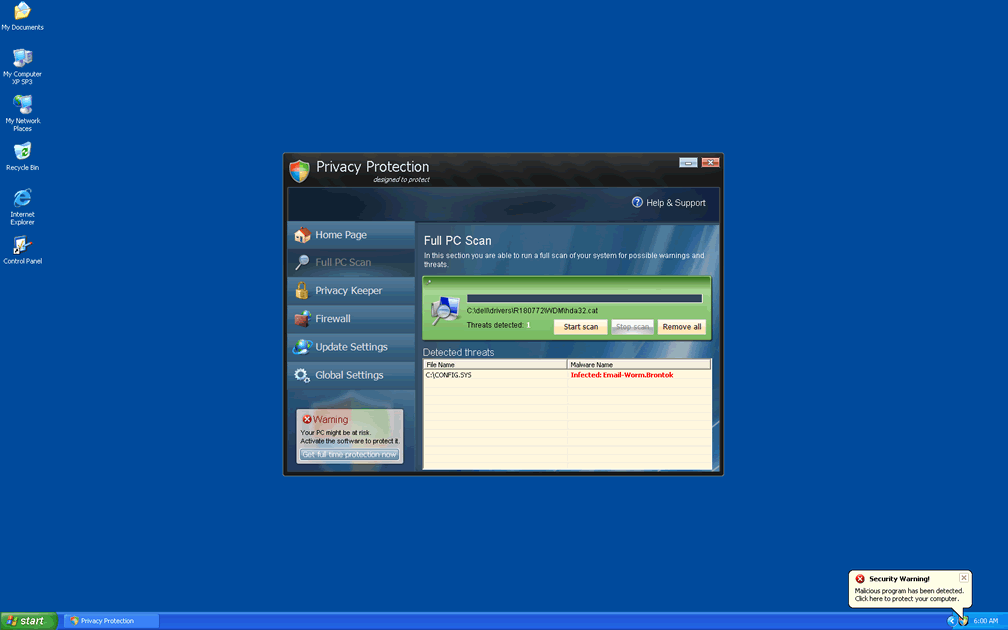
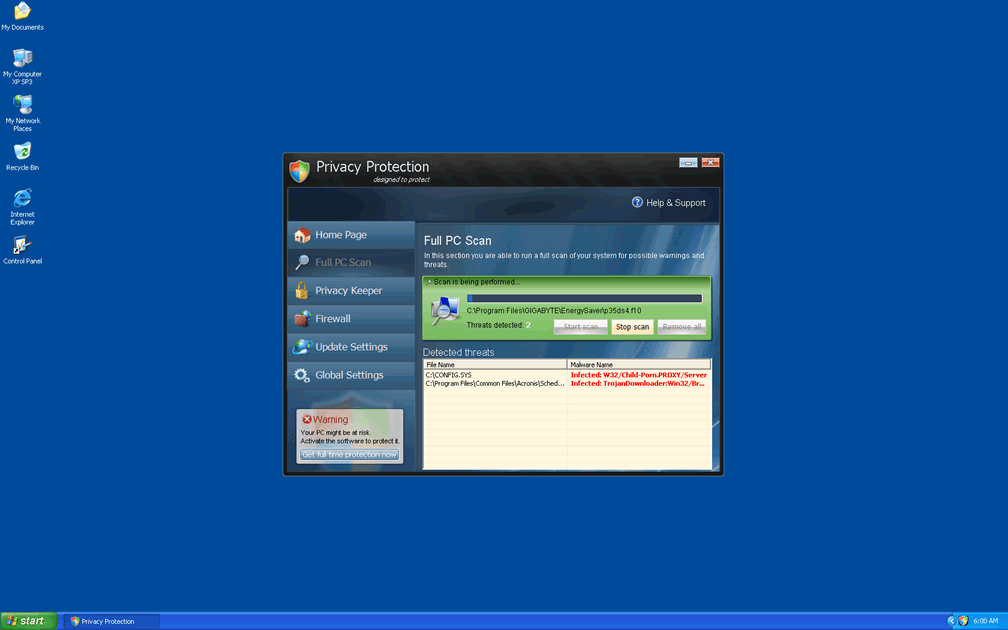
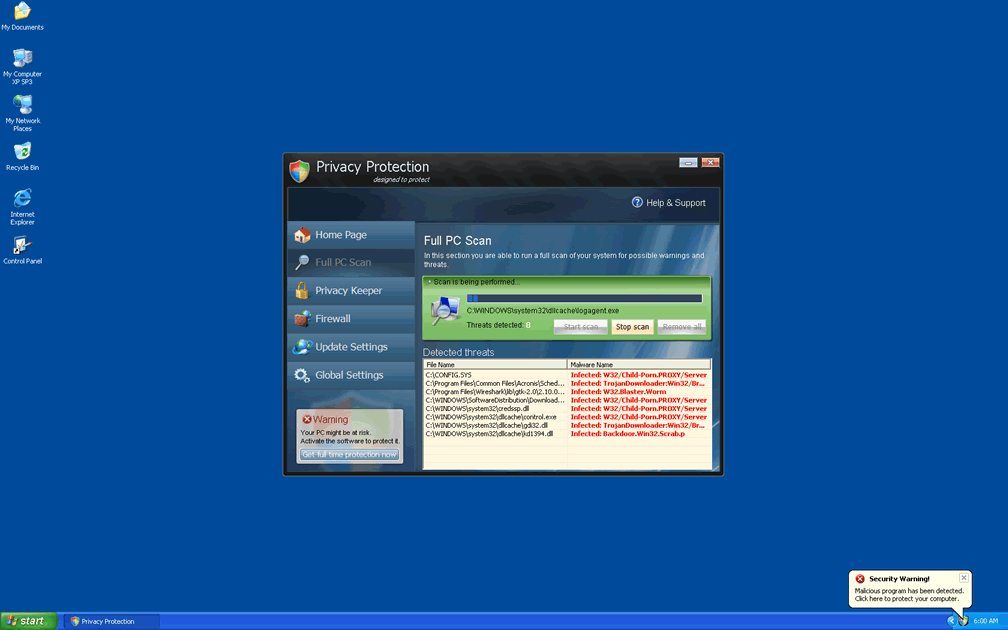
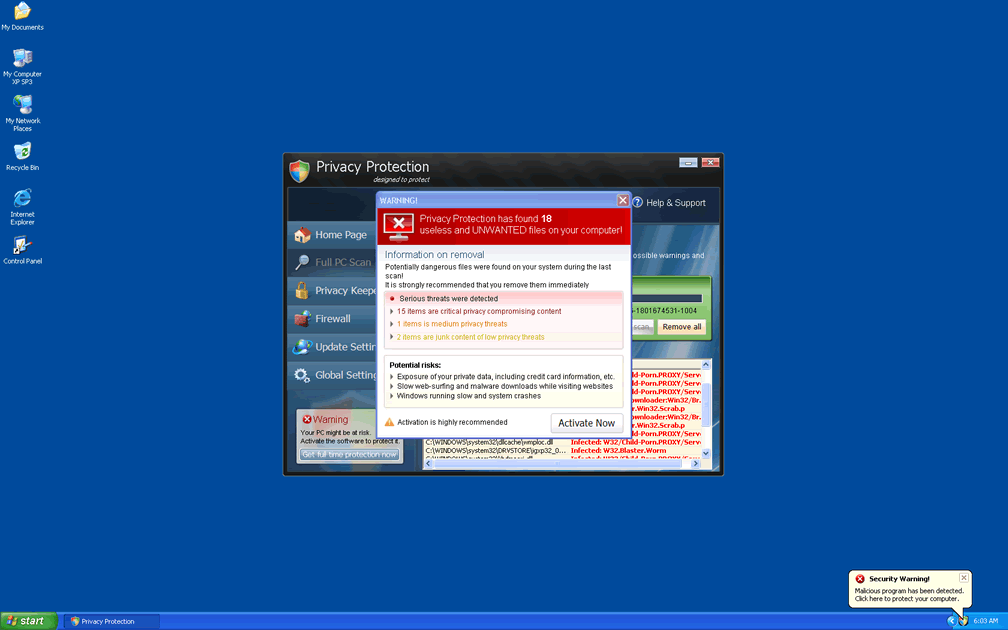
Once Privacy Protection is on your PC, SpywareRemove.com malware research team warns you to be on guard against misleading pop-ups and error messages that will try to confuse you about the state of your computer's health. Typical Privacy Protection error messages will try to encourage you to buy Privacy Protection after announcing that some form of high-level PC threat, such as a worm or a keylogger, is on your computer. Examples include:
Security Center
Unauthorized remote connection!
Your system is making an unauthorized personal data transfer to a remote computer!
Warning! Unauthorized personal data transfer is detected! It may be your personal credit card details, logins and passwords, browsing habits or information about files you have downloaded.
To protect your private data, please click "Prevent Connection" button below.
Security Center Alert
To help protect your computer, Security Center has blocked some features of this program.
Name: Win64.BIT.Looker.exe
Risk: High
Insecurity Internet activity. Threat of virus attack
Due to insecure Internet browsing your PC can easily get infected with viruses, worms and Trojans without knowledge, and that can lead to system slowdown, freezes and crashes. Also insecure Internet activity can result in revealing your personal information. To get full advanced real-time protection for PC and Internet activity, register your antivirus software.
WARNING! 371 threats detected
Detected malicious programs can damage your computer and compromise your privacy. It’s strongly recommended to remove them immediatly [sic]!
Potential risks: Infecting other computers on your network
Continue unprotected Remove all threats now
The Hidden Weapon Tucked into Privacy Protection's Fake Shield Arm
Although fake alerts are the most easily-seen attack from Privacy Protection that you may have to deal with, SpywareRemove.com malware experts also caution against the possibility of other Privacy Protection attacks going on behind the scenes. Common side effects of a Privacy Protection infection can also include:
- Browser redirects that force you to load Privacy Protection's website or take you away from legitimate PC security sites.
- Crashes and other forms of unusual behavior in unrelated software, including anti-virus scanners and even basic Windows tools like Task Manager.
- Having your desktop changed to a threatening message about spyware, viruses or other PC threats.
However, you can remove Privacy Protection with a suitably-powerful anti-malware application, as long as you use Safe Mode or an external Windows boot source to stop Privacy Protection from launching itself. The freely-circulated code 'U2FD-S2LA-H4KA-UEPB' can also be useful to take a registration process for Privacy Protection, which may reduce its attacks in the meantime. Among the members of the huge family of Privacy Protection, we can mention Antivirus 2008 Pro, Windows Antivirus 2008, Vista Antivirus 2008, Antivirus XP 2008, PC Clean Pro, Antivirus Pro 2009, AntiSpy Safeguard, ThinkPoint, Spyware Protection 2010, Internet Antivirus 2011, Palladium Pro, XP Anti-Virus 2011, CleanThis, Rogue.Vista Antivirus 2008, XP Home Security 2012, XP Security 2012 and AntiVirus PRO 2015.
Technical Details
File System Modifications
Tutorials: If you wish to learn how to remove malware components manually, you can read the tutorials on how to find malware, kill unwanted processes, remove malicious DLLs and delete other harmful files. Always be sure to back up your PC before making any changes.
The following files were created in the system:%USERPROFILE%\Application Data\privacy.exe
File name: privacy.exeSize: 823.8 KB (823808 bytes)
MD5: fba04a2c31c8ce7cca750b75d7c10d4f
Detection count: 12
File type: Executable File
Mime Type: unknown/exe
Path: %USERPROFILE%\Application Data
Group: Malware file
Last Updated: November 5, 2011
%AppData%\defender.exe
File name: %AppData%\defender.exeFile type: Executable File
Mime Type: unknown/exe
Group: Malware file
More files
Registry Modifications
HKEY..\..\..\..{Subkeys}HKLM\Software\Microsoft\Windows\CurrentVersion\Run\Privacy Protection
Adding this to twitter great info.