Vista Defender 2013
Posted: October 1, 2012
Threat Metric
The following fields listed on the Threat Meter containing a specific value, are explained in detail below:
Threat Level: The threat level scale goes from 1 to 10 where 10 is the highest level of severity and 1 is the lowest level of severity. Each specific level is relative to the threat's consistent assessed behaviors collected from SpyHunter's risk assessment model.
Detection Count: The collective number of confirmed and suspected cases of a particular malware threat. The detection count is calculated from infected PCs retrieved from diagnostic and scan log reports generated by SpyHunter.
Volume Count: Similar to the detection count, the Volume Count is specifically based on the number of confirmed and suspected threats infecting systems on a daily basis. High volume counts usually represent a popular threat but may or may not have infected a large number of systems. High detection count threats could lay dormant and have a low volume count. Criteria for Volume Count is relative to a daily detection count.
Trend Path: The Trend Path, utilizing an up arrow, down arrow or equal symbol, represents the level of recent movement of a particular threat. Up arrows represent an increase, down arrows represent a decline and the equal symbol represent no change to a threat's recent movement.
% Impact (Last 7 Days): This demonstrates a 7-day period change in the frequency of a malware threat infecting PCs. The percentage impact correlates directly to the current Trend Path to determine a rise or decline in the percentage.
| Ranking: | 9,210 |
|---|---|
| Threat Level: | 10/10 |
| Infected PCs: | 17,765 |
| First Seen: | October 1, 2012 |
|---|---|
| Last Seen: | March 3, 2025 |
| OS(es) Affected: | Windows |
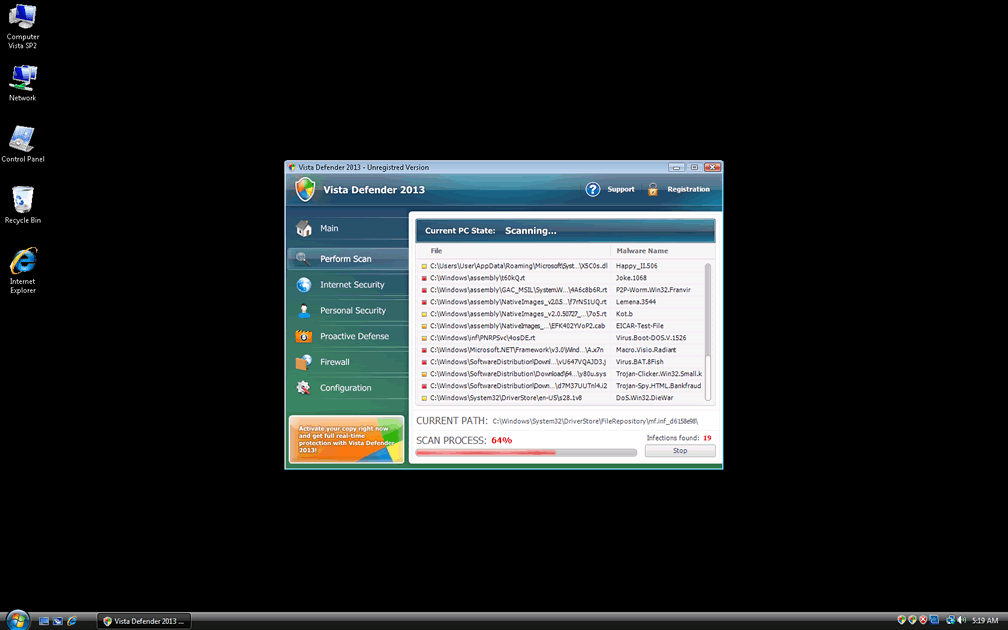
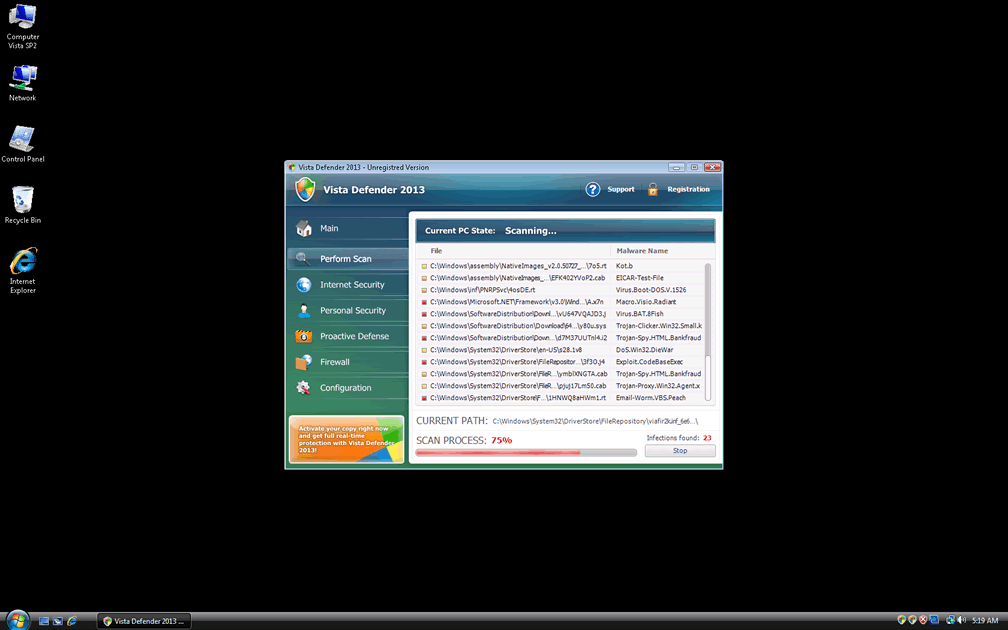
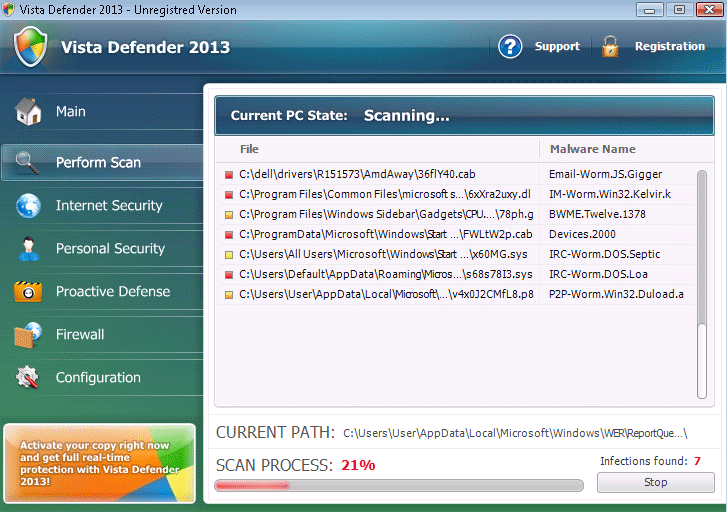 Vista Defender 2013 is a fake anti-malware program that pretends to detect Trojans, spyware, viruses and other PC threats while, in all seriousness, Vista Defender 2013 lacks any threat-detection functions whatsoever. SpywareRemove.com malware researchers have noted that Vista Defender 2013 is just one of a lengthy family tree of WinPC Defender-based scamware, with Vista Defender 2013, like all of its kin, hoping to bully victims into buying its registration key. However, since Vista Defender 2013 is a danger to your computer, rather than the security software that Vista Defender 2013 pretends to be, you should terminate Vista Defender 2013 and delete Vista Defender 2013 with anti-malware software immediately to regain actual safety for your computer.
Why the Defense That Vista Defender 2013 Sells Isn't One You'll Be Wanting
Vista Defender 2013 can be recognized as a clone of similar fake anti-malware scanners from its branch of the FakeRean family, a scamware group that encompasses several major variants of fraudulent security software. Some of Vista Defender 2013's closest relatives include Ultimate Defender, SystemDefender, IE Defender, XP Defender, Advanced XP Defender, WinDefender2008, PCTotalDefender, PC Defender 2008, Personal Defender 2009, WinDefender 2009, Perfect Defender 2009, Total Defender, Malware Defender 2009, WinPC Defender, PC Privacy Defender, Smart Defender Pro, Rogue.UltimateDefender, FraudTool.LastDefender.b and Security Defender Pro 2015. Even though Vista Defender 2013 attempts to imply that Vista Defender 2013 is a similar product to the actual Windows Defender program, SpywareRemove.com malware researchers emphasize Vista Defender 2013's complete lack of affiliation with Microsoft or, indeed, any software that isn't criminal in nature.
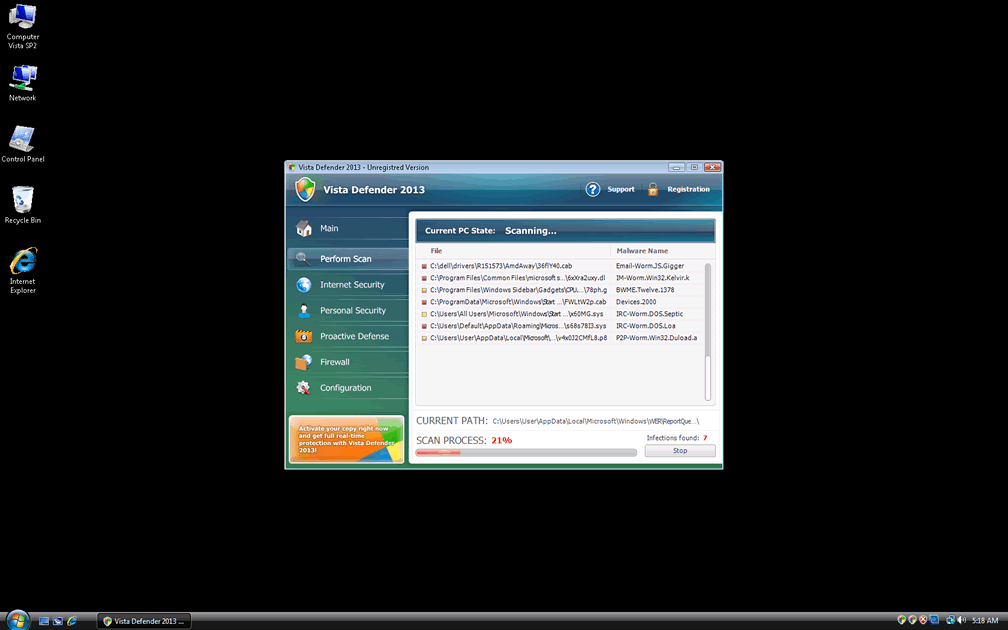
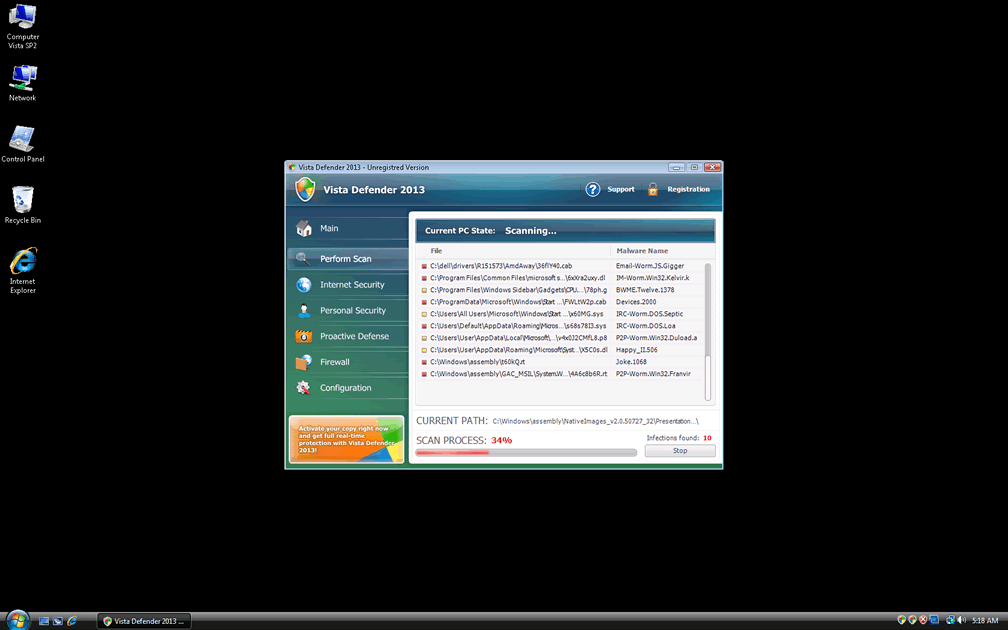
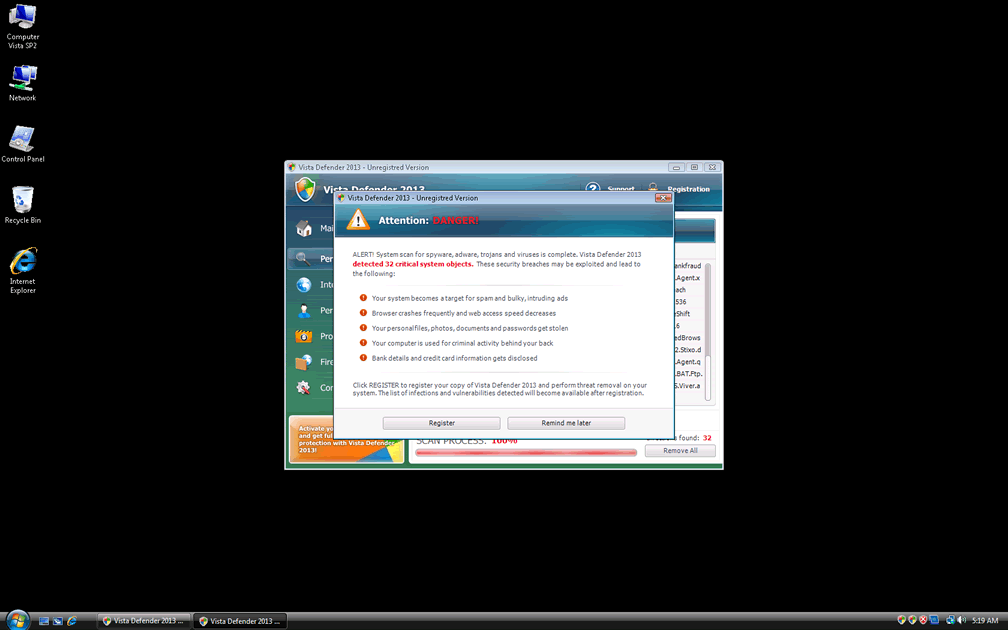
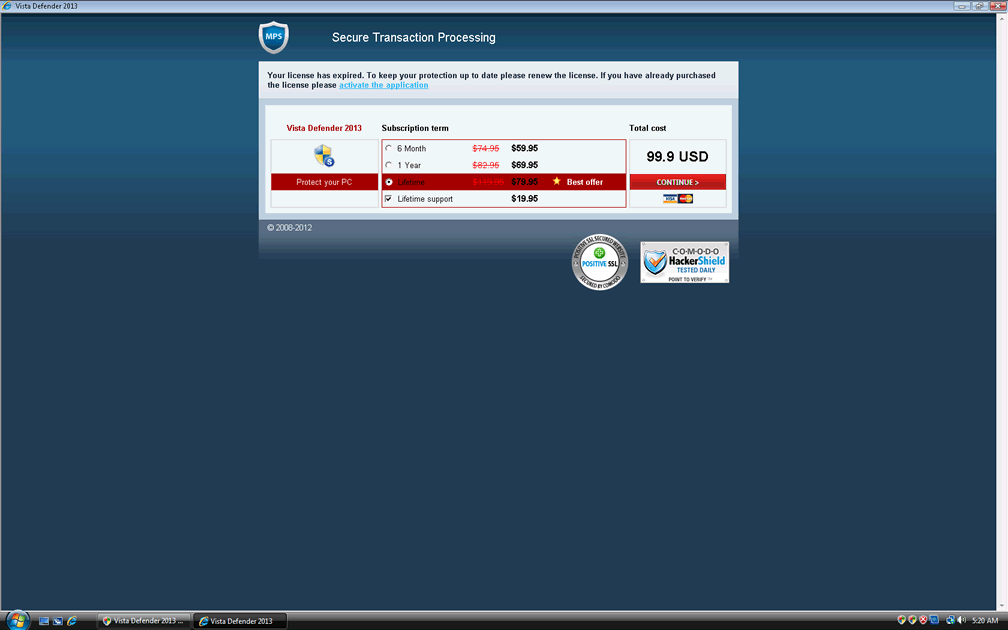
Vista Defender 2013 can't protect your PC from any form of malware, but Vista Defender 2013's alerts and system scans would have you believe otherwise, with a range of pop-ups (including browser alerts and toolbar balloons) and fake scanner results to make you think that a litany of malware has taken over your computer. Any attempts to remove this fake malware with Vista Defender 2013 will cause Vista Defender 2013 to prompt you to purchase its registration key to possess the 'complete' package of Vista Defender 2013, which is just as lacking in benign functions as any other member of the FakeRean family.
The Protection That Can Make a Mockery of Vista Defender 2013's Sham Defense
One optional step in Vista Defender 2013's removal is the possibility of registering Vista Defender 2013 for free, which can be done with the code 3425-814615-3990. Whether you choose this step or not, Vista Defender 2013 can block anti-malware software that could delete Vista Defender 2013 safely, and, for this reason, SpywareRemove.com malware researchers suggest shutting Vista Defender 2013 down before you make any further efforts to disinfect your PC. Safe Mode or, at worst, a system boot from a USB device, can be helpful for this purpose.
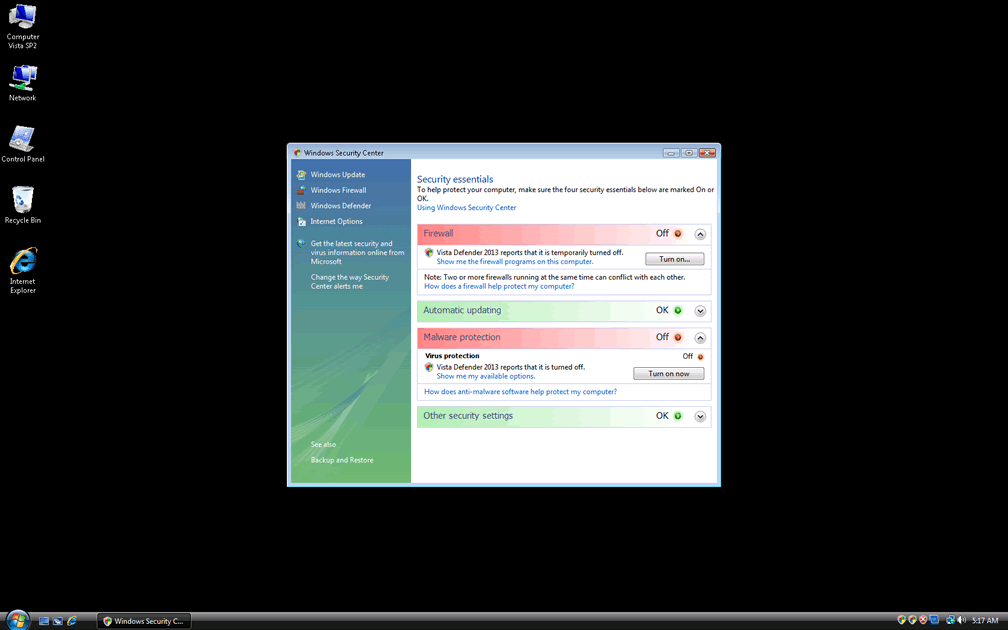
Vista Defender 2013's branch of the FakeRean family has been noted to make changes to important Windows programs such as the Windows Firewall, Security Center and automatic update system. These changes are Registry-based and may not be removed even after your anti-malware software removes Vista Defender 2013. If appropriate security software isn't able to reverse these system changes, SpywareRemove.com malware experts strongly recommend that you reset these programs to their factory default values. Methods for doing this differ with different versions of Windows (the sole OS that Vista Defender 2013 is designed to infect).
Aliases
More aliases (2215)
Technical Details
File System Modifications
Tutorials: If you wish to learn how to remove malware components manually, you can read the tutorials on how to find malware, kill unwanted processes, remove malicious DLLs and delete other harmful files. Always be sure to back up your PC before making any changes.
The following files were created in the system:C:\WINDOWS\UbiSoft\SetupUbi.exe
File name: SetupUbi.exeSize: 643.07 KB (643072 bytes)
MD5: 735e3f35a14cc39fb874b0799a198fb3
Detection count: 377
File type: Executable File
Mime Type: unknown/exe
Path: C:\WINDOWS\UbiSoft\SetupUbi.exe
Group: Malware file
Last Updated: March 3, 2025
C:\ProgramData\Microsoft\Windows\Start Menu\Programs\Startup\Reboot.exe
File name: Reboot.exeSize: 409.6 KB (409600 bytes)
MD5: 10ff0d7610d2a3b7a67854b1b70594fb
Detection count: 82
File type: Executable File
Mime Type: unknown/exe
Path: C:\ProgramData\Microsoft\Windows\Start Menu\Programs\Startup\Reboot.exe
Group: Malware file
Last Updated: July 25, 2022
%SystemDrive%\ProgramData\gbieha.dll
File name: gbieha.dllSize: 557.31 KB (557312 bytes)
MD5: ed5ef662951776536fc5a09266de8b08
Detection count: 62
File type: Dynamic link library
Mime Type: unknown/dll
Path: %SystemDrive%\ProgramData
Group: Malware file
Last Updated: February 22, 2013
%SystemDrive%\ProgramData\wlcon.dll
File name: wlcon.dllSize: 1.09 MB (1098752 bytes)
MD5: fa8d670443046dd1f99dd08241362027
Detection count: 61
File type: Dynamic link library
Mime Type: unknown/dll
Path: %SystemDrive%\ProgramData
Group: Malware file
Last Updated: February 22, 2013
%TEMP%\Aplaeplaep\ycfyycfewuj.exe
File name: ycfyycfewuj.exeSize: 65.53 KB (65536 bytes)
MD5: dc051532febb8ee31d8ad7b7c6ac205c
Detection count: 61
File type: Executable File
Mime Type: unknown/exe
Path: %TEMP%\Aplaeplaep
Group: Malware file
Last Updated: February 22, 2013
%SystemDrive%\ProgramData\gbpsvs.dll
File name: gbpsvs.dllSize: 1.05 MB (1052672 bytes)
MD5: ea505c2d439a5f36e3e079f25b41ae56
Detection count: 60
File type: Dynamic link library
Mime Type: unknown/dll
Path: %SystemDrive%\ProgramData
Group: Malware file
Last Updated: February 22, 2013
C:\$Recycle.Bin\S-1-5-18\$70b76ca57a6b1ad6260e65399d41ccb5\n
File name: nSize: 59.9 KB (59904 bytes)
MD5: 004d883c75e80cd386a260b5eccbf285
Detection count: 56
Path: C:\$Recycle.Bin\S-1-5-18\$70b76ca57a6b1ad6260e65399d41ccb5\n
Group: Malware file
Last Updated: April 6, 2022
%LOCALAPPDATA%\{F41C0568-18AE-2FB5-3FAF-004A1F4BF0B3}\syshost.exe
File name: syshost.exeSize: 204.8 KB (204800 bytes)
MD5: e6533434941eb27d0efd1bf7d37c4f4d
Detection count: 47
File type: Executable File
Mime Type: unknown/exe
Path: %LOCALAPPDATA%\{F41C0568-18AE-2FB5-3FAF-004A1F4BF0B3}
Group: Malware file
Last Updated: February 22, 2013
%TEMP%\csrss.exe
File name: csrss.exeSize: 158.72 KB (158720 bytes)
MD5: 295f8c0f0188a4ffbacd71634986bb03
Detection count: 43
File type: Executable File
Mime Type: unknown/exe
Path: %TEMP%
Group: Malware file
Last Updated: February 22, 2013
%APPDATA%\TMf2g99RPH1P2EI.exe
File name: TMf2g99RPH1P2EI.exeSize: 96.25 KB (96256 bytes)
MD5: 2f5b8fa2968ecb754e181c50e4e869dc
Detection count: 26
File type: Executable File
Mime Type: unknown/exe
Path: %APPDATA%
Group: Malware file
Last Updated: February 22, 2013
%LOCALAPPDATA%\Lollipop\Lollipop.exe
File name: Lollipop.exeSize: 920.57 KB (920576 bytes)
MD5: 8448d114db908ac23f610dc1292edabe
Detection count: 23
File type: Executable File
Mime Type: unknown/exe
Path: %LOCALAPPDATA%\Lollipop
Group: Malware file
Last Updated: February 25, 2013
%TEMP%\update.exe
File name: update.exeSize: 764.92 KB (764928 bytes)
MD5: 6124c9689dc1db263359cf83df35325b
Detection count: 14
File type: Executable File
Mime Type: unknown/exe
Path: %TEMP%
Group: Malware file
Last Updated: February 22, 2013
%APPDATA%\Microsoft\Windows\Start Menu\Programs\Startup\Bla Bla.exe
File name: Bla Bla.exeSize: 4.14 MB (4141960 bytes)
MD5: cb9d64689c607953224011d89c08d839
Detection count: 14
File type: Executable File
Mime Type: unknown/exe
Path: %APPDATA%\Microsoft\Windows\Start Menu\Programs\Startup
Group: Malware file
Last Updated: February 22, 2013
%SystemDrive%\Users\<username>\8103874.dll
File name: 8103874.dllSize: 135.16 KB (135168 bytes)
MD5: b9097671abbe840bb69102e82adc8544
Detection count: 14
File type: Dynamic link library
Mime Type: unknown/dll
Path: %SystemDrive%\Users\New Account
Group: Malware file
Last Updated: March 29, 2013
%APPDATA%\IZ Crypt Pre Alpha.exe
File name: IZ Crypt Pre Alpha.exeSize: 110.59 KB (110592 bytes)
MD5: 5a251700f95ca463af81440a06c11086
Detection count: 12
File type: Executable File
Mime Type: unknown/exe
Path: %APPDATA%
Group: Malware file
Last Updated: February 22, 2013
%SystemDrive%\Users\<username>\6954194.dll
File name: 6954194.dllSize: 100.86 KB (100864 bytes)
MD5: 6702fa8bfb4b5582511f22d93cb45a0a
Detection count: 10
File type: Dynamic link library
Mime Type: unknown/dll
Path: %SystemDrive%\Users\Max
Group: Malware file
Last Updated: February 22, 2013
%APPDATA%\Microsoft\Windows\Start Menu\Programs\Startup\A-2068193475.exe
File name: A-2068193475.exeSize: 51.72 KB (51724 bytes)
MD5: 9a65737e5ccc95b04f26f95eaa2be535
Detection count: 9
File type: Executable File
Mime Type: unknown/exe
Path: %APPDATA%\Microsoft\Windows\Start Menu\Programs\Startup
Group: Malware file
Last Updated: February 22, 2013
%USERPROFILE%\Documents\wincmd.exe
File name: wincmd.exeSize: 24.35 MB (24355844 bytes)
MD5: 506a814c73adbfa70107a40085b90b4a
Detection count: 9
File type: Executable File
Mime Type: unknown/exe
Path: %USERPROFILE%\Documents
Group: Malware file
Last Updated: February 22, 2013
%TEMP%\MSDCSC\msdcsc.exe
File name: msdcsc.exeSize: 1.15 MB (1158529 bytes)
MD5: 8f42640869da36976902d674b41cc36a
Detection count: 7
File type: Executable File
Mime Type: unknown/exe
Path: %TEMP%\MSDCSC
Group: Malware file
Last Updated: February 22, 2013
%APPDATA%\Microsoft\Windows\Start Menu\Programs\Startup\Teemu.exe
File name: Teemu.exeSize: 4.32 MB (4328372 bytes)
MD5: 2f6ec4885e14e3904d94c037ad8c98fa
Detection count: 5
File type: Executable File
Mime Type: unknown/exe
Path: %APPDATA%\Microsoft\Windows\Start Menu\Programs\Startup
Group: Malware file
Last Updated: February 22, 2013
%WINDIR%\up2date.exe
File name: up2date.exeSize: 57.79 KB (57795 bytes)
MD5: a8a12411d33c56520ef81a83416caca6
Detection count: 5
File type: Executable File
Mime Type: unknown/exe
Path: %WINDIR%
Group: Malware file
Last Updated: February 22, 2013
%PROGRAMFILES%\WW2010CF\SERVICES.EXE
File name: SERVICES.EXESize: 512 KB (512000 bytes)
MD5: 48b0f162c65c7316db6ec1d294f8f37e
Detection count: 5
File type: Executable File
Mime Type: unknown/EXE
Path: %PROGRAMFILES%\WW2010CF
Group: Malware file
Last Updated: February 22, 2013
%WINDIR%\system32\wins.exe
File name: wins.exeSize: 244.55 KB (244552 bytes)
MD5: cb5c8a3f5cba769669f662ab9e30b913
Detection count: 5
File type: Executable File
Mime Type: unknown/exe
Path: %WINDIR%\system32
Group: Malware file
Last Updated: February 22, 2013
%ALLUSERSPROFILE%\Local Settings\Temp\mslutv.exe
File name: mslutv.exeSize: 49.99 KB (49992 bytes)
MD5: 7295902ee0f05ab37a2f764e9b45a8b6
Detection count: 5
File type: Executable File
Mime Type: unknown/exe
Path: %ALLUSERSPROFILE%\Local Settings\Temp
Group: Malware file
Last Updated: February 22, 2013
%CommonApplData%\[RANDOM CHARACTERS_2]
File name: %CommonApplData%\[RANDOM CHARACTERS_2]Group: Malware file
%Temp%\[RANDOM CHARACTERS_2]
File name: %Temp%\[RANDOM CHARACTERS_2]Group: Malware file
%LocalAppData%\[RANDOM CHARACTERS_2]
File name: %LocalAppData%\[RANDOM CHARACTERS_2]Group: Malware file
%UserProfile%\Templates\[RANDOM CHARACTERS_2]
File name: %UserProfile%\Templates\[RANDOM CHARACTERS_2]Group: Malware file
More files
Registry Modifications
HKEY..\..\..\..{Subkeys}HKEY_CURRENT_USER\Software\Classes\.exe\Content Type application/x-msdownloadHKEY_CURRENT_USER\Software\Classes\.exe\DefaultIconHKEY_CURRENT_USER\Software\Classes\.exe\DefaultIcon\ %1HKEY_CURRENT_USER\Software\Classes\.exeHKEY_CURRENT_USER\Software\Classes\.exe\ [RANDOM CHARACTERS_0]HKEY_CURRENT_USER\Software\Classes\.exe\shell\open\commandHKEY_CURRENT_USER\Software\Classes\.exe\shell\open\command\ "[RANDOM CHARACTERS_1].exe" -a "%1" %*HKEY_CURRENT_USER\Software\Classes\.exe\shell\open\command\IsolatedCommand "%1" %*HKEY_CURRENT_USER\Software\Classes\.exe\shellHKEY_CURRENT_USER\Software\Classes\.exe\shell\openHKEY_CURRENT_USER\Software\Classes\.exe\shell\runasHKEY_CURRENT_USER\Software\Classes\.exe\shell\runas\commandHKEY_CURRENT_USER\Software\Classes\[RANDOM CHARACTERS_0]HKEY_CURRENT_USER\Software\Classes\[RANDOM CHARACTERS_0]\ ApplicationHKEY_CURRENT_USER\Software\Classes\[RANDOM CHARACTERS_0]\Content Type application/x-msdownloadHKEY_CURRENT_USER\Software\Classes\[RANDOM CHARACTERS_0]\DefaultIconHKEY_CURRENT_USER\Software\Classes\[RANDOM CHARACTERS_0]\DefaultIcon\ %1HKEY_CURRENT_USER\Software\Classes\.exe\shell\runas\command\ "%1" %*HKEY_CURRENT_USER\Software\Classes\.exe\shell\runas\command\IsolatedCommand "%1" %*HKEY_CURRENT_USER\Software\Classes\[RANDOM CHARACTERS_0]\shellHKEY_CURRENT_USER\Software\Classes\[RANDOM CHARACTERS_0]\shell\openHKEY_CURRENT_USER\Software\Classes\[RANDOM CHARACTERS_0]\shell\runas\command\ "%1" %*HKEY_CURRENT_USER\Software\Classes\[RANDOM CHARACTERS_0]\shell\runas\command\IsolatedCommand "%1" %*HKEY_CURRENT_USER\Software\Classes\[RANDOM CHARACTERS_0]\shell\runasHKEY_CURRENT_USER\Software\Classes\[RANDOM CHARACTERS_0]\shell\open\commandHKEY_CURRENT_USER\Software\Classes\[RANDOM CHARACTERS_0]\shell\runas\commandHKEY_CURRENT_USER\Software\Classes\[RANDOM CHARACTERS_0]\shell\open\command\ "[RANDOM CHARACTERS_1].exe" -a "%1" %*HKEY_CURRENT_USER\Software\Classes\[RANDOM CHARACTERS_0]\shell\open\command\IsolatedCommand "%1" %*
Additional Information
| # | Message |
|---|---|
| 1 | Malware Intrusion Sensitive areas of your system were found to be under attack. Spy software attack or virus infection possible. Prevent further damage or your private data will get stolen. Run an anti-spyware scan now. Click here to start. |
| 2 | Security breach! Beware! Spyware infection was found. Your system security is at risk. Private information may get stolen, and your PC activity may get monitored. Click for an anti-spyware scan. Vista Defender 2013 Alert |
| 3 | Security breach! Beware! Spyware infection was found. Your system security is at risk. Private information may get stolen, and your PC activity may get monitored. Click for an anti-spyware scan. |
| 4 | System hacked! Unknown programs is scanning your system registry right now! Identity theft detected! |
| 5 | Vista Defender 2013 Alert Internet Connection alert! Suspicious network activity detected! Malware infection is possible! |
| 6 | Vista Defender 2013 Alert Internet Connection alert! Suspicious network activity detected! Malware infection is possible! |
| 7 | Vista Defender 2013 Alert System hacked! Unknown programs is scanning your system registry right now! Identity theft detected! |
Leave a Reply
Please note that we are not able to assist with billing and support issues regarding SpyHunter or other products. If you're having issues with SpyHunter, please get in touch with SpyHunter customer support through your SpyHunter . If you have SpyHunter billing questions, we recommend you check the Billing FAQ. For general suggestions or feedback, contact us.