Windows Malware Firewall
Posted: June 1, 2012
Threat Metric
The following fields listed on the Threat Meter containing a specific value, are explained in detail below:
Threat Level: The threat level scale goes from 1 to 10 where 10 is the highest level of severity and 1 is the lowest level of severity. Each specific level is relative to the threat's consistent assessed behaviors collected from SpyHunter's risk assessment model.
Detection Count: The collective number of confirmed and suspected cases of a particular malware threat. The detection count is calculated from infected PCs retrieved from diagnostic and scan log reports generated by SpyHunter.
Volume Count: Similar to the detection count, the Volume Count is specifically based on the number of confirmed and suspected threats infecting systems on a daily basis. High volume counts usually represent a popular threat but may or may not have infected a large number of systems. High detection count threats could lay dormant and have a low volume count. Criteria for Volume Count is relative to a daily detection count.
Trend Path: The Trend Path, utilizing an up arrow, down arrow or equal symbol, represents the level of recent movement of a particular threat. Up arrows represent an increase, down arrows represent a decline and the equal symbol represent no change to a threat's recent movement.
% Impact (Last 7 Days): This demonstrates a 7-day period change in the frequency of a malware threat infecting PCs. The percentage impact correlates directly to the current Trend Path to determine a rise or decline in the percentage.
| Threat Level: | 10/10 |
|---|---|
| Infected PCs: | 12 |
| First Seen: | June 1, 2012 |
|---|---|
| Last Seen: | January 8, 2020 |
| OS(es) Affected: | Windows |
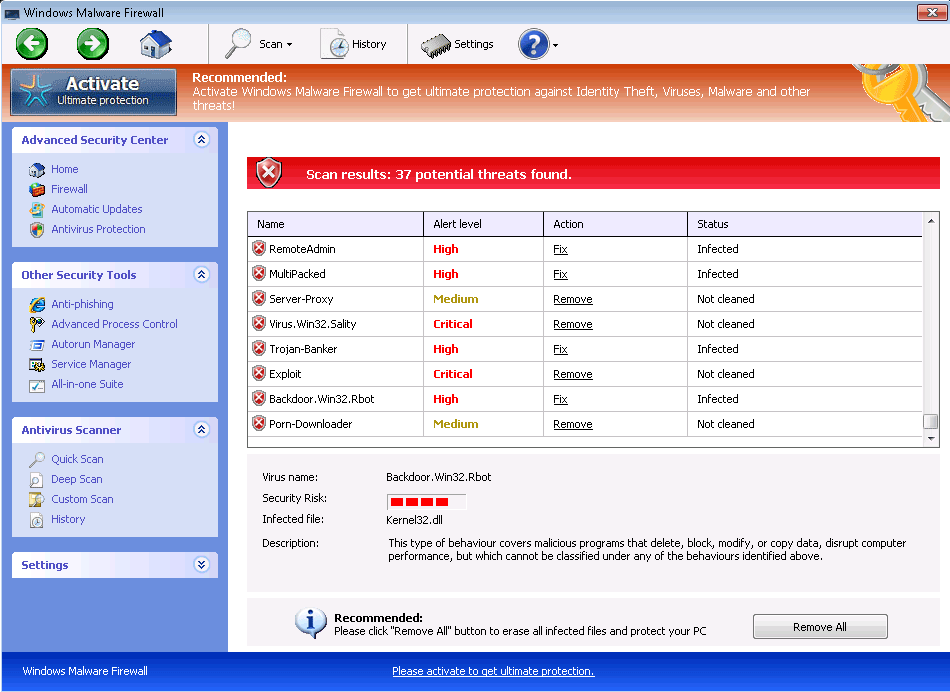 Windows Malware Firewall, while it pretends to be an anti-malware product, actually is closer to malware than a firewall as far as its real features are concerned. By deriving its visible interface and raw functions from other members of Win32/FakeVimes, Windows Malware Firewall is easily identifiable as a rogue anti-malware product that's incapable of protecting your PC or detecting legitimate security problems. While Windows Malware Firewall is aboard your PC, Windows Malware Firewall may display inaccurate system alerts, block genuine security-related applications or even redirect your browser to malicious websites – all classic signs of similar FakeVimes-based scamware like Windows Advanced Security Center, Windows Guard Tools, Windows Multi Control System, Windows Safety Maintenance, Windows Virtual FirewallWindows Trojans Inspector and Windows Personal Detective. Naturally, SpywareRemove.com malware researchers recommend cleaning Windows Malware Firewall out by using a legitimate anti-malware product as soon as you're able since Windows Malware Firewall will remain a security risk to your computer as long as Windows Malware Firewall is installed.
The Toasty Sear That Windows Malware Firewall Puts on Windows
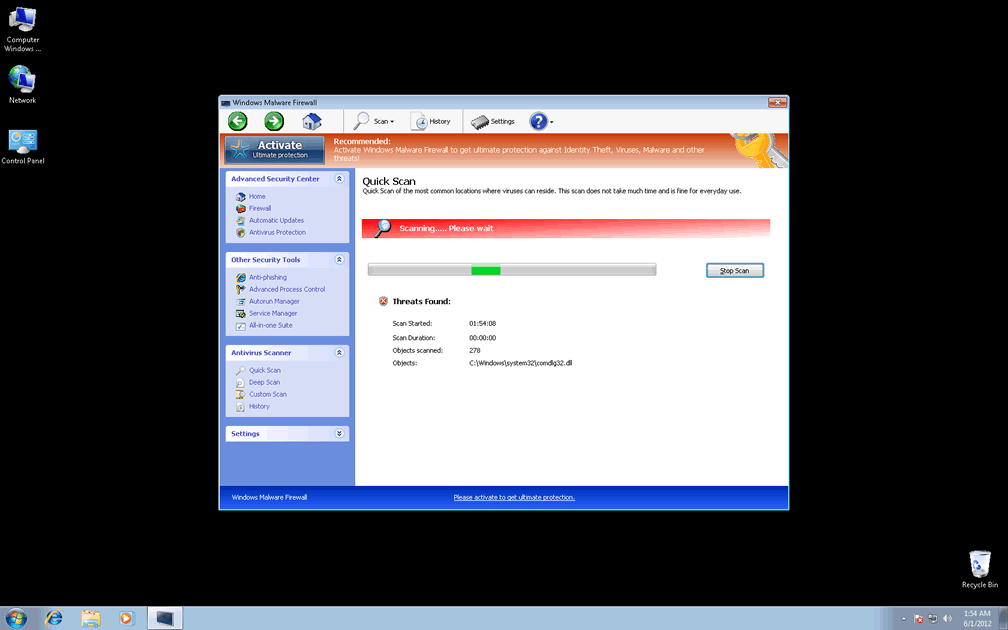
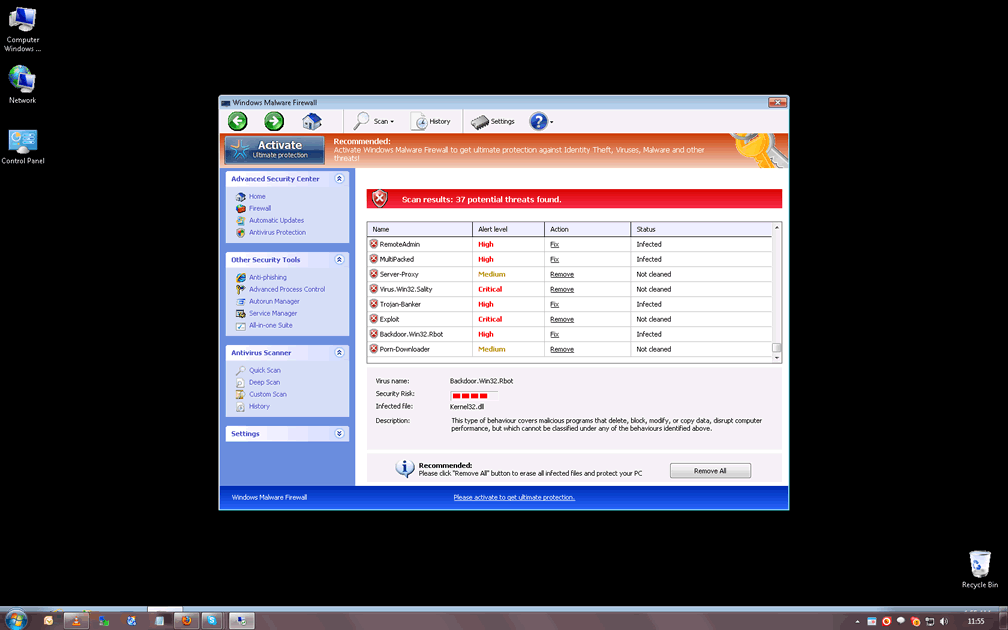
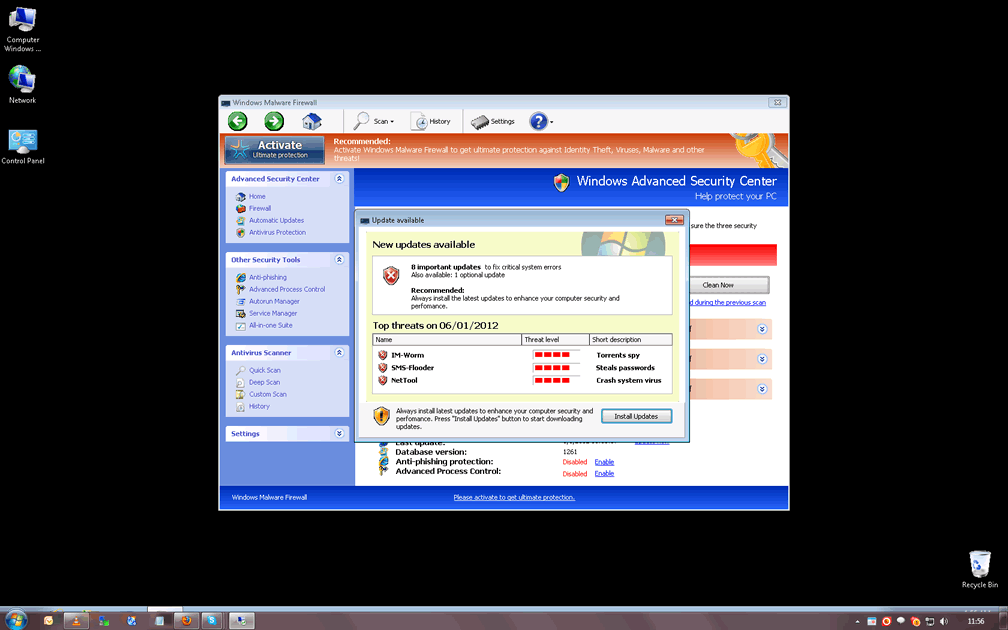
As a recent addition to the rapidly-growing family of Win32/FakeVimes, Windows Malware Firewall is just a new brand name for criminals to use in conducting the same old hoax: creating fake security pop-ups, system scans and other displays while Windows Malware Firewall asks you to spend money on a registration key to remove all the fake threats that Windows Malware Firewall detects. However, victims of Windows Malware Firewall who are as familiar with FakeVimes-based rogue anti-malware programs as SpywareRemove.com malware researchers will quickly be able to tell that all of Windows Malware Firewall's threat detections are fraudulent, from its warnings about identity theft attacks to its fake rootkit alerts. Because Windows Malware Firewall exploits Windows components to launch itself automatically, you can expect these deceptive alerts to appear every time you boot your PC.
While fake system alerts and scans are the means of Windows Malware Firewall's scam, the end is a purchasable registration key. Although Windows Malware Firewall claims to be able to remove every single PC threat of the many that Windows Malware Firewall detects once you purchase its registered version, SpywareRemove.com malware researchers stress the fact that even the bought form of Windows Malware Firewall doesn't have any benefits for your computer. Despite this, you may want to register Windows Malware Firewall for free by inputting the code '0W000-000B0-00T00-E0020' since it's been found to be useful for Windows Malware Firewall's removal process.
Turning Windows Malware Firewall's Flames into Sputters
Since Windows Malware Firewall makes significant changes to Windows components like the Windows Registry, using anti-malware software is always encouraged to expedite Windows Malware Firewall's safe deletion. Sadly, deleting Windows Malware Firewall can be more circuitous than most of its victims would prefer, since Windows Malware Firewall may also act to block security-related programs – including popular AV brands and default Windows tools. If Windows Malware Firewall stops you from using software that would remove Windows Malware Firewall safely, SpywareRemove.com malware experts recommend disabling Windows Malware Firewall before you scan your computer. Booting Windows from a removable drive can be considered one of the most surefire ways of doing this, although using Safe Mode can be a more accessible alternative.
Since some of Windows Malware Firewall's system changes may also damage programs by removing their Registry entries, you should also be prepared to restore your Registry from a backup or reinstall any damaged applications. However, malfunctioning programs should never be taken as signs that Windows Malware Firewall's fake warnings about your computer's health are accurate.

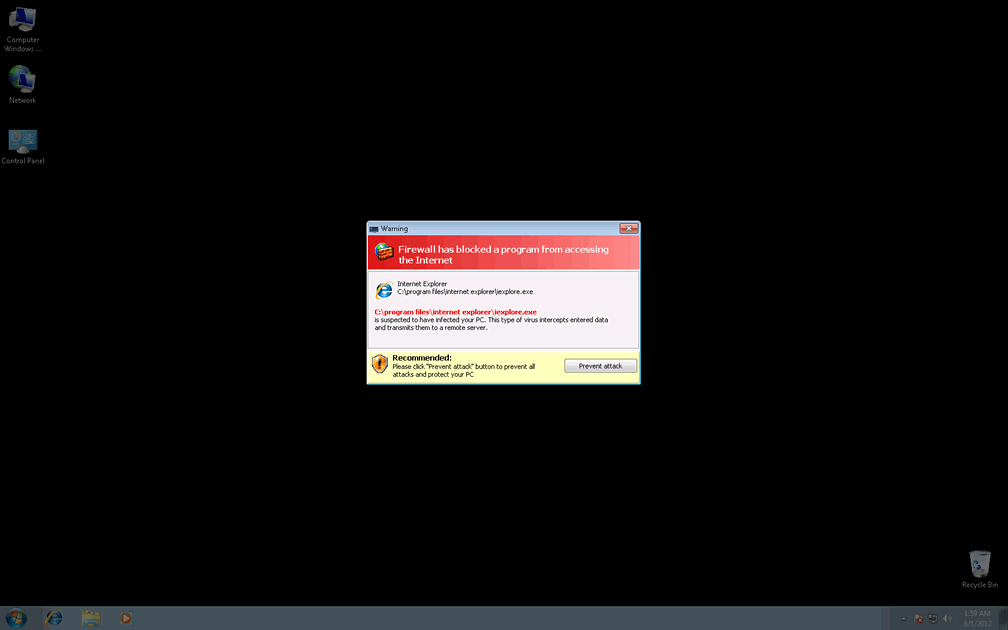
Technical Details
File System Modifications
Tutorials: If you wish to learn how to remove malware components manually, you can read the tutorials on how to find malware, kill unwanted processes, remove malicious DLLs and delete other harmful files. Always be sure to back up your PC before making any changes.
The following files were created in the system:%APPDATA%\Protector-ixlf.exe
File name: Protector-ixlf.exeSize: 2.25 MB (2250752 bytes)
MD5: e8efda901e1ee0c7b5af4a1bd27c2cea
Detection count: 65
File type: Executable File
Mime Type: unknown/exe
Path: %APPDATA%
Group: Malware file
Last Updated: June 1, 2012
%APPDATA%\Protector-dwyc.exe
File name: Protector-dwyc.exeSize: 2 MB (2003456 bytes)
MD5: 1f6e6c2671e6dbed9a5a3bad3f7bc4ab
Detection count: 50
File type: Executable File
Mime Type: unknown/exe
Path: %APPDATA%
Group: Malware file
Last Updated: January 8, 2020
%AppData%\result.db
File name: %AppData%\result.dbMime Type: unknown/db
Group: Malware file
%AppData%\Protector-[RANDOM 3 CHARACTERS].exe
File name: %AppData%\Protector-[RANDOM 3 CHARACTERS].exeFile type: Executable File
Mime Type: unknown/exe
Group: Malware file
%AppData%\Protector-[RANDOM 4 CHARACTERS].exe
File name: %AppData%\Protector-[RANDOM 4 CHARACTERS].exeFile type: Executable File
Mime Type: unknown/exe
Group: Malware file
Registry Modifications
HKEY..\..\{Value}HKEY_CURRENT_USER\Software\Microsoft\Windows\CurrentVersion\Run\ Inspector = %AppData%\Protector-[RANDOM CHARACTERS].exe HKEY_LOCAL_MACHINE\Software\Microsoft\Windows NT\CurrentVersion\Image File Execution Options\AAWTray.exe\"Debugger" = "svchost.exe"HKEY_LOCAL_MACHINE\Software\Microsoft\Windows NT\CurrentVersion\Image File Execution Options\About.exe\"Debugger" = "svchost.exe"HKEY_LOCAL_MACHINE\Software\Microsoft\Windows NT\CurrentVersion\Image File Execution Options\a.exe\"Debugger" = "svchost.exe"HKEY_LOCAL_MACHINE\Software\Microsoft\WindowsNT\CurrentVersion\Image File Execution Options\aAvgApi.exe\"Debugger" = "svchost.exe"HKEY_LOCAL_MACHINE\Software\Microsoft\Windows NT\CurrentVersion\Image File Execution Options\ackwin32.exe\"Debugger" = "svchost.exe"HKEY_LOCAL_MACHINE\Software\Microsoft\Windows NT\CurrentVersion\Image File Execution Options\Ad-Aware.exe\"Debugger" = "svchost.exe"HKEY_LOCAL_MACHINE\Software\Microsoft\Windows NT\CurrentVersion\Image File Execution Options\AdwarePrj.exe\"Debugger" = "svchost.exe"HKEY_LOCAL_MACHINE\Software\Microsoft\Windows NT\CurrentVersion\Image File Execution Options\agent.exe\"Debugger" = "svchost.exe"HKEY_LOCAL_MACHINE\Software\Microsoft\Windows NT\CurrentVersion\Image File Execution Options\adaware.exe\"Debugger" = "svchost.exe"HKEY_LOCAL_MACHINE\Software\Microsoft\Windows NT\CurrentVersion\Image File Execution Options\advxdwin.exe\"Debugger" = "svchost.exe"HKEY_LOCAL_MACHINE\Software\Microsoft\Windows NT\CurrentVersion\Image File Execution Options\agentsvr.exe\"Debugger" = "svchost.exe"HKEY_LOCAL_MACHINE\Software\Microsoft\Windows NT\CurrentVersion\Image File Execution Options\agentw.exe\"Debugger" = "svchost.exe"HKEY_LOCAL_MACHINE\Software\Microsoft\Windows NT\CurrentVersion\Image File Execution Options\alogserv.exe\"Debugger" = "svchost.exe"HKEY_LOCAL_MACHINE\Software\Microsoft\Windows NT\CurrentVersion\Image File Execution Options\AlphaAV\"Debugger" = "svchost.exe"HKEY_LOCAL_MACHINE\Software\Microsoft\Windows NT\CurrentVersion\Image File Execution Options\AlphaAV.exe\"Debugger" = "svchost.exe"HKEY_LOCAL_MACHINE\Software\Microsoft\Windows NT\CurrentVersion\Image File Execution Options\alertsvc.exe\"Debugger" = "svchost.exe"HKEY_LOCAL_MACHINE\Software\Microsoft\Windows NT\CurrentVersion\Image File Execution Options\alevir.exe\"Debugger" = "svchost.exe"
Additional Information
| # | Message |
|---|---|
| 1 | Antivirus Protection 2012 Firewall Alert Suspicious activity in your registry system space was detected. Rogue malware detected in your system. Data leaks and system damage are possible. Please use a deep scan option. |
| 2 | Antivirus Protection 2012 Firewall Alert Your computer is being attacked from a remote machine! Block Internet access to your computer to prevent system infection. Attacker IP: [ip address] Attack type: RCPT exploit |
| 3 | Antivirus Protection 2012 Spyware.IEMonster process is found. The virus is going to send your passwords from Internet browser (Explorer, Mozilla Firefox, Outlook & others) to the third-parties. Click here for further protection of your data with Antivirus Protection 2012. |
| 4 | Antivirus Protection 2012 The application excel.exe was launched successfully but it was forced to shut down due to security reasons. This application infected by a malicious software program which might present damage for the PC. It is highly recommended to make a full scan of your computer to exterminate the malicious programs from it. |
| 5 | Antivirus Protection 2012 Your computer is being used as spamming machine. You can get sued for spam. Your computer WIL BE DISCONNECTED FORM <sic> INTERNET BECAUSE SPAMMING OTHER PCs. |
| 6 | Error Attempt to modify Registry key entries detected. Registry entry analysis recommended. |
| 7 | Error Keylogger ativity detected. System information security is at risk. It is recommended to activate protection and run a full system scan. |
| 8 | Error Software without a digital signature detected. Your system files are at risk. We strongly advise you to activate your protection. |
| 9 | Error Trojan activity detected. System data security is at risk. It is recommended to activate protection and run a full system scan. |
| 10 | System Security Warning Attempt to modify register key entries is detected. Register entries analysis is recommended. Warning! Location: c:\windows\system32\taskmgr.exe Viruses: Backdoor.Win32.Rbot |
| 11 | Warning! Identity theft attempt Detected |
| 12 | Warning! Spambot detected! Attention! A spambot sending viruses from your e-mail has been detected on your PC. |
| 13 | You have been infected by a proxy-relay trojan server with new and danger "SpamBots". You have a computer with a virus that sends spam. This is a mass-mailing worm with backdoor thus allowing un-authorized access to the infected system. It spreads by mass-mailing itself to e-mail addresses harvested from the local computer or by querying on-line search engines such as google.com. The IP <ip address> address that YOU are getting from Internet Service Provider (ISP) for YOU personal computer is on some major blacklist. Your computer has been used to send a huge amount of junk e-mail messages during the last days. You IP <ip address> will be marked in the Police log file as mass-mailing spam assist. Upgrading to the full version Antivirus Protection 2012 it will eliminate the majority of Spam attempts. |
Related Posts
- 'System Firewall Has Blocked Some Features' Pop-Ups
- 'Firewall Breach Detected' Pop-Ups
- 'Firewall Detected Suspicious Network Connections' Pop-Ups
- ‘Windows Firewall Security Damaged’ Pop-Ups
- Fake Windows Firewall
anybody else get it from legal porn? no? just me i guess. .
Yes I did and can't get rid of it
#2 reciept 20473 Pay Date 06/02/2012 Merhant 00 Amount thomas davis have been over charged 99.90 USD http://WWW.WEBCOM-24.COM